KubeJS Needed by tetra_data_kubejs-1.3.2.jar
requiredMatching file found Matched file: KubeJS Forge 2001.6.5-build.26
CurseForge · Minecraft mod
It lets KubeJS register Tetra materials, schematics, modules, and improvements
Quick answer
tetra_data_kubejs-1.3.2.jar targets 1.20.1 with Forge. The project page does not say whether this file belongs on the client, dedicated server, or both. All 5 required mods have matching files.
Where it goes
The project page does not say whether this file belongs on the client, dedicated server, or both.
The source does not explicitly classify this release as client-only or server-only.
tetra_data_kubejs-1.3.2.jar. Change the file and its required mods may change too.
Install KubeJS, Tetra, Rhino, Architectury API and 1 more first. We found matching files for this game-version and loader setup. 3 come through another mod in the chain.
3 extra mods were pulled in by other dependencies. Indented rows show who needs each one. We only count dependency files that match this setup. A file for another loader does not fill the gap.
Before you install it
Built for tetra_data_kubejs-1.3.2.jar. Pick another file and the loader, install side or required mods may change.
Use tetra_data_kubejs-1.3.2.jar. It targets 1.20.1 with Forge; another release may have different loader, side or dependency requirements.
Install KubeJS, Tetra, Rhino, Architectury API and 1 more first. We found matching files for this game-version and loader setup. 3 come through another mod in the chain.
The project page does not say whether this file belongs on the client, dedicated server, or both.
Use the “Get this file” button beside tetra_data_kubejs-1.3.2.jar. It opens that exact file at the source.
About this project
This file is placed in kubejs/server_scripts, so you need to use hp_TetraDataEvents.queue(…). queue(…) stages the Tetra data from this script and injects it on the next /reload. The easiest workflow is: /hp_tetra_data_kubejs apply
About this mod:
This example contains 5 core parts:
If you are not already familiar with how Tetra normally registers materials, schematics, modules, and improvements through datapacks, I recommend learning that first.
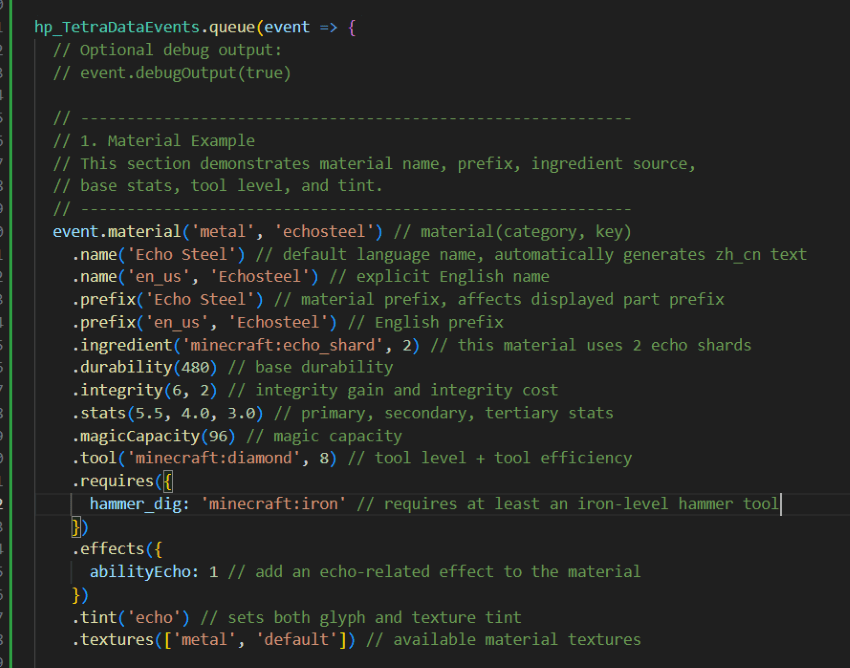
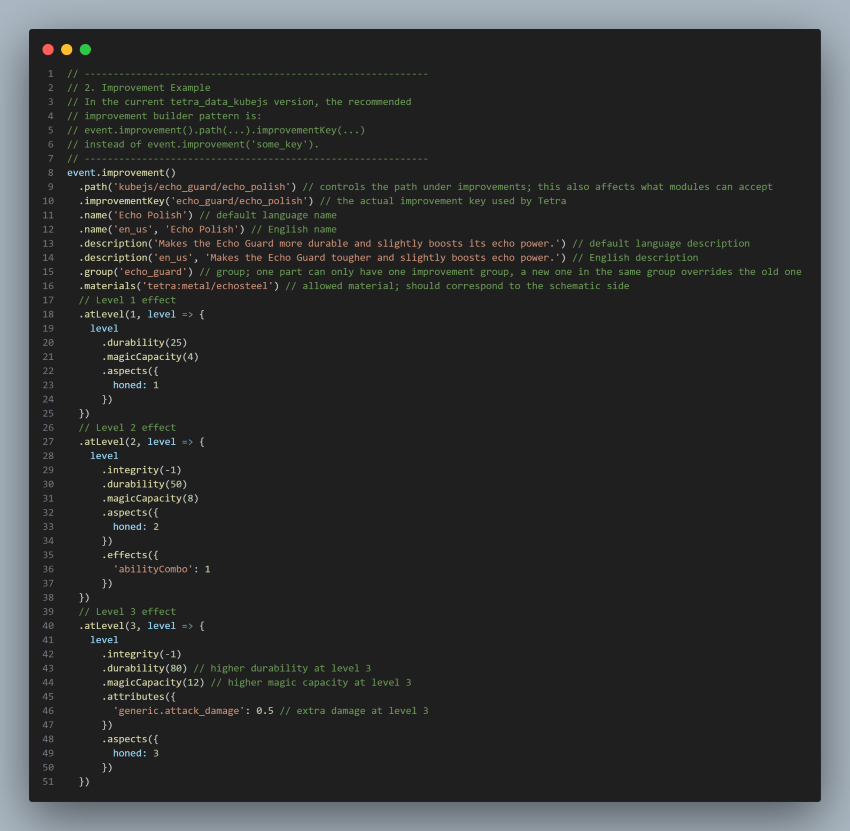
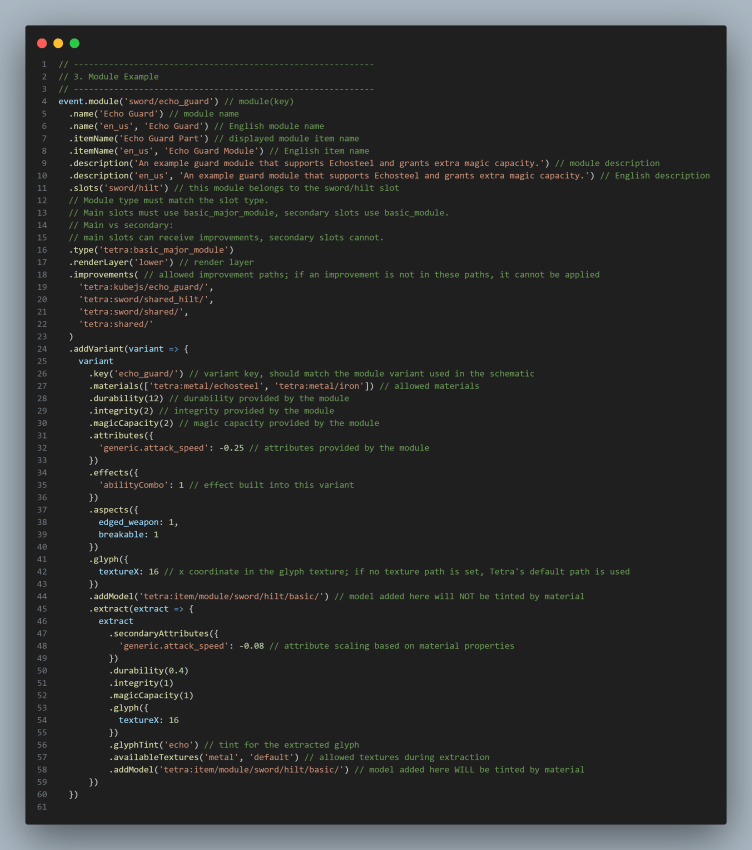
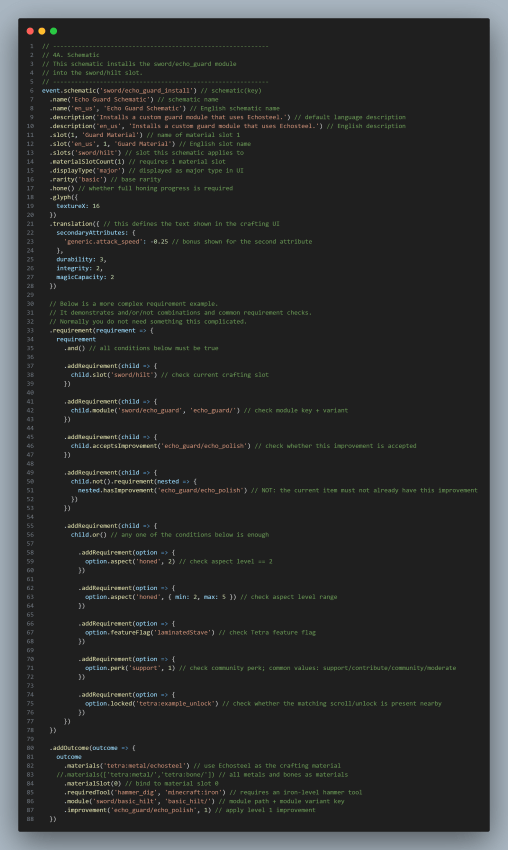
Project description from CurseForge.
Pick your setup
Choose the version and loader you play, then open the matching release.
Check the dependencies, then try the file in a copied instance before changing a world you care about.
Recent files
3 Jun 2026
1 Jun 2026
tetra_data_kubejs-1.3.jar
26 May 2026
tetra_data_kubejs-1.2.jar
26 Apr 2026
tetra_data_kubejs-1.0.jar
18 Apr 2026
Looking for an older file? The official CurseForge project page is in Resources.
 mod
A small client mod that adds first-person rendering of armour on the hand
 mod
Shared library for Nicktale mods: animated entity models, per-piece armor models, Tabula model loading and regenerating structures.
 mod
This mod turns boring tooltips into awesome RPG ones, with automatic support for other mods.