Quick answer
Which Antique Transport release should I use?
Latest stable file antique_transport-1.3.0+1.21.1.jar
Game version 1.21.1
Loader Fabric, NeoForge
Antique Transport antique_transport-1.3.0+1.21.1.jar targets 1.21.1 with Fabric, NeoForge. The project page does not say whether this file belongs on the client, dedicated server, or both. All 3 required mods have matching files.
Where it goes
Is Antique Transport required on the client, server, or both?
The project page does not say whether this file belongs on the client, dedicated server, or both.
Client Source doesn’t say
Dedicated server Source doesn’t say
Loader for this release Fabric, NeoForge
Required install it here Optional supported, not mandatory Not supported do not install here Source doesn’t say do not assume
The source does not explicitly classify this release as client-only or server-only.
What else does Antique Transport antique_transport-1.3.0+1.21.1.jar need?
antique_transport-1.3.0+1.21.1.jar. Change the file and its required mods may change too.
Install Antique Atlas 4, Surveyor Map Framework, Fabric API first. We found matching files for this game-version and loader setup. 17 come through another mod in the chain.
7 listed on this file 17 pulled in by those mods
Antique Atlas 4 Needed by Antique Transport antique_transport-1.3.0+1.21.1.jar requiredMatching file found Matched file: antique-atlas-3.1.2+1.21.jar
Sable Optional for Antique Transport antique_transport-1.3.0+1.21.1.jar optionalMatching file found Matched file: Sable NeoForge 2.0.6 for mc1.21.1
Matching file found Matched file: surveyor-1.2.4+1.21.jar
Matching file found Matched file: Create Aeronautics 1.3.3 for mc1.21.1
Create Optional for Antique Transport antique_transport-1.3.0+1.21.1.jar optionalMatching file found Matched file: Create 6.0.10 for mc1.21.1
McQoy Optional for Antique Transport antique_transport-1.3.0+1.21.1.jar optionalMatching file found Matched file: mcqoy-0.4.1+neo-1.21.jar
Matching file found Matched file: Connector 2.0.0 beta 17
Matching file found Matched file: [1.21.1] Fabric API 0.116.18+1.21.1
Matching file found Matched file: ImGuiMC NeoForge 2.0.5 for mc1.21.1
Matching file found Matched file: 3.8.2 for fabric 1.21.1
Matching file found Matched file: ConnectorExtras 1.12.1+1.21.1
Matching file found Matched file: [1.21.1] Forgified Fabric API 0.116.15+2.3.6+1.21.1
EMI Needed by Connector Extras pulled inMatching file found Matched file: emi-1.1.24+1.21.1+neoforge
Matching file found Matched file: [Fabric 1.21(.1)] v16.0.799
KubeJS Needed by Connector Extras pulled inMatching file found Matched file: KubeJS NeoForge 2101.7.2-build.381
Matching file found Matched file: 19.76.1.481 for NeoForge 1.21.1
No matching file
Matching file found Matched file: NeoForge 1.21.1 4.9.4
Pehkui Needed by Connector Extras pulled inMatching file found Matched file: [1.14.4 - 1.21] Pehkui 3.8.3
Matching file found Matched file: [Fabric 1.21] v13.0.12
Matching file found Matched file: [NeoForge 1.21] v15.0.140
Matching file found Matched file: better-advanced-tooltips-2101.1.0-build.5.jar
Matching file found Matched file: Rhino 2101.2.7-build.85
Matching file found Matched file: MezzConfig GUI mc1.21.1-0.7.1 for Fabric
17
extra mods were pulled in by other dependencies.
Indented rows show who needs each one. We only count dependency files that match this setup. A file for another loader does not fill the gap.
Before you install it
Add Antique Transport without breaking your instance.
Built for Antique Transport antique_transport-1.3.0+1.21.1.jar. Pick another file and the loader, install side or required mods may change.
- 01
Stick to this file
Use antique_transport-1.3.0+1.21.1.jar. It targets 1.21.1 with Fabric, NeoForge; another release may have different loader, side or dependency requirements.
- 02
Bring the mods it needs
Install Antique Atlas 4, Surveyor Map Framework, Fabric API first. We found matching files for this game-version and loader setup. 17 come through another mod in the chain.
- 03
Put it on the correct side
The project page does not say whether this file belongs on the client, dedicated server, or both.
- 04
Pick the file you checked
Use the “Get this file” button beside antique_transport-1.3.0+1.21.1.jar. It opens that exact file at the source.
About this project
What does Antique Transport add?
Antique Transport
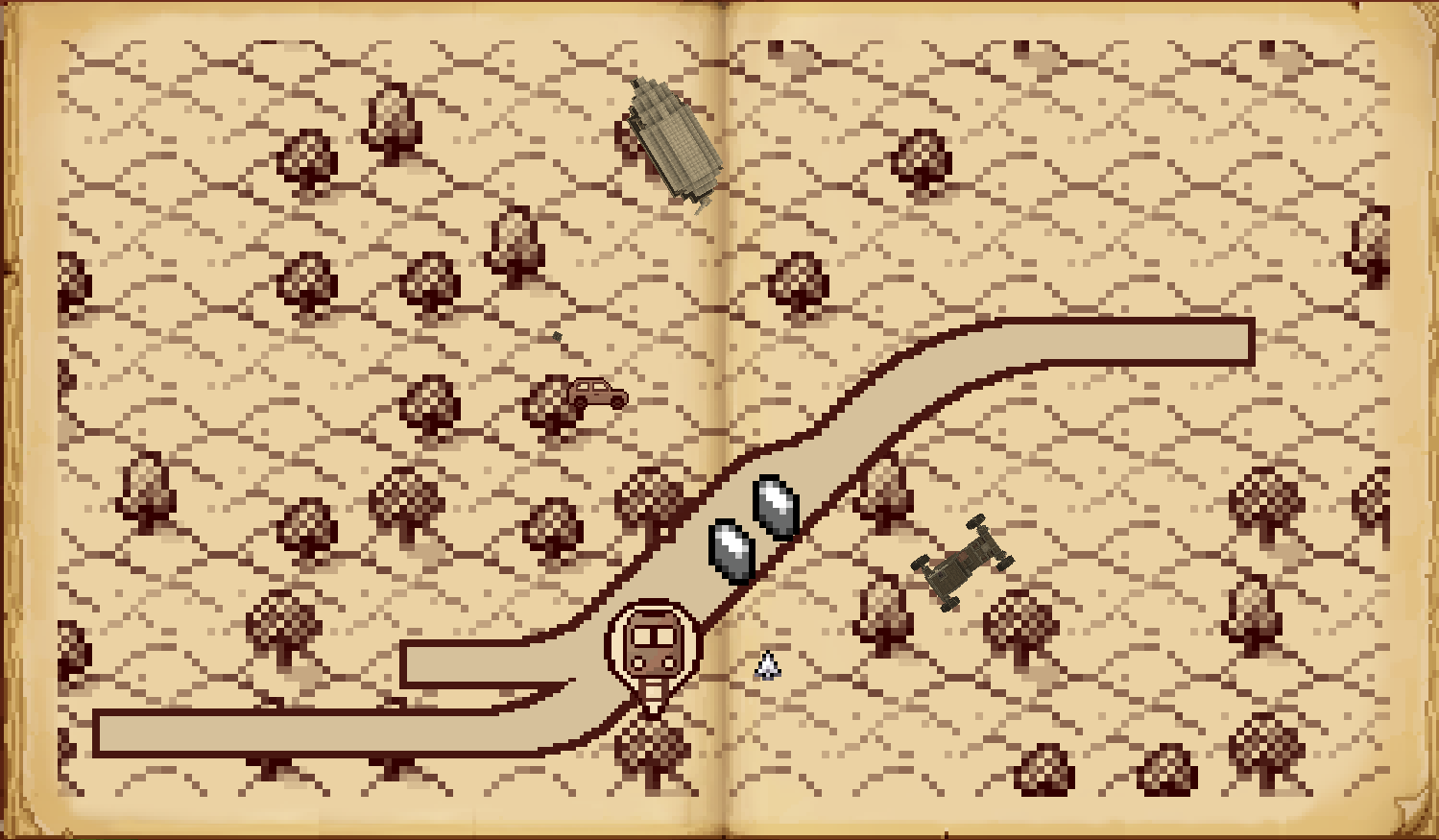
Puts trains, tracks, stations, and airships on your Antique Atlas map. Works with Create, Sable and Create Simulated.
Available on Fabric and NeoForge (via Sinytra Connector).
Features
Create
- Train tracks – Your entire rail empire, drawn on the map. Yes, including that branch line to nowhere.
- Live trains – Moving markers with name and route tooltips, so you can watch your trains be late in real time.
- Stations – Create stations appear as named landmarks. Finally, a reason to give them proper names.
Sable
- Ships & airships – Sable sublevels shown as directional markers with name, altitude, and last-seen time (all optional).
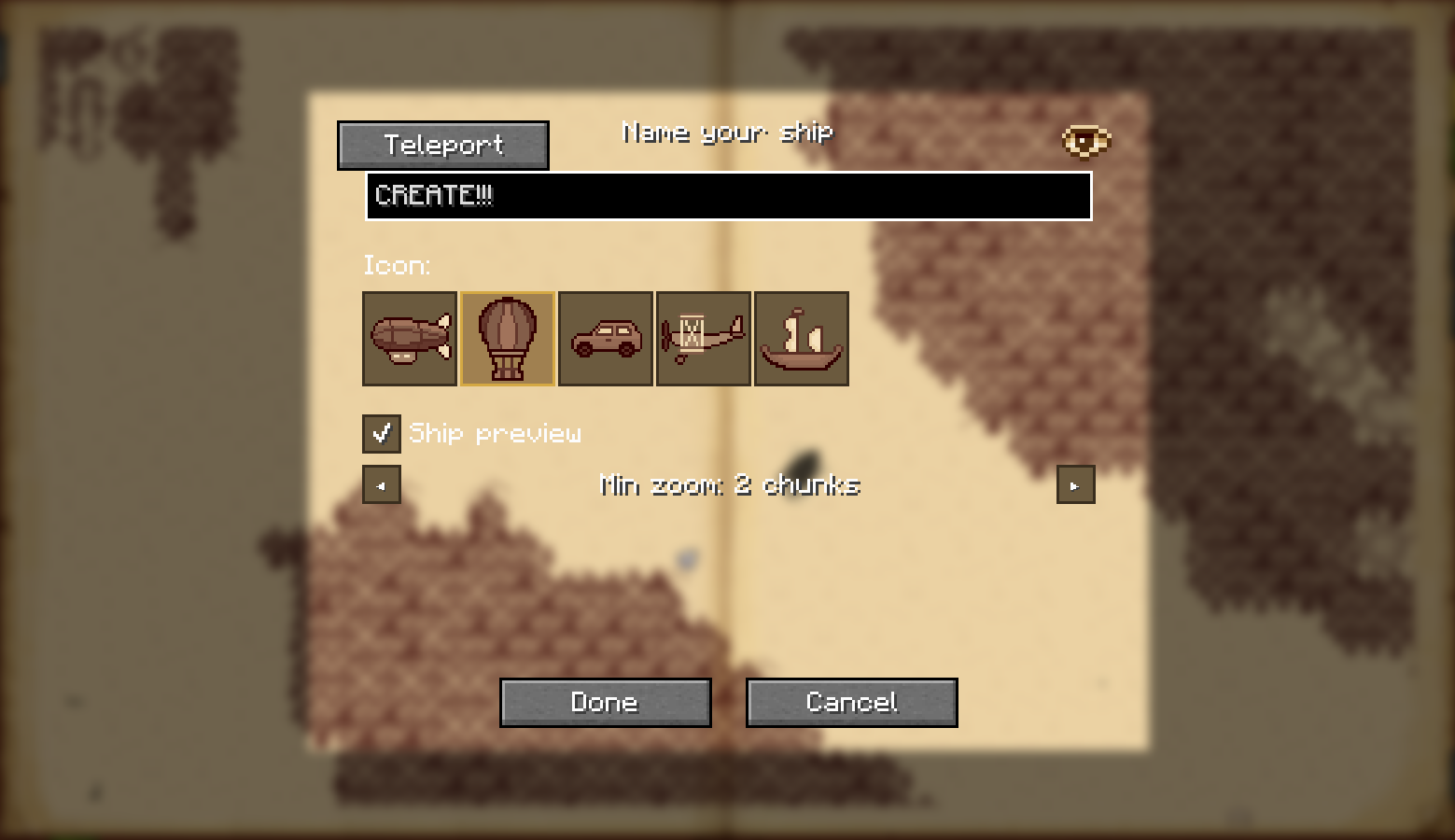
To add a ship to the map, click on it while the atlas is open, or run /antique_transport markship while aboard.
- Per-ship visibility – Each ship can be shown or hidden individually, so your test balloons do not clutter the strategic view.
- Bookmark buttons – A single toggle button to show/hide all ships at once. Perfect for when the sky gets crowded.
Create Simulated
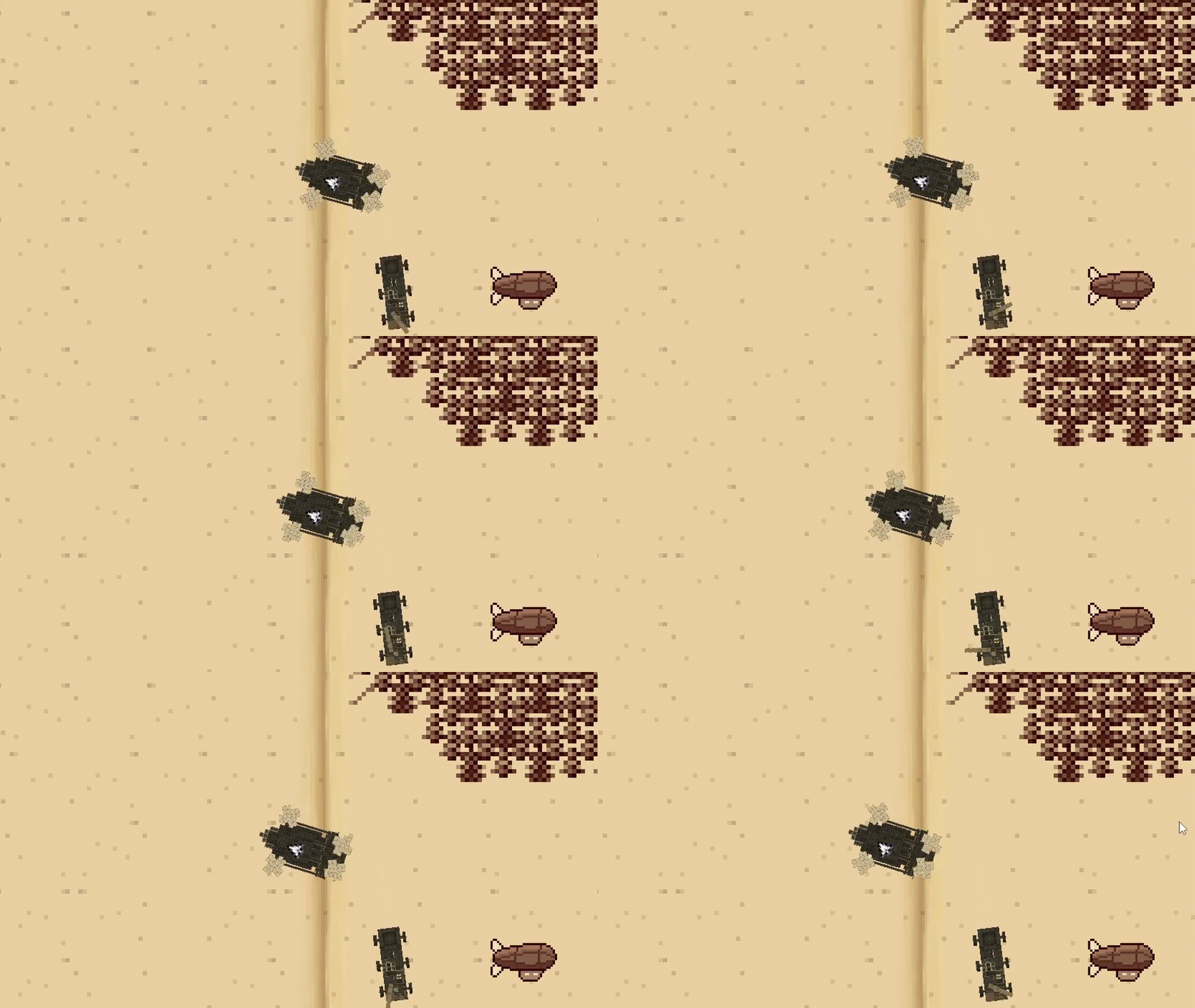
- Dynamic ship previews – With Create Simulated installed, ships can be rendered directly on the atlas as live top-down diagrams instead of just markers. Tiny floating contraptions, now in convenient map form.
- Automatic naming – Ships named via Simulated Nameplates are automatically reflected on the map, so you do not have to remember which one was “Definitely Not A Safety Hazard”.

General
- Bookmark buttons – Separate buttons to hide all train layers or all ships with one click. Useful when the map gets crowded, or when you're embarrassed by your rail network.
- Per-feature config – Each layer (tracks / trains / stations / ships / previews) toggled independently in
antique_transport.toml via McQoy.
|
Client only |
Client + Server |
| Train Tracks, Stations, Trains |
✅ Rendered across the whole map. Same as client + server, because trains do not believe in networking drama. |
✅ Same as client only. Nice and boring, just how infrastructure likes it. |
Ships
<sub>(sub-levels)</sub> |
⚠️ Not synced with other clients. Shows last-seen time so you at least know the ship existed. |
✅ Synced with server and all clients, works across all loaded chunks. |
Dynamic Ship Previews
<sub>(Create Simulated)</sub> |
⚠️ Live ship diagrams work for ships within render distance; outside it, the last rendered preview can still be shown. |
✅ Same behavior as client only, but with proper syncing, shared naming, and no ghost ships haunting the atlas forever. |
Planned / TODO
Credits
Disclaimer: This mod was built with significant AI assistance. The code and architecture were developed in collaboration with an AI coding assistant.
Project description from CurseForge.
Pick your setup
Antique Transport by Minecraft version and loader
Choose the version and loader you play, then open the matching release.
Minecraft version
1.21.1
2
loader builds Check the dependencies, then try the file in a copied instance before changing a world you care about.
Recent files
Antique Transport versions and loaders
Fabric1.21.1NeoForge release
antique_transport-1.2.1+1.21.1.jar
11 May 2026
Client Source doesn’t say Server Source doesn’t say Dependencies 2 required · 2 unchecked Listed on Release listing
Check the 1.21.1 · Fabric setup → Fabric1.21.1NeoForge release
antique_transport-1.2.0+1.21.1.jar
9 May 2026
Client Source doesn’t say Server Source doesn’t say Dependencies 2 required · 2 unchecked Listed on Release listing
Check the 1.21.1 · Fabric setup → Fabric1.21.1NeoForge release
Fabric1.21.1NeoForge release
Fabric1.21.1NeoForge release

 mod
 mod
 mod