Mod Menu Needed by PVPHQ TierTagger pvphq-tier-tagger-4.1.1.jar
requiredMatching file found Matched file: v21.0.1 for 26.3

CurseForge · Minecraft mod
Displays any Players PVPHQ Rank next to their name on any Server.
Quick answer
PVPHQ TierTagger pvphq-tier-tagger-4.1.1.jar targets 26.3 with Fabric. The project page does not say whether this file belongs on the client, dedicated server, or both. 1 required mod needs a matching file.
Where it goes
The project page does not say whether this file belongs on the client, dedicated server, or both.
The source does not explicitly classify this release as client-only or server-only.
pvphq-tier-tagger-4.1.1.jar. Change the file and its required mods may change too.
Install Mod Menu, Text Placeholder API, Fabric API first, but 1 required mod has no matching file for this setup. Do not mix loader builds to force a match. 2 come through another mod in the chain.
2 extra mods were pulled in by other dependencies. Indented rows show who needs each one. We only count dependency files that match this setup. A file for another loader does not fill the gap.
Before you install it
Built for PVPHQ TierTagger pvphq-tier-tagger-4.1.1.jar. Pick another file and the loader, install side or required mods may change.
Use pvphq-tier-tagger-4.1.1.jar. It targets 26.3 with Fabric; another release may have different loader, side or dependency requirements.
Install Mod Menu, Text Placeholder API, Fabric API first, but 1 required mod has no matching file for this setup. Do not mix loader builds to force a match. 2 come through another mod in the chain.
The project page does not say whether this file belongs on the client, dedicated server, or both.
Use the “Get this file” button beside pvphq-tier-tagger-4.1.1.jar. It opens that exact file at the source.
About this project
I am currently updating/rebuilding the Project for the new PVPHQ ranked System. Not all old features are supported yet. Supported features for PVPHQ are:
You can set all the keybinds in your controls settings just as usual.
| Keybind name | function | Category | default keybind |
|---|---|---|---|
| Cycle Kits | Switch, which kit the Elo/Sr is displayed for | Tier Tagger (Flow PVP) | none |
| Show Stats | Opens the stats screen for yourself | Tier Tagger (Flow PVP) | none |
You can acces the settings menu through Mod Menu.
| Setting | function |
|---|---|
| Kit: | Switch, which kit the Elo/Sr is displayed for |
| Auto Pick Displayed Kit: | Automaticly switches which kit the Elo/Sr is displayed for, based on your inventorys content |
| Command | function |
|---|---|
| /tiertags <name> | Lookup any players stats, match history and skin |
Statistics Screen:
//cdn.modrinth.com/data/dT03BfmG/images/78bab6a7d0fa0d7c20b9a35c25e620feeadb6985_350.webp" rel="noopener noreferrer" target="_blank">https://cdn.modrinth.com/data/dT03BfmG/images/78bab6a7d0fa0d7c20b9a35c25e620feeadb6985_350.webp " width="50%">
You can completly customize how any players ranks get displayed. 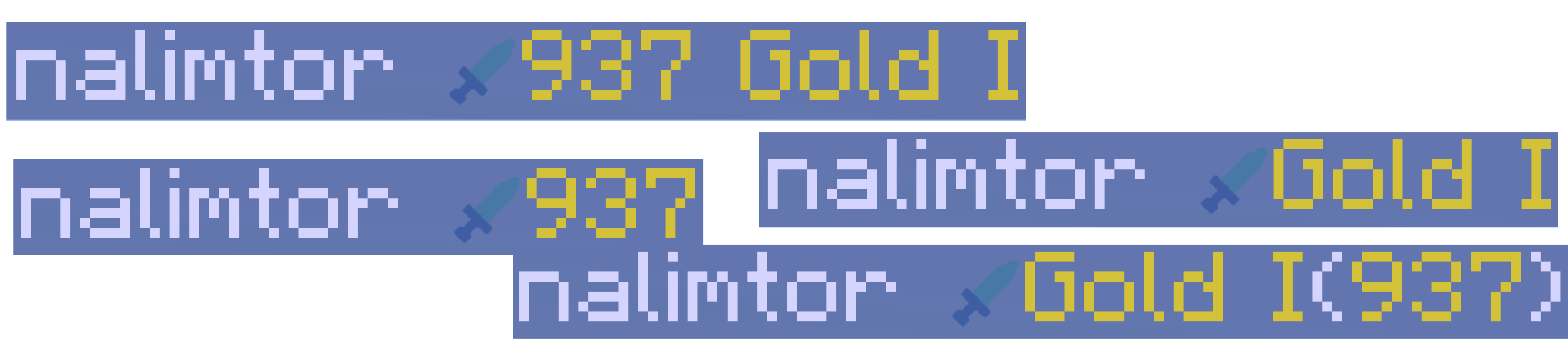
just use the nametag customization menu in the settings.
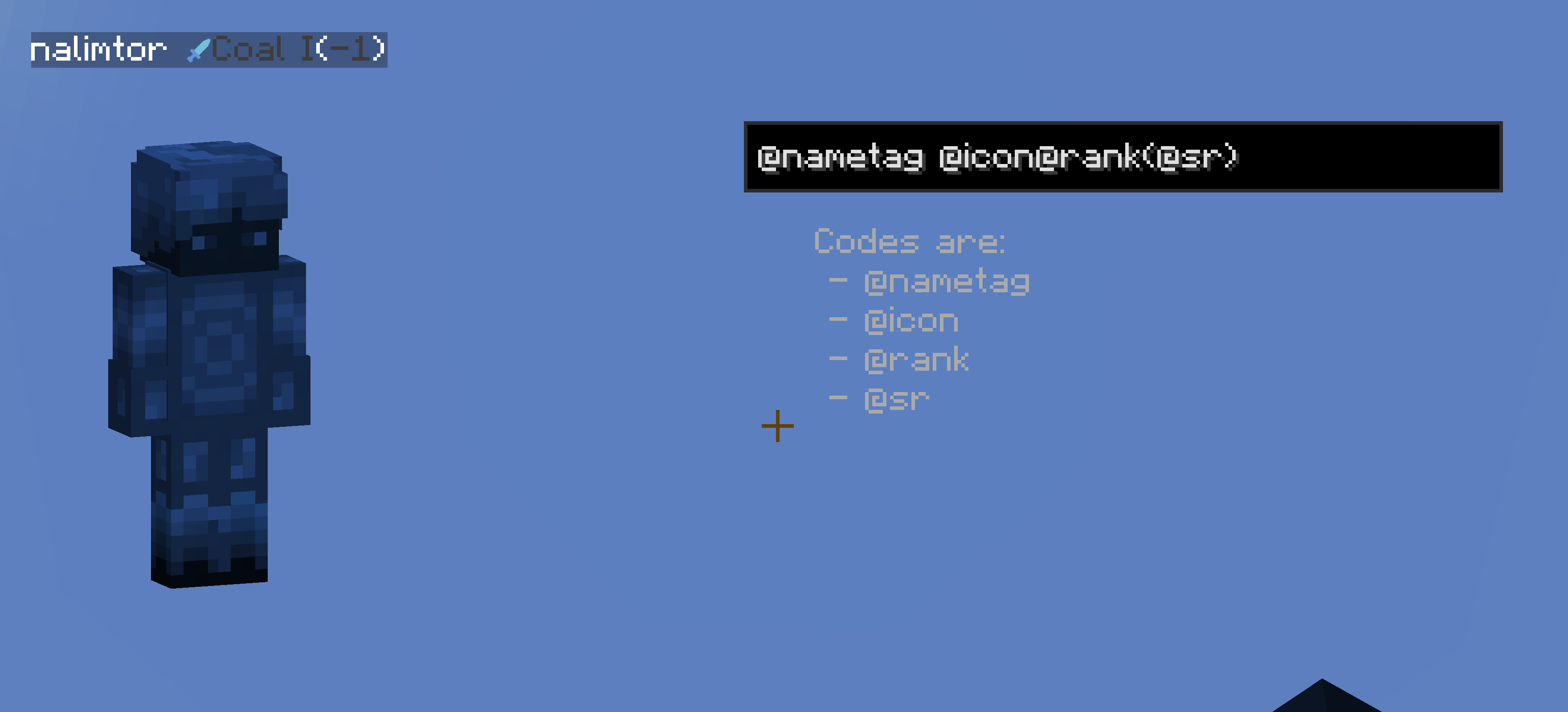
I am also open for ideas and issue fixes, for both just create a new issue on github.
(This project is unofficial and not associated with PVPHQ)




Project description from CurseForge.
Pick your setup
Choose the version and loader you play, then open the matching release.
Check the dependencies, then try the file in a copied instance before changing a world you care about.
Recent files
17 Nov 2026
23 Aug 2026
23 Aug 2026
23 Aug 2026
15 Aug 2026
15 Aug 2026
15 Aug 2026
15 Aug 2026
15 Aug 2026
2 Jun 2026
18 May 2026
6 May 2026
Looking for an older file? The official CurseForge project page is in Resources.
 mod
Chatting is a chat mod adding utilities such as extremely customizable chat tabs, chat shortcuts, chat screenshots, and message copying. By Polyfrost, best with OneClient.
 mod
Alters the fabric of Minecraft experience by weaving a tapestry of sound and visual effects
 mod
A fast minimap that is on from the first minute, a world map of everywhere you have been, and waypoints you share only with the people you choose.