Fabric API Needed by Enchant Transfer Mod v3.1.2
requiredMatching file found Matched file: [26.2] Fabric API 0.161.0+26.2
CurseForge · Minecraft mod
Extract enchantments from items into Magic Cards, apply them to other compatible items, and combine cards of the same level to upgrade them — all through a craftable Transfer Table block.
Quick answer
Enchant Transfer Mod v3.1.2 targets 26.2 with Fabric. The project page does not say whether this file belongs on the client, dedicated server, or both. All 1 required mods have matching files.
Where it goes
The project page does not say whether this file belongs on the client, dedicated server, or both.
The source does not explicitly classify this release as client-only or server-only.
Enchant Transfer Mod v3.1.2. Change the file and its required mods may change too.
Install Fabric API first. We found matching files for this game-version and loader setup.
We only count dependency files that match this setup. A file for another loader does not fill the gap.
Before you install it
Built for Enchant Transfer Mod v3.1.2. Pick another file and the loader, install side or required mods may change.
Use Enchant Transfer Mod v3.1.2. It targets 26.2 with Fabric; another release may have different loader, side or dependency requirements.
Install Fabric API first. We found matching files for this game-version and loader setup.
The project page does not say whether this file belongs on the client, dedicated server, or both.
Use the “Get this file” button beside Enchant Transfer Mod v3.1.2. It opens that exact file at the source.
About this project






Extract, transfer, and combine enchantments through Magic Cards — now with colored cards, attachable modules, and an XP conversion system.
Website · CurseForge · Modrinth · Issues
Enchant Transfer adds a craftable block — the Transfer Table — that lets you extract enchantments from any item into individual Magic Cards, apply those cards to other compatible items, and combine two cards of the same enchantment and level to upgrade them. All operations are free (no XP cost), and vanilla enchantment compatibility rules are respected.
Version 2.0 introduced the Module System: specialized blocks that attach to the Transfer Table on any face, extending its capabilities. The first module — the Infusion Coil — converts Magic Cards into stored XP and fills glass bottles into Bottles o' Enchanting.
Version support: New features and modules are developed for Minecraft 26.x only. The 1.21.11 version (v2.0.x) is in maintenance mode and will only receive critical bug fixes.
| Mod version | Minecraft | Status |
|---|---|---|
| 3.1.x | 26.2 | Active development |
| 2.0.x | 1.21.11 | Maintenance (critical bug fixes only) |
Requires: Fabric Loader and Fabric API
Languages: English · Español · Português (Brasil)* · Русский* · 简体中文*
* Pending review by a native speaker. Do you speak one of them? Help us review the translations or add your own language: open an issue or a pull request editing the language files.
Place any enchanted item or book in the Transfer Table to strip its enchantments into individual Magic Cards, each one color-coded by category.
Place a Magic Card and a target item in the Transfer Table. The enchantment transfers instantly, respecting vanilla incompatibility rules.
Two cards of the same enchantment and level produce one card of the next level (up to vanilla maximum). Stacks work too — 5 + 6 cards yields 5 upgraded and 1 remainder.
All Transfer Table operations — extraction, application, and combination — are completely free. No XP, no materials consumed.



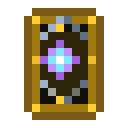
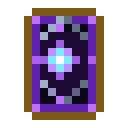
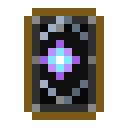
Magic Cards are now color-coded by enchantment category. When you extract an enchantment, the Transfer Table automatically produces a card of the matching color.
| Card | Category | Enchantments |
|---|---|---|
| 🔵 Blue | Protection | Protection, Fire Protection, Blast Protection, Projectile Protection, Feather Falling |
| 🟢 Green | Nature | Respiration, Aqua Affinity, Depth Strider, Silk Touch, Fortune, Luck of the Sea, Lure |
| 🔴 Red | Combat | Sharpness, Smite, Bane of Arthropods, Impaling, Fire Aspect, Looting, Thorns, Sweeping Edge, Knockback, Density, Breach, Lunge |
| 🟡 Yellow | Utility | Efficiency, Unbreaking, Infinity, Power, Punch, Flame, Multishot, Piercing, Quick Charge |
| 🟣 Purple | Arcane | Channeling, Riptide, Loyalty, Frost Walker, Wind Burst, Mending, Swift Sneak, Soul Speed |
| ⚫ Black | Curse | Curse of Vanishing, Curse of Binding |






A Card Deck is a brass-bound case that stores Magic Cards of one type. Place decks in a Deck Lectern within an Enchanting Table's normal bookshelf range (same positions and air gap as regular bookshelves, but at the table's own height) and the table's rolls shift according to what you've stored.
| Deck | Stores | Effect on nearby Enchanting Tables |
|---|---|---|
| Protection / Nature / Combat / Utility / Arcane | Cards of that color | Favors that category, and even more the exact enchantments stored |
| Rarity (wildcard) | Curse cards | Favors rare enchantments (weight ≤ 2) |
 Brass Ingot |
||
 Leather |
Card of the deck's type |
Leather |
Brass Ingot |
→ Card Deck × 1 — the card is consumed and sets the deck's type (Rarity: a Curse card)
data/<namespace>/enchanttransfer/library_affinity/, so modpacks can add their own dimensions and biomes (deck, optional dimension, biome, enchantments, and multiplier); they reload with /reload.No marks? That's normal. Decks tilt the odds, they don't pick for the table: when it would have rolled the same enchantment anyway, the option isn't marked and costs no card. Some rolls show no marks at all — you'll see more with fuller, more specialized decks and higher table levels. The rolls only change after you enchant something, so re-placing the item shows the same options.
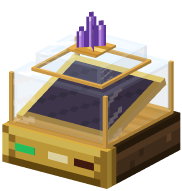
The block that holds your decks: a low brass base with a tilted velvet tray for 3 decks, under a glass bell.
 Glass |
 Amethyst Shard |
Glass |
Brass Ingot |
 Redstone |
Brass Ingot |
 Planks |
Planks |
→ Deck Lectern × 1
The Transfer Table now works as a hub. Specialized module blocks can be placed on any of its 6 faces. Right-click the Transfer Table to open the Selector Screen — a visual hub showing all connected modules with their real-time status.
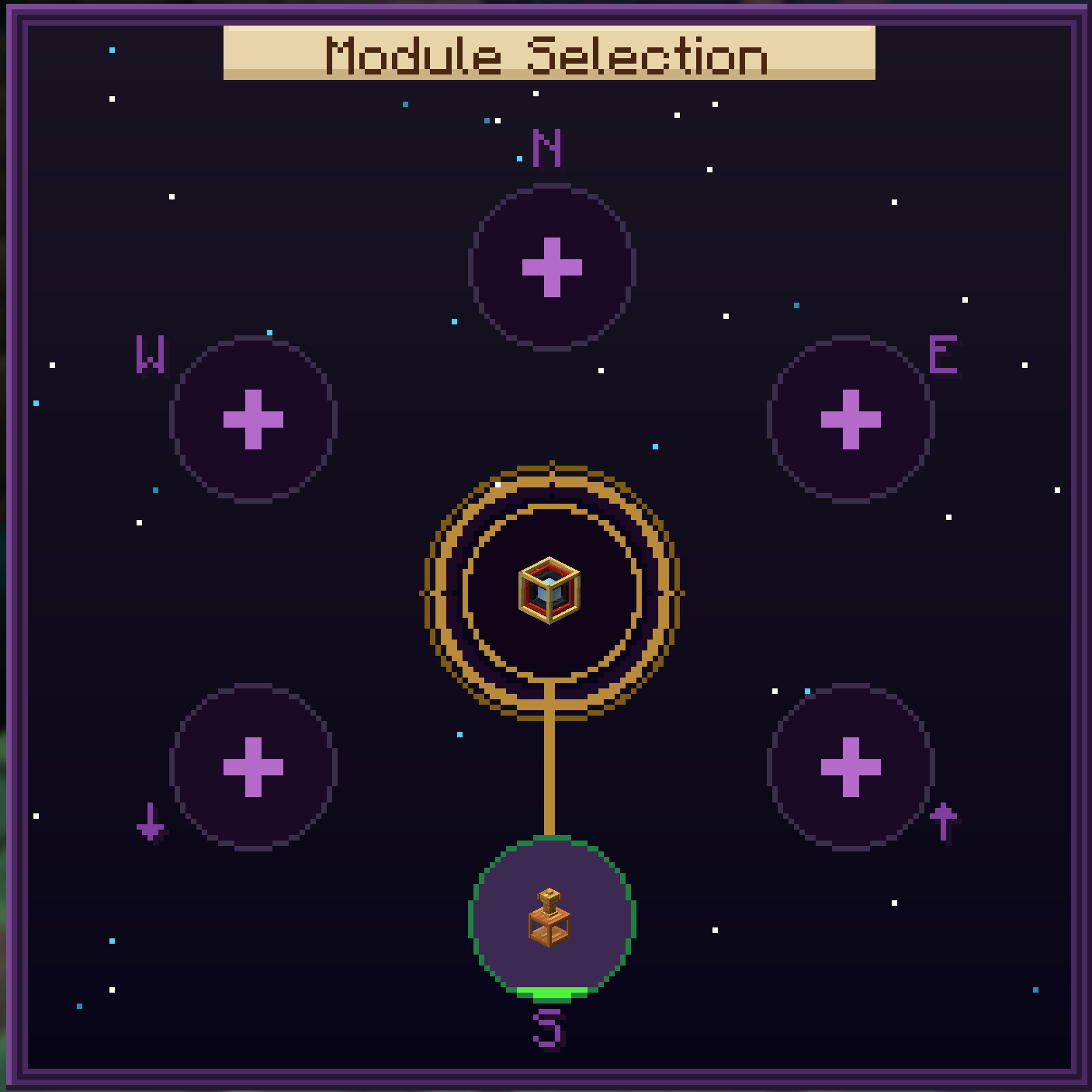
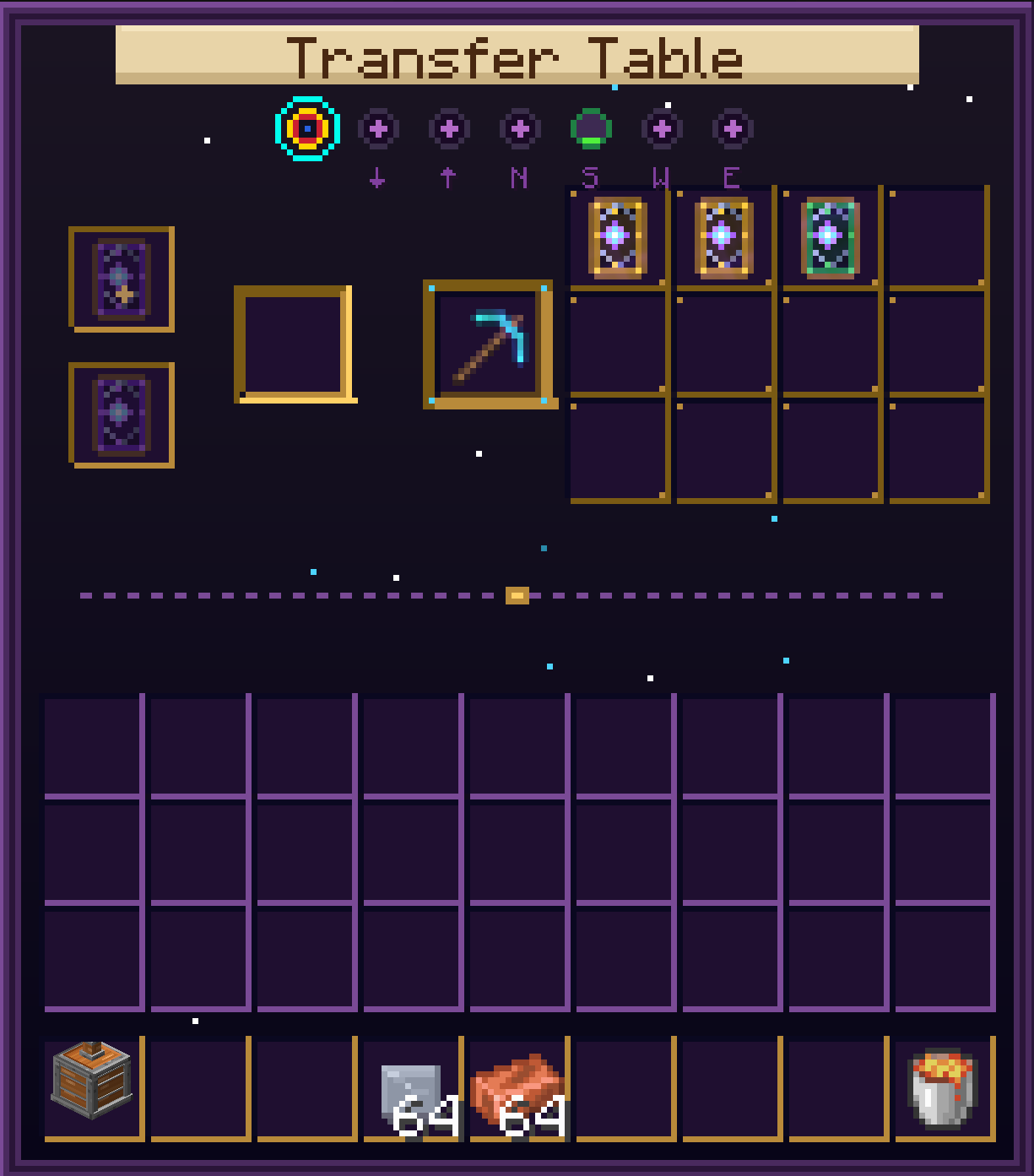
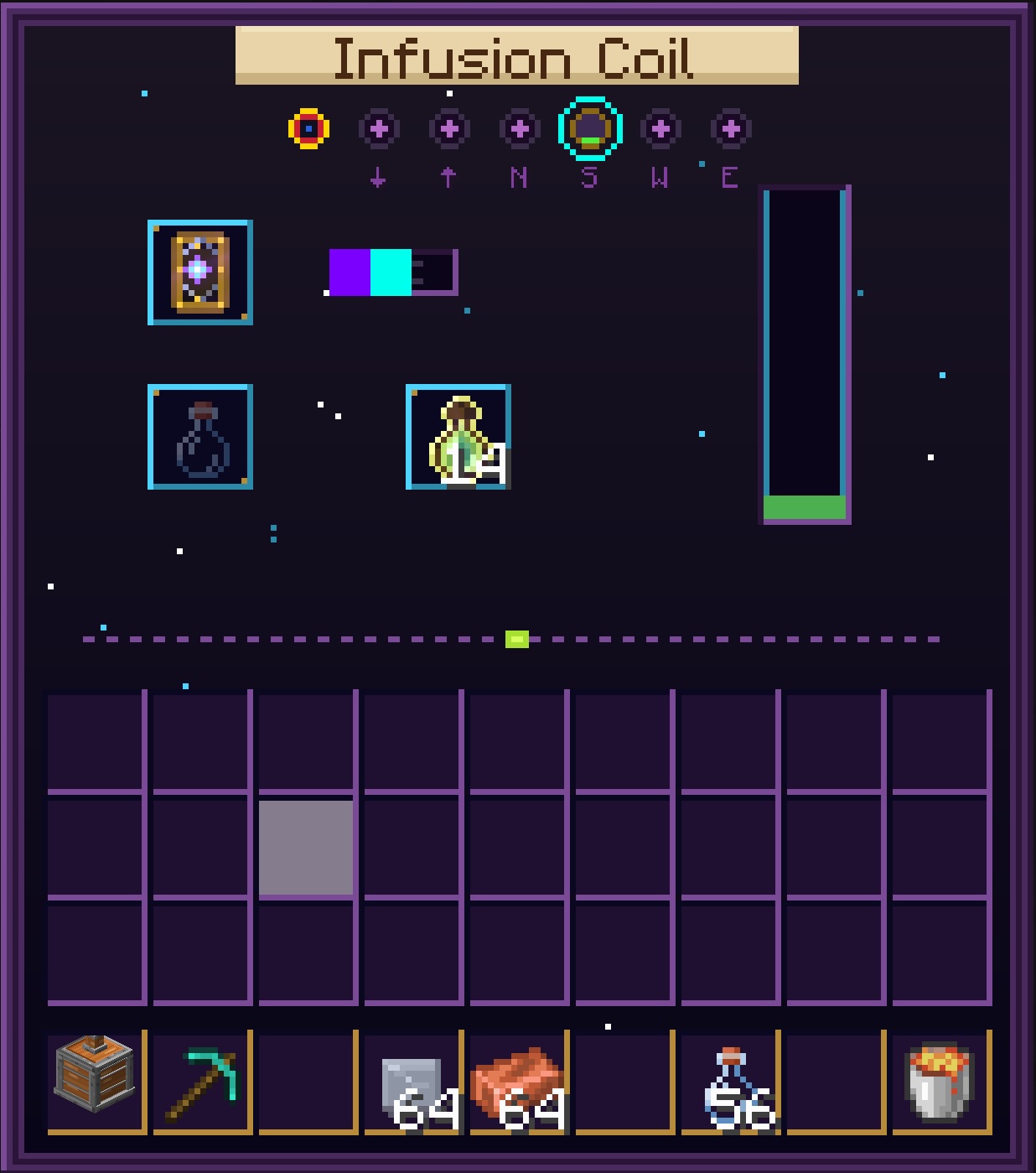
From left to right: Selector (hub with module sockets), Transfer Table Core (enchantment operations), Infusion Coil (XP conversion). Dynamic elements like wires, tank fills, and module icons are drawn by code on top of these backgrounds.
The first module for the Transfer Table. A vertical flask made of copper, brass, and glass that converts Magic Cards into XP.
Unenchanted cards yield a minimum of 5 XP; enchanted cards yield more based on their enchantment.
Tip: The Infusion Coil stays vertical regardless of which face it's attached to. The copper connector stub always points toward the Transfer Table.
Brass Ingot |
Amethyst Shard |
Brass Ingot |
 Copper Ingot |
Glass Block |
Copper Ingot |
Copper Ingot |
Copper Ingot |
Copper Ingot |
→  Infusion Coil × 1
A standalone steampunk furnace for zinc processing and brass alloy creation. An ornate kiln made of copper, brass, and iron with a glass viewport and chimney.


Three smelting recipes form a material chain that produces Brass Ingots — required to craft the Infusion Coil.
| Step | Input(s) | Output |
|---|---|---|
| 1. Calcination | Calcite | Zinc Oxide ×2 |
| 2. Reduction | Zinc Oxide + Coal | Zinc Sheet |
| 3. Alloying | Copper Ingot + Zinc Sheet | Brass Ingot |
 Iron Ingot |
Iron Ingot |
Copper Ingot |
 Glass Pane |
Copper Ingot |
Copper Ingot |
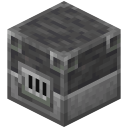 Blast Furnace |
Copper Ingot |
→ 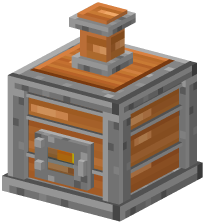 Zinc Smelter × 1
The Zinc Smelter only accepts Lava Buckets and Blaze Rods as fuel — no coal or wood. Lava Buckets return an empty bucket after consumption.
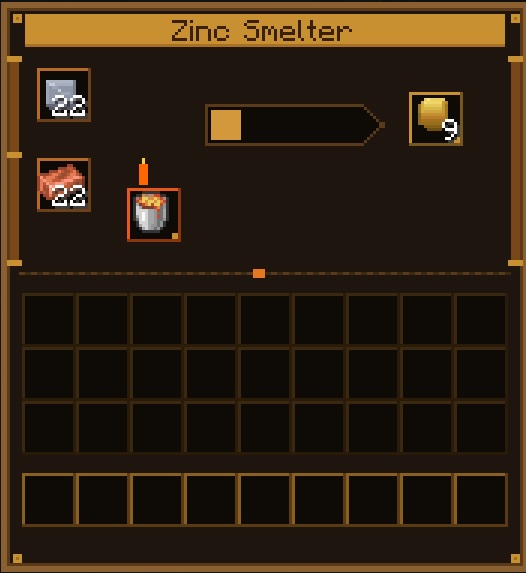
Steampunk-themed interface with copper input slots, a lava-bordered fuel slot, and brass output slot.
 Gold Ingot |
Gold Ingot |
Redstone Dust |
Redstone Dust |
Redstone Dust |
 Coal / Charcoal |
 Diamond |
Coal / Charcoal |
→  Transfer Table × 1
Requires an iron pickaxe or better to mine (the same applies to the Infusion Coil and the Zinc Smelter).
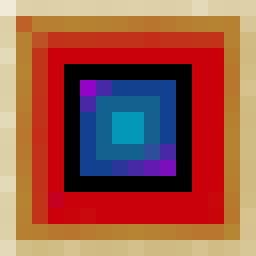
The 3D model reflects its recipe — gold on the outer edge, redstone in the middle ring, carbon-black inner layer, and a blue diamond core that glows from every angle.
Worlds from 3.0.x are fully compatible: nothing in them changes, and an Enchanting Table without Deck Lecterns nearby works exactly like vanilla. Cards extracted before 3.1 keep their color (e.g. yellow Mending, green Soul Speed, or blank Knockback cards) but still go into the deck of their current category — decks check the enchantment, not the card color.
Worlds from 1.0.x are fully compatible. Existing Transfer Tables keep working — the block ID hasn't changed. Old Magic Cards stored in chests retain their enchantment data. They will appear as the generic (blank) card variant; their functionality is unchanged. New cards extracted after updating will automatically use the color-coded system.
data/<namespace>/enchanttransfer/library_affinity/, so modpacks can add rules for any dimension or biome; they reload with /reloadOlder versions: see the full changelog.
mods/ foldermods/ as wellmods/ foldermods/ as wellFabric API is required. The mod will not start without it. Make sure the mod JAR, Fabric API, and Fabric Loader all match your Minecraft version.
| Dependency | Minecraft 26.2 (v3.1.x) | Minecraft 1.21.11 (v2.0.x) |
|---|---|---|
| Java | 25 | 21 |
| Fabric Loader | ≥ 0.19.3 | ≥ 0.19.2 |
| Fabric API | 0.158.0+26.2 | 0.141.4+1.21.11 |
This project is distributed under the CC0-1.0 license. You may use, modify, and distribute the code without restrictions.
Project description from CurseForge.
Pick your setup
Choose the version and loader you play, then open the matching release.
Check the dependencies, then try the file in a copied instance before changing a world you care about.
Recent files
enchant-transfer-mod-3.1.2.jar
12 Oct 2026
enchant-transfer-mod-3.1.1.jar
12 Oct 2026
enchant-transfer-mod-3.1.0.jar
11 Oct 2026
enchant-transfer-mod-3.0.0.jar
31 Aug 2026
enchant-transfer-mod-2.0.2.jar
31 Aug 2026
30 Aug 2026
29 Aug 2026
24 May 2026
12 May 2026
Looking for an older file? The official CurseForge project page is in Resources.
 mod
modA lightweight client-side mod that allows you to change the world time.
 mod
modA unique and elegant talisman mod that adds 2D runic trinkets and other things compatible with Curios API and Geckolib
 mod
modCapture monsters, store them, and summon them as powerful allies.
