Create Optional for Cogwheel - 0.5.5 - Neoforge
optionalMatching file found Matched file: 6.0.10+mc1.21.1

CurseForge · Minecraft mod
Cogwheel is an interactive factory designer to have an overview of your farms, factories and entire automation pipelines.
Quick answer
Cogwheel - 0.5.5 - Neoforge targets 1.21.1 with NeoForge. The project page does not say whether this file belongs on the client, dedicated server, or both. All 1 required mods have matching files.
Where it goes
The project page does not say whether this file belongs on the client, dedicated server, or both.
The source does not explicitly classify this release as client-only or server-only.
Cogwheel - 0.5.5 - Neoforge. Change the file and its required mods may change too.
Install Just Enough Items (JEI) first. We found matching files for this game-version and loader setup.
We only count dependency files that match this setup. A file for another loader does not fill the gap.
Before you install it
Built for Cogwheel - 0.5.5 - Neoforge. Pick another file and the loader, install side or required mods may change.
Use Cogwheel - 0.5.5 - Neoforge. It targets 1.21.1 with NeoForge; another release may have different loader, side or dependency requirements.
Install Just Enough Items (JEI) first. We found matching files for this game-version and loader setup.
The project page does not say whether this file belongs on the client, dedicated server, or both.
Use the “Get this file” button beside Cogwheel - 0.5.5 - Neoforge. It opens that exact file at the source.
About this project
A node-based visual factory planner for Create and other recipe-driven mods. Plan your factory as a graph before you build it.

Cogwheel is an in-game factory designer built on the same wavelength as Satisfactory's blueprint tool. Press a single key, and instead of throwing recipes into a wiki, you wire them up on a canvas — Cogwheel does the throughput math, tracks Create's stress for you, and warns when your kinetic budget can't keep up.
It works as a planning notebook for any modpack with recipes, but it really shines next to Create.
cogwheel/factories/, switchable from the left panel, easy to share.Press K in-game (or whatever you've bound Open Factory Editor to) to open the editor.
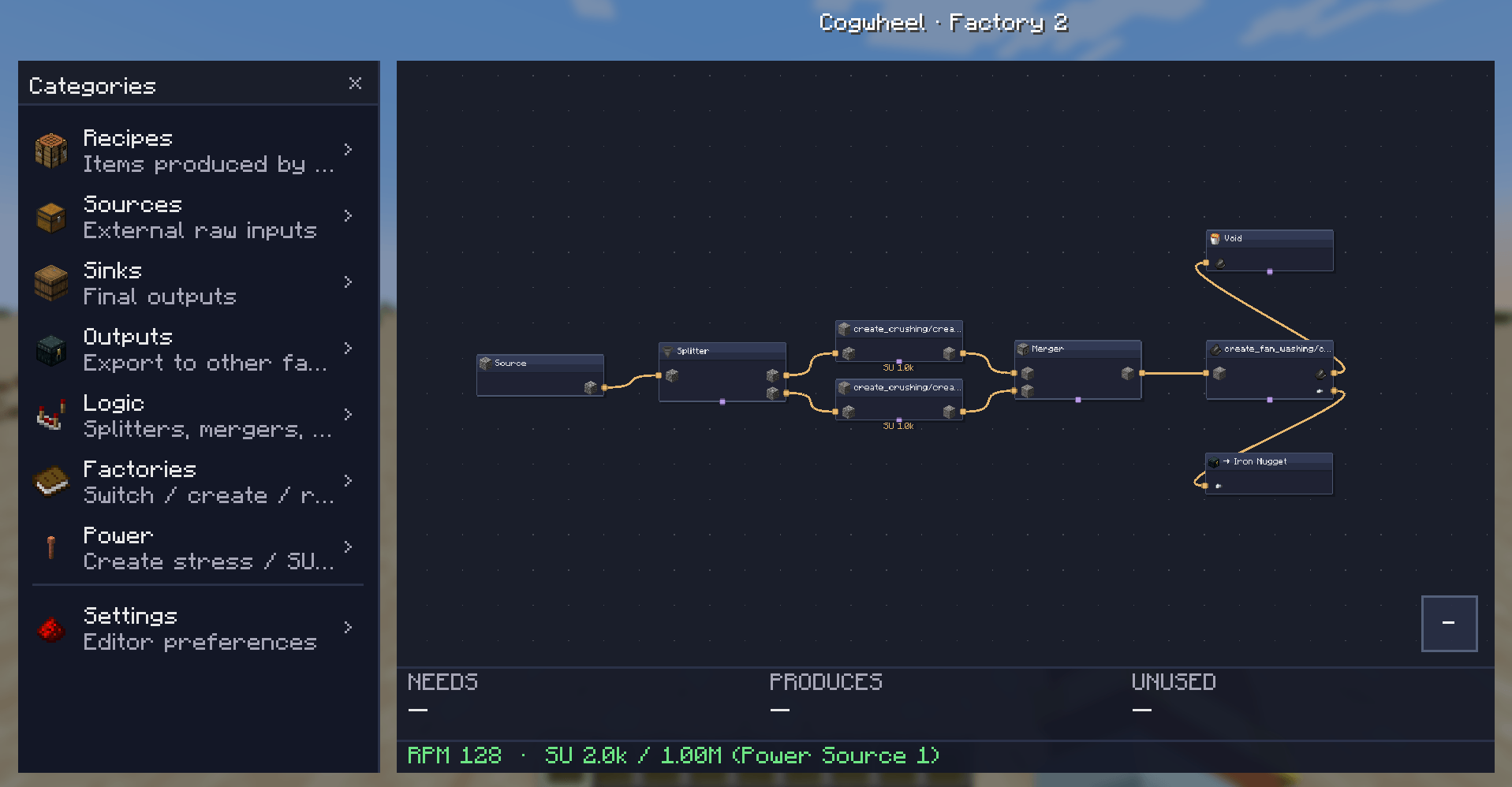
From left to right:
Adding nodes: drag an item or logic block from the left panel onto the canvas. Items land where you drop them.
Cogwheel reads Create's stress-impact tables and recipe types directly. Every Create recipe is recognized and contributes its SU draw at the configured RPM:
| Recipe type | SU per RPM | At 128 RPM (1 machine) |
|---|---|---|
| Crushing wheels (pair) | 8 | 1,024 SU |
| Mechanical Press | 8 | 1,024 SU |
| Mechanical Mixer | 4 | 512 SU |
| Millstone | 4 | 512 SU |
| Mechanical Saw | 4 | 512 SU |
| Deployer | 4 | 512 SU |
| Spout / Item Drain | 4 | 512 SU |
| Encased Fan (washing/haunting) | 2 | 256 SU |
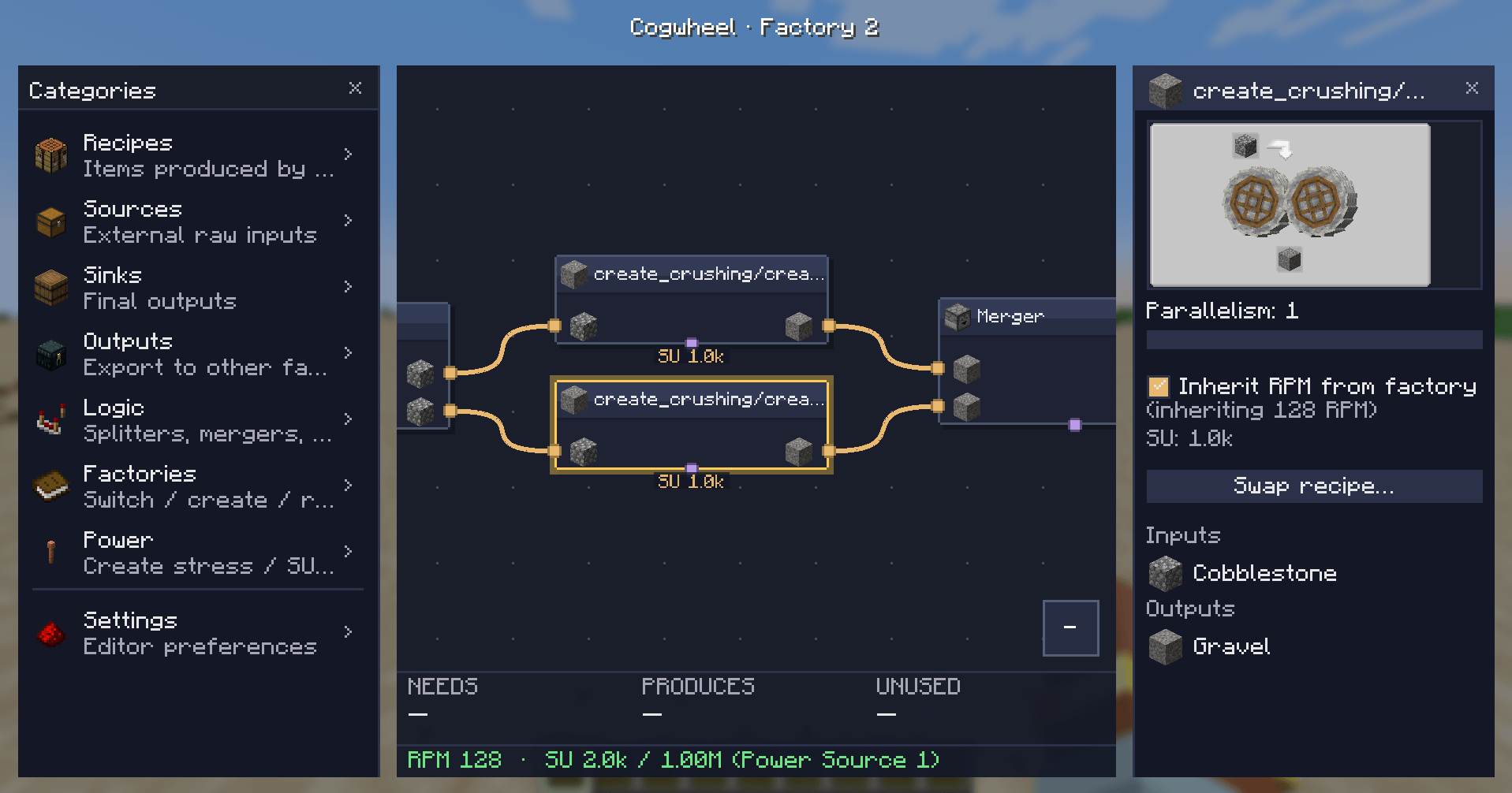
Each factory has a default RPM (1–256). Each Create recipe node and each cluster can either inherit that RPM or override it with its own value via a checkbox in the properties panel.
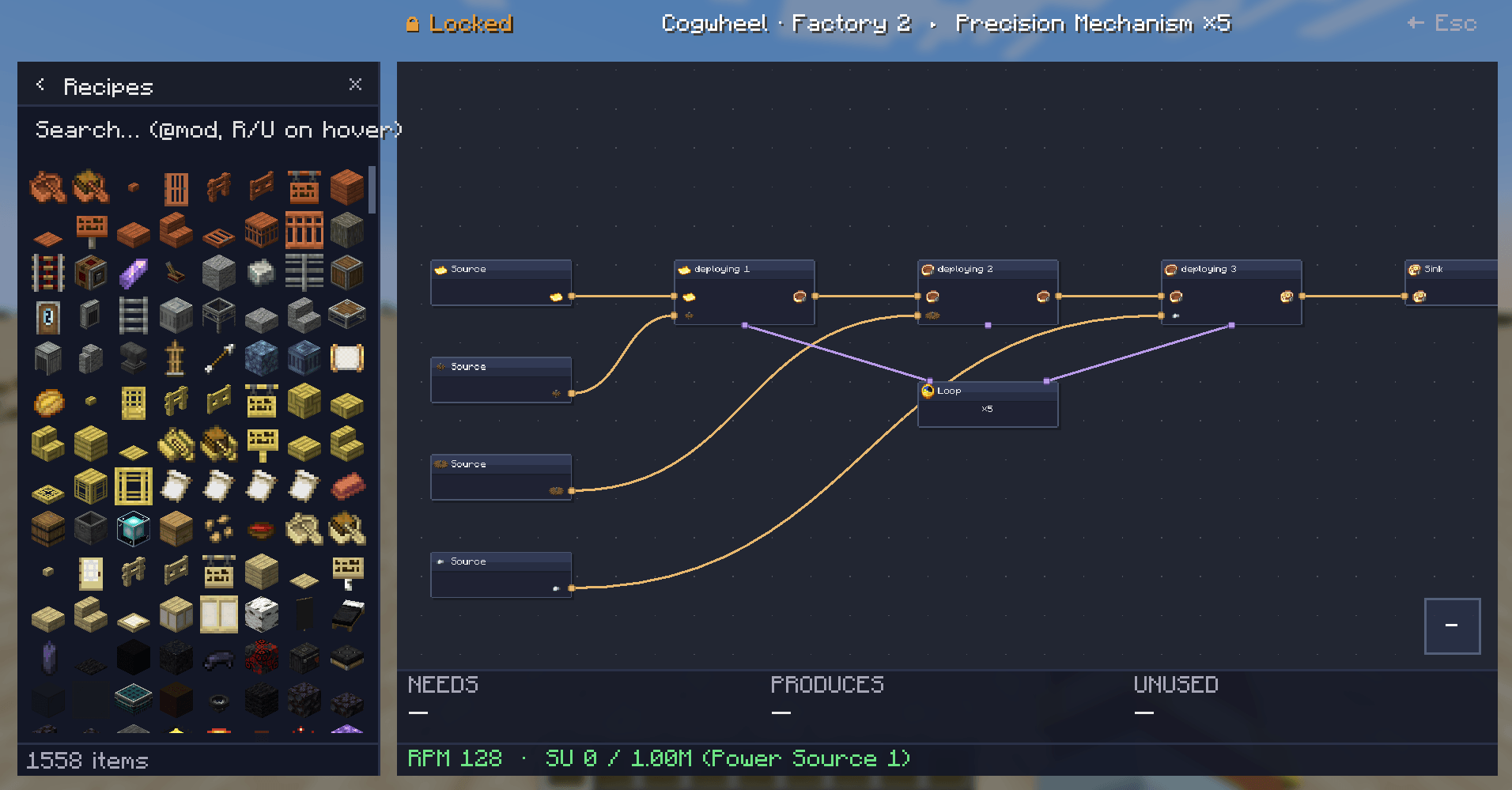
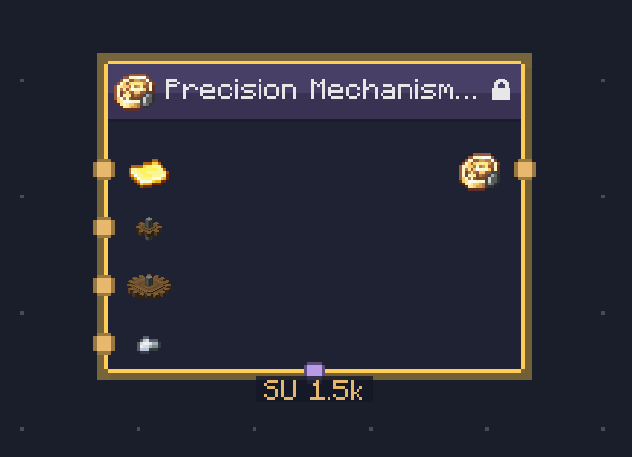
Drop a Precision Mechanism, Track, or Brass Casing recipe and Cogwheel builds an entire LOCKED cluster for you — every step in order, the right ingredients flowing through, a Loop node showing the iteration count.
Power sources live outside any single factory. Create them once in the Power category (left panel) with a name and an SU capacity:
Then assign each factory to a power source via the ⚡ button on the Factories page. Cogwheel sums SU draw across every factory pointing at the same source and:
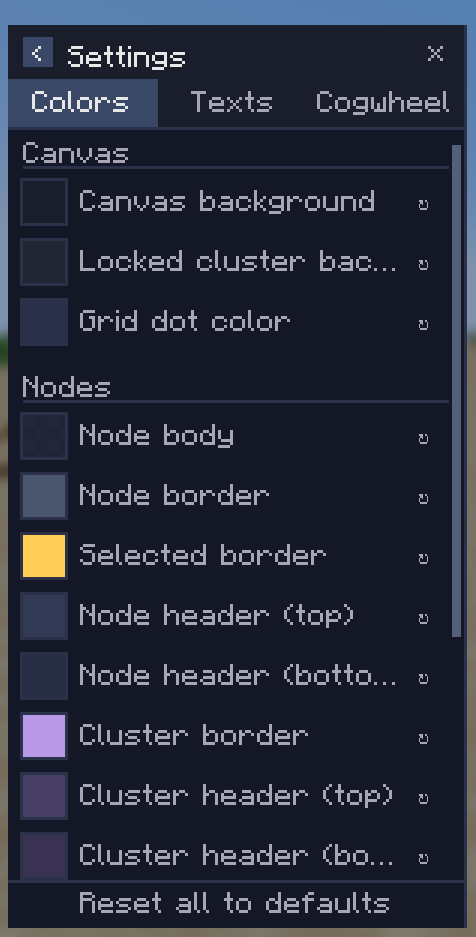
Three tabs in the settings page:
In addition to recipes, sources, and sinks, the Logic category has:
| Minecraft | 1.21.1 |
| Mod loader | NeoForge 21.1.228+ |
| Java | 21 |
| JEI | Required |
| Create | Recommended — unlocks SU calculation, sequenced assembly expansion, and accurate Create recipe enumeration |
The mod is client-side only — no server install needed.
Things I'm planning but haven't shipped yet:
If you want to ask for a feature or report a bug, head to the issues page.
Made by Kima. Built on NeoForge + JEI + Mojang Codec. Stress values cross-checked against the Create wiki.
Source / issues: Github
Project description from CurseForge.
Pick your setup
Choose the version and loader you play, then open the matching release.
Check the dependencies, then try the file in a copied instance before changing a world you care about.
Recent files
cogwheel-0.5.5.jar
24 May 2026
Looking for an older file? The official CurseForge project page is in Resources.
 mod
modSpeed up Hoppers and add classification function to it!
 mod
modCobbleGacha Expanded is a Cobblemon gacha mod featuring rotating limited banners, rate-up Pokémon, pity and 50/50 guarantees, pull history, and configurable server-side banner management.
 mod
modMekanism Magic is a Minecraft addon that connects magic mods with the Mekanism machine ecosystem, providing Mekanism-style machines, factories, upgrades, and automation for magical recipes.