Minecraft version
Back to mods 
CurseForge · Minecraft mod
Recipe Crafter
Adds a Recipe Crafter block for visually authoring Minecraft recipes that save to an editable json file!
Choose a version Pick your version below, then grab the matching file.
Quick answer
Which Recipe Crafter release should I use?
Latest stable file recipecrafter-forge-1.0.4-1.20.1.jar
Game version 1.20.1
Loader Forge
Recipe Crafter recipecrafter-forge-1.0.4-1.20.1.jar targets 1.20.1 with Forge. The project page does not say whether this file belongs on the client, dedicated server, or both. No extra mods listed for this file.
Where it goes
Is Recipe Crafter required on the client, server, or both?
The project page does not say whether this file belongs on the client, dedicated server, or both.
Client Source doesn’t say
Dedicated server Source doesn’t say
Loader for this release Forge
Required install it here Optional supported, not mandatory Not supported do not install here Source doesn’t say do not assume
The source does not explicitly classify this release as client-only or server-only.
What else does Recipe Crafter recipecrafter-forge-1.0.4-1.20.1.jar need?
recipecrafter-forge-1.0.4-1.20.1.jar. Change the file and its required mods may change too.
This file does not list any required mods. Do not add a library just because a different file uses it.
This file does not list any required or optional mods.
Before you install it
Add Recipe Crafter without breaking your instance.
Built for Recipe Crafter recipecrafter-forge-1.0.4-1.20.1.jar. Pick another file and the loader, install side or required mods may change.
- 01
Stick to this file
Use recipecrafter-forge-1.0.4-1.20.1.jar. It targets 1.20.1 with Forge; another release may have different loader, side or dependency requirements.
- 02
Bring the mods it needs
This file does not list any required mods. Do not add a library just because a different file uses it.
- 03
Put it on the correct side
The project page does not say whether this file belongs on the client, dedicated server, or both.
- 04
Pick the file you checked
Use the “Get this file” button beside recipecrafter-forge-1.0.4-1.20.1.jar. It opens that exact file at the source.
About this project
What does Recipe Crafter add?
Recipe Crafter
A mod that lets modpackers and map-makers author Minecraft recipes visually, inside a workbench block — no KubeJS, datapack JSON, or external tools required. Recipes are written to a single hand-editable config file and go live instantly.
Overview
Place a Recipe Crafter block, open it, and build a recipe by dropping items into a familiar workbench grid. Pick the recipe family from a dropdown, set the result, fill in an id, and click Save — the recipe is appended to config/recipecrafter/recipes.json5 and becomes craftable immediately (no restart). You can also Export the generated JSON to your clipboard for use in datapacks/KubeJS, or Load and edit recipes that already exist in the game.
The Recipe Crafter Block
- A standalone block + item (
recipecrafter:recipe_crafter) with a custom Blockbench model. - Creative-only: ships with no crafting recipe; appears in the Redstone creative tab, right after the Crafting Table.
- Block entity inventory (13 slots) that persists its contents across open/close and world reloads, and scatters its items like a chest when broken.
Supported Recipe Types
Selected from a dropdown; the GUI swaps to the matching vanilla workbench texture and slot layout for each:
| Type | Vanilla recipe | Layout |
|---|---|---|
| Crafting Table | crafting_shaped / crafting_shapeless |
3×3 grid + result |
| Furnace | smelting |
single input + result |
| Blast Furnace | blasting |
single input + result |
| Smoker | smoking |
single input + result |
| Campfire | campfire_cooking |
single input + result (smoker panel) |
| Stonecutter | stonecutting |
single input + result |
| Smithing Table | smithing_transform |
template + base + addition + result |
- Shapeless toggle is available for crafting recipes (hidden for other types).
- Shaped crafting auto-computes the minimal pattern bounding box and a compact key map (so a 1×1 item in the corner becomes a 1×1 recipe, not 3×3).
- Cooking recipes capture cook time (with sensible per-type defaults: 200 / 100 / 600 ticks) and experience.
- Stonecutting carries the output count.
- Smithing requires all three pieces (template, base, addition).
The Editor GUI
Left panel
- Type dropdown — switch recipe family; the panel texture and slots update live.
- Shapeless checkbox — crafting only.
- Edit field + "Edit" button — type a recipe id (
namespace:path) to load an existing registered recipe back into the grid for modification. - "Load recipe(s)" button — finds recipes that match the current contents.
Center
- The workbench grid / inputs and a result preview slot you drag the output into.
Right
- Done — opens the confirm screen.
Confirm / Save Screen
Opened via Done. Fields:
- Recipe ID — prefilled as
recipecrafter:<result item>; editable. - Group — optional; placeholder hints + Tab-to-autofill from groups that already exist in the game.
- Category — shown only for crafting/cooking (the types that use it); offers the valid vanilla categories with Tab-autofill.
- Cook time (ticks) and XP — shown only for cooking recipes.
Actions:
- Save — writes the recipe to
recipes.json5, refreshes recipes, and copies the id to your clipboard. - Export to Clipboard — builds the recipe JSON and copies it (does not save).
- Cancel — returns to the editor with all contents preserved.
After a successful Save or Export, the crafter wipes itself clean (contents returned to you, type reset) so the next recipe starts fresh. Cancel leaves everything untouched.
Quality-of-life: commit buttons are greyed until the id is filled and the recipe is valid, and the screen fields slide and fade in when it opens.
Loading & Looking Up Existing Recipes
- Edit by id decomposes a registered recipe back into the crafter's grid — supports shaped, shapeless, all cooking types, stonecutting, and smithing-transform recipes.
- Lookup searches for recipes matching the current contents:
- If the result slot has an item → every recipe that produces that item.
- Otherwise, if the grid is filled → the first matching crafting recipe.
- Returns up to 20 matches in a scrollable list, each with its id and type and Copy ID / Copy JSON buttons.
Config File: recipes.json5
Located at config/recipecrafter/recipes.json5.
- Hand-editable at any time. Each entry is a normal vanilla recipe JSON augmented with a unique
"id". - Lenient parsing:
//comments and trailing commas are tolerated. - Comment- and formatting-preserving saves: new recipes are spliced into the array rather than rewriting the file, so your comments and hand-formatting survive every save.
- Edit by hand, then
/recipecrafter reload(or relaunch) to apply.
Example shape:
{
  "recipes": [
    { "id": "recipecrafter:my_recipe", "type": "minecraft:crafting_shaped", ... }
  ]
}
Project description from CurseForge.
Pick your setup
Recipe Crafter by Minecraft version and loader
Choose the version and loader you play, then open the matching release.
Minecraft version
1.20.1
1 loader buildCheck the dependencies, then try the file in a copied instance before changing a world you care about.
Recent files
Recipe Crafter versions and loaders
recipecrafter-forge-1.0.4-1.20.1.jar
6 Aug 2026
Client Source doesn’t say Server Source doesn’t say Dependencies No extras listed Listed on Release listing
Check the 1.20.1 · Forge setup 1.20.1Forge release
recipecrafter-1.0.3.jar
5 Aug 2026
Client Source doesn’t say Server Source doesn’t say Dependencies No extras listed Listed on Release listing
Check the 1.21.1 · NeoForge setup 1.21.1NeoForge release
recipecrafter-1.0.1.jar
2 Aug 2026
Client Source doesn’t say Server Source doesn’t say Dependencies No extras listed Listed on Release listing
Check the 1.21.1 · NeoForge setup 1.21.1NeoForge release
recipecrafter-1.0.1.jar
24 Jul 2026
Client Source doesn’t say Server Source doesn’t say Dependencies No extras listed Listed on Release listing
Check the 1.21.1 · NeoForge setup 1.21.1NeoForge release
recipecrafter--1.0.0-1.20.1.jar
11 Jun 2026
Client Source doesn’t say Server Source doesn’t say Dependencies No extras listed Listed on Release listing
Check the 1.20.1 · Forge setup 1.20.1Forge release
recipecrafter-1.0.0.jar
10 Jun 2026
Client Source doesn’t say Server Source doesn’t say Dependencies No extras listed Listed on Release listing
Check the 1.21.1 · NeoForge setup 1.21.1NeoForge release
Looking for an older file? The official CurseForge project page is in Resources.
 mod
mod CurseForge · Minecraft
ZombieApocalypseAddon
Customize Everything! Transform Minecraft into a zombie apocalypse. Zombies no longer burn in sunlight, spawn continuously near players, and get stronger over time. Features horde events, blood moon nights, biome modifiers, and 40+ config options.
 mod
mod CurseForge · Minecraft
Dead Air: Frontline FM
Adds a standalone radio soundtrack with high-energy battle/combat game music into Dead Air as the Frontline FM station when Dead Air is installed. Otherwise adds music to the game without Dead Air.
 mod
mod CurseForge · Minecraft
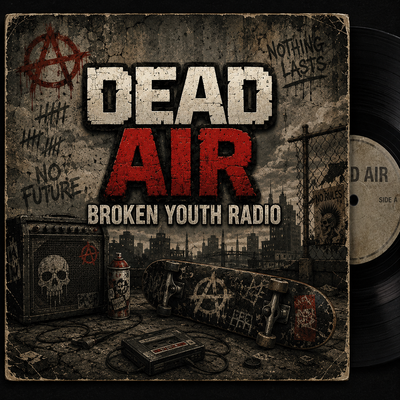
Dead Air: Broken Youth Radio
Adds a standalone radio soundtrack with pop punk music into Dead Air as the Broken Youth Radio station when Dead Air is installed. Otherwise adds music to the game without Dead Air.