Minecraft version
Back to mods 
CurseForge · Minecraft mod
MCGuard Client
MCGuard's Client version
Choose a version Pick your version below, then grab the matching file.
Quick answer
Which MCGuard Client release should I use?
Latest stable file mcguard-client-1.0.jar
Game version 1.20.1
Loader Forge
MCGuard Client mcguard-client-1.0.jar targets 1.20.1 with Forge. The project page does not say whether this file belongs on the client, dedicated server, or both. No extra mods listed for this file.
Where it goes
Is MCGuard Client required on the client, server, or both?
The project page does not say whether this file belongs on the client, dedicated server, or both.
Client Source doesn’t say
Dedicated server Source doesn’t say
Loader for this release Forge
Required install it here Optional supported, not mandatory Not supported do not install here Source doesn’t say do not assume
The source does not explicitly classify this release as client-only or server-only.
What else does MCGuard Client mcguard-client-1.0.jar need?
mcguard-client-1.0.jar. Change the file and its required mods may change too.
This file does not list any required mods. Do not add a library just because a different file uses it.
This file does not list any required or optional mods.
Before you install it
Add MCGuard Client without breaking your instance.
Built for MCGuard Client mcguard-client-1.0.jar. Pick another file and the loader, install side or required mods may change.
- 01
Stick to this file
Use mcguard-client-1.0.jar. It targets 1.20.1 with Forge; another release may have different loader, side or dependency requirements.
- 02
Bring the mods it needs
This file does not list any required mods. Do not add a library just because a different file uses it.
- 03
Put it on the correct side
The project page does not say whether this file belongs on the client, dedicated server, or both.
- 04
Pick the file you checked
Use the “Get this file” button beside mcguard-client-1.0.jar. It opens that exact file at the source.
About this project
What does MCGuard Client add?
MCGuard Client v1.0
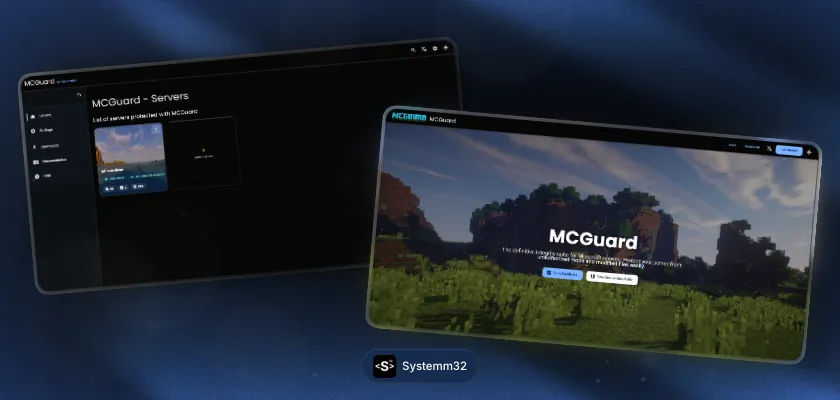
Made by Systemm32at DMRstudio
MCGuard is a basic anticheat created to personalize and handle custom modpacks / resourcepacks for Minecraft Modded Servers.
Ensuring that joined users are strictly using your custom modpack / resourcepacks or configurations. Creating a common networked structured player experience.
FEATURES
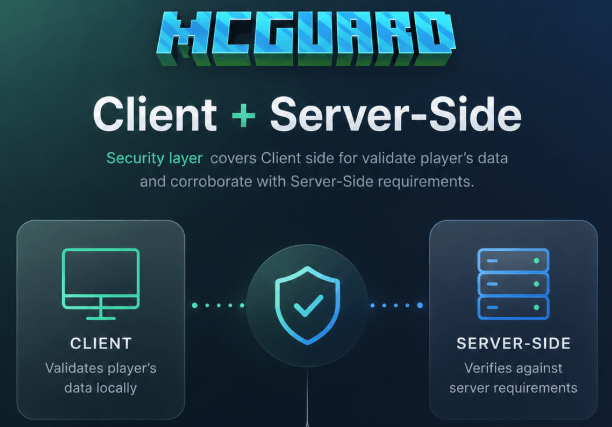
Client + Server-Side: Security layer covers Client side for validate player's data and corroborate with Server-Side requirements.
✅Clean and Valid client = ✅ You are welcome to the desired MCGuard protected server
❌ Invalid client = ❌You are not welcome here -_-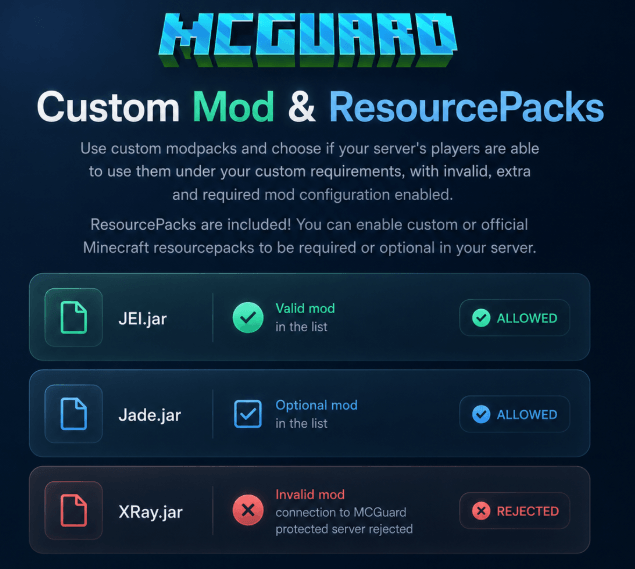
Custom Mod & ResourcePacks for your clients: Use custom modpacks and choose if your server's players are able to use them under your custom requirements, with invalid, extra and required mod configuration enabled. ResourcePacks are included! You can enable custom or official Minecraft resourcepacks to be required or optional in your server.
✅JEI.jar -> Valid mod in the list
☑Jade.jar -> Optional mod in the list
❌XRay.jar -> Invalid mod, connection to MCGuard protected server rejected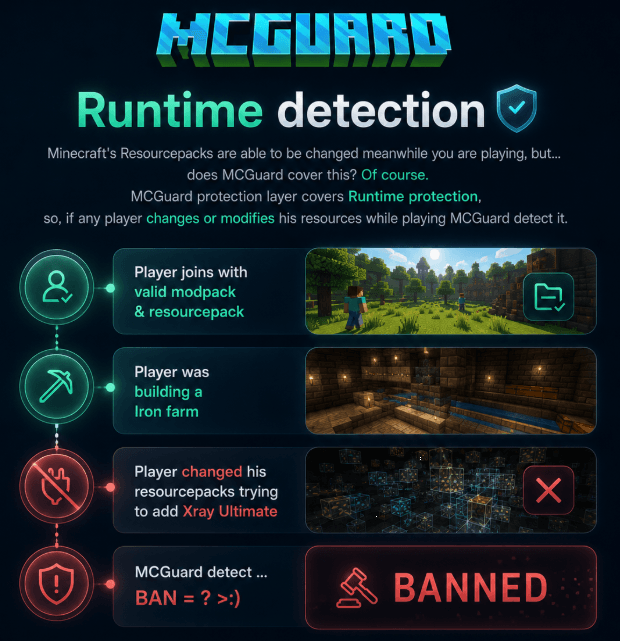
Runtime detection: Minecraft's Resourcepacks are able to be changed meanwhile you are playing, but… does MCGuard cover this? Of course. MCGuard protection layer covers Runtime protection, so , if any player changes or modifies his resources while playing MCGuard detect it.
✅Player joins with valid modpack & resourcepack
**✅**Player was building a Iron farm
❌🔌 Player changed his resourcepacks trying to add Xray Ultimate
⚠ MCGuard detect … BAN = ? >:)Discord Webhooks integration (optional) for notifications: Enable in your config the webhooks to get notifications every time MCGuard detect something, valid or not.
⭐EXTRA: Discord Webhooks embeds are customizable too!
✅Player joins with valid modpack & resourcepack
📨Discord webhook fired with embed in custom previously configurated channel
❌Player joins with invalid modpack & resourcepack📨Discord webhook fired with embed in custom previously configurated channel
Examples:
Project description from CurseForge.
Pick your setup
MCGuard Client by Minecraft version and loader
Choose the version and loader you play, then open the matching release.
Check the dependencies, then try the file in a copied instance before changing a world you care about.
Recent files
MCGuard Client versions and loaders
mcguard-client-1.0.jar
12 Jun 2026
Client Source doesn’t say Server Source doesn’t say Dependencies No extras listed Listed on Release listing
Check the 1.20.1 · Forge setup 1.20.1Forge release
Looking for an older file? The official CurseForge project page is in Resources.
 mod
mod CurseForge · Minecraft
Vanilla Clans
Clans, custom banners, roles and shared chests for Fabric servers, with an optional client UI.
 mod
mod CurseForge · Minecraft
Create: Docking Connectors+
Adds additional docking ports to Create: Simulated, allowing kinetic and improved fluid transfer between sublevels.
 mod
mod CurseForge · Minecraft
Field Emitters
Terrain-following forcefields with entity filters, detection output and a handheld Field Tuner.