Minecraft version
Back to mods 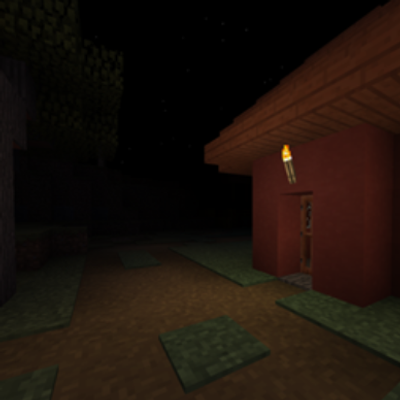
CurseForge · Minecraft mod
AdvancedDarkness (No Textures)
an mod that makes night very dark, overworld very foggy and disables some features perfect for horror games
Choose a version Pick your version below, then grab the matching file.
Quick answer
Which AdvancedDarkness (No Textures) release should I use?
Latest stable file Advanced-Darkness - 1.1 NT.jar
Game version 1.20.1
Loader Forge
AdvancedDarkness (No Textures) Advanced-Darkness - 1.1 NT.jar targets 1.20.1 with Forge. The project page does not say whether this file belongs on the client, dedicated server, or both. No extra mods listed for this file.
Where it goes
Is AdvancedDarkness (No Textures) required on the client, server, or both?
The project page does not say whether this file belongs on the client, dedicated server, or both.
Client Source doesn’t say
Dedicated server Source doesn’t say
Loader for this release Forge
Required install it here Optional supported, not mandatory Not supported do not install here Source doesn’t say do not assume
The source does not explicitly classify this release as client-only or server-only.
What else does AdvancedDarkness (No Textures) Advanced-Darkness - 1.1 NT.jar need?
Advanced-Darkness - 1.1 NT.jar. Change the file and its required mods may change too.
This file does not list any required mods. Do not add a library just because a different file uses it.
This file does not list any required or optional mods.
Before you install it
Add AdvancedDarkness (No Textures) without breaking your instance.
Built for AdvancedDarkness (No Textures) Advanced-Darkness - 1.1 NT.jar. Pick another file and the loader, install side or required mods may change.
- 01
Stick to this file
Use Advanced-Darkness - 1.1 NT.jar. It targets 1.20.1 with Forge; another release may have different loader, side or dependency requirements.
- 02
Bring the mods it needs
This file does not list any required mods. Do not add a library just because a different file uses it.
- 03
Put it on the correct side
The project page does not say whether this file belongs on the client, dedicated server, or both.
- 04
Pick the file you checked
Use the “Get this file” button beside Advanced-Darkness - 1.1 NT.jar. It opens that exact file at the source.
About this project
What does AdvancedDarkness (No Textures) add?
This mod is the same as the original execpt without the old minecraft textures
Dread transforms the Overworld into a tense, oppressive environment built for horror. Fog swallows the world just a few blocks from your face, nights are pitch black with no stars or clouds to guide you, and all grass and flowers are stripped away — leaving the land bare and unsettling. Render distance is locked, fog thickens as darkness falls, and sleeping or skipping the night snaps the world into daylight instantly. Lightweight, client-friendly, and designed to drop into any horror modpack with configuration.
Updated version
Added an customization for the Day/Night Fog Removed Starts for an more scarier look Dynamic lights (When Picking up Torch it will light up. Also can be disabled at the option settings) update only for 1.20.1 (working on other versions)
Project description from CurseForge.
Pick your setup
AdvancedDarkness (No Textures) by Minecraft version and loader
Choose the version and loader you play, then open the matching release.
Check the dependencies, then try the file in a copied instance before changing a world you care about.
Recent files
AdvancedDarkness (No Textures) versions and loaders
Advanced-Darkness - 1.1 NT.jar
28 Jun 2026
Client Source doesn’t say Server Source doesn’t say Dependencies No extras listed Listed on Release listing
Check the 1.20.1 · Forge setup 1.20.1Forge release
Looking for an older file? The official CurseForge project page is in Resources.
 mod
CurseForge + Modrinth · Minecraft
Moving Elevators
Moving Elevators adds real Elevators to Minecraft!
 mod
CurseForge + Modrinth · Minecraft
Uni GUI
A library for UI designed for maximum performance
 mod
CurseForge · Minecraft
Wintery Atmosphere
Adds snow particles falling from snow blocks and powder snow blocks when there's air or transparent blocks underneath.