
Minecraft version
Back to mods 
CurseForge · Minecraft mod
SimCity Expansion
Building expansion-pack manager for New-Simukraft-1.21.1
Choose a version Pick your version below, then grab the matching file.
Quick answer
Which SimCity Expansion release should I use?
Latest stable file Simcity Expansion-1.21.1-neoforge-1.1.3.jar
Game version 1.21.1
Loader NeoForge
Simcity Expansion-1.21.1-neoforge-1.1.3.jar targets 1.21.1 with NeoForge. The project page does not say whether this file belongs on the client, dedicated server, or both. No extra mods listed for this file.
Where it goes
Is SimCity Expansion required on the client, server, or both?
The project page does not say whether this file belongs on the client, dedicated server, or both.
Client Source doesn’t say
Dedicated server Source doesn’t say
Loader for this release NeoForge
Required install it here Optional supported, not mandatory Not supported do not install here Source doesn’t say do not assume
The source does not explicitly classify this release as client-only or server-only.
What else does Simcity Expansion-1.21.1-neoforge-1.1.3.jar need?
Simcity Expansion-1.21.1-neoforge-1.1.3.jar. Change the file and its required mods may change too.
This file does not list any required mods. Do not add a library just because a different file uses it.
This file does not list any required or optional mods.
Before you install it
Add SimCity Expansion without breaking your instance.
Built for Simcity Expansion-1.21.1-neoforge-1.1.3.jar. Pick another file and the loader, install side or required mods may change.
- 01
Stick to this file
Use Simcity Expansion-1.21.1-neoforge-1.1.3.jar. It targets 1.21.1 with NeoForge; another release may have different loader, side or dependency requirements.
- 02
Bring the mods it needs
This file does not list any required mods. Do not add a library just because a different file uses it.
- 03
Put it on the correct side
The project page does not say whether this file belongs on the client, dedicated server, or both.
- 04
Pick the file you checked
Use the “Get this file” button beside Simcity Expansion-1.21.1-neoforge-1.1.3.jar. It opens that exact file at the source.
About this project
What does SimCity Expansion add?
SimCity Expansion
Building expansion-pack manager for New-Simukraft-1.21.1
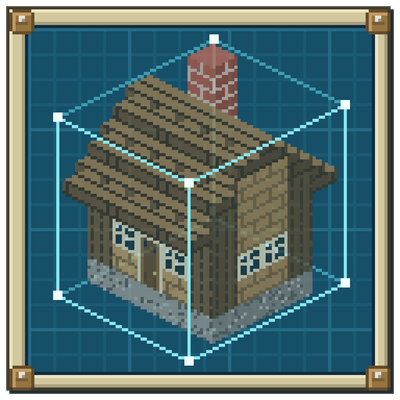
Bring vanilla, Litematica, and WorldEdit structures into the game, convert and install them as buildable SimuKraft buildings, edit them in a Litematica-style manager, and share them as one-click zip packs.








Contents
- Overview
- Features
- Requirements and installation
- Opening the manager
- The manager
- Structure editor
- Capturing builds from the world
- Build packs
- Structure formats
- Directory layout
- Commands
- Documentation
- Building from source
- License
- Acknowledgements
Overview
SimCity Expansion is a NeoForge mod for Minecraft 1.21.1 that adds a complete building expansion-pack pipeline to New-Simukraft-1.21.1 (a city-building mod). It lets you import structures from three common formats, convert them into SimuKraft's buildable format, organise and edit them through a Litematica-style manager, and package them as portable zip packs for one-click install and sharing.
Integration with SimuKraft is a pure file-system convention — the mod writes .sk and .nbt files under <game dir>/simukraftbuilding/<category>/ — so there is no compile-time dependency on SimuKraft. The manager is built on Minecraft's own GUI toolkit and needs no extra library, and the command interface runs on a dedicated server as well.
Features
- Three structure formats — vanilla
.nbt, Litematica.litematic(multi-region auto-merge), and Sponge/WorldEdit.schem(v1/v2/v3), all converted to SimuKraft's vanilla buildable format on install. - Robust conversion — older structures are upgraded through the game DataFixer, missing mod blocks are detected against the registry, and block-entity contents (chest inventories, signs, and so on) are preserved (entities are not).
- Litematica-style manager (open with
\) — file tree, fixed-width info panel, material list, and layered previews: embedded thumbnail, real-block 3D scene, isometric voxel view, and top-down map. - Full structure editor — place / break / pick / replace, brush painting, box selection with fill / frame / hollow / expand, copy / cut / paste, rotate and mirror, symmetry axis, undo / redo, slice planes, and preset camera views; export to
.litematicor save and install directly. - Capture from the world — mark two corners in-game, capture the selection as a blueprint, and optionally include block-entity contents.
- Zip pack ecosystem — manifest-tracked install / uninstall, one-click export of installed buildings into a shareable pack, an optional pack icon and an
index.jsonfile manifest, and pass-through of SimuKraft native job/trade definitions (format v2). - No hard dependencies — the manager runs on Minecraft's own GUI toolkit and SimuKraft is integrated purely through the file system, so neither is a compile-time dependency.
- Server-friendly — the
/buildpackcommand (operator level 2, with tab-completion) installs loose files and packs and captures regions on dedicated servers, reusing the same conversion pipeline as the GUI. - Localised — English, Simplified Chinese, and Traditional Chinese; numbers, dates, and file sizes are formatted per the active game language.
Requirements and installation
| Requirement | Version |
|---|---|
| Minecraft | 1.21.1 |
| NeoForge | 21.1.233 or newer |
Place the jar in your mods/ folder — there are no other mod dependencies. The in-game manager works out of the box on a client; on a dedicated server the jar loads headless and exposes the /buildpack command.
Opening the manager
Press <kbd></kbd> (backslash) in-game. All bindings are rebindable under the mod's category in Options -> Controls.
| Action | Default key |
|---|---|
| Open the build pack manager | <kbd></kbd> |
| Set world selection corner A | <kbd>[</kbd> |
| Set world selection corner B | <kbd>]</kbd> |
| Capture the selection as a blueprint | <kbd>'</kbd> |
| Toggle "include block-entity contents" | unbound |
| Clear the world selection | unbound |
The manager
The left panel has three tabs:
- Import Files — loose
.nbt/.litematic/.schemfiles in the import directory. - Packs — zip build packs in the import directory, shown as an expandable tree (pack -> category -> building). Any building can be previewed and read directly from the zip, without extracting it first.
- Installed — buildings already present in SimuKraft's building directory.
The info panel on the right shows metadata rows, a preview, a material list (counted by block type, with missing blocks flagged), and a .sk metadata form (editable on the Import tab, read-only elsewhere). It supports drag-and-drop import, search, sort, batch install, and two-click delete. When you browse a pack that ships an icon, the icon is shown in the preview area.
Structure editor
Open a structure in the editor to refine it before installing:
- Edit — place, break, pick, and replace blocks; paintbrush with adjustable size and paint strokes; remove or replace a whole block type at once.
- Selection — box-select a region (click two cells or drag a box face), then fill / frame / hollow / expand / clear it, with copy, cut, and paste.
- Transform — rotate 90 degrees and mirror along any axis, with a symmetry axis for mirrored editing.
- History — undo and redo.
- View — cycle slice planes, fit and focus the selection, preset camera angles, grid and gizmo toggles, and perspective toggle.
- Output — Save as New, Save and Install, or Export
.litematic.
Press <kbd>H</kbd> inside the editor for the full shortcut list.
Capturing builds from the world
Build something in your world, then turn it into a blueprint without leaving the game:
- Look at a block and press <kbd>[</kbd> to set corner A, then <kbd>]</kbd> to set corner B. The selection box is drawn in the world.
- Press <kbd>'</kbd> to capture the selection and export it to the import directory.
- Optionally bind the "include block-entity contents" key to capture chest inventories and similar data, and the "clear selection" key to reset the corners.
The same operation is available on servers via /buildpack capture (see Commands).
Build packs
Buildings are grouped into five fixed categories: residential, commercial, industry, public, and other.
Install / uninstall — installing a pack converts every building into the matching category directory and records a manifest in
simcity_expansion/installed_packs.json, so uninstalling removes exactly the files that pack added.Export (Installed tab -> Export) — packages the listed buildings (respecting the current search filter) into a zip. Options:
- include
.skmetadata, - include SimuKraft job/trade JSON,
- include an icon — tick the box and leave the path blank to auto-render one from the first building's preview, or supply a custom PNG path.
An
index.jsonfile manifest (each packed file with its type, category, size, and SHA-256) is always written at the zip root.- include
Manifest —
pack.json(format 2) carriesid,name,version,author,description, an optionalicon, and ageneratedtimestamp.
The full pack specification (directory layout, pack.json, .sk / .meta.json metadata, native job/trade JSON, icon.png, and index.json) is documented in docs/pack-format.zh.md.
Structure formats
| Extension | Source | Conversion on install |
|---|---|---|
.nbt |
Vanilla structure block template | Installed as-is; old versions auto-upgraded |
.litematic |
Litematica projection | Multi-region merge into one bounding box; reads embedded name / author / creation time / thumbnail |
.schem |
Sponge / WorldEdit schematic | v1, v2, and v3 supported |
All formats are converted to vanilla .nbt on install (SimuKraft's build system only reads the vanilla format). During conversion the structure is DataFixer-upgraded to the current game version, block-entity positions are remapped and preserved, the palette is checked against the registry for missing blocks, and the merged volume is capped at 16,000,000 blocks.
Directory layout
<game dir>/
├── simcity_expansion/
│   ├── import/                 import directory (drop loose files and zip packs here)
│   ├── export/                 exported build packs
│   └── installed_packs.json    installed-pack registry
└── simukraftbuilding/<category>/   SimuKraft building directory (install target)
Commands
All /buildpack subcommands require operator level 2 (game masters) and offer tab-completion.
| Command | Description |
|---|---|
/buildpack list |
List the files in the import directory |
/buildpack packs |
List installed packs |
/buildpack install <file> [category] [name] |
Install a loose structure file |
/buildpack installpack <zip> |
Install a whole zip pack |
/buildpack uninstallpack <id> |
Uninstall a pack by its id |
/buildpack activate <zip> |
Serve a pack to SimuKraft virtually (no install) — requires SimuKraft |
/buildpack deactivate <id> |
Stop serving an activated pack |
/buildpack active |
List currently active packs |
/buildpack capture <from> <to> [name] [format] |
Capture a region into a blueprint |
Documentation
| Document | Audience |
|---|---|
| Usage guide | Players: import, install, manage, export |
| Pack format spec v2 | Pack authors: layout, pack.json, metadata, conversion |
Chinese versions are also available: usage.zh.md and pack-format.zh.md.
Building from source
The project uses the Gradle wrapper and a NeoForge ModDevGradle toolchain (JDK 21).
./gradlew build
The built jar is written to build/libs/.
License
All Rights Reserved. Copyright © 2026 xinian. This source is published for reference; it is not licensed for redistribution or derivative works without permission. When using in a modpack, you must link back to the original link.
Acknowledgements
- New-Simukraft-1.21.1 — the city-building mod this expands.
- devins-badges — the badge artwork in this readme.
About the old version
- 1.20.1 Forge has been abandoned for development
Project description from CurseForge.
Pick your setup
SimCity Expansion by Minecraft version and loader
Choose the version and loader you play, then open the matching release.
Check the dependencies, then try the file in a copied instance before changing a world you care about.
Recent files
SimCity Expansion versions and loaders
Simcity Expansion-1.21.1-neoforge-1.1.3.jar
30 Aug 2026
Client Source doesn’t say Server Source doesn’t say Dependencies No extras listed Listed on Release listing
Check the 1.21.1 · NeoForge setup 1.21.1NeoForge release
Simcity Expansion-1.21.1-neoforge-1.1.2.jar
16 Jul 2026
Client Source doesn’t say Server Source doesn’t say Dependencies No extras listed Listed on Release listing
Check the 1.21.1 · NeoForge setup 1.21.1NeoForge release
Simcity Expansion-1.21.1-neoforge-1.1.0.jar
2 Jul 2026
Client Source doesn’t say Server Source doesn’t say Dependencies No extras listed Listed on Release listing
Check the 1.21.1 · NeoForge setup 1.21.1NeoForge release
Simcity Expansion-1.21.1-neoforge-1.0.7.jar
1 Jul 2026
Client Source doesn’t say Server Source doesn’t say Dependencies No extras listed Listed on Release listing
Check the 1.21.1 · NeoForge setup 1.21.1NeoForge release
Simcity Expansion-1.21.1-neoforge-1.0.6.jar
29 Jun 2026
Client Source doesn’t say Server Source doesn’t say Dependencies No extras listed Listed on Release listing
Check the 1.21.1 · NeoForge setup 1.21.1NeoForge release
Looking for an older file? The official CurseForge project page is in Resources.
 mod
mod CurseForge · Minecraft
Simple Schematics
Preview schematics in the world, paste them in Creative with undo, and build them in Survival from your containers.
 mod
mod CurseForge · Minecraft
Create: Gearlings
Build small mechanical workers that carry items, fuel machines, and collect factory drops for Create.
 mod
mod CurseForge · Minecraft
Edible Backpacks
Required on both client and server — the server owns the slot data and the client draws the panels, so it genuinely needs both sides.