Jade 🔍 Optional for Haven Resource Tokens HavenResourceTokens-1.21.1-1.0.0.jar
optionalMatching file found Matched file: [NeoForge 1.21.1] 15.10.6

CurseForge · Minecraft mod
Dynamic resource tokens and materializer machines for items and fluids.
Quick answer
Haven Resource Tokens HavenResourceTokens-1.21.1-1.0.0.jar targets 1.21.1 with NeoForge. The project page does not say whether this file belongs on the client, dedicated server, or both. No extra mods listed for this file.
Where it goes
The project page does not say whether this file belongs on the client, dedicated server, or both.
The source does not explicitly classify this release as client-only or server-only.
HavenResourceTokens-1.21.1-1.0.0.jar. Change the file and its required mods may change too.
This file does not list any required mods. Do not add a library just because a different file uses it.
1 extra mod was pulled in by another dependency. Indented rows show who needs each one. We only count dependency files that match this setup. A file for another loader does not fill the gap.
Before you install it
Built for Haven Resource Tokens HavenResourceTokens-1.21.1-1.0.0.jar. Pick another file and the loader, install side or required mods may change.
Use HavenResourceTokens-1.21.1-1.0.0.jar. It targets 1.21.1 with NeoForge; another release may have different loader, side or dependency requirements.
This file does not list any required mods. Do not add a library just because a different file uses it.
The project page does not say whether this file belongs on the client, dedicated server, or both.
Use the “Get this file” button beside HavenResourceTokens-1.21.1-1.0.0.jar. It opens that exact file at the source.
About this project
Haven Resource Tokens is a configurable resource generation mod using tokens.
You make a Resource Token from a Blank Token and an item or fluid, then place that token in a Resource Materializer to generate more of that resource.
This is meant for modpacks that want an alternative resource generation.
Craft a Blank Token and place it in the Token Machine.
The Token Machine needs:
When the token has enough of the resource and enough RF has been used, it becomes a Resource Token.
Example:
Blank Token + Cobblestone + RF = Cobblestone Resource Token
Place that Resource Token in a Resource Materializer, and it will generate the resource from the token.
Cobblestone Resource Token + RF = Cobblestone
Fluid tokens work the same way, but use fluid tanks instead of items.
Resource Tokens are one item, but they store what they were made from.
A Cobblestone Resource Token, Water Resource Token, and Diamond Resource Token are all the same Resource Token item with different saved data.
The token icon shows the token together with the assigned resource, so players can see what the token is for without opening anything.
Tokens only work while their resource is still listed in the resources config. If a resource is removed from the config, old tokens for that resource will no longer be usable.
The Token Machine turns Blank Tokens into Resource Tokens.
For item tokens, add the required item in the input slot.
For fluid tokens, fill the machine tank with the required fluid.
Token progress is saved on the Blank Token. If a token is halfway done, it keeps that progress, but it is locked and must be completed using the same resource.
If fluid flushing is enabled in the config, Shift+Click the fluid bar in the Token Machine to empty the tank.
Speed Upgrades make token creation faster, but also increase RF usage.
1 Speed Upgrade = 2x speed, 2x RF usage2 Speed Upgrades = 4x speed, 4x RF usage3 Speed Upgrades = 8x speed, 8x RF usage4 Speed Upgrades = 16x speed, 16x RF usage
Energy Upgrades lower the RF cost.
1 Energy Upgrade = 1.5x RF reduction2 Energy Upgrades = 3x RF reduction3 Energy Upgrades = 6x RF reduction4 Energy Upgrades = 12x RF reduction
Resource Materializers generate items or fluids from Resource Tokens.
Tiers:
Higher tiers can run faster and use less RF depending on the config.
Item tokens output items into the output slots.
Fluid tokens output fluid into the output tank.
The Creative Resource Materializer does not need RF and can have its output multiplied in the config.
The mod creates two config files:
config/HavenResourceTokens-Config.tomlconfig/HavenResourceTokens-Resources.jsonc
HavenResourceTokens-Config.toml is for machine settings.
HavenResourceTokens-Resources.jsonc is for the resources that can become tokens.
Most modpack devs will mainly edit the resources jsonc file.
PS: Configs are server synced. When playing on a server, the server config is used, not the client one.
File:
config/HavenResourceTokens-Resources.jsonc
HavenResourceTokens-Resources.jsonc decides which items and fluids can be turned into Resource Tokens.
Each entry should use either item or fluid, not both.
{
  "item": "minecraft:cobblestone",
  "input_amount": 512,
  "creation_rf": 5000,
  "output_amount": 1,
  "output_rf": 1000
}
This makes a Cobblestone Resource Token.
The Token Machine needs 512 cobblestone and 5000 RF to make the token.
The Resource Materializer then creates 1 cobblestone per cycle.
output_rf is the Copper Materializer RF cost before tier scaling.
{
  "fluid": "minecraft:water",
  "input_amount": 100000,
  "creation_rf": 5000,
  "output_amount": 1000,
  "output_rf": 250
}
Fluid amounts use mB.
1000 mB = 1 bucket
This example uses 100 buckets of water to make the token and outputs 1 bucket per cycle.
{
  "item": "minecraft:potion",
  "input_amount": 1,
  "creation_rf": 5000,
  "output_amount": 1,
  "output_rf": 10000,
  "nbt": "{Potion:\"minecraft:healing\"}"
}
Use nbt in Minecraft 1.20.1 when the item needs exact stored data, like potions.
NBT is ignored for fluids.
{
  "item": "minecraft:potion",
  "input_amount": 512,
  "creation_rf": 5000,
  "output_amount": 1,
  "output_rf": 10000,
  "dataComp": "potion_contents={potion:\"minecraft:strong_healing\"}"
}
Use dataComp in NeoForge 1.21.1 when the item needs exact stored data, like potions.
In 1.21.1, potion data is stored as a data component instead of old item NBT.
dataComp is ignored for fluids.
item - Item ID for an item tokenfluid - Fluid ID for a fluid tokeninput_amount - Item count or fluid amount needed to make the tokencreation_rf - RF needed to make the tokenoutput_amount - Item count or fluid amount made per materializer cycleoutput_rf - Copper Materializer RF cost per cyclenbt - Optional item NBT for 1.20.1dataComp - Optional item data component for 1.21.1File:
config/HavenResourceTokens-Config.toml
HavenResourceTokens-Config controls the Token Machine and Resource Materializers.
energy_capacity - RF storageenergy_receive - Max RF input per tickticks_to_create - Base time for one token filling stepfluid_capacity - Tank size in mBfluid_per_cycle - Fluid added to a token each stepallow_fluid_flush - Allows Shift+Click tank flushingticks_to_materialize - Time per output cycleenergy_capacity - RF storageenergy_receive - Max RF input per tickfluid_capacity - Tank size in mBrf_percent - RF cost scaling for that tierticks_to_materialize - Time per output cyclefluid_capacity - Tank size in mBoutput_multiplier - Multiplies item and fluid outputAdmin command:
/havenrt reload
Reloads the resources jsonc file and syncs the resource list to players logged in.
After changing the resources jsonc file you must either use /havenrt reload, restart the server, or re-enter the singleplayer world.
output_amount, that resource entry is skipped.Project description from CurseForge.
Pick your setup
Choose the version and loader you play, then open the matching release.
Check the dependencies, then try the file in a copied instance before changing a world you care about.
Recent files
3 Jul 2026
3 Jul 2026
Looking for an older file? The official CurseForge project page is in Resources.
 mod
modPrevents accidental, unnecessary, and unsafe client resource reloads by allowing them to be blocked, confirmed, or deferred until restart.
 mod
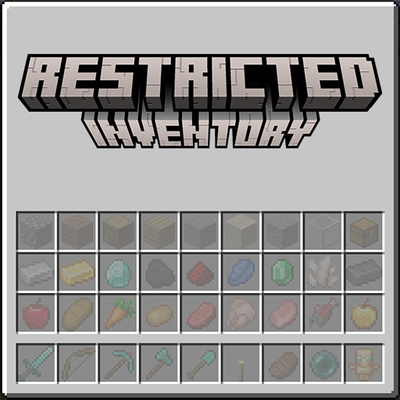
modRestrict player inventory slots to specific items or item tags. Configure which slots accept which items via JSON config — server-wide or per-client. Restricted slots display a visual preview of what belongs there.
 mod
modRepack of famous utility glyphs plus inedit ones and the brand new SpellBinder and book threads