Minecraft version
Back to mods 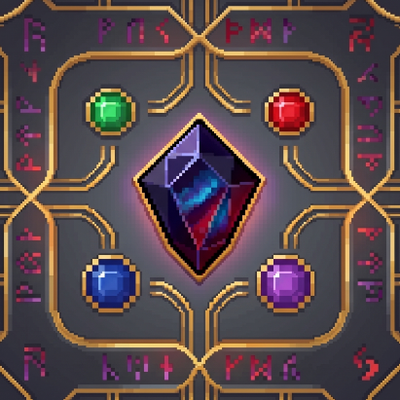
CurseForge · Minecraft mod
Gemstone Protection
Protect your lands using customizable gemstone wards with an intuitive GUI to manage players, flags, and visual borders.
Choose a version Pick your version below, then grab the matching file.
Quick answer
Which Gemstone Protection release should I use?
Latest stable file gemstoneprotection(Forge)-1.0.0.jar
Game version 1.20.1
Loader Forge
Gemstone Protection gemstoneprotection(Forge)-1.0.0.jar targets 1.20.1 with Forge. The project page does not say whether this file belongs on the client, dedicated server, or both. No extra mods listed for this file.
Where it goes
Is Gemstone Protection required on the client, server, or both?
The project page does not say whether this file belongs on the client, dedicated server, or both.
Client Source doesn’t say
Dedicated server Source doesn’t say
Loader for this release Forge
Required install it here Optional supported, not mandatory Not supported do not install here Source doesn’t say do not assume
The source does not explicitly classify this release as client-only or server-only.
What else does Gemstone Protection gemstoneprotection(Forge)-1.0.0.jar need?
gemstoneprotection(Forge)-1.0.0.jar. Change the file and its required mods may change too.
This file does not list any required mods. Do not add a library just because a different file uses it.
This file does not list any required or optional mods.
Before you install it
Add Gemstone Protection without breaking your instance.
Built for Gemstone Protection gemstoneprotection(Forge)-1.0.0.jar. Pick another file and the loader, install side or required mods may change.
- 01
Stick to this file
Use gemstoneprotection(Forge)-1.0.0.jar. It targets 1.20.1 with Forge; another release may have different loader, side or dependency requirements.
- 02
Bring the mods it needs
This file does not list any required mods. Do not add a library just because a different file uses it.
- 03
Put it on the correct side
The project page does not say whether this file belongs on the client, dedicated server, or both.
- 04
Pick the file you checked
Use the “Get this file” button beside gemstoneprotection(Forge)-1.0.0.jar. It opens that exact file at the source.
About this project
What does Gemstone Protection add?
Gemstone Protection Wards
Tired of complex chat commands and relying on bulky server plugins just to protect a house? Gemstone Protection Wards brings the classic, beloved mechanics of the "ProtectionStones" plugin natively into NeoForge 1.21+!
Secure your base, build cooperatively with your friends, and manage your claims entirely through a clean, intuitive, and modern in-game Graphical User Interface (GUI). No commands required!
🔥 Key Features
🖱️ 100% GUI-Driven: Forget about typing tedious commands in the chat. Just place down a protection block and right-click it to manage your entire region.
👥 Easy Member Management: Want to build with friends? Type their Minecraft username into the interface's text box and click "+" to trust them, or "-" to remove them.
⚙️ Custom Region Flags: Toggle critical security settings inside your claim on or off with a simple click:
PVP: Toggle player-vs-player combat on or off to create absolute safe zones or custom dueling arenas.
Explosions: Completely shield your valuable machinery and builds from TNT griefing and accidental Creeper blasts.✨ Visual Borders: Unsure where your protection ends? Click the "View Border" button to summon a temporary holographic wall of glowing particles outlining your exact claim limits for 15 seconds.
💎 Protection Tiers & Sizes
The mod introduces 5 balanced survival protection blocks, each featuring premium pixel-art gemstone textures that blend seamlessly into any RPG or Survival pack:
💙 Blue Sapphire Ward: Secures a compact 8x8 block area. Perfect for starting out or securing small vaults.
❤️ Ruby Ward: Secures a 16x16 block area (1 full chunk). Ideal for standard houses and small farms.
💜 Amethyst Ward: Secures a 32x32 block area. Great for medium bases and cooperative workshops.
💚 Emerald Ward: Secures a massive 64x64 block area. Built for large faction compounds or industrial districts.
🩵 Diamond Cyan Ward: Secures a colossal 128x128 block area. The ultimate protection tier for massive mega-bases.
👑 Admin & Server Features: The Master Protection Ward
Need to secure a server Spawn, a community market, or a massive event area? The mod includes an exclusive tool designed specifically for server administrators and creative mode users:
🖤 Master Protection Ward: This block can only be placed, broken, or configured by Server Operators (OP level 2+) or players in Creative mode.
📐 Mutable Radius Control: Unlike standard wards, the Master Ward's radius is dynamic! Admins can open the GUI and use the
[ + ]and[ - ]buttons to scale the protection size seamlessly from 5 up to 500 blocks in real-time.🚧 Collision Bypass: Administrators can place this block anywhere, completely bypassing overlap restrictions. It can overlay existing player protections without any issues, making world management incredibly smooth.
Project description from CurseForge.
Pick your setup
Gemstone Protection by Minecraft version and loader
Choose the version and loader you play, then open the matching release.
Minecraft version
1.20.1
1 loader buildCheck the dependencies, then try the file in a copied instance before changing a world you care about.
Recent files
Gemstone Protection versions and loaders
gemstoneprotection(Forge)-1.0.0.jar
gemstoneprotection-1.0.0.jar
1 Sept 2026
Client Source doesn’t say Server Source doesn’t say Dependencies No extras listed Listed on Release listing
Check the 1.20.1 · Forge setup 1.20.1Forge release
GemstoneProtection-1.0.2.jar
15 Aug 2026
Client Source doesn’t say Server Source doesn’t say Dependencies No extras listed Listed on Release listing
Check the 1.21.1 · NeoForge setup 1.21.1NeoForge release
GemstoneProtection-1.0.1.jar
6 Jul 2026
Client Source doesn’t say Server Source doesn’t say Dependencies No extras listed Listed on Release listing
Check the 1.21.1 · NeoForge setup 1.21.1NeoForge release
GemstoneProtection-1.0.0.jar
5 Jul 2026
Client Source doesn’t say Server Source doesn’t say Dependencies No extras listed Listed on Release listing
Check the 1.21.1 · NeoForge setup 1.21.1NeoForge release
Looking for an older file? The official CurseForge project page is in Resources.
 mod
mod CurseForge + Modrinth · Minecraft
Hovering Hotbar
Makes your hotbar seemingly float in place by shifting it a few pixels upward.
 mod
mod CurseForge · Minecraft
Colonists Recruited
Makes Recruits and Colonists recognise each other and work together, additionally the WnT war system is further developed
 mod
mod CurseForge · Minecraft
CheatUtils
This mod includes XRay or block finder, entity highlighting, kill aura, etc