Confluence: Otherworld Optional for GachaAddiction-1.1.4.jar
optionalMatching file found Matched file: neoforge-1.2.12+1.21.1

CurseForge · Minecraft mod
Every time you open a chest, it's a gacha pull. The reel spins, a rarity glow flashes — how's your luck today?
Quick answer
GachaAddiction-1.1.4.jar targets 1.21.1 with NeoForge. The project page does not say whether this file belongs on the client, dedicated server, or both. No extra mods listed for this file.
Where it goes
The project page does not say whether this file belongs on the client, dedicated server, or both.
The source does not explicitly classify this release as client-only or server-only.
GachaAddiction-1.1.4.jar. Change the file and its required mods may change too.
This file does not list any required mods. Do not add a library just because a different file uses it.
17 extra mods were pulled in by other dependencies. Indented rows show who needs each one. We only count dependency files that match this setup. A file for another loader does not fill the gap.
Before you install it
Built for GachaAddiction-1.1.4.jar. Pick another file and the loader, install side or required mods may change.
Use GachaAddiction-1.1.4.jar. It targets 1.21.1 with NeoForge; another release may have different loader, side or dependency requirements.
This file does not list any required mods. Do not add a library just because a different file uses it.
The project page does not say whether this file belongs on the client, dedicated server, or both.
Use the “Get this file” button beside GachaAddiction-1.1.4.jar. It opens that exact file at the source.
About this project
Discord Do you feel that opening a loot chest is far too mundane? Open the chest, a GUI pops up, grab the items and leave — simple, unexciting, utterly uneventful.
Well, "GachaAddiction" is here to change all of that!
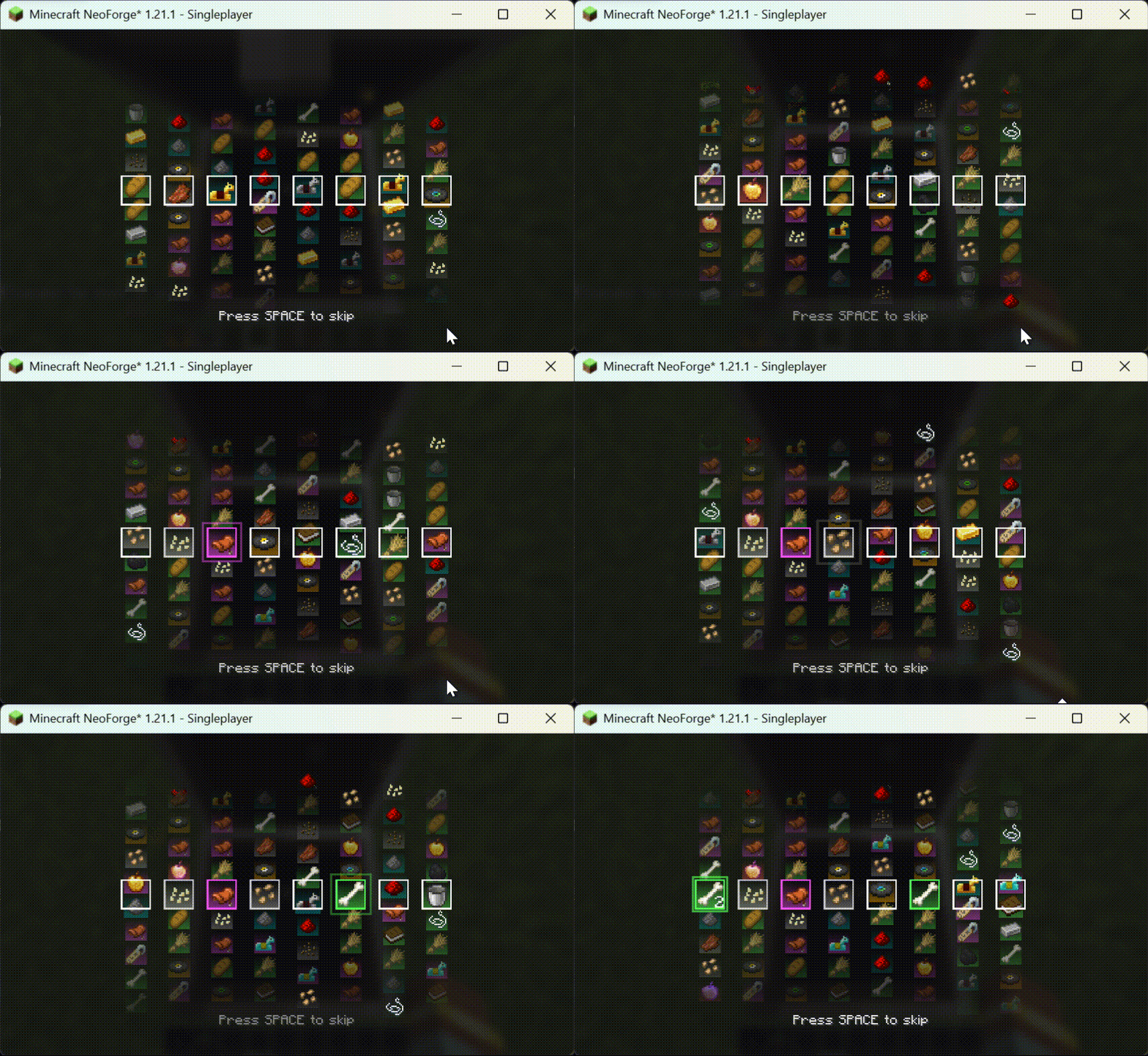
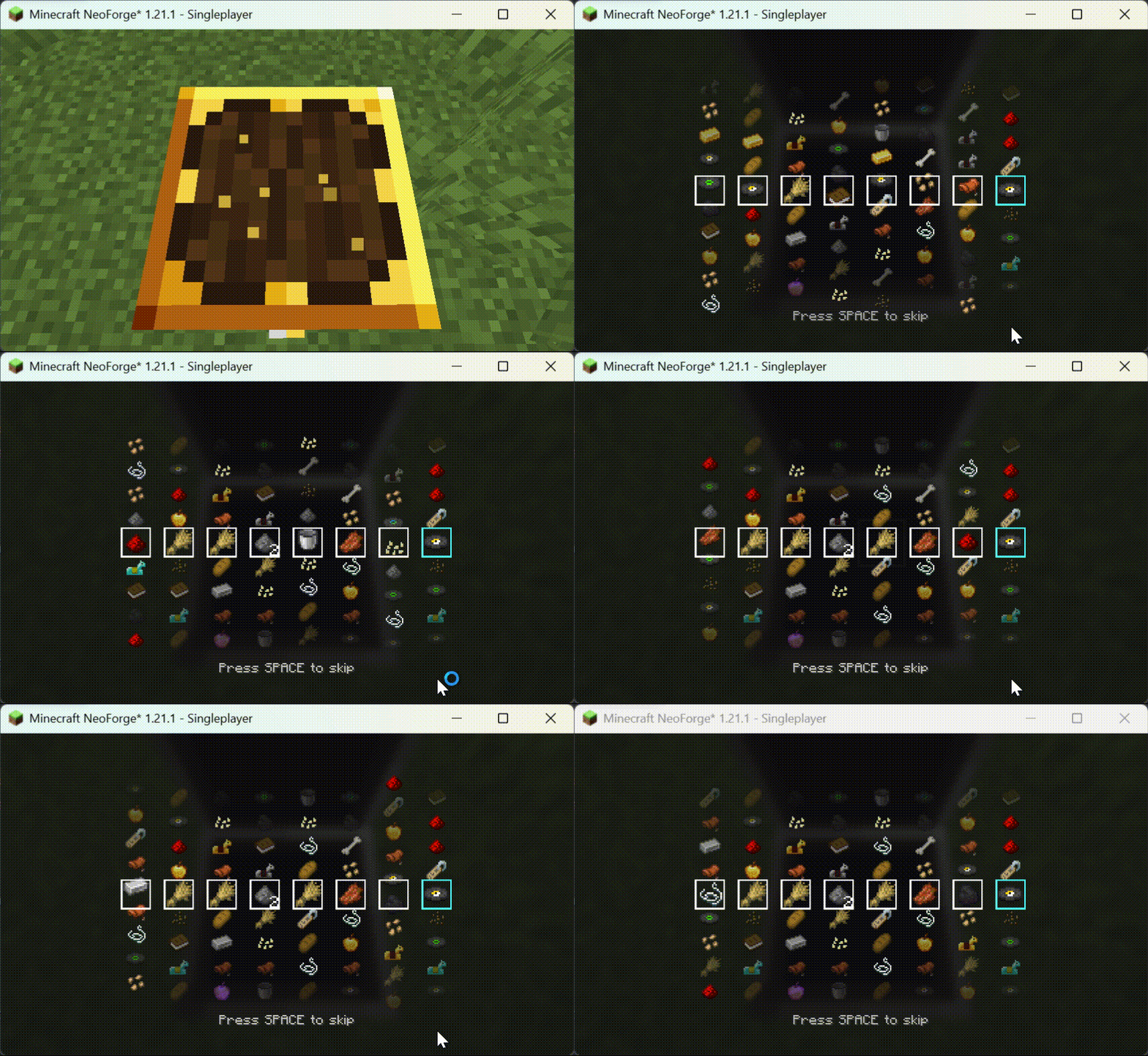
When you open a loot container, a gorgeous slot-machine-like animation triggers. You hold your breath, staring at the reels as they slow down — until the unique sound effect for a rare item rings in your ears:
Diamonds!
This thrill and surprise is something vanilla containers could never deliver. Or perhaps, when the animation gradually decelerates and items slide past your eyes frame by frame — that heart-pounding sensation is something vanilla can never replicate either!
Tip: Press the Spacebar to skip the current item animation and move to the next one. Press ESC to skip all animations and go directly to the vanilla container interface.
Note: These are purely visual effects. The mod also needs to be installed on the server side to properly read loot tables.
Since version 1.1.3, various customizations and configurations are supported. Most can be configured directly in-game, while things like sound effects require a resource pack.Example resource package.zip resource package.zip) is the resource pack template (needs to be unzipped).
Since version 1.1.4, you can use the gacha command to draw anytime, anywhere: /gacha <targets> <type> <lootTable> <count>
| Plan | Status | Details |
|---|---|---|
| More configuration options | In development | Force-watch, prevent others from looting, etc. |
| More reel animation types | In development | Card flip, infinite loop animations, etc. |
| A real slot machine (block) | In development | Similar to Lucky Blocks, but more interesting |
| Better social interaction | In development | Pop-up display for rare items, sharing features, etc. |
| More Minecraft version support | In development | 1.20 and below are difficult to develop for; will prioritize 26.1 and above |
Project description from CurseForge.
Pick your setup
Choose the version and loader you play, then open the matching release.
Check the dependencies, then try the file in a copied instance before changing a world you care about.
Recent files
gachaaddiction-1.1.4.jar
30 Jul 2026
gachaaddiction-1.1.3.1.jar
23 Jul 2026
gachaaddiction-1.1.3.jar
23 Jul 2026
gachaaddiction-1.1.2.jar
8 Jul 2026
gachaaddiction-1.1.1.jar
8 Jul 2026
gachaaddiction-1.1.0.jar
7 Jul 2026
gachaaddiction-1.0.0.jar
7 Jul 2026
Looking for an older file? The official CurseForge project page is in Resources.
 mod
Kill any creature, strike its lingering soul with a Shadow Dagger and raise it as your loyal shadow soldier - an Iron's Spells addon.
 mod
"They were here before you came and they are not happy about your visit..."
 mod
A lightweight utility for replacing one block with another, both during worldgen and afterward.