Minecraft version
Back to mods 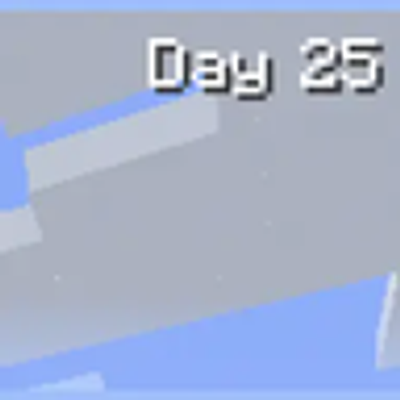
CurseForge · Minecraft mod
Optimized Day Counter
Want to know what day it is and what hour it is in your minecraft world? Well this mod does exactly that.
Choose a version Pick your version below, then grab the matching file.
Quick answer
Which Optimized Day Counter release matches 26.1.2?
Best match for your filters Optimized Day Counter 26.1.2 fabric
Game version 26.1.2
Loader Fabric
Optimized Day Counter 26.1.2 fabric targets 26.1.2 with Fabric. The project page does not say whether this file belongs on the client, dedicated server, or both. No extra mods listed for this file.
Where it goes
Is Optimized Day Counter required on the client, server, or both?
The project page does not say whether this file belongs on the client, dedicated server, or both.
Client Source doesn’t say
Dedicated server Source doesn’t say
Loader for this release Fabric
Required install it here Optional supported, not mandatory Not supported do not install here Source doesn’t say do not assume
The source does not explicitly classify this release as client-only or server-only.
What else does Optimized Day Counter 26.1.2 fabric need?
Optimized Day Counter 26.1.2 fabric on 26.1.2. Every mod below is checked against that same setup.
This file does not list any required mods. Do not add a library just because a different file uses it.
This file does not list any required or optional mods.
Before you install it
Add Optimized Day Counter without breaking your instance.
Built for Optimized Day Counter 26.1.2 fabric on 26.1.2. Pick another file and the loader, install side or required mods may change.
- 01
Stick to this file
Use Optimized Day Counter 26.1.2 fabric. It targets 26.1.2 with Fabric; another release may have different loader, side or dependency requirements.
- 02
Bring the mods it needs
This file does not list any required mods. Do not add a library just because a different file uses it.
- 03
Put it on the correct side
The project page does not say whether this file belongs on the client, dedicated server, or both.
- 04
Pick the file you checked
Use the “Get this file” button beside Optimized Day Counter 26.1.2 fabric. It opens that exact file at the source.
About this project
What does Optimized Day Counter add?
Optimized Day Counter
Optimized Day Counter is a lightweight, client-side HUD mod that shows the current in-game day and optional 12‑hour clock, letting you track your world's progress at a glance.
🎬 Support this mod — cheap AI video! ZSky AI — unlimited AI text-to-video & image generation. Free forever tier, or Pro $19/mo (~$15/mo billed yearly): no queue, 1080p, watermark-free, commercial use.


🎬 How It Works
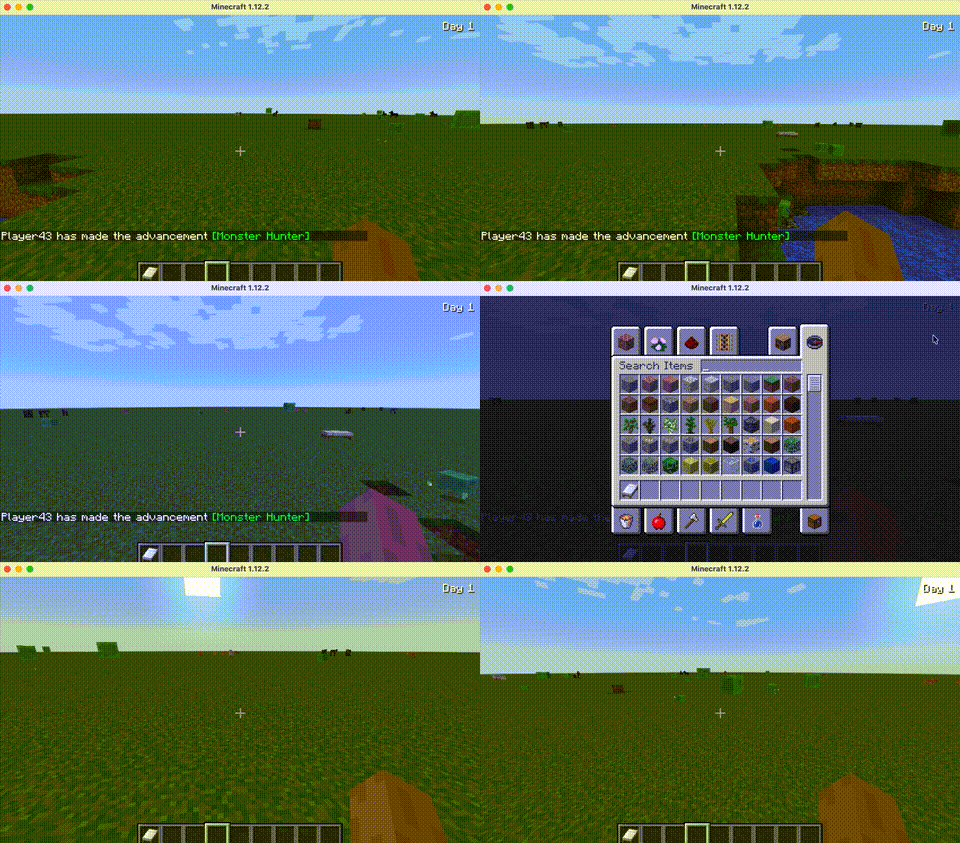
The mod adds a small, unobtrusive HUD element that displays the current world day and, optionally, the time of day in a 12‑hour format. It updates automatically as the world progresses and can be fully customized through a config file.

✨ Features
- Day Number Display — Shows “Day X” where X is the current day number based on world time.
- Optional 12‑Hour Clock — Displays the current time of day with AM/PM (e.g., “Day 3 | 2 PM” or “Day 3 | 2:30 PM”).
- Configurable Anchor Position — Choose from 6 positions:
top_left,top_right,bottom_left,bottom_right,center_top,center_bottom. - Pixel‑Perfect Offsets — Fine‑tune the HUD placement with
offset_xandoffset_yfrom the selected anchor. - Three Display Modes — Choose between days only, days + hour, or days + hour + minute.
- Hot‑Reload Config — Edit the config file while the game is running; changes appear after a short delay (config checks every 500ms).
- Info Card — Prints a stylish author and contributor info card on launch.
📦 Installation
- Install the mod loader of your choice (Fabric, Forge, or NeoForge).
- Download
optimizeddaycounter-<version>.jarand place it into your.minecraft/modsfolder. - Launch the game — the mod will create the config file on first run.
This mod is client‑side only and does not need to be installed on the server.
🧩 Compatibility
| Minecraft | Loader | Status | Version |
|---|---|---|---|
| 1.21.1 | NeoForge | ✅ Supported | Latest |
| 1.21.1 | Fabric | ✅ Supported | Latest |
| 1.21.11 | Fabric | ✅ Supported | Latest |
| 26.1.2 | Fabric | ✅ Supported | Latest |
| 1.20.1 | Forge | ✅ Supported | Latest |
| 1.20.1 | Fabric | ✅ Supported | Latest |
| 1.12.2 | Forge | ✅ Supported | Latest |
Required dependencies: None.
Known incompatibilities: None known.
Works alongside: Any other client‑side mods, including Sodium, Iris, and OptiFine.
❓ FAQ
Does this need to be installed on the server?
No. The mod is purely client‑side and reads directly from the local world state. You can safely use it on any server.
How do I configure the HUD?
Open ./config/optimizeddaycounter.txt (created automatically on first launch). Edit the settings, save the file, and the mod will reload the config within a few seconds.
Can I move the HUD to a different corner?
Yes! Set anchor to one of: top_left, top_right, bottom_left, bottom_right, center_top, or center_bottom. Adjust offset_x and offset_y to fine‑tune the position.
Does this mod add any commands, items, or blocks?
No. It’s a simple HUD overlay with no extra mechanics to learn.
I found a bug, where do I report it?
Please report issues on the GitHub issue tracker. Include your Minecraft version, mod loader, and a log file.
💖 Support the Project
If you find this mod useful, consider supporting development!
📝 Modpacks & License
Licensed under the MIT License. You are free to include this mod in any Modrinth or CurseForge‑hosted modpack with attribution. Do not redistribute the jar file elsewhere.
Credits
- Author: Itamio
- Contributor: Asd1281yss
Project description from CurseForge.
Pick your setup
Optimized Day Counter by Minecraft version and loader
Choose the version and loader you play, then open the matching release.
Minecraft version
1.21.11
1 loader buildMinecraft version
1.21.1
2 loader buildsMinecraft version
1.20.1
2 loader buildsMinecraft version
1.12.2
1 loader buildCheck the dependencies, then try the file in a copied instance before changing a world you care about.
Recent files
Optimized Day Counter versions and loaders
Optimized Day Counter 26.1.2 fabric
optimizeddaycounter-26.1.2-fabric-1.0.0.jar
8 Jul 2026
Client Source doesn’t say Server Source doesn’t say Dependencies No extras listed Listed on Release listing
Check the 26.1.2 · Fabric setup Fabric26.1.2 release
Looking for an older file? The official CurseForge project page is in Resources.
 mod
CurseForge + Modrinth · Minecraft
Sprawl Crafting
Factorio style deferred crafting within your inventory
 mod
CurseForge + Modrinth · Minecraft
BankSystem
BankSystem is a Minecraft mod that brings money in to the game. Players can have a bankacount that can not only hold money but items too.
 mod
CurseForge · Minecraft
PackForge Architect
Build from the shape of a brick to the plan of a town: a shape workshop, smart placement, plans, survival construction sites and 4,000+ decorative blocks.