Fabric API Needed by Safeguard Mod Safeguard-1.0.0-beta.1+26.2.jar
requiredMatching file found Matched file: [26.1.2] Fabric API 0.155.2+26.1.2

CurseForge · Minecraft mod
A client-side helper that watches your back in Minecraft survival.
Quick answer
Safeguard Mod Safeguard-1.0.0-beta.1+26.2.jar targets 26.1.2 with Fabric. The project page does not say whether this file belongs on the client, dedicated server, or both. All 2 required mods have matching files.
Where it goes
The project page does not say whether this file belongs on the client, dedicated server, or both.
The source does not explicitly classify this release as client-only or server-only.
Safeguard-1.0.0-beta.1+26.2.jar. Change the file and its required mods may change too.
Install Fabric API, YetAnotherConfigLib first. We found matching files for this game-version and loader setup. 1 comes through another mod in the chain.
1 extra mod was pulled in by another dependency. Indented rows show who needs each one. We only count dependency files that match this setup. A file for another loader does not fill the gap.
Before you install it
Built for Safeguard Mod Safeguard-1.0.0-beta.1+26.2.jar. Pick another file and the loader, install side or required mods may change.
Use Safeguard-1.0.0-beta.1+26.2.jar. It targets 26.1.2 with Fabric; another release may have different loader, side or dependency requirements.
Install Fabric API, YetAnotherConfigLib first. We found matching files for this game-version and loader setup. 1 comes through another mod in the chain.
The project page does not say whether this file belongs on the client, dedicated server, or both.
Use the “Get this file” button beside Safeguard-1.0.0-beta.1+26.2.jar. It opens that exact file at the source.
About this project
A client-side helper that watches your back in Minecraft survival.
Safeguard is a client-side Fabric mod that detects in-game dangers and helps you avoid them — through visual/audio warnings, or optional automatic actions like pausing and disconnecting.
It does not introduce new items, mechanics, or dimensions. It does not make you invincible. It simply tries its best to warn and protect you in case of danger. Everything runs locally on the client — no server-side support needed.
Safeguard is currently in beta testing and ships as an MVP (Minimum Viable Product) — it covers a broad range of common dangers, but there is still plenty of room to grow. Many more features and refinements are planned for future updates, such as per-item configuration options, new detection types (equipment durability warnings, potion effect HUD, recommending optimal torch placement), and advanced features like projectile trajectory visualization.
Your feedback during this beta phase is especially valuable. If you encounter bugs, have ideas for improvement, or want to suggest a new detection, please report them on GitHub Issues!
All protections are organized in a tree-structured toggle system — each detection and action belongs to a category hierarchy (e.g. Combat → Anti Creeper). Disabling a category disables everything under it, giving you precise control without drowning in options. The AFK category is off by default, so aggressive actions like auto-pause and auto-quit won't interfere with normal gameplay — just enable it when you step away.
All detections are enabled by default unless otherwise noted.
| Category | Detection | What it warns about |
|---|---|---|
| 💥 Combat | Anti Creeper | Nearby creepers, showing distance and fuse countdown |
| 💥 Combat | Anti Ambush | Hostile mobs that pose ambush threats |
| 💥 Combat | Projectile Tracker | Projectiles heading your way (arrows, fireballs, etc.) |
| 🌍 Environment | Anti Fall | Mining above caves/cliffs, dangerous falls, plus optional auto MLG |
| 🌍 Environment | Anti Suffocation | Being inside a wall or under falling blocks (triggers a notification indicating how many falling blocks are there) |
| 🌍 Environment | Lava Detection | Lava near your mining path |
| 🌍 Environment | On Fire | When burning — also suggests items that can extinguish in your inventory |
| 💊 Status | Damage Detection | Taking damage (triggers auto-pause / quit — but AFK category is off by default) |
| 💊 Status | Low Health | Health dropping below thresholds (red vignette + optional auto actions) |
| 💊 Status | Low Hunger | Hunger running low, with smart food recommendations |
Actions are triggered by detections. Each can be toggled on/off independently.
| Type | Action | Default |
|---|---|---|
| 🛡️ Active/AFK | Auto Pause [2] | ✅ on [1] |
| 🛡️ Active/AFK | Auto Quit [2] | ❌ off [3] |
| 🛡️ Active/Other | Auto MLG (water / slime placement) | ❌ off |
| 💬 Passive/HUD | Action Bar Title warning text | ✅ on |
| 💬 Passive/HUD | Red Vignette (low-health screen effect) | ✅ on |
| 💬 Passive/Other | Entity Outline glowing highlight | ✅ on |
| 💬 Passive/Other | Block Highlight through walls | ✅ on |
| 💬 Passive/Other | Sound Alert | ✅ on |
Notes:
[1]: However, it is blocked by the AFK category, which is off by default.
[2]: The two actions will disable the AFK category when triggered (to prevent being triggered repeatedly).
[3]: Auto Pause does not apply in multiplayer. If you want protection on a server, enable Auto Quit manually.
Safeguard is designed for vanilla survival and its derivatives (PvE), not for competitive PvP. Most features work entirely on your local game client and do not affect server gameplay. However, a few features — notably Auto MLG, which simulates player actions like placing water — could be flagged by strict anti-cheat systems. Block highlighting functions (such as Lava Detection's) are limited to flagging danger blocks immediately adjacent to the player during digging; they are not general-purpose x-ray tools and have saved many unaware miners from sudden lava deaths.
Many survival servers do allow client-side helper mods like this one — that's why we don't block server use outright. Still, it is your responsibility to ensure compliance: ask the server owner or admins before using the mod, and always use it at your own risk.
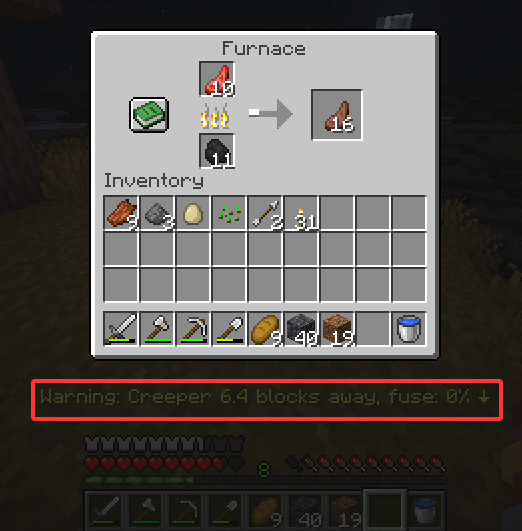
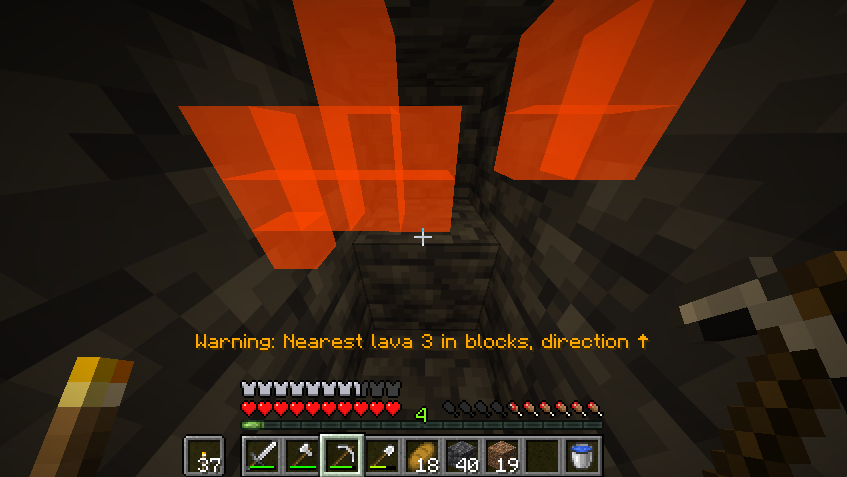
Warns you about lava immediately adjacent to your mining path — blocks that could flood your tunnel if you dig into them. The highlight only activates when you are actively digging, and is strictly limited to danger blocks next to the player; it is not a general-purpose x-ray. A real lifesaver for miners who've ever been caught off-guard by sudden lava.
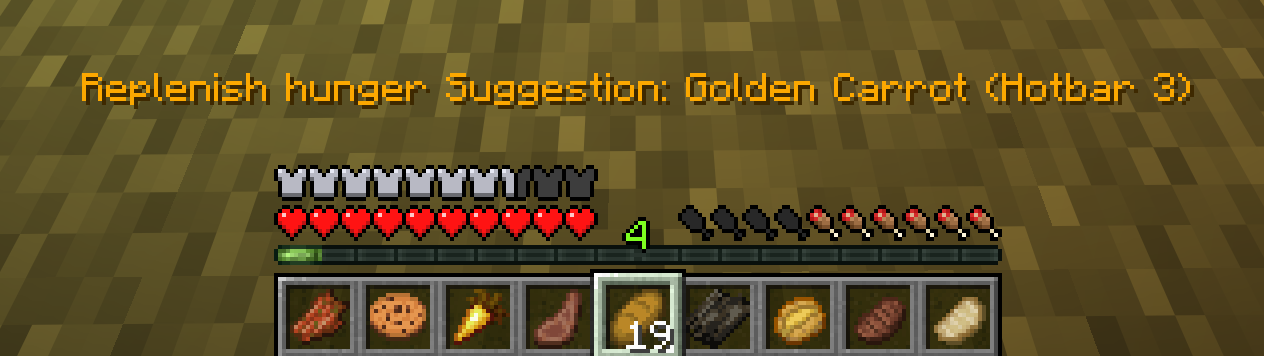
Intelligently recommends food based on your current hunger and saturation level, preventing waste and providing maximum efficiency.
Open the config screen via Mod Menu or /safeguard screen.
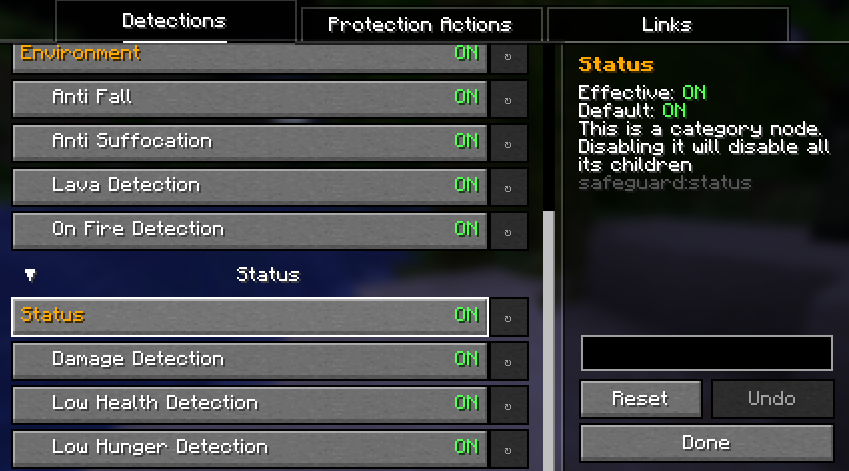
Toggle detections and actions in a tree structure — disabling a category (e.g. "Combat") disables everything under it. Config is saved to .minecraft/config/safeguard.json.
/safeguard screen                        Open config screen
/safeguard detection <id> [state]        View or toggle a detection
/safeguard action <id> [state]           View or toggle an action
It is purely client-side and is never sent to the server. IDs use the format namespace:category/.../name. The command provides tab completion.
| Type | Name | Version |
|---|---|---|
| Required | Fabric API | ≥ 0.141.4 |
| Required | YACL | ≥ 3.8.2 |
| Recommended | Mod Menu | ≥ 17.0.0 |
Bug reports and feature ideas are welcome on GitHub Issues.
For more information, please view our GitHub Repository.
Project description from CurseForge.
Pick your setup
Choose the version and loader you play, then open the matching release.
Check the dependencies, then try the file in a copied instance before changing a world you care about.
Recent files
18 Aug 2026
17 Aug 2026
9 Aug 2026
Safeguard-1.0.0-beta.1.jar
4 Aug 2026
Looking for an older file? The official CurseForge project page is in Resources.
 mod
modOres visually take on the material touching them.
 mod
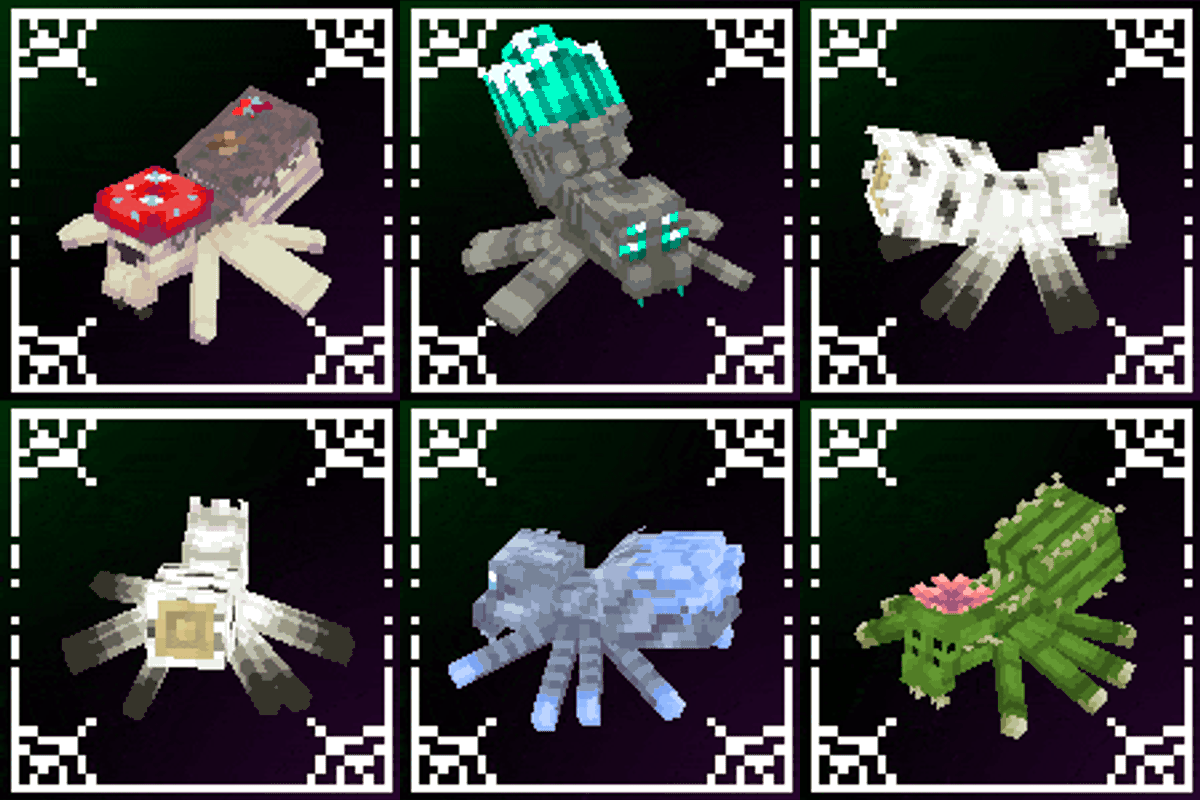
modA mod that improves Minecraft's spiders!
 mod
modPlace any item in the world as a physical loot pickup that automatically respawns on a timer you set. Glowing pickup markers, a live in-game editor for position, rotation and scale, and full modded item support.