Just Another Wizardry Mana System Needed by JAWMS HUD Styles jawms-hud-styles-1.0.0.jar
requiredMatching file found Matched file: jawms-1.1.0.jar
CurseForge · Minecraft mod
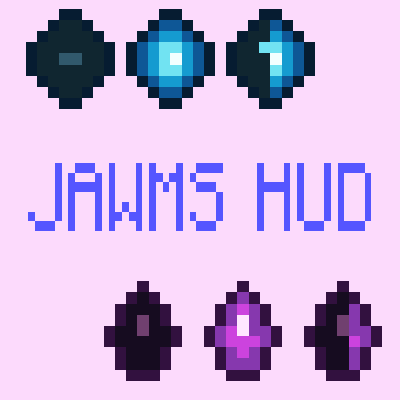
Replaces JAWMS's default mana display with configurable Crystal or Arcane segmented HUDs beside the hotbar.
Quick answer
JAWMS HUD Styles jawms-hud-styles-1.0.0.jar targets 1.12.2 with Forge. The project page does not say whether this file belongs on the client, dedicated server, or both. All 3 required mods have matching files.
Where it goes
The project page does not say whether this file belongs on the client, dedicated server, or both.
The source does not explicitly classify this release as client-only or server-only.
jawms-hud-styles-1.0.0.jar. Change the file and its required mods may change too.
Install Just Another Wizardry Mana System, Electroblob's Wizardry, MixinBooter first. We found matching files for this game-version and loader setup. 4 come through another mod in the chain.
4 extra mods were pulled in by other dependencies. Indented rows show who needs each one. We only count dependency files that match this setup. A file for another loader does not fill the gap.
Before you install it
Built for JAWMS HUD Styles jawms-hud-styles-1.0.0.jar. Pick another file and the loader, install side or required mods may change.
Use jawms-hud-styles-1.0.0.jar. It targets 1.12.2 with Forge; another release may have different loader, side or dependency requirements.
Install Just Another Wizardry Mana System, Electroblob's Wizardry, MixinBooter first. We found matching files for this game-version and loader setup. 4 come through another mod in the chain.
The project page does not say whether this file belongs on the client, dedicated server, or both.
Use the “Get this file” button beside jawms-hud-styles-1.0.0.jar. It opens that exact file at the source.
About this project
AI usage disclaimer: This mod was developed with AI-agent assistance using this agent workflow. The project owner reviewed the work during development.
Replaces the default mana display from Just Another Wizardry Mana System with a compact segmented HUD beside the hotbar.
Choose between two designs:
The bar fills from right to left and supports half segments. You can show the current mana value, show current and maximum mana, or hide the number. The bar and number can also be enabled independently.
Configuration options let you:
The replacement HUD is hidden in Creative mode. Configuration is loaded when the client starts, so restart after editing config/jawmshudstyles.cfg.
Requires JAWMS 0.2.0 or newer. Install JAWMS Hud Styles on the client; dedicated servers do not need it.
Source: GitHub.
The functional layout was inspired by:
Project description from CurseForge.
Pick your setup
Choose the version and loader you play, then open the matching release.
Check the dependencies, then try the file in a copied instance before changing a world you care about.
Recent files
11 Aug 2026
Looking for an older file? The official CurseForge project page is in Resources.
 mod
modA growing collection of quality-of-life tweaks, bug fixes, and cross-mod integrations for modpack creators!
 mod
modTotal control over vanilla and modded enchantments.
 mod
modAdds world freezing/pausing or slow-motion to almost any Freecam mod in singleplayer.