Minecraft version
Back to mods 
CurseForge · Minecraft mod
No More Gap
Place compatible blocks together in the same Minecraft cell for more detailed builds and seamless decoration.
Choose a version Pick your version below, then grab the matching file.
Quick answer
Which No More Gap release should I use?
Latest stable file no-more-gap-neoforge-26.2-0.1.2+mc26.2.jar
Game version 26.2
Loader NeoForge
No More Gap no-more-gap-neoforge-26.2-0.1.2+mc26.2.jar targets 26.2 with NeoForge. The project page does not say whether this file belongs on the client, dedicated server, or both. No extra mods listed for this file.
Where it goes
Is No More Gap required on the client, server, or both?
The project page does not say whether this file belongs on the client, dedicated server, or both.
Client Source doesn’t say
Dedicated server Source doesn’t say
Loader for this release NeoForge
Required install it here Optional supported, not mandatory Not supported do not install here Source doesn’t say do not assume
The source does not explicitly classify this release as client-only or server-only.
What else does No More Gap no-more-gap-neoforge-26.2-0.1.2+mc26.2.jar need?
no-more-gap-neoforge-26.2-0.1.2+mc26.2.jar. Change the file and its required mods may change too.
This file does not list any required mods. Do not add a library just because a different file uses it.
This file does not list any required or optional mods.
Before you install it
Add No More Gap without breaking your instance.
Built for No More Gap no-more-gap-neoforge-26.2-0.1.2+mc26.2.jar. Pick another file and the loader, install side or required mods may change.
- 01
Stick to this file
Use no-more-gap-neoforge-26.2-0.1.2+mc26.2.jar. It targets 26.2 with NeoForge; another release may have different loader, side or dependency requirements.
- 02
Bring the mods it needs
This file does not list any required mods. Do not add a library just because a different file uses it.
- 03
Put it on the correct side
The project page does not say whether this file belongs on the client, dedicated server, or both.
- 04
Pick the file you checked
Use the “Get this file” button beside no-more-gap-neoforge-26.2-0.1.2+mc26.2.jar. It opens that exact file at the source.
About this project
What does No More Gap add?
No More Gap
No More Gap lets compatible Minecraft blocks occupy the same block space.
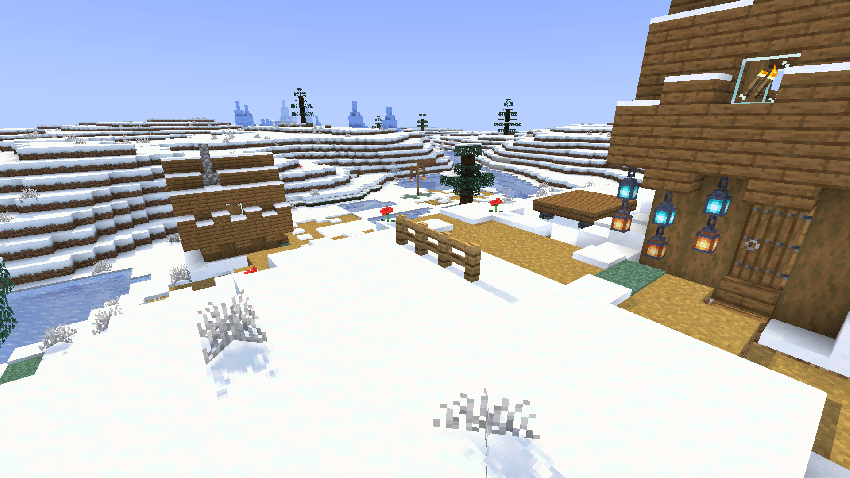
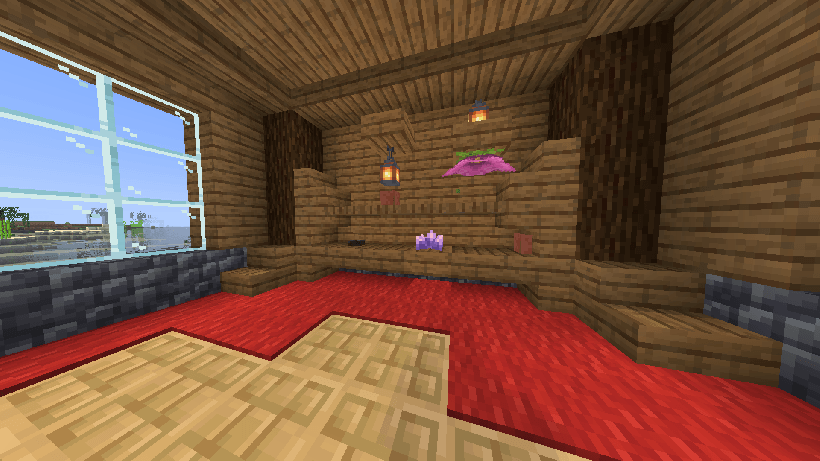
Place carpets or snow at the feet of plants, torches, doors, lanterns, and many other non-full blocks. Build denser interiors, decorate more freely, and keep interactions with each individual block part.
How It Works
No More Gap works directly with normal block placement. No new crafting recipe is required.
Add a Carpet or Snow Layer at a Block's Feet
- Hold a carpet, moss carpet, or snow layer.
- Aim at the lower part of a compatible non-full block, such as a plant, torch, lantern, or door.
- Right-click.
The cover is placed in the same block space as the original block. The original block remains usable.
Stack Blocks in the Same Space
- Place a compatible non-full block.
- Hold another compatible block.
- Sneak by holding Shift, then right-click the top face of the existing block.
- The new block is placed on the available surface inside the same cell.
No More Gap prevents overlapping parts and respects the configured part limit.
Special Placement and Interactions
- Sneak and right-click the underside of a block while holding a lantern to hang it in the same space.
- Doors, trapdoors, gates, levers, redstone lamps, and copper bulbs can be used normally. Aim directly at the part you want to use.
- To break one part, aim at that exact part and mine normally.
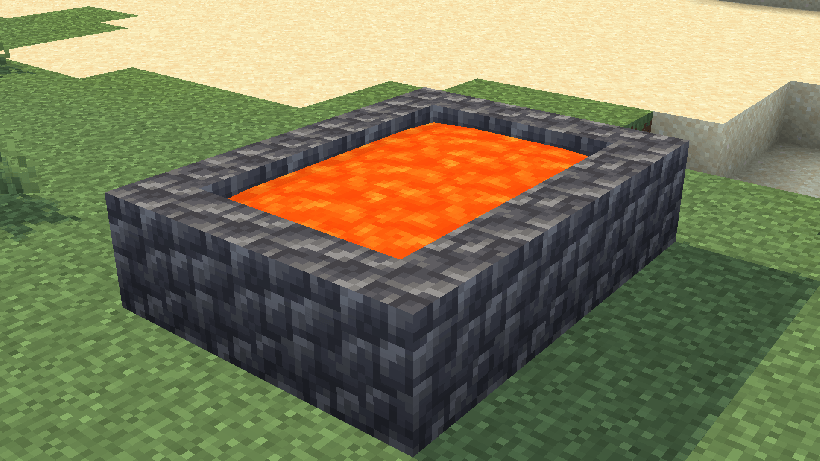
- Use a water bucket, lava bucket, or empty bucket directly on a compatible part to waterlog, lava-log, or empty that exact part.
Features
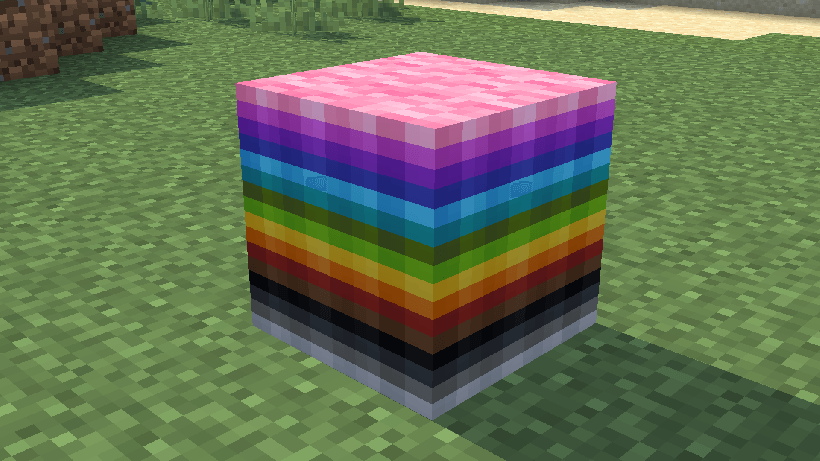
- Up to 64 compatible block parts can share one block space.
- Carpets, moss carpets, and snow layers can be placed at block feet.
- Individual parts can be selected, interacted with, and broken.
- Compatible blocks can be waterlogged or lava-logged.
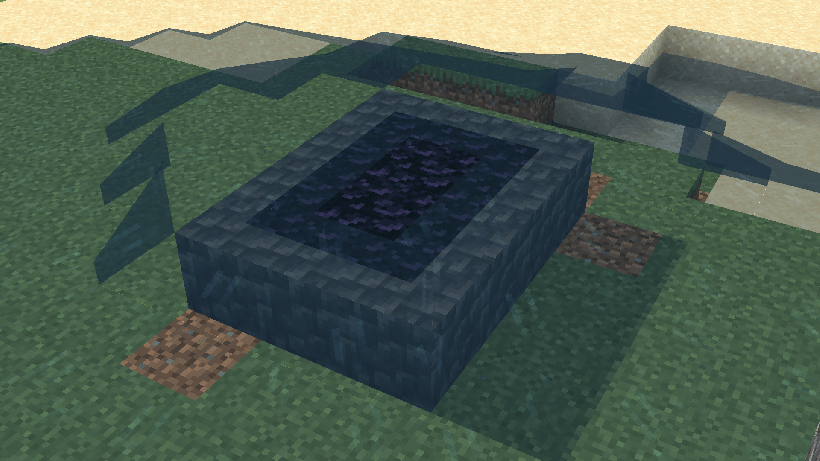
- Water and lava reactions can create obsidian-logged parts.
- Redstone signals are forwarded through composite blocks.
- Doors, trapdoors, gates, plants, stairs, levers, lamps, and bulbs are supported.
- Optional snowy-vegetation generation adds snow at vegetation feet in newly generated cold-biome chunks.
Configuration
On first launch, the mod creates:
config/no_more_gap.properties
Restart Minecraft or the server after editing this file.
# 0 uses Minecraft's normal render distance. Valid range: 0 to 64.
composite_render_distance_chunks=0

# Default maximum number of parts in a new composite. Valid range: 2 to 64.
max_composite_parts_default=64

# Enables lava/water reactions for lava-logged parts.
do_lava_logging_reactions_default=true

# false makes one-block snowy vegetation appear white.
# true preserves its normal biome tint.
snow_logged_vegetation_biome_tint=false

# Enables snow-at-vegetation generation in newly generated cold-biome chunks.
snowy_vegetation_generation=true
The part limit and lava reactions can also be changed per world by an operator:
/gamerule no_more_gap:max_composite_parts 64
/gamerule no_more_gap:do_lava_logging_reactions true
Compatibility
No More Gap is a Fabric mod and requires Fabric API.
Install the mod on both the client and server.
Supported builds are available for Minecraft 1.21 through 1.21.11. A separate build is also available for Minecraft 26.1.2.
Important
No More Gap is experimental because it changes core block-placement behaviour. Please back up important worlds before using it, and report any incompatibilities you encounter.
Feedback is greatly appreciated. I would love to sees how you use the mod, and if you find bugs you can report them here.
Inspiration
No More Gap was developed independently, but the project was inspired in part by existing approaches to multipart blocks and extended block occupancy, including Vanilla Parts, CB Multipart, Snow! Real Magic!, and Fluidlogged. No source code from these projects is currently included in No More Gap.
Project description from CurseForge.
Pick your setup
No More Gap by Minecraft version and loader
Choose the version and loader you play, then open the matching release.
Minecraft version
26.1.2
2 loader buildsMinecraft version
26.1.1
2 loader buildsMinecraft version
26.1
2 loader buildsMinecraft version
1.21.11
1 loader buildMinecraft version
1.21.10
1 loader buildMinecraft version
1.21.9
1 loader buildMinecraft version
1.21.8
1 loader buildMinecraft version
1.21.7
1 loader buildMinecraft version
1.21.6
1 loader buildMinecraft version
1.21.5
1 loader buildMinecraft version
1.21.4
1 loader buildShowing the newest 12 of 16 game versions. Older files are in the list below.
Check the dependencies, then try the file in a copied instance before changing a world you care about.
Recent files
No More Gap versions and loaders
no-more-gap-neoforge-26.2-0.1.2+mc26.2.jar
22 Aug 2026
Client Source doesn’t say Server Source doesn’t say Dependencies No extras listed Listed on Release listing
Check the 26.2 · NeoForge setup NeoForge26.2 release
no-more-gap-neoforge-26.1.2-0.1.2+mc26.1.2.jar
22 Aug 2026
Client Source doesn’t say Server Source doesn’t say Dependencies No extras listed Listed on Release listing
Check the 26.1.2 · NeoForge setup NeoForge26.1.2 release
no-more-gap-neoforge-26.1.1-0.1.2+mc26.1.1.jar
22 Aug 2026
Client Source doesn’t say Server Source doesn’t say Dependencies No extras listed Listed on Release listing
Check the 26.1.1 · NeoForge setup NeoForge26.1.1 release
no-more-gap-neoforge-26.1-0.1.2+mc26.1.jar
22 Aug 2026
Client Source doesn’t say Server Source doesn’t say Dependencies No extras listed Listed on Release listing
Check the 26.1 · NeoForge setup NeoForge26.1 release
no-more-gap-26.2-0.1.2+mc26.2.jar
22 Aug 2026
Client Source doesn’t say Server Source doesn’t say Dependencies 1 required · 1 unchecked Listed on Release listing
Check the 26.2 · Fabric setup Fabric26.2 release
no-more-gap-26.1.2-0.1.2+mc26.1.2.jar
22 Aug 2026
Client Source doesn’t say Server Source doesn’t say Dependencies 1 required · 1 unchecked Listed on Release listing
Check the 26.1.2 · Fabric setup Fabric26.1.2 release
no-more-gap-26.1.1-0.1.2+mc26.1.1.jar
22 Aug 2026
Client Source doesn’t say Server Source doesn’t say Dependencies 1 required · 1 unchecked Listed on Release listing
Check the 26.1.1 · Fabric setup Fabric26.1.1 release
no-more-gap-26.1-0.1.2+mc26.1.jar
22 Aug 2026
Client Source doesn’t say Server Source doesn’t say Dependencies 1 required · 1 unchecked Listed on Release listing
Check the 26.1 · Fabric setup Fabric26.1 release
no-more-gap-26.2-0.1.1+mc26.2.jar
17 Aug 2026
Client Source doesn’t say Server Source doesn’t say Dependencies 1 required · 1 unchecked Listed on Release listing
Check the 26.2 · Fabric setup Fabric26.2 release
no-more-gap-26.1.2-0.1.1+mc26.1.2.jar
17 Aug 2026
Client Source doesn’t say Server Source doesn’t say Dependencies 1 required · 1 unchecked Listed on Release listing
Check the 26.1.2 · Fabric setup Fabric26.1.2 release
no-more-gap-26.1.1-0.1.1+mc26.1.1.jar
17 Aug 2026
Client Source doesn’t say Server Source doesn’t say Dependencies 1 required · 1 unchecked Listed on Release listing
Check the 26.1.1 · Fabric setup Fabric26.1.1 release
no-more-gap-26.1-0.1.1+mc26.1.jar
17 Aug 2026
Client Source doesn’t say Server Source doesn’t say Dependencies 1 required · 1 unchecked Listed on Release listing
Check the 26.1 · Fabric setup Fabric26.1 release
Looking for an older file? The official CurseForge project page is in Resources.
 mod
mod CurseForge · Minecraft
Bye?Pregen!
Reduce MSPT spikes and server freezes caused by chunk generation and speed it up.
 mod
mod CurseForge · Minecraft
Phrix, Phrox
A mod about curses and the like.
 mod
mod CurseForge · Minecraft
CobbleGacha Expanded (Cobblemon Gacha System)
CobbleGacha Expanded is a Cobblemon gacha mod featuring rotating limited banners, rate-up Pokémon, pity and 50/50 guarantees, pull history, and configurable server-side banner management.