KubeJS Optional for Create: Oscillation createoscillation-1.21.1-2.0.0.jar
optionalMatching file found Matched file: KubeJS NeoForge 2101.7.2-build.374

CurseForge · Minecraft mod
An addon for Create that turns rotation into frequency - and frequency into a whole new tier of processing.
Quick answer
Create: Oscillation createoscillation-1.21.1-2.0.0.jar targets 1.21.1 with NeoForge. The project page does not say whether this file belongs on the client, dedicated server, or both. All 1 required mods have matching files.
Where it goes
The project page does not say whether this file belongs on the client, dedicated server, or both.
The source does not explicitly classify this release as client-only or server-only.
createoscillation-1.21.1-2.0.0.jar. Change the file and its required mods may change too.
Install Create first. We found matching files for this game-version and loader setup. 2 come through another mod in the chain.
2 extra mods were pulled in by other dependencies. Indented rows show who needs each one. We only count dependency files that match this setup. A file for another loader does not fill the gap.
Before you install it
Built for Create: Oscillation createoscillation-1.21.1-2.0.0.jar. Pick another file and the loader, install side or required mods may change.
Use createoscillation-1.21.1-2.0.0.jar. It targets 1.21.1 with NeoForge; another release may have different loader, side or dependency requirements.
Install Create first. We found matching files for this game-version and loader setup. 2 come through another mod in the chain.
The project page does not say whether this file belongs on the client, dedicated server, or both.
Use the “Get this file” button beside createoscillation-1.21.1-2.0.0.jar. It opens that exact file at the source.
About this project
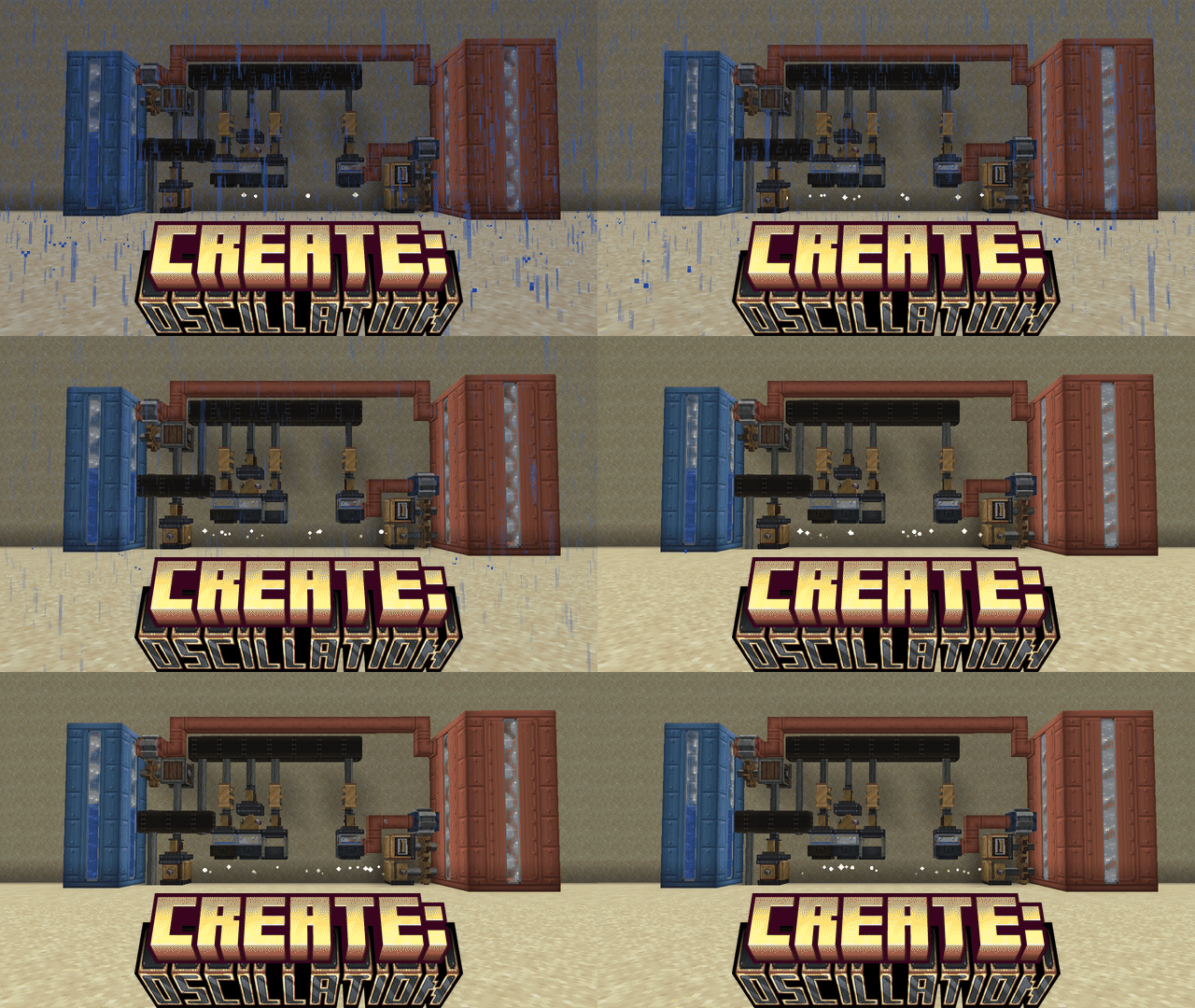
Vibration as energy. Gases as a processing medium.
Create gives you rotation. Oscillation turns that rotation into frequency - and frequency into a new tier of processing: gases you can pipe, tank and carry, crystals that hold a tuning, rotation sent through open air, and a machine that shatters whole walls at once.
Every block has a Ponder scene: hover the item and press W.
A Resonator takes a shaft from above and shakes whatever sits directly below it. How fast the shaft turns decides the band it produces:
| Band | RPM | Unlocks |
|---|---|---|
| Low | 32 | Sonic Mist, sifting, the first tuned crystal |
| Mid | 64 | Quartz Vapour, crystal growth |
| High | 128 | Ore slurry, the strongest crystals |
| Ultrasonic | 256 | Cavitation, ore multiplication, wireless power at scale |
Recipes name the band they need and only run in exactly that band. Water becomes mist at Low - and stays water at Mid or above, so a fast chamber keeps its inputs for the recipe you actually want. Goggles show the current band on every Resonator and chamber; JEI shows the band under each recipe.
Tuning Fork - a shaft relay you place between the drive shaft and a Resonator. Scroll it to a band and it hands rotation downward at exactly that band's speed. One fast shaft can feed a row of chambers, each at its own band.
Gases are real Create fluids: they flow through pipes, sit in tanks, appear in JEI, and can be carried in a Gas Canister (1000 mb, tinted by what's inside). They render as drifting vapour rather than liquid, and in a chamber they gather under the glass dome while liquids pool below.
Rough Quartz Crystals come from condensing Quartz Vapour. In a chamber they grow tier by tier, each step at its own band:
| Step | Ingredients | Band |
|---|---|---|
| Low-Tuned Crystal | Rough Quartz Crystal + Nether Quartz + water | Low |
| Mid-Tuned Crystal | Low-Tuned Crystal + Rose Quartz + water | Mid |
| High-Tuned Crystal | Mid-Tuned Crystal + Amethyst Shard + water | High |
| Ultrasonic Crystal | High-Tuned Crystal + Powdered Obsidian + water | Ultrasonic |
Crystals are ordinary stackable items. They tune the Resonance Emitter and Receiver, craft the Tuning Fork and the Cavitation Chamber, and fuel the Sonic Pulveriser.
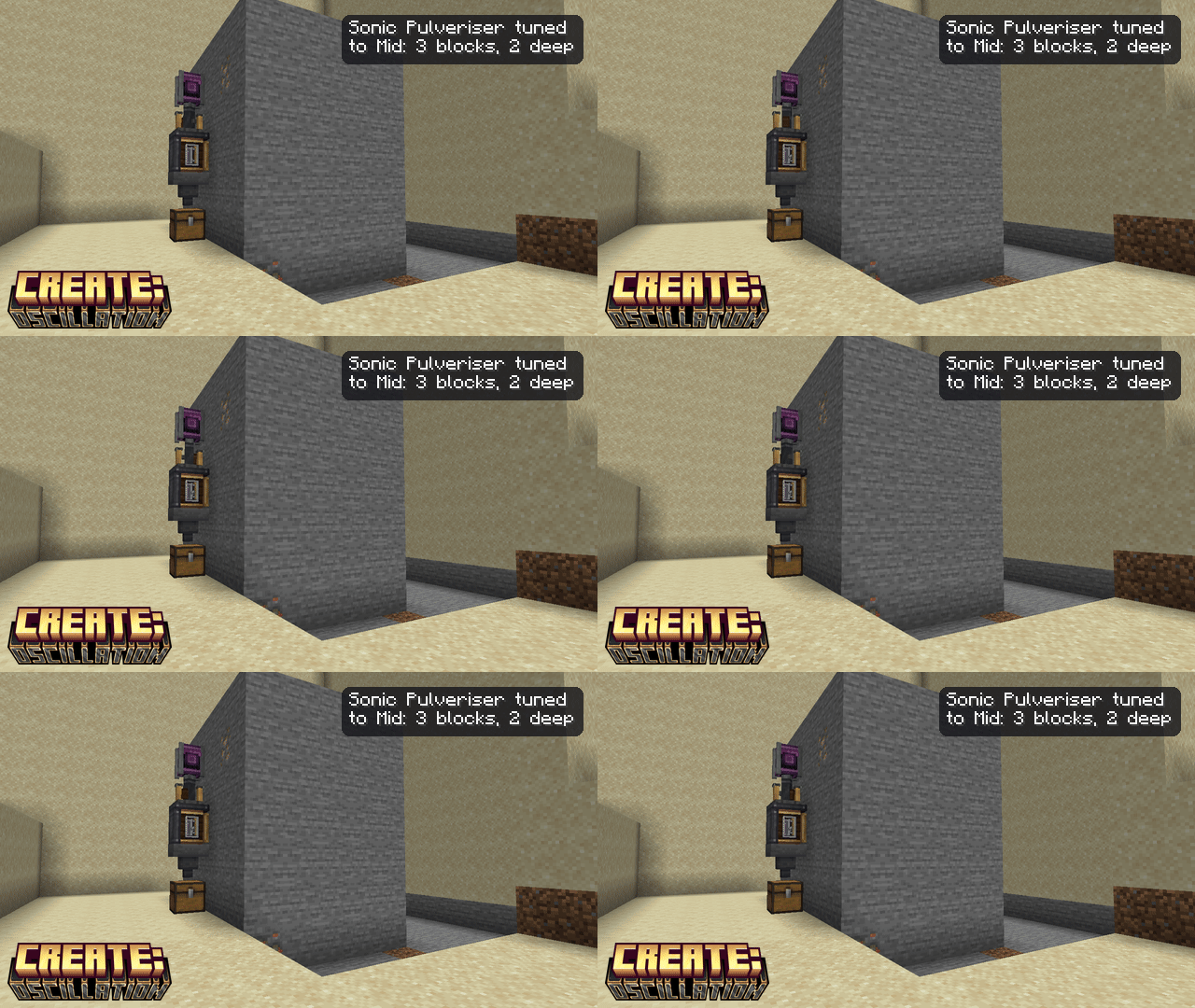
A Resonator turned sideways: shaft in the back, vibration out the front. Any rotation drives it, but it does nothing until it has a crystal - the crystal is both its fuel and its tier.
| Crystal | Breaks | Reach | Up to |
|---|---|---|---|
| Low | 1 block | 1 | stone, ores |
| Mid | 3×3 | 2 | metal blocks |
| High | 5×5 | 3 | obsidian |
| Ultrasonic | 7×7 | 4 | anything breakable |
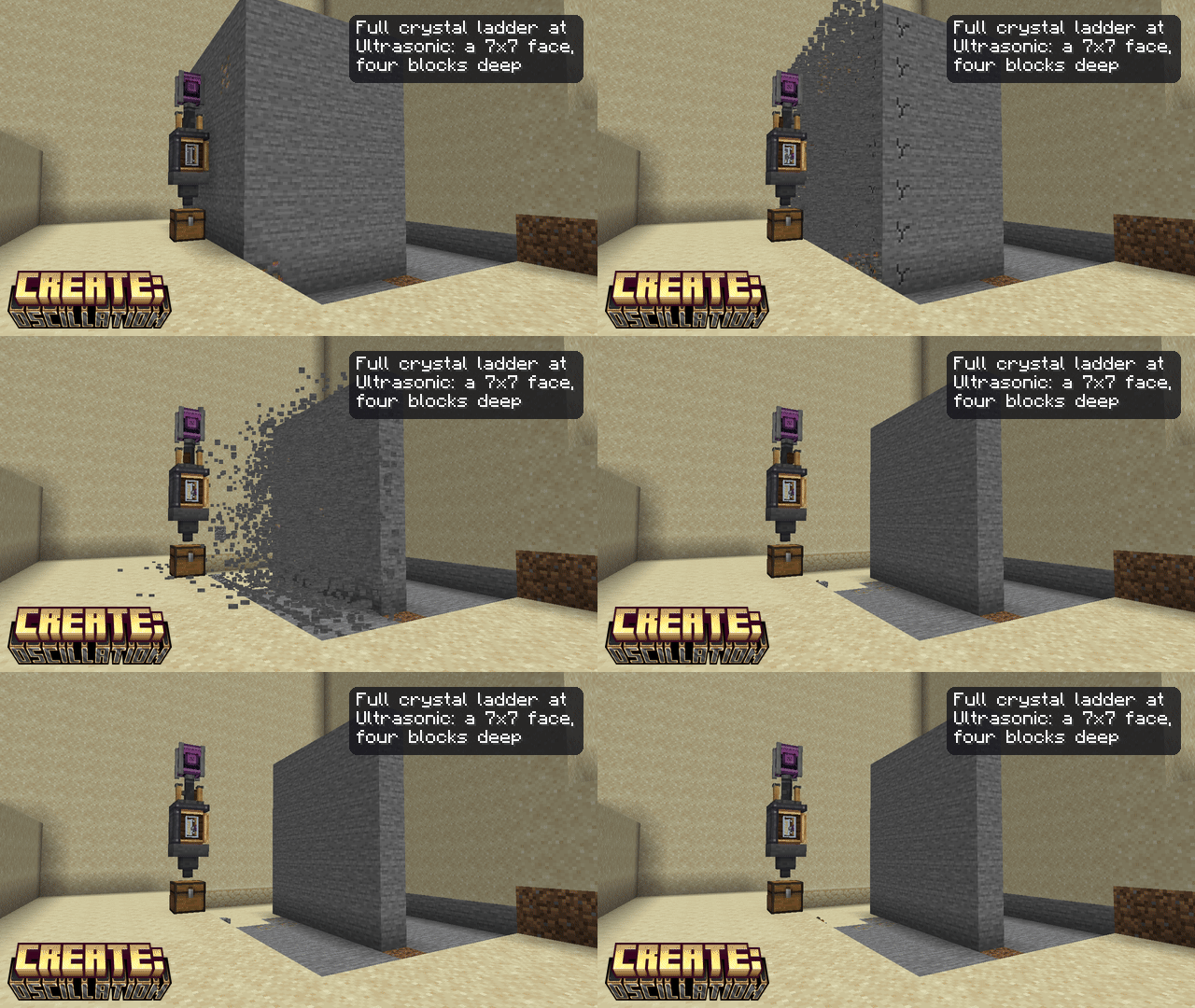
The nearest layer of blocks in front cracks together and shatters together; harder blocks take longer and cost more fuel. It never breaks blocks with inventories or machinery, and a Create filter on the side limits what it takes. Each crystal burns down like furnace fuel (512 → 4096 charge by tier) and leaves a Rough Quartz Crystal in the output slot; hoppers and funnels can keep it fed. Sneak + wrench ejects the fuel. Mount it on a piston, gantry or bearing and it works while the contraption moves, dropping into attached storage.
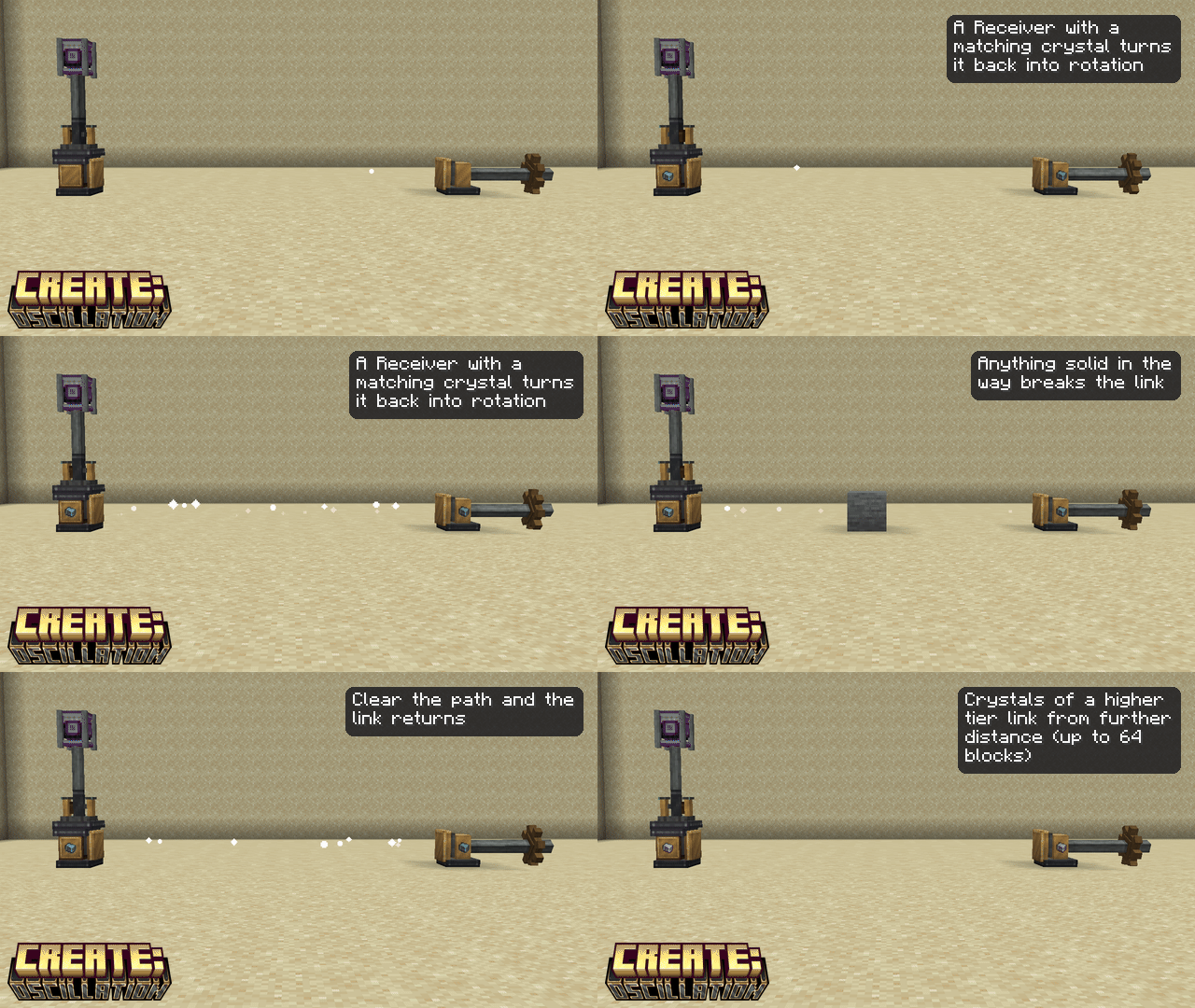
Put matching crystals in both, aim them at each other through open air, and rotation crosses the gap.
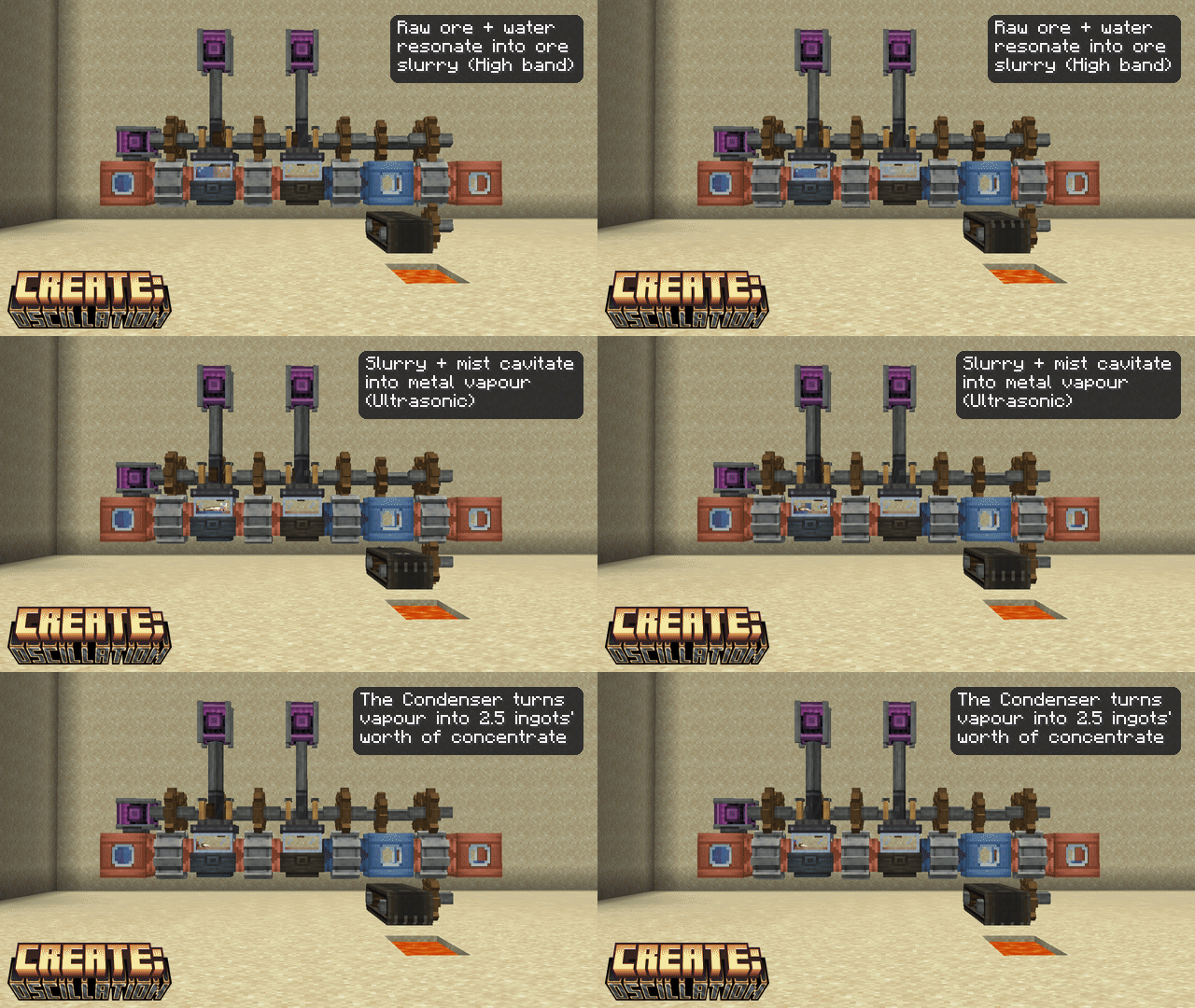
Iron, gold, copper and zinc are built in, matched by c:raw_materials/* tags so other mods' ores of those metals work too. Slurry, vapour and concentrate are single items that carry their metal with them - each metal gets its own JEI entries, name and colour.
With KubeJS (optional), one line in a server script adds the data-map entry and the whole recipe chain:
ServerEvents.generateData('after_mods', event => {
  Oscillation.addMetal(event, 'tin', 'somemod:raw_tin', 'somemod:tin_ingot', '#C8D0D8')
})
Leave out the ingot to skip the smelting/blasting recipes. The recipes land as kubejs:createoscillation/* and can be removed or edited in ServerEvents.recipes like any other. For a display name add ClientEvents.lang('en_us', e => e.add('createoscillation.metal.tin', 'Tin')) (it falls back to "Tin" from the id anyway).
The four recipe types also get typed builders:
ServerEvents.recipes(event => {
  event.recipes.createoscillation.resonating([Fluid.of('createoscillation:sonic_mist', 500)], [Fluid.water(500)])
    .frequency('mid').processingTime(60)
  event.recipes.createoscillation.cavitating([Fluid.of('createoscillation:quartz_vapour', 250)], [Fluid.of('createoscillation:sonic_mist', 250), 'minecraft:quartz'])
    .frequency('ultrasonic')
  event.recipes.createoscillation.condensing(['minecraft:ice', Fluid.water(250)], [Fluid.of('createoscillation:sonic_mist', 250)])
  event.recipes.createoscillation.sifting([Oscillation.output('minecraft:bone_meal', 0.25), { id: 'minecraft:stick', chance: 0.5 }], ['minecraft:dirt'])
  event.remove({ type: 'createoscillation:resonating', output: 'createoscillation:quartz_vapour' })
})
Outputs come first, inputs second (Create's convention); frequency is low / mid / high / ultrasonic (default any). Chance outputs are Oscillation.output(item, chance) or { id, count, chance } objects.
With plain JSON, no code needed:
data/<ns>/data_maps/item/createoscillation/metals.json: { "values": { "somemod:raw_tin": { "metal": "tin", "colour": "#C8D0D8" } } }
data/createoscillation/recipe/ - resonating/slurry_iron, cavitating/vapour_iron, condensing/concentrate_iron, crafting/smelting/ingot_iron and blasting/ingot_iron - and replace iron with tin. Ingredients that must match a metal use neoforge:components with createoscillation:metal.createoscillation.metal.tin = Tin.Andesite age - Resonator, Resonance Chamber, Resonance Pump, Condenser, Vent, Gas Canister, Vibrating Sieve. Sonic Mist and Quartz Vapour.
Brass age - crystals, Tuning Fork, Emitter & Receiver, Cavitation Chamber and the ore line, Sonic Pulveriser.
Released under the MIT License. Some textures are recoloured from Create's, and the Resonance Pump reuses Create's mechanical pump geometry - thank you to the Creators of Create.
Project description from CurseForge.
Pick your setup
Choose the version and loader you play, then open the matching release.
Check the dependencies, then try the file in a copied instance before changing a world you care about.
Recent files
29 Aug 2026
createoscillation-1.2.0.jar
29 Aug 2026
createoscillation-1.1.0.jar
28 Aug 2026
createoscillation-1.0.2.jar
28 Aug 2026
createoscillation-1.0.1.jar
28 Aug 2026
createoscillation-1.0.0.jar
27 Aug 2026
Looking for an older file? The official CurseForge project page is in Resources.
 mod
modA Minecraft mod inspired by classic slingshot-based bird games, featuring flying bird characters, destructible builds, and creative physics-driven gameplay. Requires Sable, Create and Create Aeronautics.
 mod
modCreate and Paladium, the best of all !
 mod
modAdds a captivating blend of magic and technology with a variety of features.