Fabric API Needed by Rubys and Skulk ruby-mod-1.7.0.jar
requiredMatching file found Matched file: [1.21.1] Fabric API 0.116.17+1.21.1
CurseForge · Minecraft mod
Discover rare rubies, craft powerful tools and armor, and unlock overpowered Infested Ruby gear with auto-smelting, instant mining, Fortune X, and energy-beam combat!
Quick answer
Rubys and Skulk ruby-mod-1.7.0.jar targets 1.21.1 with Fabric. The project page does not say whether this file belongs on the client, dedicated server, or both. All 1 required mods have matching files.
Where it goes
The project page does not say whether this file belongs on the client, dedicated server, or both.
The source does not explicitly classify this release as client-only or server-only.
ruby-mod-1.7.0.jar. Change the file and its required mods may change too.
Install Fabric API first. We found matching files for this game-version and loader setup.
We only count dependency files that match this setup. A file for another loader does not fill the gap.
Before you install it
Built for Rubys and Skulk ruby-mod-1.7.0.jar. Pick another file and the loader, install side or required mods may change.
Use ruby-mod-1.7.0.jar. It targets 1.21.1 with Fabric; another release may have different loader, side or dependency requirements.
Install Fabric API first. We found matching files for this game-version and loader setup.
The project page does not say whether this file belongs on the client, dedicated server, or both.
Use the “Get this file” button beside ruby-mod-1.7.0.jar. It opens that exact file at the source.
About this project
💎 Ruby Mod
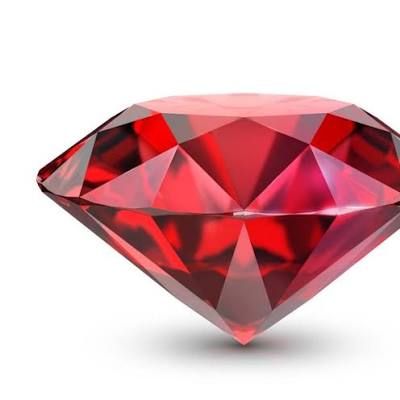
Ruby Mod adds a little extra sparkle to Minecraft with rubies, ruby ore, deepslate ruby ore, and a complete ruby tool set.
Place and mine the new ores with a diamond pickaxe or better to collect rubies. Fortune works too, so a lucky pickaxe can give you even more!
What it adds
• Ruby ore with a regular-stone texture
• Deepslate ruby ore with a deep-stone texture
• A shiny ruby item dropped by both ores
• Fortune-compatible ruby drops
• Ruby sword, axe, pickaxe, shovel, and hoe
• A complete ruby armor set with diamond-level defense, extra toughness, and durability between diamond and netherite
• Ruby armor items that can be repaired with rubies; netherite keeps its unique fire resistance
• Familiar vanilla crafting recipes using rubies and sticks
• Ruby tools that can be repaired with rubies
• Ruby tools balanced above diamond and below netherite: 1,800 durability, 8.5 mining speed, and a 3.5 damage bonus
• Infested rubies crafted by surrounding an echo shard with eight rubies
• A complete infested ruby armor and tool set with stats two points above netherite
• Ruby and infested ruby storage blocks with reversible nine-item crafting recipes
• Infested ruby pickaxe modes: auto-smelt drops, instant breaking (except obsidian and unbreakable blocks), and Fortune 10; the pickaxe never loses durability in any mode
• Hold right-click with the infested ruby sword to fire a durability-draining beam that deals 9 damage every second
• Press Y while holding the sword to toggle rapid beam mode (9 damage every 0.25 seconds)
Ruby ore generates naturally in Overworld caves from Y -64 to Y 32, with the highest concentration around Y -16.
Made for Minecraft 1.21.1 using Fabric.
Play it with Prism Launcher
You will need the Ruby Mod .jar file before starting.
If Prism asks which Java version to use, choose Java 21.
Project description from CurseForge.
Pick your setup
Choose the version and loader you play, then open the matching release.
Check the dependencies, then try the file in a copied instance before changing a world you care about.
Recent files
2 Sept 2026
Looking for an older file? The official CurseForge project page is in Resources.
 mod
modTowers, a shield dome and other base defense blocks that run on your SCC network.
 mod
moddds a fully‑steerable biplane to Minecraft, bringing a lightweight, vintage‑style aviation experience to the game.
 mod
modA simple mod with cars and stuff, hehehe.