Minecraft version
Back to mods 
CurseForge · Minecraft mod
StalApi
📃 A library mod that provides reusable features and methods for Minecraft mods, reducing the need to reimplement common functionality
Choose a version Pick your version below, then grab the matching file.
Quick answer
Which StalApi release should I use?
Latest stable file stalapi-1.21.1+1.0.1.jar
Game version 1.21.1
Loader NeoForge
stalapi-1.21.1+1.0.1.jar targets 1.21.1 with NeoForge. The project page does not say whether this file belongs on the client, dedicated server, or both. No extra mods listed for this file.
Where it goes
Is StalApi required on the client, server, or both?
The project page does not say whether this file belongs on the client, dedicated server, or both.
Client Source doesn’t say
Dedicated server Source doesn’t say
Loader for this release NeoForge
Required install it here Optional supported, not mandatory Not supported do not install here Source doesn’t say do not assume
The source does not explicitly classify this release as client-only or server-only.
What else does stalapi-1.21.1+1.0.1.jar need?
stalapi-1.21.1+1.0.1.jar. Change the file and its required mods may change too.
This file does not list any required mods. Do not add a library just because a different file uses it.
This file does not list any required or optional mods.
Before you install it
Add StalApi without breaking your instance.
Built for stalapi-1.21.1+1.0.1.jar. Pick another file and the loader, install side or required mods may change.
- 01
Stick to this file
Use stalapi-1.21.1+1.0.1.jar. It targets 1.21.1 with NeoForge; another release may have different loader, side or dependency requirements.
- 02
Bring the mods it needs
This file does not list any required mods. Do not add a library just because a different file uses it.
- 03
Put it on the correct side
The project page does not say whether this file belongs on the client, dedicated server, or both.
- 04
Pick the file you checked
Use the “Get this file” button beside stalapi-1.21.1+1.0.1.jar. It opens that exact file at the source.
About this project
What does StalApi add?
If you don't have a mod that requires StalApi as a dependency, there is no need to add it to your mod list or modpack.
StalAPI is a library mod designed to centralize and provide reusable systems, features, and utilities for my others mods.
Its goal is to avoid duplicating code across projects while providing a common foundation for various rendering and animation systems. Over time, StalAPI will include custom shaders and post-processing effects, tools for rendering modded entities, as well as utilities for handling item and entity animations.
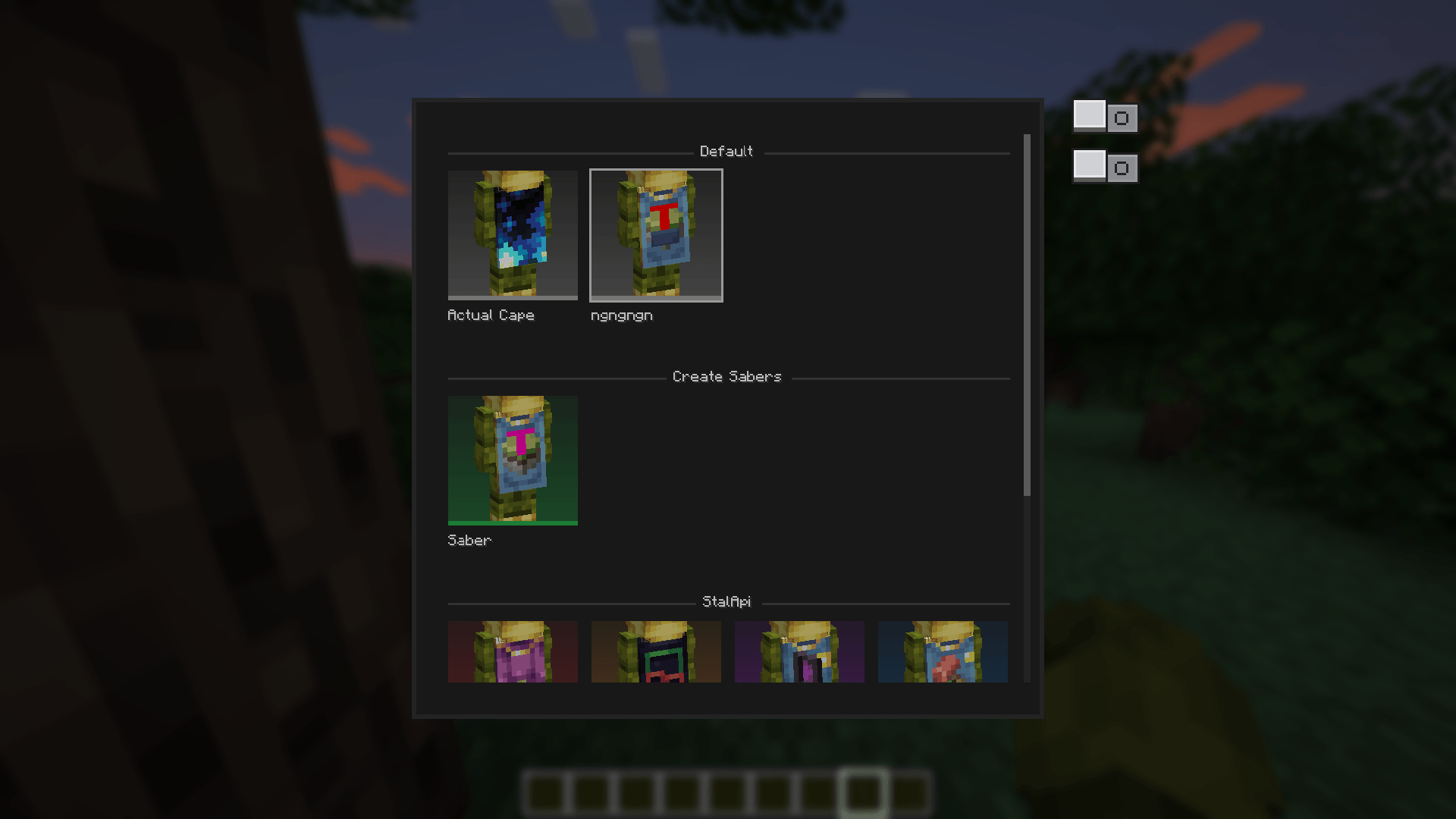
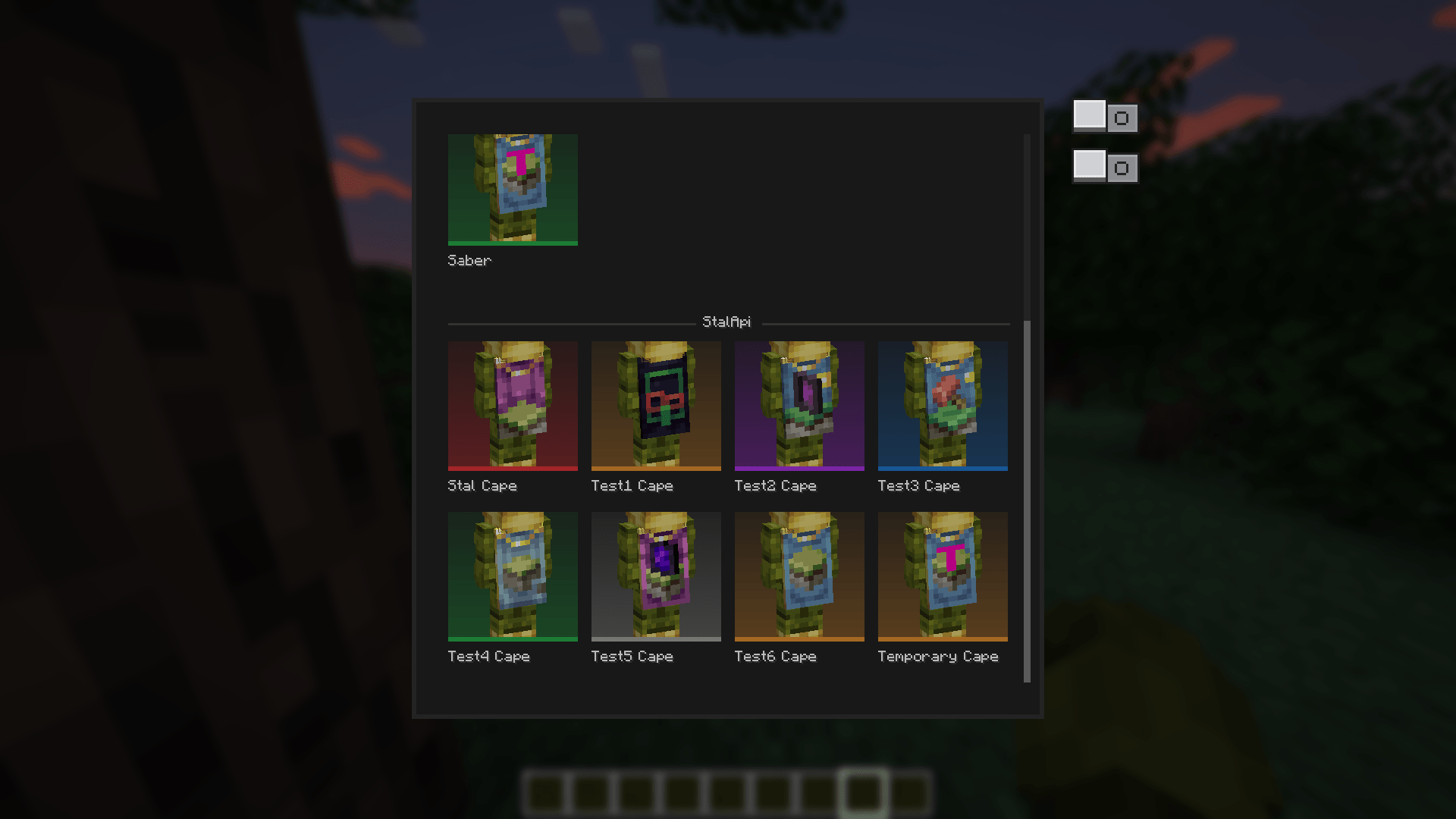
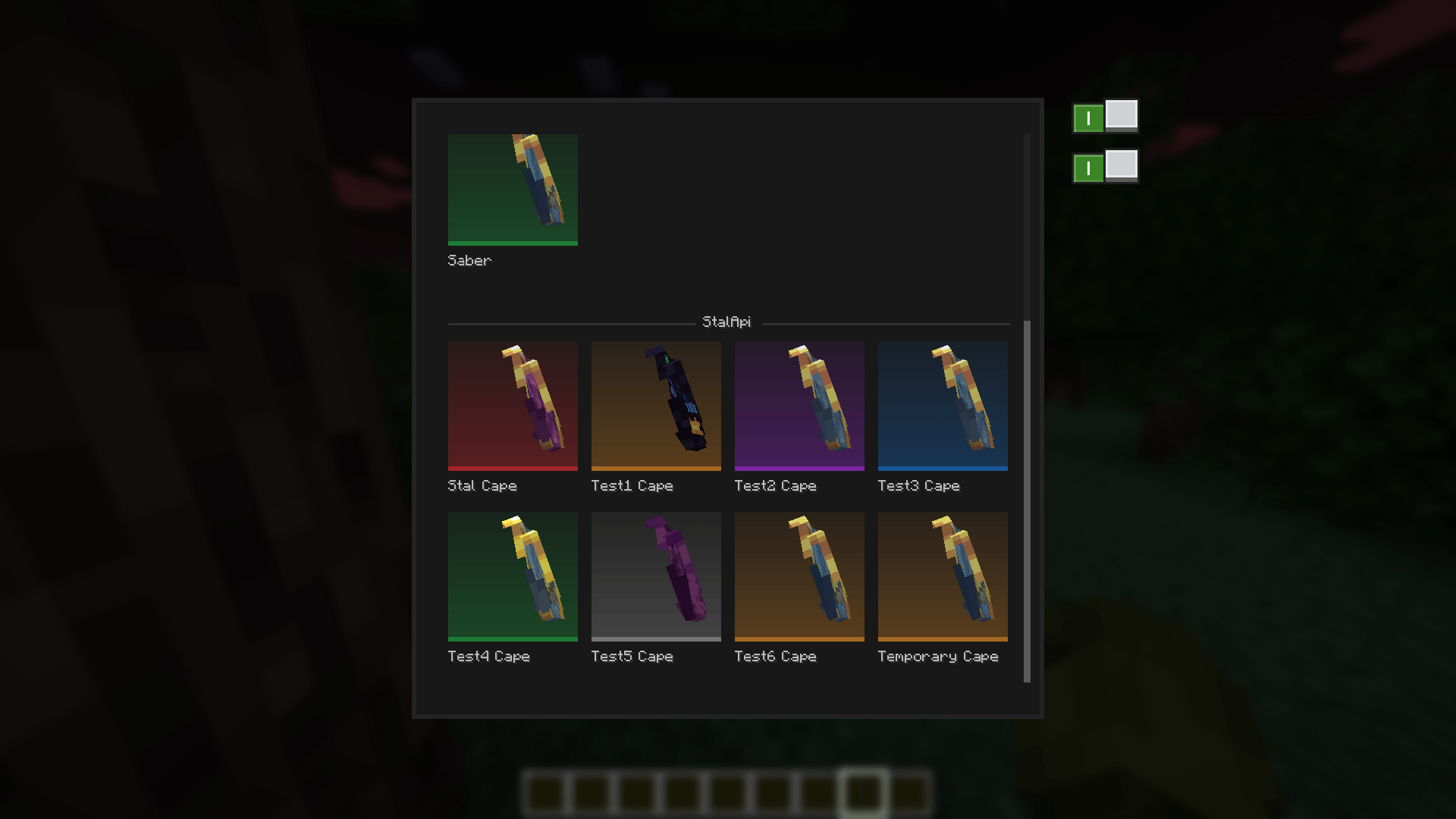
StalAPI also provides a cape management system for distributing exclusive reward capes to special players, such as contributors, beta testers, and event winners.
The API is designed to evolve over time as new reusable systems and features are developed.
For now, mod developers can use StalAPI as a cross-version cape library for their mods, allowing them to manage and customize capes without requiring updates to their mods whenever StalAPI is updated.
How to integrate StalApi into your mod:
Declare the dependency in neoforge.mods.toml
If your mod uses StalAPI for its cape system, using a required dependency (type="required") is recommended. This ensures that the capes are directly linked to your mod and that StalAPI is always available when your mod is loaded.
[[dependencies.{yourmodid}]]
    modId = "stalapi"
    type = "required"
    versionRange = "[1.0.0,)"
    ordering = "AFTER"
    side = "CLIENT"
Replace {yourmodid} with your own mod's ID.
An optional dependency (type="optional") can also be used if StalAPI is not essential to your mod, but required is recommended when your mod's cape system relies on StalAPI.
How to add your own capes to your mods:
Add your GitHub repository to the verified list
Simply call the public CapeRepository.register(...) API once, typically in your mod's constructor or common setup:
import leroidesafk.stalapi.capes.CapeRepository;import net.neoforged.fml.ModList;// Called only once during startup (mod constructor, common setup, etc.)if (ModList.get().isLoaded("stalapi")) { CapeRepository.register("YourGitHubUsername", "your-cape-repository");// Or|with a specific branch:// CapeRepository.register("YourGitHubUsername", "your-cape-repository", "main"); }
The 'ModList.get().isLoaded("stalapi")' check is only necessary when using an optional dependency.
If StalAPI is declared as required, it is guaranteed to be available when your mod is loaded.
Add and organize your capes
Once your repository is registered, you can add your capes using the following folder structure in your github repository:
your-repository/
├── data.json ← Optional: global/team section, always checked
├── <capeName>.png ← Capes belonging to the global section
├── <capeName>.png.mcmeta ← Optional: animation
├── <modId>/ ← Optional: one folder per compatible mod.
│ │ Capes in this folder are only available when
│ │ the corresponding mod is installed.
│ ├── data.json
│ ├── <capeName>.png
│ └── <capeName>.png.mcmeta ← Optional: animation
└── <anotherModId>/
├── data.json
└── ...
data.json format
The same data.json format is used everywhere, whether the file is located at the root of the repository or inside a mod-specific folder:
{
    "global_name": "Section Name",
    "players": {
        "<player-uuid>": ["capeName1", "capeName2"]
    },
    "capes": {
        "capeName1": {
            "name": "Displayed Name",
            "rarity": "legendary"
        },
        "capeName2": {
            "name": "Another Name",
            "rarity": "rare"
        }
    }
}
global_name- Only used and read in the rootdata.json. It defines the name of the global/team section displayed in the interface. For a mod-specificdata.json, this field is ignored; the section name is taken from the mod's name.players- Maps a player's UUID (with hyphens) to the list of cape names they own.capes- Contains metadata for each cape, including its displayednameand optionalrarity.Supported rarity values are:
common,uncommon,rare,epic,legendary, andmythic.
If no rarity is specified, the default color is used.Cape textures support transparency, variable resolutions and animations, unlike vanilla capes.
Key points
StalAPI's default repository (
Leroidesafk/stalapi-data) is always checked in addition to your own repository.If multiple mods (or the same mod by mistake) register the exact same owner/repository/branch combination, it will only be checked once, preventing duplicates.
The
<modId>folder must exactly match the corresponding mod's ID.The root
data.jsonis always checked and can be used for global/team capes.Mod-specific capes should be placed inside the folder matching the mod's ID.
Animated capes can optionally include a
.png.mcmetafile.The mod uses your Mojang capes and those from any other mod that adds capes as the default capes to avoid cape conflicts.
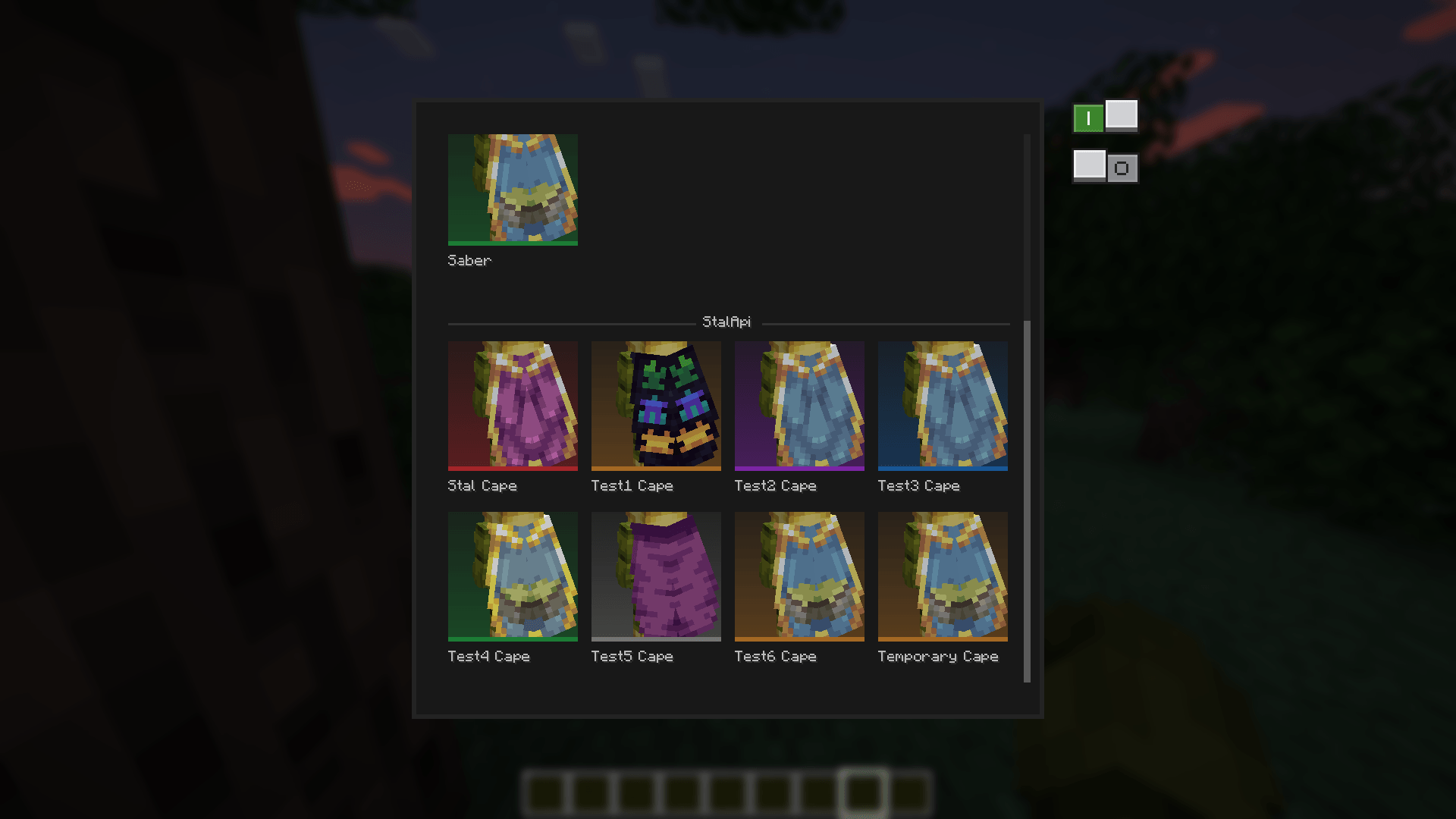
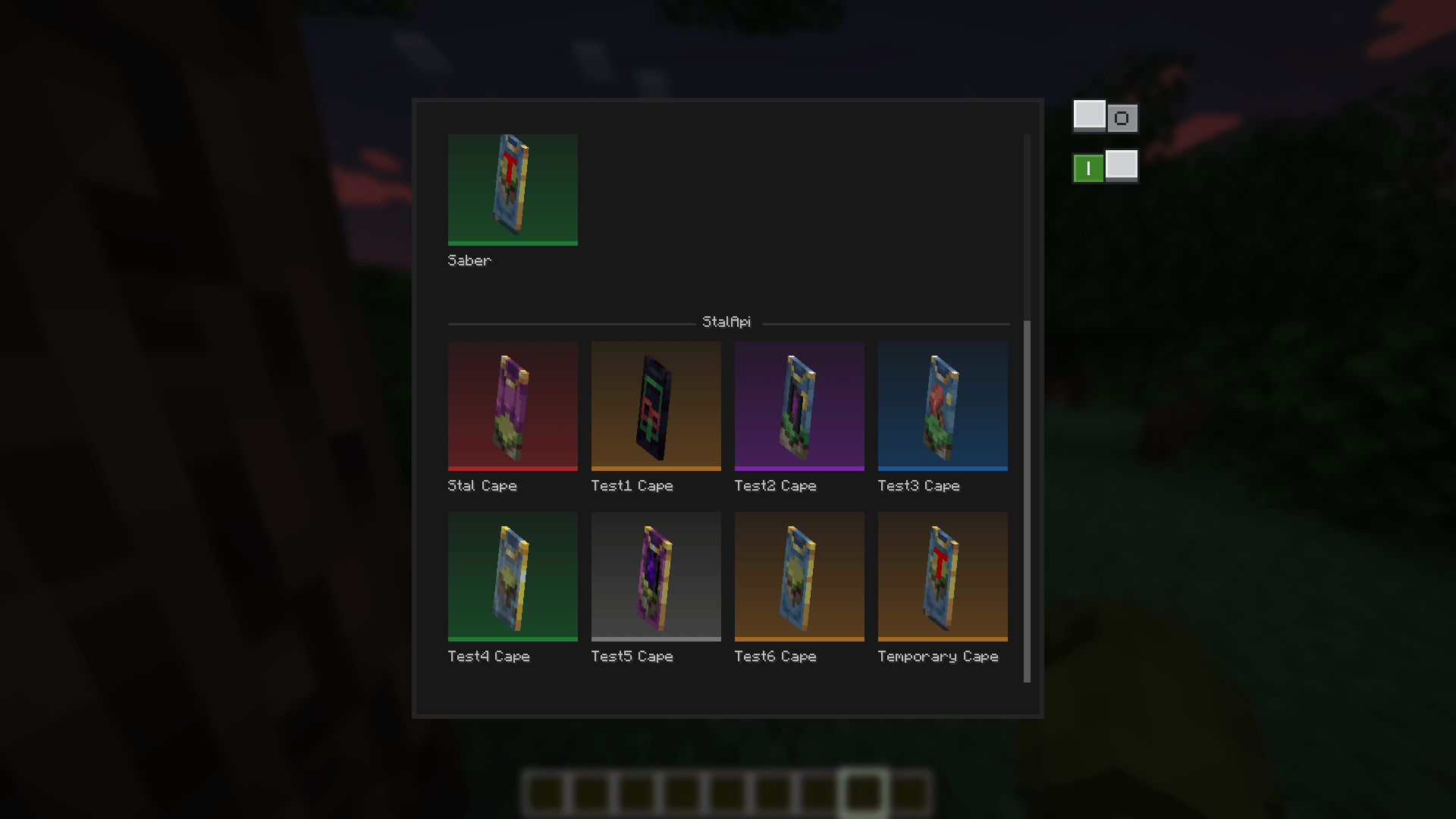
You have two options that you can activate at the same time to preview the cape as elytra or to view a 360-degree version of the cape.
Exemples:
You can also take a look to my other mods


Project description from CurseForge.
Pick your setup
StalApi by Minecraft version and loader
Choose the version and loader you play, then open the matching release.
Check the dependencies, then try the file in a copied instance before changing a world you care about.
Recent files
StalApi versions and loaders
stalapi-1.21.1+1.0.1.jar
6 Sept 2026
Client Source doesn’t say Server Source doesn’t say Dependencies No extras listed Listed on Release listing
Check the 1.21.1 · NeoForge setup 1.21.1NeoForge release
stalapi-1.21.1+1.0.0.jar
5 Sept 2026
Client Source doesn’t say Server Source doesn’t say Dependencies No extras listed Listed on Release listing
Check the 1.21.1 · NeoForge setup 1.21.1NeoForge release
Looking for an older file? The official CurseForge project page is in Resources.
 mod
mod CurseForge · Minecraft
Sable-vox3D
This sable addon makes sable use the in many ways supperior vox3D physics engine instead of the sable rapier engine
 mod
mod CurseForge · Minecraft
Create World of Gears - Core
A lightweight core mod for Create: World of Gears that manages custom recipes, compatibility fixes, and pack-specific gameplay adjustments.
 mod
mod CurseForge + Modrinth · Minecraft
Create Aeronautics Discovery
An extension for the Minecraft Create Aeronautics to add generated structures to the world.