Minecraft version
Back to mods 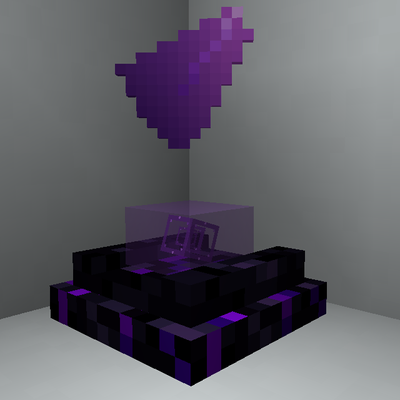
CurseForge · Minecraft mod
Mirage Projector
Bring holograms to your builds: project images, GIFs, items, banners, creatures and players with customizable upgradeable projectors
Choose a version Pick your version below, then grab the matching file.
Quick answer
Which Mirage Projector release should I use?
Latest stable file mirage_projector-1.21.1-1.0.0.jar
Game version 1.21.1
Loader NeoForge
Mirage Projector mirage_projector-1.21.1-1.0.0.jar targets 1.21.1 with NeoForge. The project page does not say whether this file belongs on the client, dedicated server, or both. No extra mods listed for this file.
Where it goes
Is Mirage Projector required on the client, server, or both?
The project page does not say whether this file belongs on the client, dedicated server, or both.
Client Source doesn’t say
Dedicated server Source doesn’t say
Loader for this release NeoForge
Required install it here Optional supported, not mandatory Not supported do not install here Source doesn’t say do not assume
The source does not explicitly classify this release as client-only or server-only.
What else does Mirage Projector mirage_projector-1.21.1-1.0.0.jar need?
mirage_projector-1.21.1-1.0.0.jar. Change the file and its required mods may change too.
This file does not list any required mods. Do not add a library just because a different file uses it.
This file does not list any required or optional mods.
Before you install it
Add Mirage Projector without breaking your instance.
Built for Mirage Projector mirage_projector-1.21.1-1.0.0.jar. Pick another file and the loader, install side or required mods may change.
- 01
Stick to this file
Use mirage_projector-1.21.1-1.0.0.jar. It targets 1.21.1 with NeoForge; another release may have different loader, side or dependency requirements.
- 02
Bring the mods it needs
This file does not list any required mods. Do not add a library just because a different file uses it.
- 03
Put it on the correct side
The project page does not say whether this file belongs on the client, dedicated server, or both.
- 04
Pick the file you checked
Use the “Get this file” button beside mirage_projector-1.21.1-1.0.0.jar. It opens that exact file at the source.
About this project
What does Mirage Projector add?
Mirage Projector
Want holograms in your Minecraft builds?
Mirage Projector lets you turn images, GIFs, items, banners, creatures and players into customizable projections.
Build animated displays, floating exhibits, signs, creature showcases, giant screens or holograms integrated directly into your builds. Start small, customize the projection to fit the space, and upgrade your projector when you want something bigger or more specialized.
Project almost anything
A projector can display:
- Images
- Animated GIFs
- Items
- Banners
- Creatures
- Players
Projections can be resized, repositioned, rotated and visually adjusted to fit everything from a tiny desk display to a massive build.
For creature and player projections, craft an Empty Scan Template with Paper in the center and 8 Iron Nuggets around it.
Sneak-right-click the creature or player you want to capture, then place the completed scan inside a projector.
Different projectors for different builds
Mirage Projector includes six projector designs with different shapes and presentation styles.
Start with the compact Mirage Projector and upgrade your setup into displays made for wider images, taller images, multiple directions or much larger projection areas.
Upgrading a projector keeps its existing setup, so expanding a finished build does not mean starting over.
Power your projections
Projectors use Projection Cores.
Different compatible materials provide different amounts of power. More demanding projections need stronger cores, while Core Boosters can push a setup even further.
The idea is simple: if you want a larger or more demanding hologram, give the projector more power.
Crying Obsidian has a purpose now
Mirage Projector also expands Crying Obsidian with shards, growing crystal buds and clusters.
Place a lava source above Crying Obsidian and crystals can gradually grow underneath it.
Harvest them with Silk Touch to keep the crystal, or break them normally to obtain Crying Obsidian Shards.
These materials are used throughout the mod and can also create the purple Mirage Light system, including special interactions with Beacons and Core Boosters.
Built for actual worlds
Mirage Projector includes:
- Six upgradeable projector designs
- Images and animated GIF support
- Item and banner projections
- Creature and player scans
- Custom projection size and positioning
- Rotation, opacity, tint and visual controls
- Projection Cores and Core Boosters
- Renewable Crying Obsidian crystal growth
- Mirage Light
- Multiplayer image synchronization
- Optional EMI integration
- Optional JEI integration
- English, Spanish and Chilean Spanish
EMI and JEI are fully optional, but both can be used to explore the mod's recipes. EMI also includes a visual guide for the Crying Obsidian growth mechanic.
Minecraft 1.21.1 · NeoForge · Java 21
Project description from CurseForge.
Pick your setup
Mirage Projector by Minecraft version and loader
Choose the version and loader you play, then open the matching release.
Check the dependencies, then try the file in a copied instance before changing a world you care about.
Recent files
Mirage Projector versions and loaders
mirage_projector-1.21.1-1.0.0.jar
13 Sept 2026
Client Source doesn’t say Server Source doesn’t say Dependencies No extras listed Listed on Release listing
Check the 1.21.1 · NeoForge setup 1.21.1NeoForge release
Looking for an older file? The official CurseForge project page is in Resources.
 mod
mod CurseForge + Modrinth · Minecraft
More Variants: Pale Oak Backport
Bringing Pale Oak Variants to 1.21.1 and 1.20.1
 mod
mod CurseForge · Minecraft
Logistics Network
Logistics mod
 mod
mod CurseForge · Minecraft
Lumen Rigs
Aimable spotlights, floodlights, searchlights and soft panels with colored light and visible beams.