Architectury API Needed by Better Trim Tooltips Plus bettertrimtooltips-neoforge-26.3-1.0.1.jar
requiredMatching file found Matched file: [NeoForge 26.3] v22.0.5
CurseForge · Minecraft mod
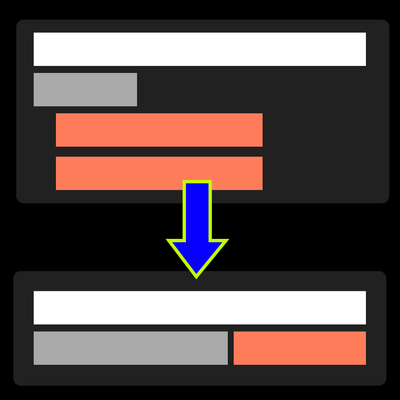
Turn bulky armor trim tooltips into one clean line. Works client-side on any server.
Quick answer
Better Trim Tooltips Plus bettertrimtooltips-neoforge-26.3-1.0.1.jar targets 26.3 with NeoForge. The project page does not say whether this file belongs on the client, dedicated server, or both. All 1 required mods have matching files.
Where it goes
The project page does not say whether this file belongs on the client, dedicated server, or both.
The source does not explicitly classify this release as client-only or server-only.
bettertrimtooltips-neoforge-26.3-1.0.1.jar. Change the file and its required mods may change too.
Install Architectury API first. We found matching files for this game-version and loader setup.
We only count dependency files that match this setup. A file for another loader does not fill the gap.
Before you install it
Built for Better Trim Tooltips Plus bettertrimtooltips-neoforge-26.3-1.0.1.jar. Pick another file and the loader, install side or required mods may change.
Use bettertrimtooltips-neoforge-26.3-1.0.1.jar. It targets 26.3 with NeoForge; another release may have different loader, side or dependency requirements.
Install Architectury API first. We found matching files for this game-version and loader setup.
The project page does not say whether this file belongs on the client, dedicated server, or both.
Use the “Get this file” button beside bettertrimtooltips-neoforge-26.3-1.0.1.jar. It opens that exact file at the source.
About this project

Client-side mod that condenses the three tooltip lines a smithing trim adds to armor into one readable line. Works with every vanilla and datapack trim.
Client-side only — no server installation required. Works in singleplayer and on any server.
Dependencies: Fabric needs Fabric API and Architectury API. NeoForge needs Architectury API. Forge needs no additional dependencies.
Free to use in any modpack — public or private, no permission needed.
In-game settings with a live preview of a trimmed chestplate. Turn the mod off in the screen to see the three vanilla lines again.
Open it with:
/bettertrimtooltips or /btt (also /btt open; /btt reload re-reads the config file)Available settings:
config/bettertrimtooltips.json.Please report any bugs, errors, or feature suggestions on Discord: https://discord.gg/HTkn94BXmA
My other mods that I recommend.
Project description from CurseForge.
Pick your setup
Choose the version and loader you play, then open the matching release.
Check the dependencies, then try the file in a copied instance before changing a world you care about.
Recent files
4 Nov 2026
4 Nov 2026
4 Nov 2026
4 Nov 2026
4 Nov 2026
4 Nov 2026
4 Nov 2026
4 Nov 2026
4 Nov 2026
4 Nov 2026
4 Nov 2026
4 Nov 2026
Looking for an older file? The official CurseForge project page is in Resources.
 mod
A modern port of iChun's iconic Morph mod
 mod
A Quality of Life (QoL) addon for GregTech 6 NeoForge. It introduces paging mold selection, direct GUI fluid interactions, creative fluid tanks, and Jade HUD integration for GT6 machines.
 mod
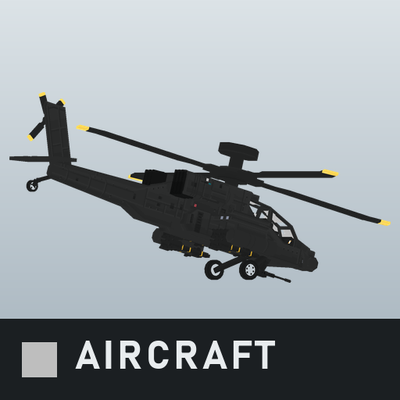
UH-60, AH-64 and V-22 helicopters, a rubber boat and a Zumwalt-class destroyer for Immersive Aircraft, with guided missile pods, night navigation lights and cockpit warnings.
