Minecraft version
Back to mods 
CurseForge · Minecraft mod
Elytra Swordflight
Transform your Elytra into a flying sword with animated wings, aerial abilities, customizable colors, and multiplayer support.
Choose a version Pick your version below, then grab the matching file.
Quick answer
Which Elytra Swordflight release should I use?
Latest stable file Elytra-Swordflight-1.1.0-NeoForge-26.1.jar
Game version 26.1
Loader NeoForge
Elytra Swordflight Elytra-Swordflight-1.1.0-NeoForge-26.1.jar targets 26.1 with NeoForge. The project page does not say whether this file belongs on the client, dedicated server, or both. No extra mods listed for this file.
Where it goes
Is Elytra Swordflight required on the client, server, or both?
The project page does not say whether this file belongs on the client, dedicated server, or both.
Client Source doesn’t say
Dedicated server Source doesn’t say
Loader for this release NeoForge
Required install it here Optional supported, not mandatory Not supported do not install here Source doesn’t say do not assume
The source does not explicitly classify this release as client-only or server-only.
What else does Elytra Swordflight Elytra-Swordflight-1.1.0-NeoForge-26.1.jar need?
Elytra-Swordflight-1.1.0-NeoForge-26.1.jar. Change the file and its required mods may change too.
This file does not list any required mods. Do not add a library just because a different file uses it.
This file does not list any required or optional mods.
Before you install it
Add Elytra Swordflight without breaking your instance.
Built for Elytra Swordflight Elytra-Swordflight-1.1.0-NeoForge-26.1.jar. Pick another file and the loader, install side or required mods may change.
- 01
Stick to this file
Use Elytra-Swordflight-1.1.0-NeoForge-26.1.jar. It targets 26.1 with NeoForge; another release may have different loader, side or dependency requirements.
- 02
Bring the mods it needs
This file does not list any required mods. Do not add a library just because a different file uses it.
- 03
Put it on the correct side
The project page does not say whether this file belongs on the client, dedicated server, or both.
- 04
Pick the file you checked
Use the “Get this file” button beside Elytra-Swordflight-1.1.0-NeoForge-26.1.jar. It opens that exact file at the source.
About this project
What does Elytra Swordflight add?
⚔ ELYTRA SWORDFLIGHT
Ride the skies. Command the sword. Unleash the wings.
Elytra Swordflight transforms normal Elytra flight into a cinematic flying-sword experience inspired by fantasy and cultivation-style sword flight.
Ride an animated flying sword, choose your wing style, customize colors and effects, use aerial abilities, and share the full experience with other players in Multiplayer — while keeping the familiar Vanilla Elytra flight mechanics.
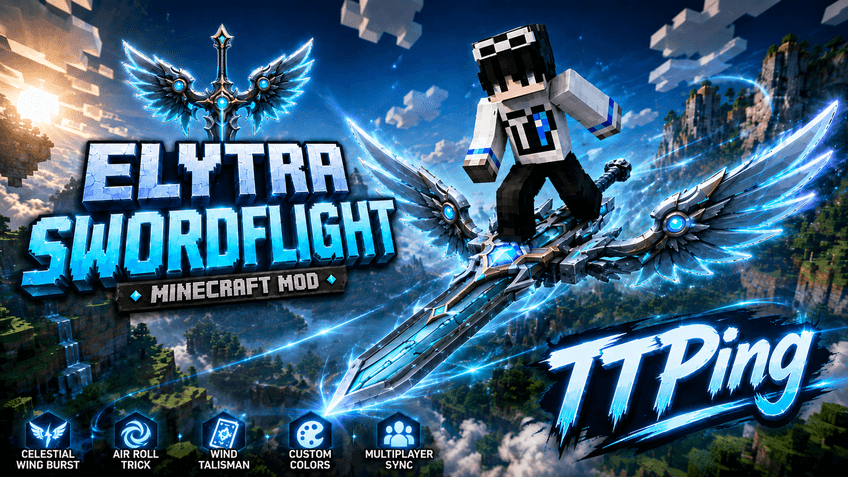
✦ FLYING SWORD
Equip an Elytra and start flying to activate Swordflight.
Features:
• Fully animated 3D flying sword
• Custom player riding poses
• Animated wing deployment, flight and landing
• Dynamic Wind Trails
• Firework boost animations
• Smooth transitions between flight states
• Multiplayer-synchronized visuals
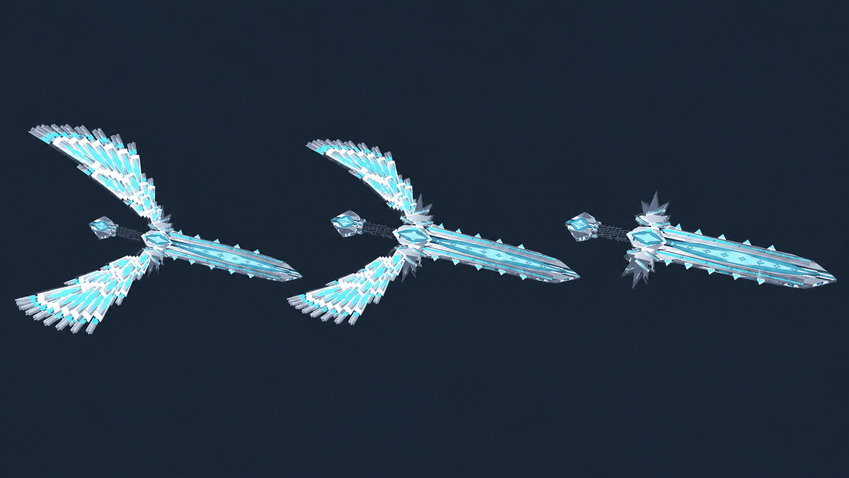
Wing Styles:
• Large Wings
• Compact Wings
• No Wings
Celestial Wing Burst visuals:
• Large
• Small
• Off
✦ CELESTIAL WING BURST
Press Left Ctrl while flying to charge and unleash Celestial Wing Burst.
• Around 3 seconds of charging
• Approximately 3× normal flight speed
• Around 5 seconds of boosted flight
• 15-second cooldown
• Dynamic camera and FOV effects
• Shockwave and energy effects
• Enhanced Wind Trails
• Custom colors and Rainbow support
• Collision handling
This ability is for movement only and does not deal damage.
✦ AIR ROLL
Double-tap Space while flying to perform a 360° Air Roll.
The player and sword rotate together while preserving flight speed and direction.
Air Roll also works during Celestial Wing Burst and is synchronized in Multiplayer.
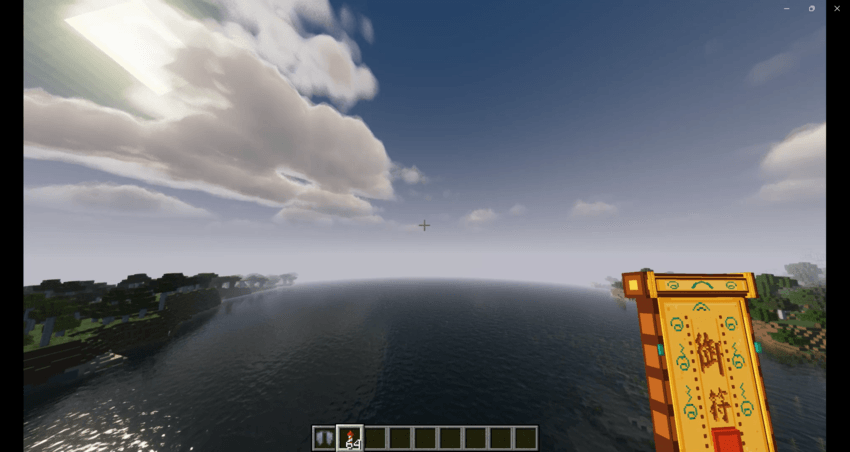
✦ WIND TALISMAN
While Swordflight is active, Firework boosting uses a magical Wind Talisman visual instead of displaying the normal rocket.
When activated:
• The talisman appears in the player's hand
• It dissolves into spiritual energy
• Energy flows behind the flying sword
• A small energy ring forms and fades away
Outer and Inner energy colors can be customized independently, including Rainbow effects.
The actual Firework boost still uses Vanilla Minecraft mechanics.
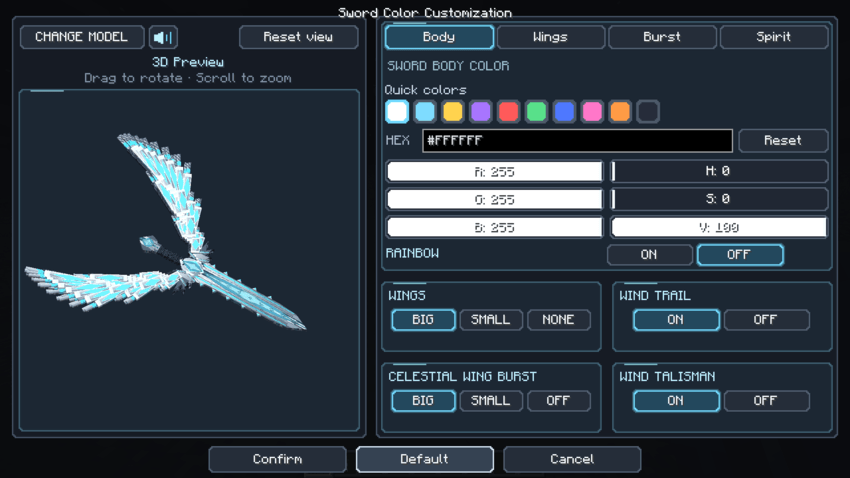
✦ CUSTOMIZATION
Hold an Elytra and press R to open the customization screen.
The GUI includes:
• Interactive 3D flying-sword preview
• Drag to rotate
• Mouse-wheel zoom
• RGB controls
• HSV controls
• HEX color input
• Wing Style selection
• Burst Visual selection
• Independent Rainbow effects
• Responsive layout for different Minecraft GUI scales
You can customize:
• Sword Body
• Wings
• Wind Trails
• Celestial Wing Burst
• Wind Talisman Outer Energy
• Wind Talisman Inner Energy
✦ SHADER COMPATIBILITY
Elytra Swordflight has been strongly optimized for:
• Complementary Reimagined
• Complementary Unbound
• BSL
• MakeUp Ultra Fast
Optimization covers sword lighting, colors, transparency and major visual effects.
Other shader packs may also work, but visual results can vary because different shaders use different rendering techniques.
✦ FRESH ANIMATIONS
On supported versions, Elytra Swordflight is optimized to work with:
• Fresh Animations
• EMF
• ETF
Normal animations remain available outside Swordflight, while Swordflight controls the required riding poses during flight.
✦ ELYTRA SLOT
On supported Minecraft versions and loaders, Elytra Swordflight can work with supported Elytra Slot mods.
This allows you to:
• Wear a chestplate
• Keep Elytra in a dedicated slot
• Continue using Swordflight normally
Elytra Slot support depends on the Minecraft version and loader.
✦ MULTIPLAYER
Other players can see:
• Your flying sword
• Wing style
• Riding animations
• Wind Trails
• Celestial Wing Burst
• Air Roll
• Wind Talisman
• Custom colors
• Rainbow effects
Each player can use their own appearance and customization.
🎮 CONTROLS
Left Ctrl — Celestial Wing Burst
Double-tap Space — Air Roll
R while holding an Elytra — Open customization
Shift while flying — Brake
Firework Rocket — Vanilla boost with Wind Talisman visuals
⚙ COMPATIBILITY
Depending on Minecraft version and loader, Elytra Swordflight supports:
• Fabric
• Forge
• NeoForge
• Shaders / Iris
• Fresh Animations
• EMF / ETF
• Supported Elytra Slot mods
Always download the file matching both your Minecraft version and mod loader.
❤ SUPPORT
If you encounter a bug or need help using Elytra Swordflight:
Email:
hotrottpingdev@gmail.com
Thank you for supporting Elytra Swordflight. ❤️
Project description from CurseForge.
Pick your setup
Elytra Swordflight by Minecraft version and loader
Choose the version and loader you play, then open the matching release.
Minecraft version
26.2
3 loader buildsMinecraft version
26.1.2
3 loader buildsMinecraft version
26.1
2 loader buildsMinecraft version
1.21.11
3 loader buildsMinecraft version
1.21.10
2 loader buildsMinecraft version
1.21.8
2 loader buildsMinecraft version
1.21.5
3 loader buildsMinecraft version
1.21.1
3 loader buildsMinecraft version
1.20.1
2 loader buildsMinecraft version
1.19.2
2 loader buildsMinecraft version
1.18.2
2 loader buildsShowing the newest 12 of 14 game versions. Older files are in the list below.
Check the dependencies, then try the file in a copied instance before changing a world you care about.
Recent files
Elytra Swordflight versions and loaders
Elytra-Swordflight-1.1.0-NeoForge-26.1.jar
25 Oct 2026
Client Source doesn’t say Server Source doesn’t say Dependencies No extras listed Listed on Release listing
Check the 26.1 · NeoForge setup NeoForge26.1 release
Elytra-Swordflight-1.1.0-Fabric-26.1.jar
25 Oct 2026
Client Source doesn’t say Server Source doesn’t say Dependencies No extras listed Listed on Release listing
Check the 26.1 · Fabric setup Fabric26.1 release
Elytra-Swordflight-1.1.0-NeoForge-1.21.8.jar
24 Oct 2026
Client Source doesn’t say Server Source doesn’t say Dependencies No extras listed Listed on Release listing
Check the 1.21.8 · NeoForge setup 1.21.8NeoForge release
Elytra-Swordflight-1.1.0-Fabric-1.21.8.jar
24 Oct 2026
Client Source doesn’t say Server Source doesn’t say Dependencies No extras listed Listed on Release listing
Check the 1.21.8 · Fabric setup Fabric1.21.8 release
Elytra-Swordflight-1.1.0-NeoForge-26.3.jar
1 Oct 2026
Client Source doesn’t say Server Source doesn’t say Dependencies No extras listed Listed on Release listing
Check the 26.3 · NeoForge setup NeoForge26.3 release
Elytra-Swordflight-1.1.0-Fabric-26.3.jar
1 Oct 2026
Client Source doesn’t say Server Source doesn’t say Dependencies 1 required · 1 unchecked Listed on Release listing
Check the 26.3 · Fabric setup Fabric26.3 release
Elytra-Swordflight-1.1.0-Forge-26.3.jar
1 Oct 2026
Client Source doesn’t say Server Source doesn’t say Dependencies No extras listed Listed on Release listing
Check the 26.3 · Forge setup Forge26.3 release
Elytra-Swordflight-1.1.0-NeoForge-26.2.jar
1 Oct 2026
Client Source doesn’t say Server Source doesn’t say Dependencies No extras listed Listed on Release listing
Check the 26.2 · NeoForge setup NeoForge26.2 release
Elytra-Swordflight-1.1.0-Fabric-26.2.jar
1 Oct 2026
Client Source doesn’t say Server Source doesn’t say Dependencies 1 required · 1 unchecked Listed on Release listing
Check the 26.2 · Fabric setup Fabric26.2 release
Elytra-Swordflight-1.1.0-Forge-26.2.jar
1 Oct 2026
Client Source doesn’t say Server Source doesn’t say Dependencies No extras listed Listed on Release listing
Check the 26.2 · Forge setup Forge26.2 release
Elytra-Swordflight-1.1.0-NeoForge-26.1.2.jar
1 Oct 2026
Client Source doesn’t say Server Source doesn’t say Dependencies No extras listed Listed on Release listing
Check the 26.1.2 · NeoForge setup NeoForge26.1.2 release
Elytra-Swordflight-1.1.0-Fabric-26.1.2.jar
1 Oct 2026
Client Source doesn’t say Server Source doesn’t say Dependencies 1 required · 1 unchecked Listed on Release listing
Check the 26.1.2 · Fabric setup Fabric26.1.2 release
Looking for an older file? The official CurseForge project page is in Resources.
 mod
CurseForge + Modrinth · Minecraft
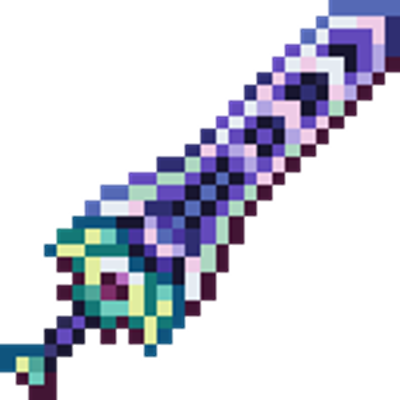
TheZenithSword
Adding the Zenith Sword to Minecraft, use it to attack groups of enemies from a distance.
 mod
CurseForge · Minecraft
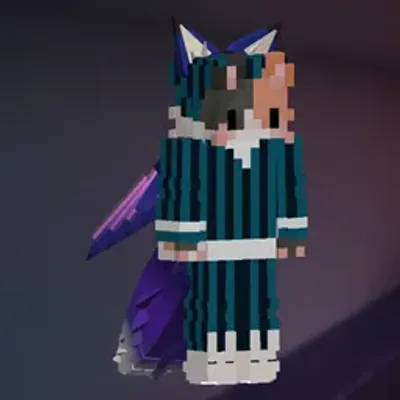
NotEars
Animated 3D ears, tails and wings for players, with custom colors and a wardrobe to try them on.
 mod
CurseForge · Minecraft
Tools of Fire and Ice
Tools of Fire and Ice