Sinytra Connector Needed by Blue's Heroes blueheroes-1.0.2-1.20.1.jar
requiredMatching file found Matched file: Connector 1.0.0-beta.49+1.20.1

CurseForge · Minecraft mod
Gain the superpowers of a variety of heroes!
Quick answer
Blue's Heroes blueheroes-1.0.2-1.20.1.jar targets 1.20.1 with Fabric, Forge. The project page does not say whether this file belongs on the client, dedicated server, or both. All 2 required mods have matching files.
Where it goes
The project page does not say whether this file belongs on the client, dedicated server, or both.
The source does not explicitly classify this release as client-only or server-only.
blueheroes-1.0.2-1.20.1.jar. Change the file and its required mods may change too.
Install Sinytra Connector, Forgified Fabric API first. We found matching files for this game-version and loader setup. 15 come through another mod in the chain.
15 extra mods were pulled in by other dependencies. Indented rows show who needs each one. We only count dependency files that match this setup. A file for another loader does not fill the gap.
Before you install it
Built for Blue's Heroes blueheroes-1.0.2-1.20.1.jar. Pick another file and the loader, install side or required mods may change.
Use blueheroes-1.0.2-1.20.1.jar. It targets 1.20.1 with Fabric, Forge; another release may have different loader, side or dependency requirements.
Install Sinytra Connector, Forgified Fabric API first. We found matching files for this game-version and loader setup. 15 come through another mod in the chain.
The project page does not say whether this file belongs on the client, dedicated server, or both.
Use the “Get this file” button beside blueheroes-1.0.2-1.20.1.jar. It opens that exact file at the source.
About this project

This mod adds the powers of heroes and villains from mainly the DC & Marvel universes (potentially more).
Current power list:
Speedforce power:
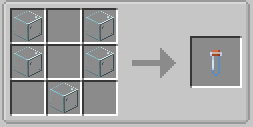
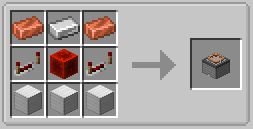
To obtain the Speedforce power, a few items need to be crafted.
Empty Vial
Mini Particle Accelerator
Right clicking an Empty Vial on bedrock will create a Vial of Dark Matter
 +
+  =
= 
Right click on the Mini Particle Accelerator and place the Vial of Dark Matter into the item slot in the middle.
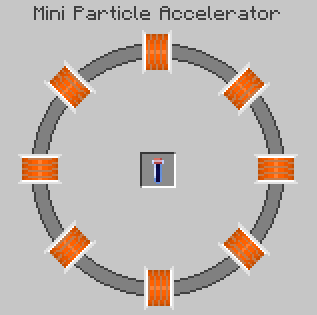
After placing the Vial of Dark Matter in the Mini Particle Accelerator, power the accelerator by providing redstone power to the lighter side first, then the darker side.


After powering both sides of the accelerator, wait for the particle sequence to complete and a dark matter explosion will occur.
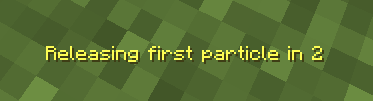
After the explosion occurs, anything within the explosion radius will be given the Dark Matter Infused effect for one minute.

Before the effect expires, the player must have 3 positive effects and get struck my lightning. Any effect is fine as long as it is positive (i.e. strength, speed, saturation, night vision, fire resistance, etc). Upon getting struck by lightning, the player has a 15% chance to get the Speedforce power.
Kryptonian power:
To obain the Kryptonian power, a few items need to be obtained.
Platinum (found at y=16 & y=-64)

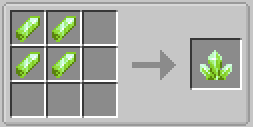
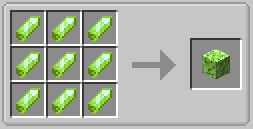
Kryptonite

Kryptonite does not naturally spawn in the world, but they can be found in chests. Kryptonite Shards (15% chance), Kryptonite Clusters (5% chance), Kryptonite Blocks (1% chance) can be found in the following areas.
Once Kryptonite is found, craft the Platinum Kryptonite.
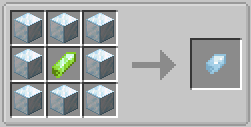
Right clicking Platinum Kryptonite will grant the Kryptonian power.
Ability menu:
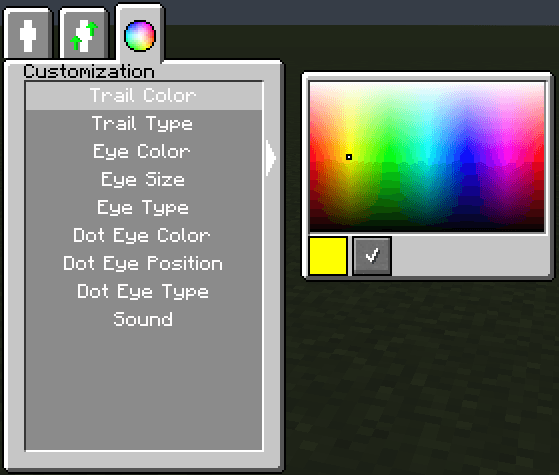
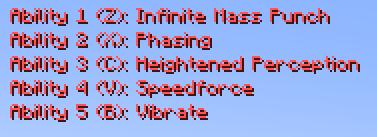
Open the Ability Menu using the keybind to bind, level up, and customize abilities.
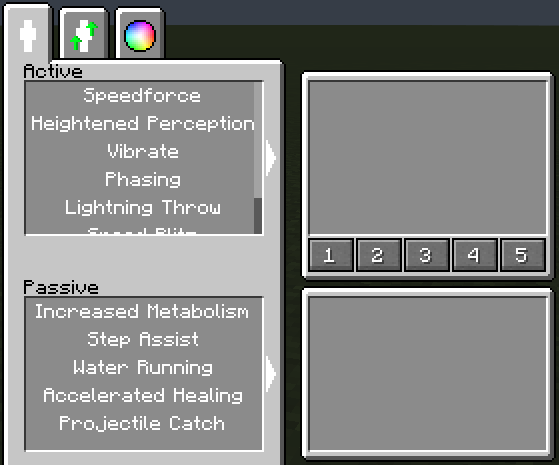
To bind an ability, simply select and ability from the active ability list and press one of the 5 numbers. The 5 numbers represent the 5 ability keybinds.
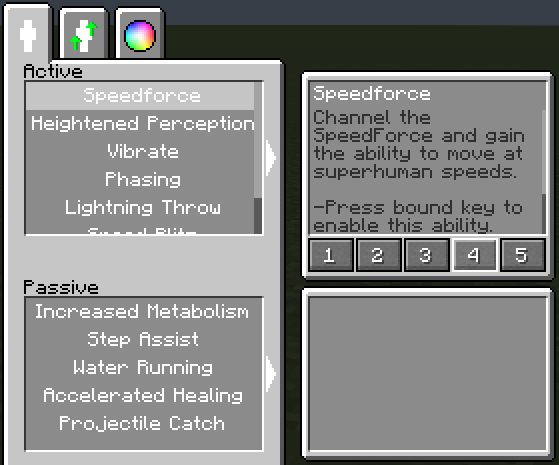
To level up an ability, go to the level up tab and select and ability to upgrade. Upgrades cost experience levels and increases every upgrade.
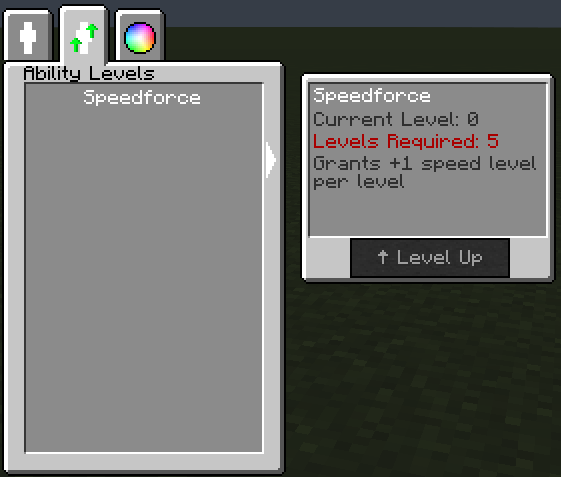
To customize the power, go to the customization tab and select the parts you want to customize.
Power weaknesses:
Meta Humans have their power dampened when near or holding Dark Matter Infused Items/Blocks.

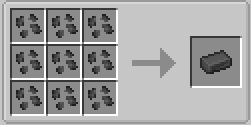
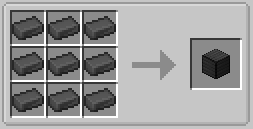
There is a 0.1% chance for iron blocks (within the dark matter explosion) to turn into Dark Matter Infused Blocks. When Dark Matter Infused Blocks are broken, Dark Matter Infused Shrapnel is dropped. Shrapnel can be used to create ingots, which can then be used to create blocks.
===========================================
Kryptonians are have their powers dampened and gain negative effects when they are near Kryptonite Items/Blocks.
Power Removal:
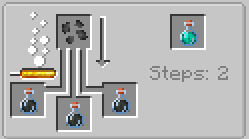
To remove Meta Powers, the player must wait for the meta cure effect duration to expire. If the effect is removed before the duration can expire, the meta power will not be removed. Powers are not dampened throughout the duration.

The cure can be crafted by brewing a weakness potion with the Dark Matter Infused Shrapnel. The potion can be turned into a tipped arrow, splash potion, and ligering potion.
===========================================
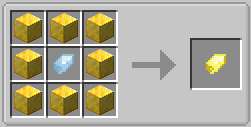
To remove the Kryptonian power you must use Gold Kryptonite.
Costumes:
Since powers are not bound to costumes, costumes are mainly for cosmetic purposes (does not give much armor points).
The Costume Designer block is used to create costumes with fabric and other ingredients.
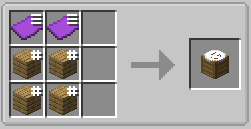
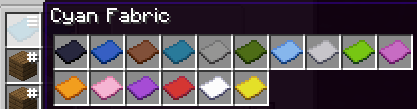
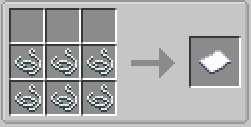
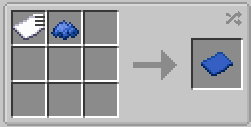
Fabric is created using 6 string and can by dyed into different colors.
Once the Costume Designer is crafted, right click it to open the costume design menu. In the menu, select a suit and a list of ingredients will appear. Once sufficent ingredients are in the player's inventory, press the check mark button to create the suit.
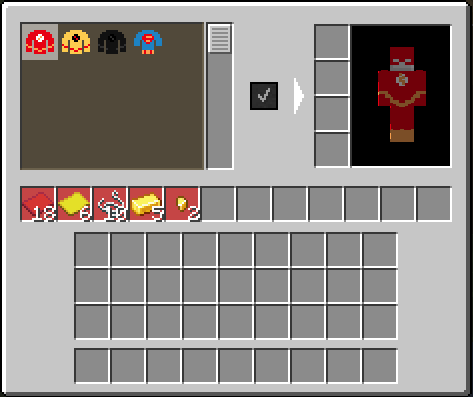
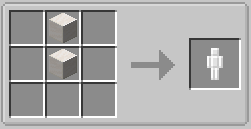
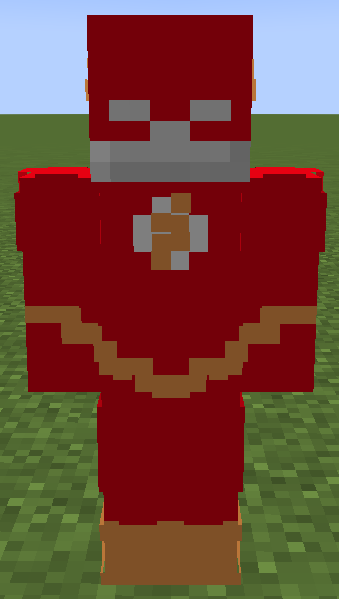
Costumes can then be placed on Costume Stands to display them. Sneaking and right clicking on the stand will instantly transfer the suit to and from the player.
Project description from CurseForge.
Pick your setup
Choose the version and loader you play, then open the matching release.
Check the dependencies, then try the file in a copied instance before changing a world you care about.
Recent files
5 Oct 2026
4 Oct 2026
23 Sept 2026
Looking for an older file? The official CurseForge project page is in Resources.
 mod
modA Tinkers' Construct 2 inspired mod: melt metals in a multiblock smeltery and build tools, weapons, armor, bows and magic staffs from parts. Around 30 materials with unique traits, plus modifiers, spells, relics, new mobs, bosses and a lot more.
 mod
modIntroduces raid dens to Cobblemon!
 mod
modBrowse, customise and place large RPG houses built from vanilla blocks: 17 genres, cosy cottages, underground halls and deep mines.