Simple Config Lib Optional for Item Pull Forge 1.20 v1.0
optionalMatching file found Matched file: Simple Config Lib Forge 1.20.2 v2.1

CurseForge · Minecraft mod
Pull dropped items toward the one you aim at
Quick answer
Item Pull Forge 1.20 v1.0 targets 1.20.2, 1.20.1, 1.20 with Forge. The project page does not say whether this file belongs on the client, dedicated server, or both. No extra mods listed for this file.
Where it goes
The project page does not say whether this file belongs on the client, dedicated server, or both.
The source does not explicitly classify this release as client-only or server-only.
Item Pull Forge 1.20 v1.0. Change the file and its required mods may change too.
This file does not list any required mods. Do not add a library just because a different file uses it.
We only count dependency files that match this setup. A file for another loader does not fill the gap.
Before you install it
Built for Item Pull Forge 1.20 v1.0. Pick another file and the loader, install side or required mods may change.
Use Item Pull Forge 1.20 v1.0. It targets 1.20.2, 1.20.1, 1.20 with Forge; another release may have different loader, side or dependency requirements.
This file does not list any required mods. Do not add a library just because a different file uses it.
The project page does not say whether this file belongs on the client, dedicated server, or both.
Use the “Get this file” button beside Item Pull Forge 1.20 v1.0. It opens that exact file at the source.
About this project
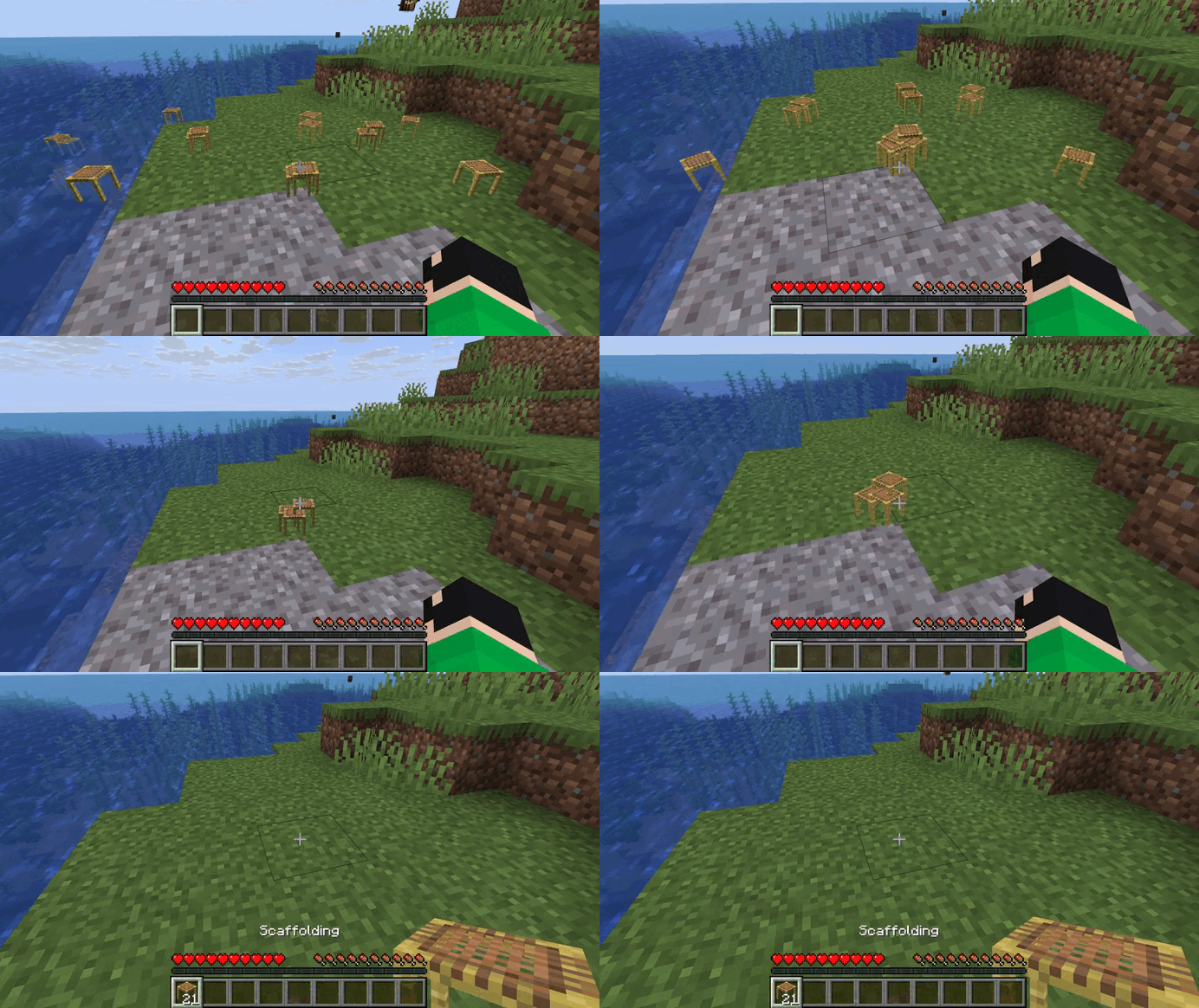
Item Pull lets you gather scattered drops with a single right click
Aim at an item lying on the ground and right click - all matching items nearby are pulled to it instantly
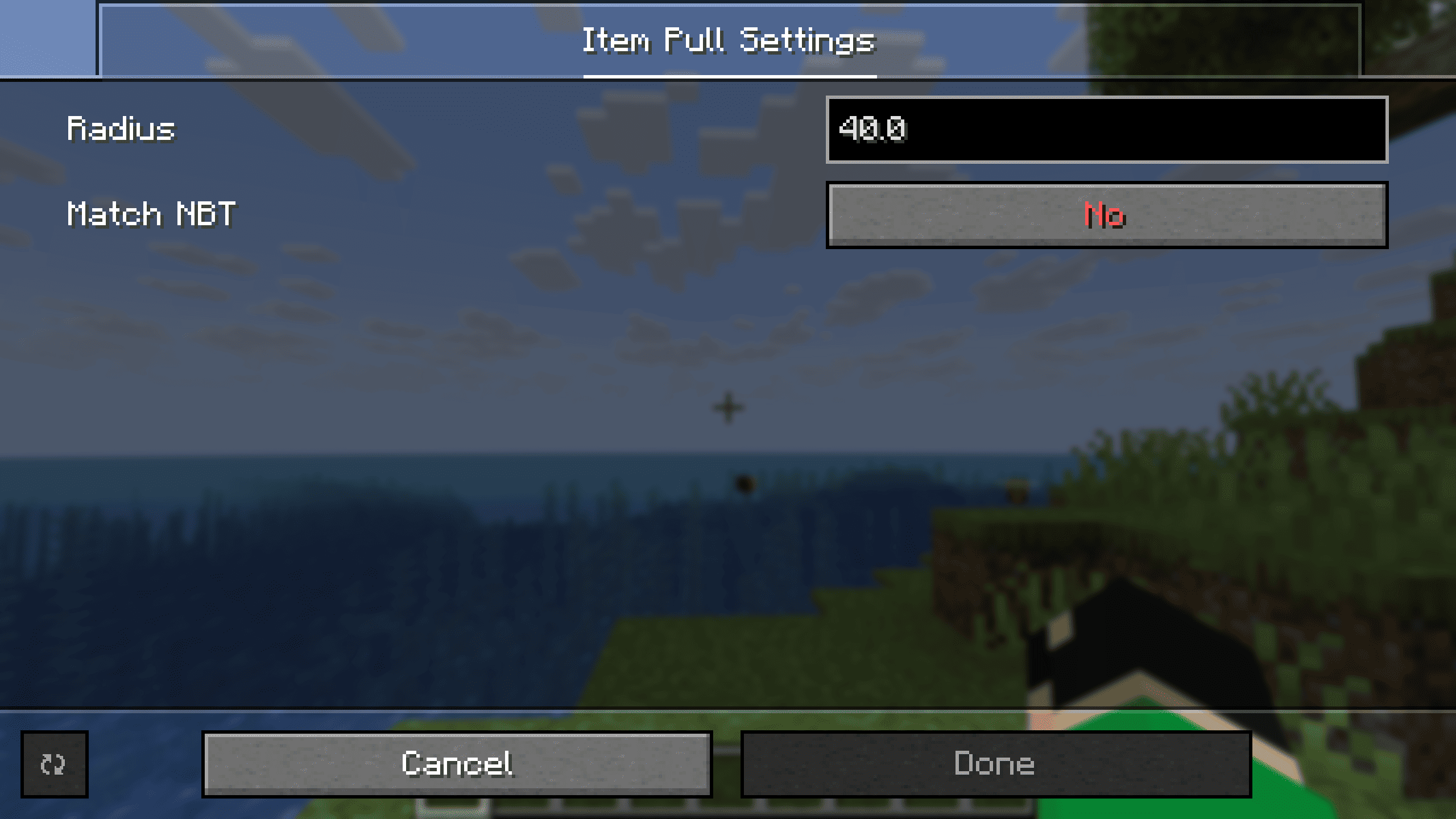
Requires Simple Config Lib

Project description from CurseForge.
Pick your setup
Choose the version and loader you play, then open the matching release.
Showing the newest 12 of 25 game versions. Older files are in the list below.
Check the dependencies, then try the file in a copied instance before changing a world you care about.
Recent files
item-pull-1.0-forge+1.20-srg.jar
1 Oct 2026
item-pull-1.0-fabric+1.20.5.jar
1 Oct 2026
item-pull-1.0-fabric+1.21.6.jar
1 Oct 2026
item-pull-1.0-fabric+1.21.2.jar
1 Oct 2026
item-pull-1.0-fabric+1.20.jar
1 Oct 2026
item-pull-1.0-forge+1.21.2.jar
1 Oct 2026
item-pull-1.0-forge+1.20.6.jar
1 Oct 2026
item-pull-1.0-neoforge+1.21.jar
1 Oct 2026
item-pull-1.0-forge+1.21.6.jar
1 Oct 2026
item-pull-1.0-neoforge+1.21.2.jar
1 Oct 2026
item-pull-1.0-neoforge+1.21.6.jar
1 Oct 2026
item-pull-1.0-neoforge+26.1.jar
30 Sept 2026
Looking for an older file? The official CurseForge project page is in Resources.
 mod
modAdds a way for you to tell the wandering trader to go away.
 mod
modA mod that provides universal tools, super alloy furnaces, and various QOL modifications.
 mod
modAn add-on for Hephaestus Forge focused on adding modular tools.