Minecraft version
Back to mods 
CurseForge · Minecraft mod
Altas Security
Secure your base and secret doors with advanced, password-operated redstone terminal blocks.
Choose a version Pick your version below, then grab the matching file.
Quick answer
Which Altas Security release should I use?
Latest stable file atlas_security-1.0.1-neoforge-1.21.1.jar
Game version 1.21.1
Loader NeoForge
Altas Security atlas_security-1.0.1-neoforge-1.21.1.jar targets 1.21.1 with NeoForge. The project page does not say whether this file belongs on the client, dedicated server, or both. No extra mods listed for this file.
Where it goes
Is Altas Security required on the client, server, or both?
The project page does not say whether this file belongs on the client, dedicated server, or both.
Client Source doesn’t say
Dedicated server Source doesn’t say
Loader for this release NeoForge
Required install it here Optional supported, not mandatory Not supported do not install here Source doesn’t say do not assume
The source does not explicitly classify this release as client-only or server-only.
What else does Altas Security atlas_security-1.0.1-neoforge-1.21.1.jar need?
atlas_security-1.0.1-neoforge-1.21.1.jar. Change the file and its required mods may change too.
This file does not list any required mods. Do not add a library just because a different file uses it.
This file does not list any required or optional mods.
Before you install it
Add Altas Security without breaking your instance.
Built for Altas Security atlas_security-1.0.1-neoforge-1.21.1.jar. Pick another file and the loader, install side or required mods may change.
- 01
Stick to this file
Use atlas_security-1.0.1-neoforge-1.21.1.jar. It targets 1.21.1 with NeoForge; another release may have different loader, side or dependency requirements.
- 02
Bring the mods it needs
This file does not list any required mods. Do not add a library just because a different file uses it.
- 03
Put it on the correct side
The project page does not say whether this file belongs on the client, dedicated server, or both.
- 04
Pick the file you checked
Use the “Get this file” button beside atlas_security-1.0.1-neoforge-1.21.1.jar. It opens that exact file at the source.
About this project
What does Altas Security add?
Welcome to Atlas Security! Tired of other players easily wandering into your secret base? Atlas Security provides the ultimate protection for your redstone contraptions, hidden doors, and private vaults.
Main Features:
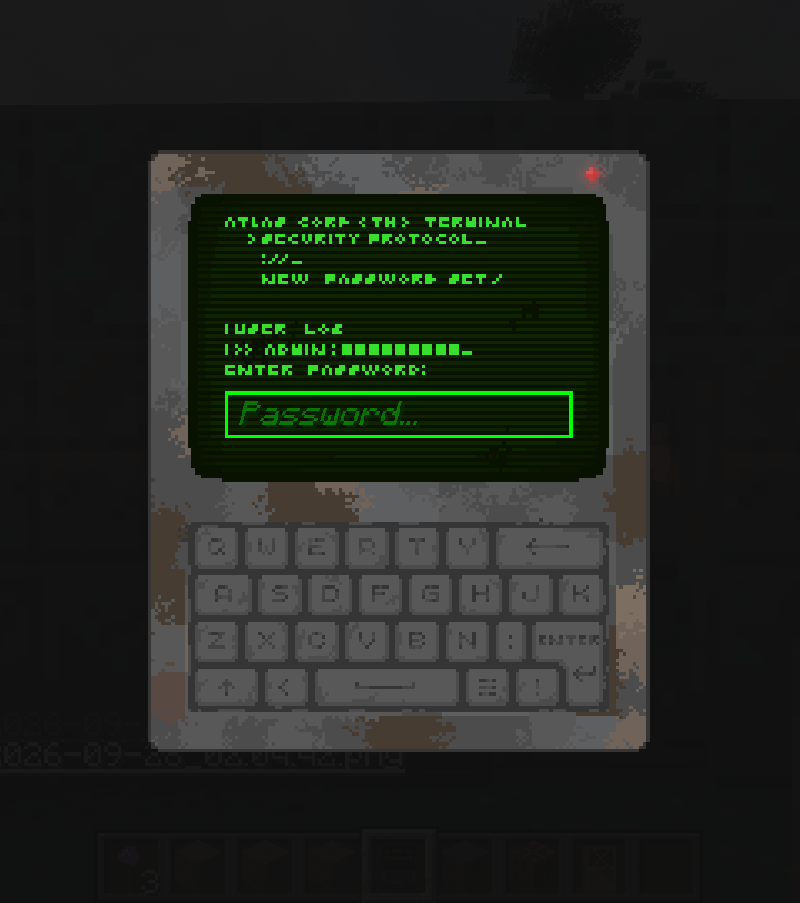
- The Security Terminal: A high-tech block that acts as a secure, password-protected redstone power source.
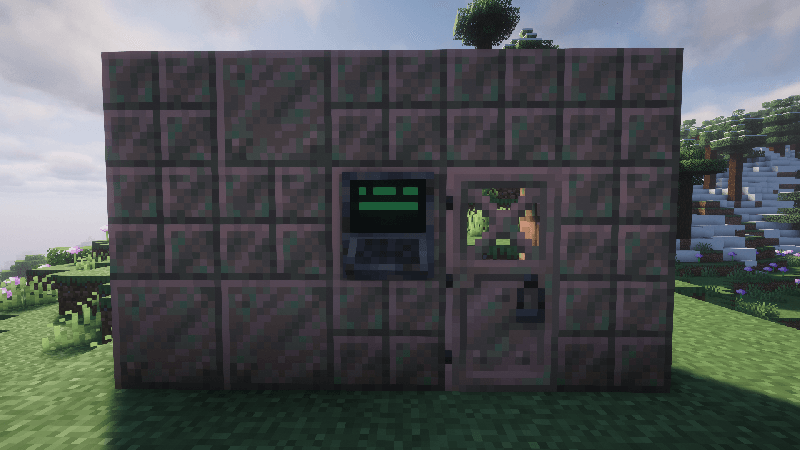
( You can put the Terminal next to a door )
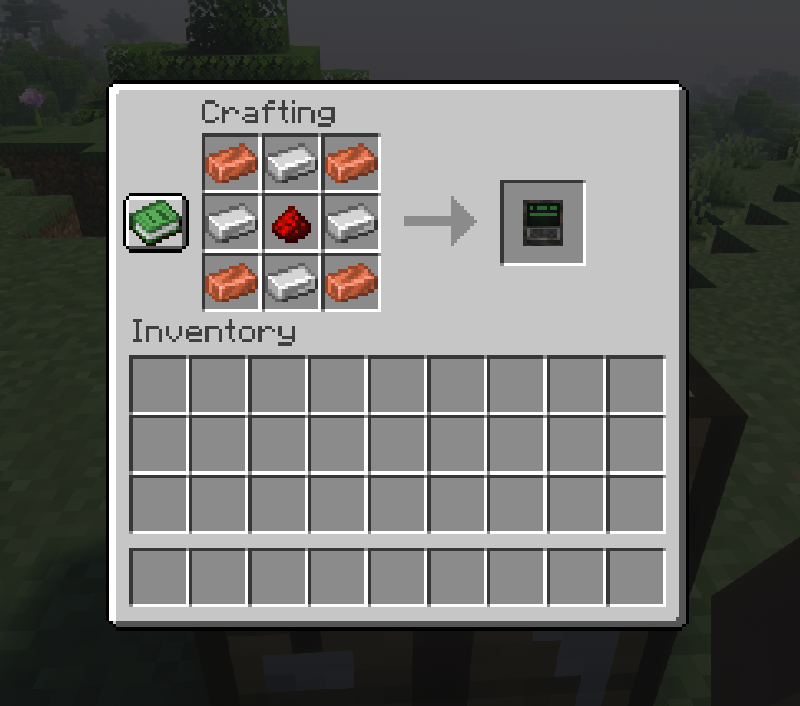
- Custom Passwords: Set your own unique password through a custom, easy-to-use GUI.
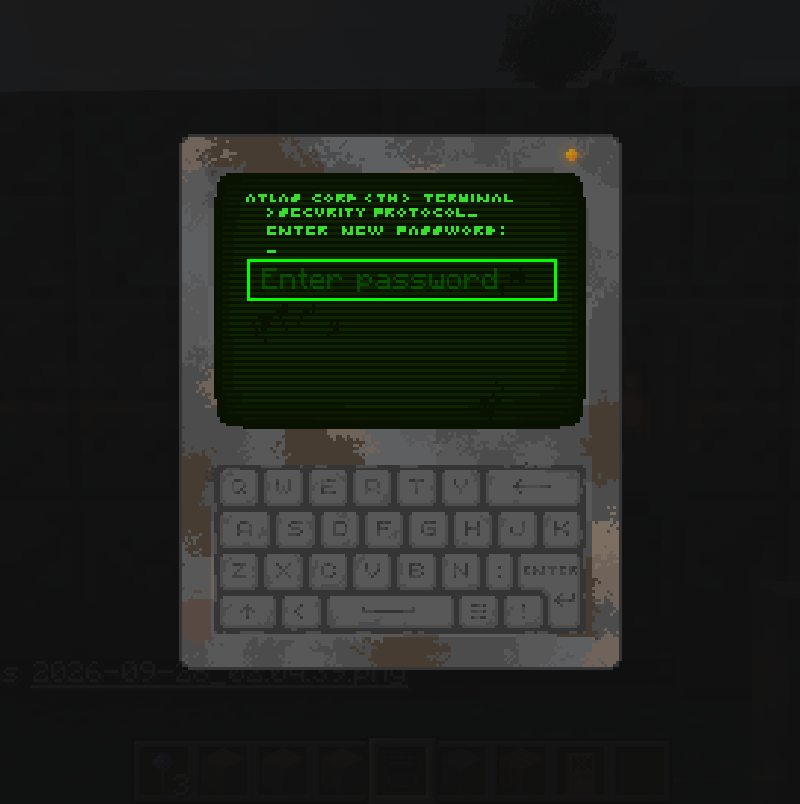
 *
*
( Enter the password, then other players can't destroy it )
- Strong Redstone Signal: When the correct password is entered, the terminal emits a strong redstone signal (power level 15) for a short duration. It acts exactly like a button, allowing the current to pass through solid walls to power your hidden mechanisms.
- Multiplayer & Mapmaker Ready: Perfect for protecting your valuables on multiplayer servers, faction bases, or for creating immersive puzzle and adventure maps.
How it works: Simply place the Security Terminal against a wall, set your secret password, and connect the block behind it to your redstone circuit (like an iron door or a sticky piston). Only players who type the exact password can trigger the mechanism and gain access!
Project description from CurseForge.
Pick your setup
Altas Security by Minecraft version and loader
Choose the version and loader you play, then open the matching release.
Check the dependencies, then try the file in a copied instance before changing a world you care about.
Recent files
Altas Security versions and loaders
atlas_security-1.0.1-neoforge-1.21.1.jar
30 Sept 2026
Client Source doesn’t say Server Source doesn’t say Dependencies No extras listed Listed on Release listing
Check the 1.21.1 · NeoForge setup 1.21.1NeoForge release
atlas_security-1.0.0-neoforge-1.21.1.jar
28 Sept 2026
Client Source doesn’t say Server Source doesn’t say Dependencies No extras listed Listed on Release listing
Check the 1.21.1 · NeoForge setup 1.21.1NeoForge release
Looking for an older file? The official CurseForge project page is in Resources.
 mod
mod CurseForge + Modrinth · Minecraft
OpenComputers II
Computers and robots for automating things via in-game scripting.
 mod
mod CurseForge · Minecraft
Verox' RPG Progression
A difficulty and world progression mod inspired by games like Terraria.
 mod
mod CurseForge · Minecraft
Deep Industry
Industrial tech from crushers to fission, fusion and a contained black hole.