Fabric API Needed by Slick - Modern Hotbar, Inventory & Menu UI Slick 1.0.1 (Fabric 26.4-snapshot-4)
requiredNo matching file

CurseForge · Minecraft mod
A modern, smooth look for your hotbar, inventory and every container menu. 5 styles, 5 themes, 10 accent colors, a hotbar selection that glides. Client-side, Fabric, NeoForge and Forge.
Quick answer
Slick - Modern Hotbar, Inventory & Menu UI Slick 1.0.1 (Fabric 26.4-snapshot-4) targets 26.4-snapshot with Fabric. The project page does not say whether this file belongs on the client, dedicated server, or both. 1 required mod needs a matching file.
Where it goes
The project page does not say whether this file belongs on the client, dedicated server, or both.
The source does not explicitly classify this release as client-only or server-only.
Slick 1.0.1 (Fabric 26.4-snapshot-4). Change the file and its required mods may change too.
Install Fabric API first, but 1 required mod has no matching file for this setup. Do not mix loader builds to force a match.
We only count dependency files that match this setup. A file for another loader does not fill the gap.
Before you install it
Built for Slick - Modern Hotbar, Inventory & Menu UI Slick 1.0.1 (Fabric 26.4-snapshot-4). Pick another file and the loader, install side or required mods may change.
Use Slick 1.0.1 (Fabric 26.4-snapshot-4). It targets 26.4-snapshot with Fabric; another release may have different loader, side or dependency requirements.
Install Fabric API first, but 1 required mod has no matching file for this setup. Do not mix loader builds to force a match.
The project page does not say whether this file belongs on the client, dedicated server, or both.
Use the “Get this file” button beside Slick 1.0.1 (Fabric 26.4-snapshot-4). It opens that exact file at the source.
About this project
A modern, smooth look for Minecraft's hotbar and menus.
Slick redraws the hotbar, your inventory and every vanilla container with. Pick one of five styles, then a theme and an accent color, and make it yours. The hotbar selection glides from slot to slot instead of snapping, and menus ease open.
Slick is a client-side mod for Minecraft on Fabric, NeoForge and Forge, so it works on any server. It is compatible with Mod Menu on Fabric.
Supported versions: 1.20 to 26.3 on Fabric, 1.21 to 26.3 on NeoForge, 1.20.1 on Forge.
Fabric
mods folder.Optional: add Mod Menu to reach the settings from Mods > Slick > Configure.
NeoForge
mods folder.Forge
mods folder.| Key | What it does |
|---|---|
| Open Slick Settings | Opens the settings in game. Unbound by default; set it in Options > Controls > Key Binds > Slick |
| Setting | Range | Default | What it does |
|---|---|---|---|
| Style | Modern / Cards / Minimal / Outline / Bevel | Modern | The shape of panels, slots, buttons and the hotbar |
| Theme | Midnight / Graphite / Frost / Daylight / Onyx | Midnight | The colors of the panels, slots and text |
| Accent | Theme, Blue, Violet, Pink, Red, Orange, Yellow, Green, Teal, White | Theme | The color of the selected slot, hovered slots and progress bars |
| Opacity | 30 - 100% | 90% | How solid the panels are |
| Corners | Square / Soft / Round | Round | How rounded panels and slots are |
| Shadows | on / off | on | A soft shadow around the hotbar and menus |
| Animations | Off / Fast / Normal / Relaxed | Normal | How quickly things glide, glow and open. Off makes everything snap |
| Modern Hotbar | on / off | on | Use Slick's hotbar |
| Slot Boxes | on / off | on | A box behind each hotbar slot |
| Wrap Around | on / off | on | Going from the last slot to the first glides around the edge |
| Lift Selected Item | on / off | on | The selected item rises a little |
| Modern Menus | on / off | on | Restyle the inventory, creative inventory and all containers |
| Blur Behind Menus | on / off | on | Blur the world behind open menus (uses Minecraft's Menu Background Blur strength) |
Changes apply straight away and are saved when you close the screen. The settings live in config/slick.json. If the file is broken, the game starts with the defaults and your old file is kept as slick.json.broken.
MIT
Project description from CurseForge.
Pick your setup
Choose the version and loader you play, then open the matching release.
Showing the newest 12 of 25 game versions. Older files are in the list below.
Check the dependencies, then try the file in a copied instance before changing a world you care about.
Recent files
slick-1.0.1+mc26.4-snapshot-4.jar
17 Oct 2026
6 Oct 2026
6 Oct 2026
6 Oct 2026
6 Oct 2026
6 Oct 2026
6 Oct 2026
6 Oct 2026
6 Oct 2026
6 Oct 2026
6 Oct 2026
6 Oct 2026
Looking for an older file? The official CurseForge project page is in Resources.
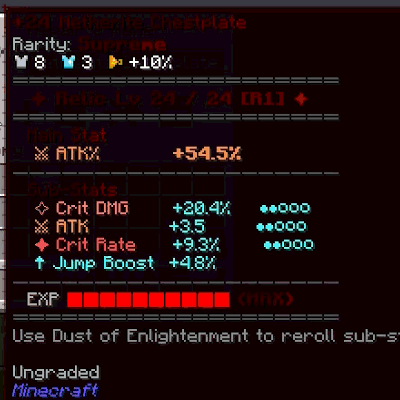 mod
modDisables Simply Tooltips entirely, restoring plain vanilla item tooltips for every item.
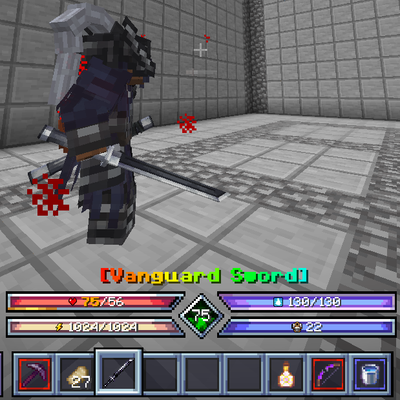 mod
modShows Sol's Item Rarity borders and name colors on Ares HUD's custom hotbar.
 mod
modA building mod that adds a plethora of brand new block types and sets!