Minecraft version
Back to mods 
CurseForge · Minecraft mod
Custom Timer
A simple, lightweight countdown timer with easy-to-use commands and tick-based timing.
Choose a version Pick your version below, then grab the matching file.
Quick answer
Which Custom Timer release should I use?
Latest stable file custom_timer-1.0.0-fabric-26.1.2.jar
Game version 26.1.2
Loader Fabric
Custom Timer custom_timer-1.0.0-fabric-26.1.2.jar targets 26.1.2 with Fabric. The project page does not say whether this file belongs on the client, dedicated server, or both. No extra mods listed for this file.
Where it goes
Is Custom Timer required on the client, server, or both?
The project page does not say whether this file belongs on the client, dedicated server, or both.
Client Source doesn’t say
Dedicated server Source doesn’t say
Loader for this release Fabric
Required install it here Optional supported, not mandatory Not supported do not install here Source doesn’t say do not assume
The source does not explicitly classify this release as client-only or server-only.
What else does Custom Timer custom_timer-1.0.0-fabric-26.1.2.jar need?
custom_timer-1.0.0-fabric-26.1.2.jar. Change the file and its required mods may change too.
This file does not list any required mods. Do not add a library just because a different file uses it.
This file does not list any required or optional mods.
Before you install it
Add Custom Timer without breaking your instance.
Built for Custom Timer custom_timer-1.0.0-fabric-26.1.2.jar. Pick another file and the loader, install side or required mods may change.
- 01
Stick to this file
Use custom_timer-1.0.0-fabric-26.1.2.jar. It targets 26.1.2 with Fabric; another release may have different loader, side or dependency requirements.
- 02
Bring the mods it needs
This file does not list any required mods. Do not add a library just because a different file uses it.
- 03
Put it on the correct side
The project page does not say whether this file belongs on the client, dedicated server, or both.
- 04
Pick the file you checked
Use the “Get this file” button beside custom_timer-1.0.0-fabric-26.1.2.jar. It opens that exact file at the source.
About this project
What does Custom Timer add?
English
Custom Timer is a lightweight and simple countdown timer for Minecraft.
Create and control a global countdown timer using easy-to-use commands. The timer is displayed on the HUD and is visible to all players, making it useful for events, challenges, server activities, and timed gameplay.
The timer uses Minecraft ticks for precise timing.
Commands:
/ctimer set <ticks> — Sets and starts the timer.
/ctimer pause — Pauses the timer.
/ctimer resume — Resumes the timer.
/ctimer stop — Stops the timer.
/ctimer add <ticks> — Adds time to the timer.
/ctimer remove <ticks> — Removes time from the timer.
/ctimer info — Displays information about the available commands.
Time conversion:
20 ticks = 1 second
1,200 ticks = 1 minute
72,000 ticks = 1 hour
Custom Timer is designed to be simple, lightweight, and easy to use for Minecraft servers and multiplayer worlds.
Español
Custom Timer es un cronómetro regresivo ligero y sencillo para Minecraft.
Crea y controla un cronómetro global mediante comandos fáciles de usar. El cronómetro se muestra en el HUD y es visible para todos los jugadores, lo que lo hace útil para eventos, desafíos, actividades de servidor y partidas con límite de tiempo.
El cronómetro utiliza ticks de Minecraft para ofrecer un conteo preciso.
Comandos:
/ctimer set <ticks> — Establece e inicia el cronómetro.
/ctimer pause — Pausa el cronómetro.
/ctimer resume — Reanuda el cronómetro.
/ctimer stop — Detiene el cronómetro.
/ctimer add <ticks> — Añade tiempo al cronómetro.
/ctimer remove <ticks> — Quita tiempo del cronómetro.
/ctimer info — Muestra información sobre los comandos disponibles.
Conversión de tiempo:
20 ticks = 1 segundo
1.200 ticks = 1 minuto
72.000 ticks = 1 hora
Custom Timer está diseñado para ser simple, ligero y fácil de usar en servidores de Minecraft y mundos multijugador.
Project description from CurseForge.
Pick your setup
Custom Timer by Minecraft version and loader
Choose the version and loader you play, then open the matching release.
Minecraft version
1.20.1
1 loader buildCheck the dependencies, then try the file in a copied instance before changing a world you care about.
Recent files
Custom Timer versions and loaders
custom_timer-1.0.0-fabric-26.1.2.jar
10 Oct 2026
Client Source doesn’t say Server Source doesn’t say Dependencies No extras listed Listed on Release listing
Check the 26.1.2 · Fabric setup Fabric26.1.2 release
custom_timer-1.0.0-forge-1.20.1.jar
7 Oct 2026
Client Source doesn’t say Server Source doesn’t say Dependencies No extras listed Listed on Release listing
Check the 1.20.1 · Forge setup 1.20.1Forge release
Looking for an older file? The official CurseForge project page is in Resources.
 mod
mod CurseForge + Modrinth · Minecraft
Shutter Up!
A mod that adds classy decorative shutters to your world!
 mod
mod CurseForge · Minecraft
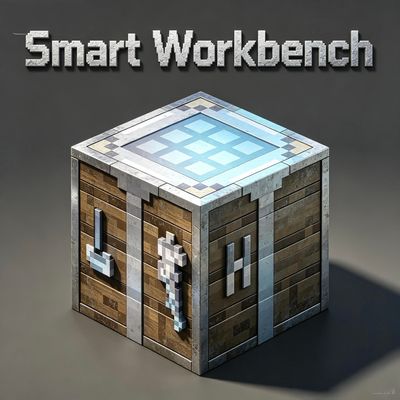
Smart workbench
Automatically detects nearby containers, extracts materials, and crafts with one click.
 mod
mod CurseForge + Modrinth · Minecraft
Changed Extras
The Changed: Minecraft Mod Addon that adds creatures, features and structures that just won't be implemented by the other addons or the main mod.