Just Enough Items (JEI) Optional for Material Nexus - Ore Unifier and more materialnexus-0.6.0-beta.1+26.1.2.jar
optionalMatching file found Matched file: 29.54.0.123 for NeoForge 26.1.2

CurseForge · Minecraft mod
One copper ingot, not five. Unify duplicate ingots, ores and dusts in your modpack: pick the one to keep from an in-game screen, and tags, recipes and items follow. No scripts, full preview before anything changes.
Quick answer
Material Nexus - Ore Unifier and more materialnexus-0.6.0-beta.1+26.1.2.jar targets 26.1, 26.1.2 with NeoForge. The project page does not say whether this file belongs on the client, dedicated server, or both. No extra mods listed for this file.
Where it goes
The project page does not say whether this file belongs on the client, dedicated server, or both.
The source does not explicitly classify this release as client-only or server-only.
materialnexus-0.6.0-beta.1+26.1.2.jar. Change the file and its required mods may change too.
This file does not list any required mods. Do not add a library just because a different file uses it.
8 extra mods were pulled in by other dependencies. Indented rows show who needs each one. We only count dependency files that match this setup. A file for another loader does not fill the gap.
Before you install it
Built for Material Nexus - Ore Unifier and more materialnexus-0.6.0-beta.1+26.1.2.jar. Pick another file and the loader, install side or required mods may change.
Use materialnexus-0.6.0-beta.1+26.1.2.jar. It targets 26.1, 26.1.2 with NeoForge; another release may have different loader, side or dependency requirements.
This file does not list any required mods. Do not add a library just because a different file uses it.
The project page does not say whether this file belongs on the client, dedicated server, or both.
Use the “Get this file” button beside materialnexus-0.6.0-beta.1+26.1.2.jar. It opens that exact file at the source.
About this project
A big modpack ends up with the same material made by every mod: five copper ingots, three tin plates, a dozen recipes that disagree about them. Material Nexus finds every one of them, lets you decide which item is kept, then cleans the tags, rewrites the recipes and converts the items for you. Nothing changes until you have seen the preview and pressed Apply.
Start here: open a singleplayer world with cheats allowed and run /materials, or right click with the Nexus Terminal (creative Tools & Utilities tab, with "Operator Items" on). It needs operator rights (permission level 2).
Wiki · Getting Started · Commands · Report a bug
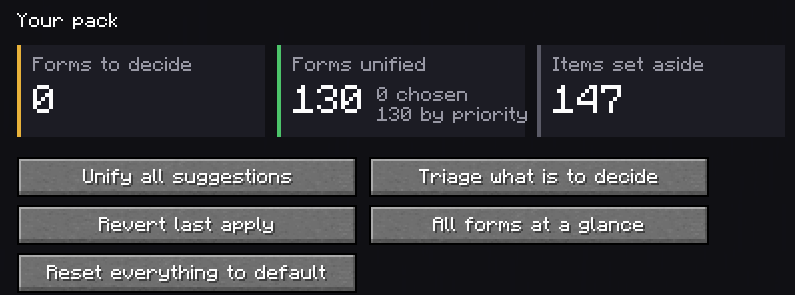

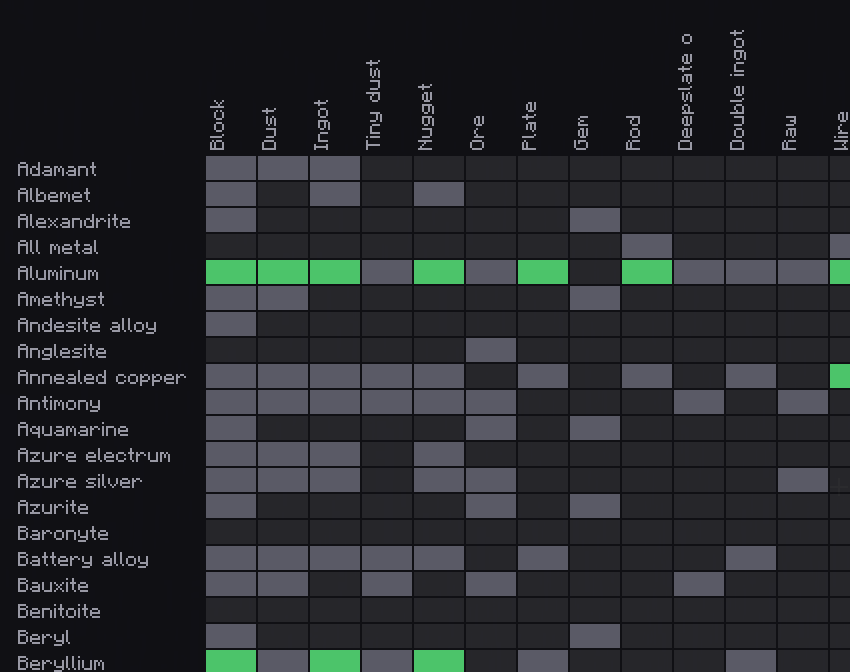
c:ingots/copper, c:plates/tin…) and from item names for the forms mods leave untagged: double ingots, wires, large plates.
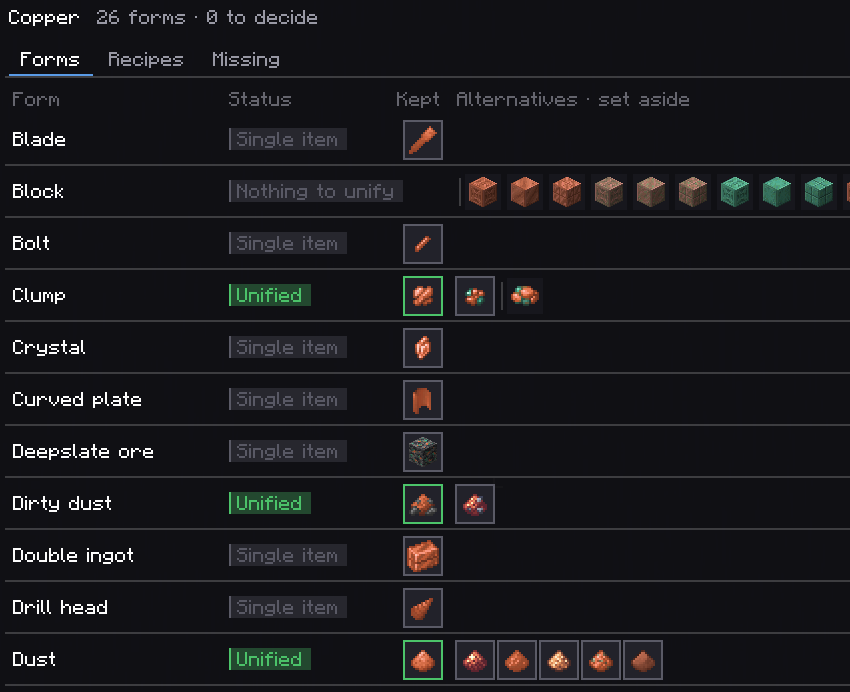
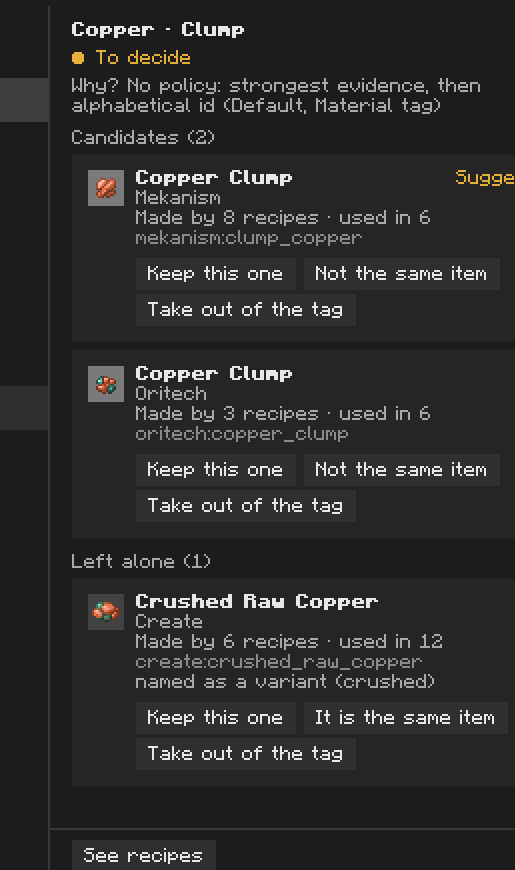
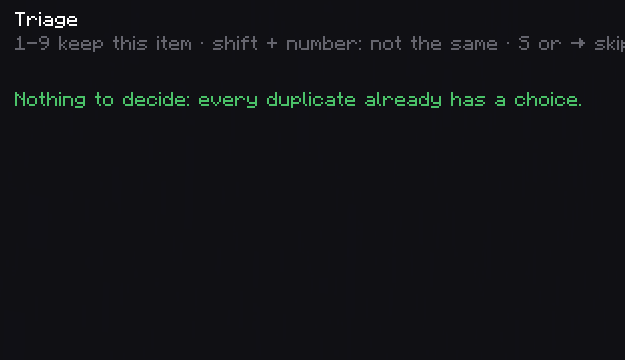
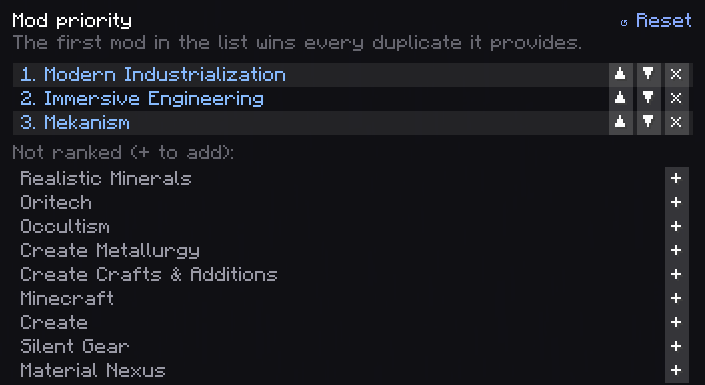

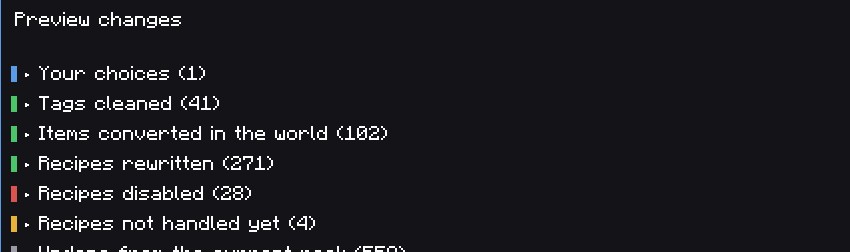
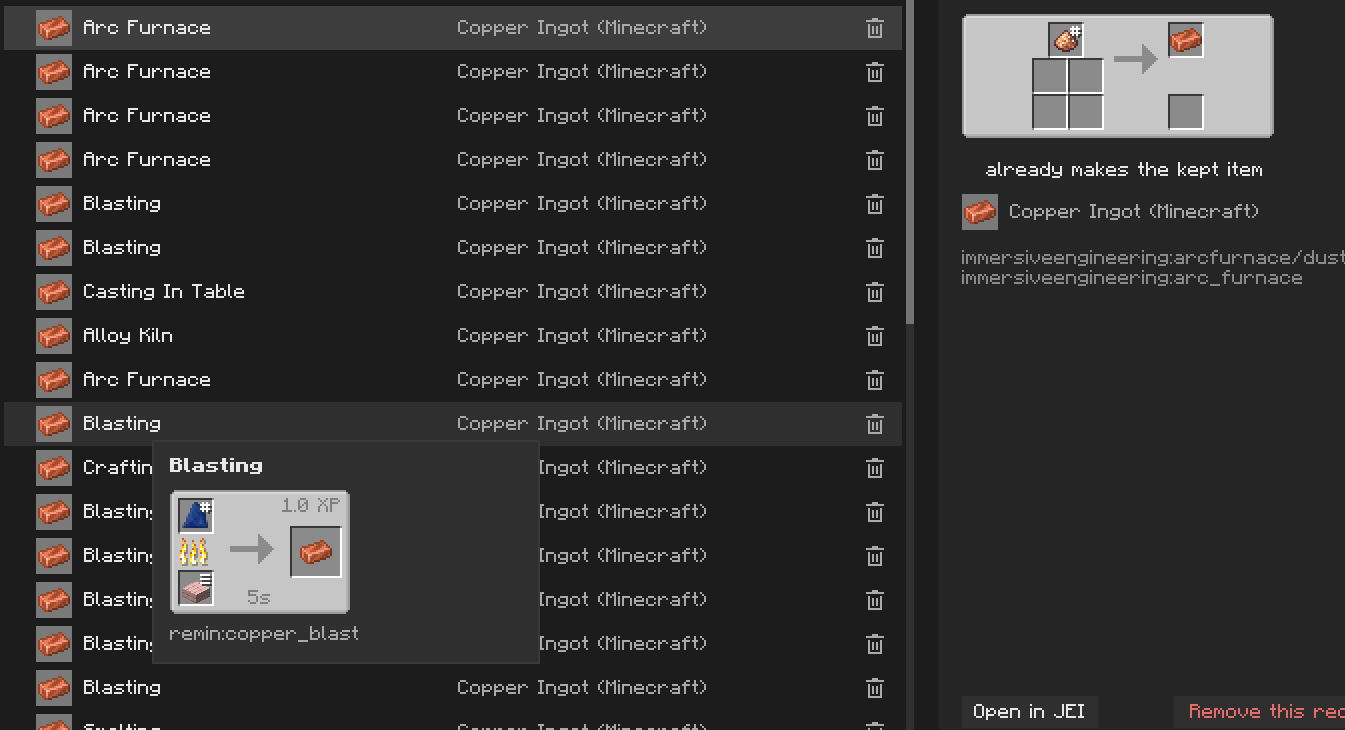

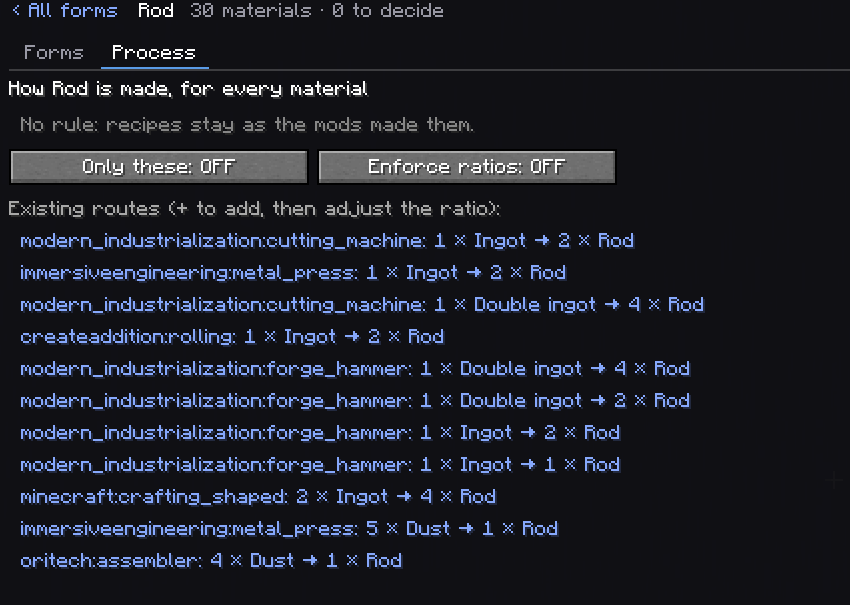
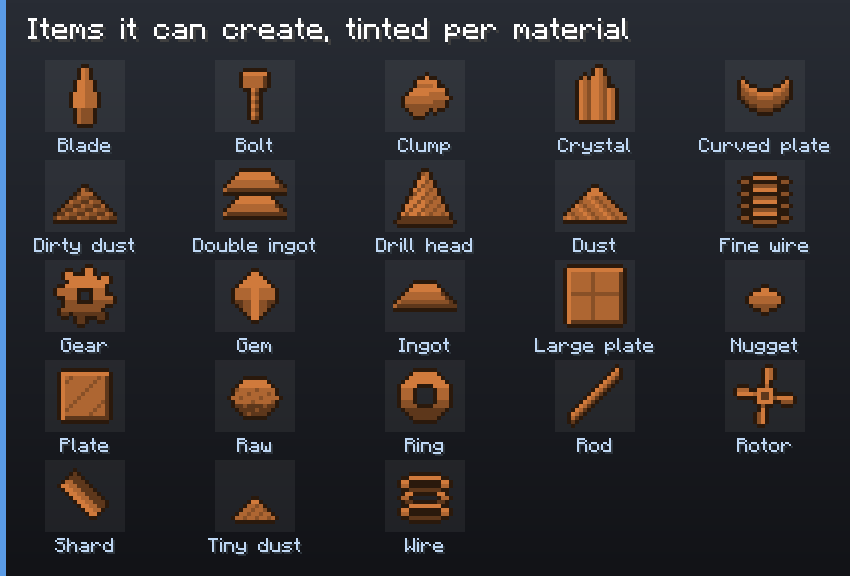

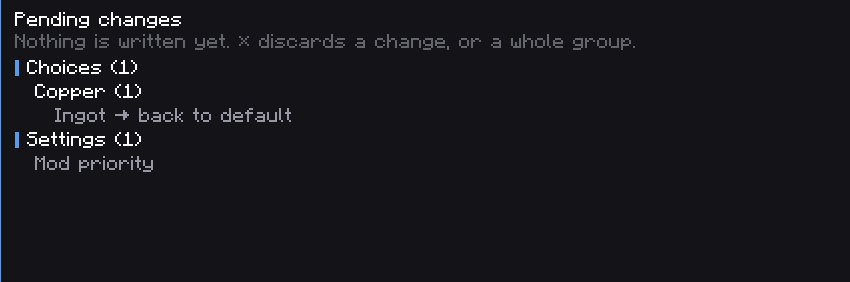
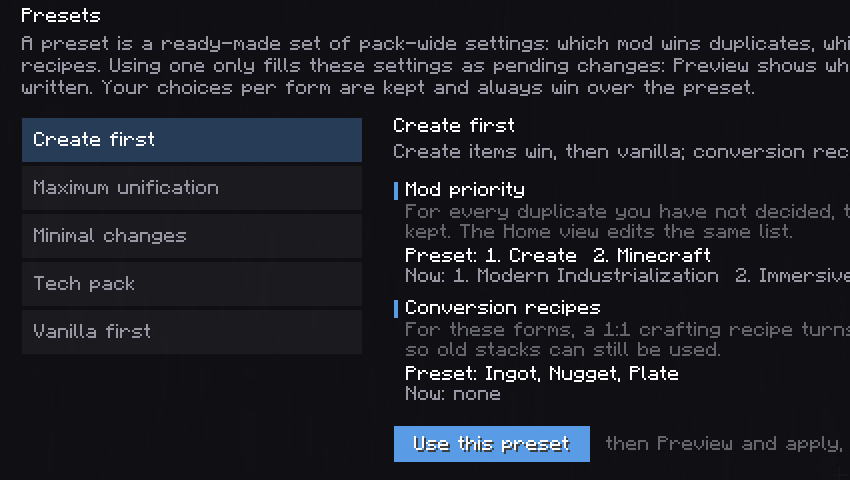

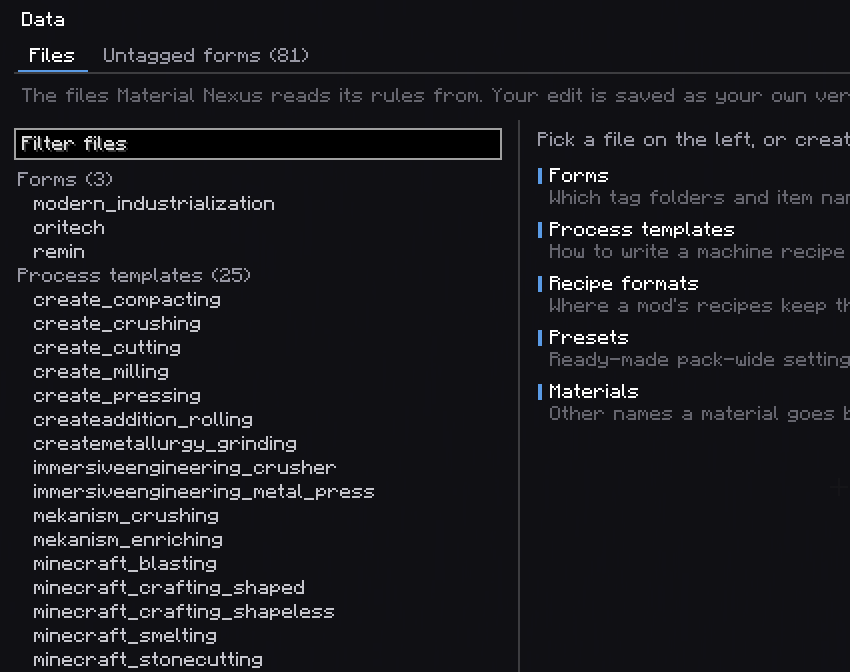
Everything is files in config/materialnexus/, made to ship with the pack; the wiki documents every field. The rules themselves (which tags and names make a form, how a mod's recipes store their items, process templates, presets) are datapack data, editable in game in Rule files. /materials report writes a full analysis. KubeJS scripts get a read-only MaterialNexus binding to ask which item is kept, and a pack that already unifies with scripts sees what they decided, offered as the same choices, with the script lines to delete once applied.
| Loader | NeoForge |
| JEI (optional) | alternatives hidden once unified |
| EMI (optional) | alternatives hidden once unified |
| Almost Unified (optional) | each job (tags, recipes, hiding) left to it unless you give it to Material Nexus: never done twice |
| KubeJS (optional) | a read-only MaterialNexus binding; what scripts already unify is offered as choices; scripts keep the last word |
Needed on the server, and on clients for the screen, the tooltips and created items.
Does it change my pack on its own? No. Nothing is unified until you choose and press Apply, after the preview.
Can I undo? Yes: discard what is not applied yet, put choices back to default, revert the last apply, or restore an earlier state from the history.
Multiplayer? Decide in singleplayer or LAN, then ship config/materialnexus/ with the pack. On a dedicated server the screen is read-only. If you created items, every client needs the same items.json.
Is it like Almost Unified? Both unify. Material Nexus is built around a screen and a preview: you see every duplicate, every variant left alone and every recipe it would change before anything happens, and you can undo anything. It also writes missing machine recipes and creates missing items. The two can run together, each doing its own part.
Fabric? No.
Can I put it in my modpack? Yes. No need to ask.
Modpacks: yes. No permission needed, no message required, public or private, monetised or not, on any platform or launcher.
Credit is appreciated and never required.
Forks and addons: yes, under the MIT terms. Please do not publish a fork under the name Material Nexus: the name is not covered by the licence.
Assets (textures, logo) are the one exception: redistribute them with the mod freely, but do not lift them into another project.
Wiki · Source · Report a bug
Project description from CurseForge.
Pick your setup
Choose the version and loader you play, then open the matching release.
Check the dependencies, then try the file in a copied instance before changing a world you care about.
Recent files
materialnexus-0.6.0-beta.1-26.1.2.jar
5 Nov 2026
materialnexus-0.5.0-1.21.1.jar
30 Oct 2026
materialnexus-0.5.0-1.20.1.jar
30 Oct 2026
27 Oct 2026
27 Oct 2026
14 Oct 2026
14 Oct 2026
9 Oct 2026
9 Oct 2026
7 Oct 2026
Looking for an older file? The official CurseForge project page is in Resources.
 mod
Experience Minecraft like never before with over 90 new plushies! As well as many other new vanilla style blocks, food, and much much more with Assorted Discoveries!
 mod
A highly customizable enchantment rework that makes for a rewarding grind while keeping things random
 mod
A lightweight storage utility mod that sorts mixed chests into clean item categories.