Minecraft version
Back to mods 
CurseForge · Minecraft mod
Upgrade +9
Upgrade your weapons and armor from +1 to +9 at a Fusion Table, with success chances, level loss on failure, and dazzling visual effects.
Choose a version Pick your version below, then grab the matching file.
Quick answer
Which Upgrade +9 release should I use?
Latest stable file upgrade_plus_9-2.1.0.jar
Game version 1.20.1
Loader Forge
Upgrade +9 upgrade_plus_9-2.1.0.jar targets 1.20.1 with Forge. The project page does not say whether this file belongs on the client, dedicated server, or both. No extra mods listed for this file.
Where it goes
Is Upgrade +9 required on the client, server, or both?
The project page does not say whether this file belongs on the client, dedicated server, or both.
Client Source doesn’t say
Dedicated server Source doesn’t say
Loader for this release Forge
Required install it here Optional supported, not mandatory Not supported do not install here Source doesn’t say do not assume
The source does not explicitly classify this release as client-only or server-only.
What else does Upgrade +9 upgrade_plus_9-2.1.0.jar need?
upgrade_plus_9-2.1.0.jar. Change the file and its required mods may change too.
This file does not list any required mods. Do not add a library just because a different file uses it.
This file does not list any required or optional mods.
Before you install it
Add Upgrade +9 without breaking your instance.
Built for Upgrade +9 upgrade_plus_9-2.1.0.jar. Pick another file and the loader, install side or required mods may change.
- 01
Stick to this file
Use upgrade_plus_9-2.1.0.jar. It targets 1.20.1 with Forge; another release may have different loader, side or dependency requirements.
- 02
Bring the mods it needs
This file does not list any required mods. Do not add a library just because a different file uses it.
- 03
Put it on the correct side
The project page does not say whether this file belongs on the client, dedicated server, or both.
- 04
Pick the file you checked
Use the “Get this file” button beside upgrade_plus_9-2.1.0.jar. It opens that exact file at the source.
About this project
What does Upgrade +9 add?
Upgrade +9
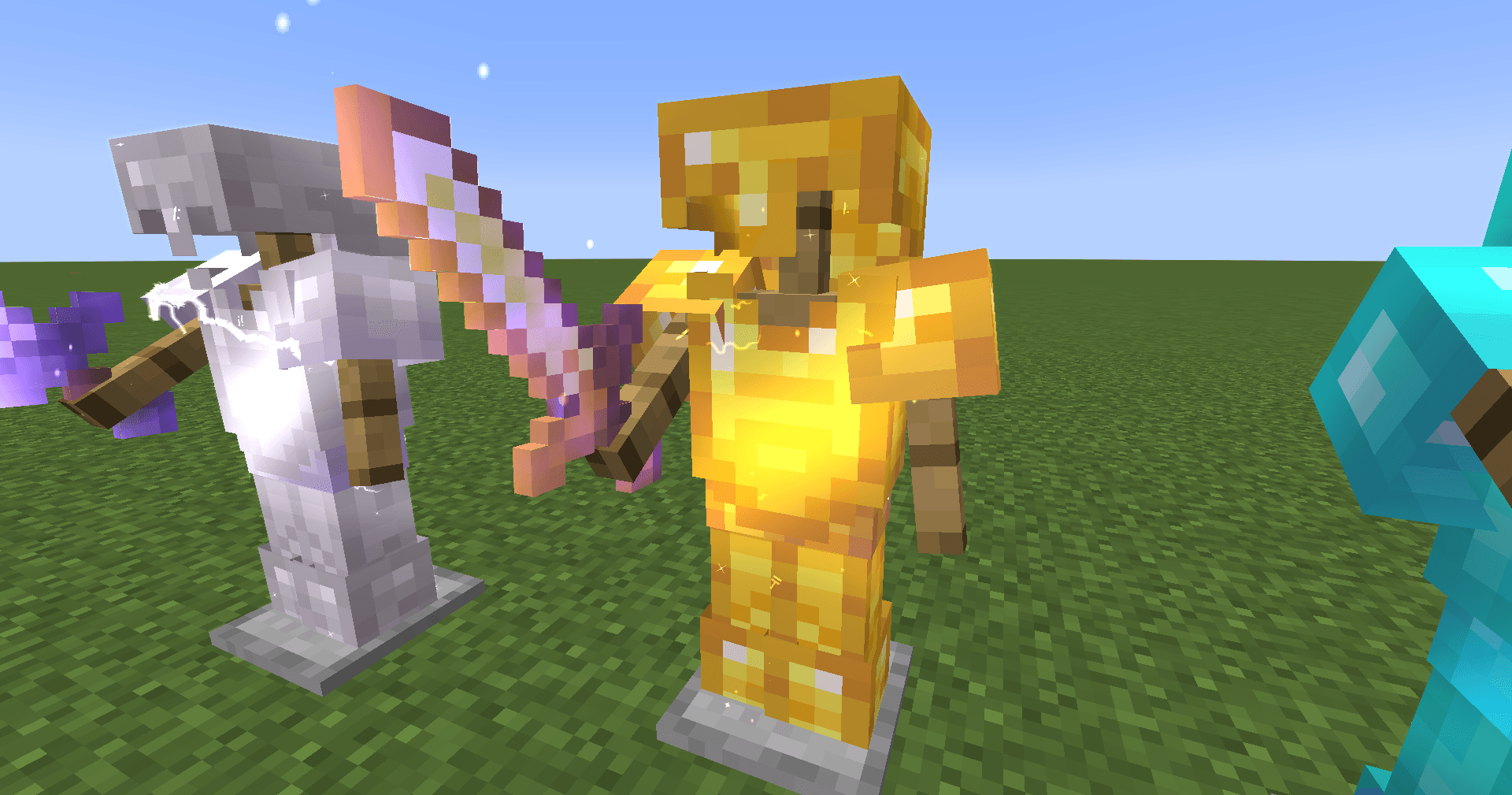
Turn ordinary gear into a legend. Upgrade +9 adds the Fusion Table, where you refine weapons, armor and tools from +1 up to +9 using materials from every corner of the game.
Features
- Fusion Table: place your equipment, add the required materials and press Refine.
- +1 to +9 progression for swords, axes, helmets, chestplates, leggings and boots. Bows can be refined too.
- Tools too: pickaxes, shovels and hoes can be refined as well, and each level makes them mine faster, on top of Efficiency and Haste.
- Real stat gains: every level adds attack damage to weapons, armor points to armor and mining speed to tools. The +9 step is a big jump.
- Risk and reward: each level has its own success chance. A failed fusion can drop the item back a level, and a Totem of Undying can protect it.
- Recipes that follow your progress: low levels ask for simple farmable materials; high levels send you to the Nether and the End.
- Spectacular visuals: refined gear shines in its own colours, read automatically from each item's texture. The effect grows with every level: moving sheen and sparks on armor and weapons, electric arcs at high levels, a calmer version on tools, and floating glyphs on enchanted gear. +9 is the strongest.
- Immersive fusion animation with layered sounds, and a recipe book that shows what each level needs.
- Works with other mods: weapons and armor from other mods are detected by their attributes. (Tools are supported for vanilla items only.)
- Languages: English, Spanish and French.
Configurable recipes
Don't like the costs or odds? A config file (config/upgrade_plus_9-recipes.json) lets you change the ingredients, success chance and failure penalty of any recipe, without a datapack. A reference file with all the default values is generated next to it. Invalid entries are ignored and the official recipe is used instead.
For servers and modpacks
- Success and failure are decided on the server only.
- All recipes and stat tables are data-driven JSON, so you can also change costs, chances and bonuses with a datapack.
- Client options let each player reduce effects, particles and sounds.
Requirements
- Minecraft 1.20.1
- Forge
Updates
Version 2.1.0 is updated in place: fixes and improvements are released as new builds of 2.1.0 rather than new version numbers. If something looks off, re-download the file.
Support
Found a bug or have a suggestion? Leave a comment or open an issue.
Project description from CurseForge.
Pick your setup
Upgrade +9 by Minecraft version and loader
Choose the version and loader you play, then open the matching release.
Check the dependencies, then try the file in a copied instance before changing a world you care about.
Recent files
Upgrade +9 versions and loaders
upgrade_plus_9-2.1.0.jar
18 Oct 2026
Client Source doesn’t say Server Source doesn’t say Dependencies No extras listed Listed on Release listing
Check the 1.20.1 · Forge setup 1.20.1Forge release
upgrade_plus_9-0.37.0.jar
12 Oct 2026
Client Source doesn’t say Server Source doesn’t say Dependencies No extras listed Listed on Release listing
Check the 1.20.1 · Forge setup 1.20.1Forge release
upgrade_plus_9-0.33.3.jar
11 Oct 2026
Client Source doesn’t say Server Source doesn’t say Dependencies No extras listed Listed on Release listing
Check the 1.20.1 · Forge setup 1.20.1Forge beta
Looking for an older file? The official CurseForge project page is in Resources.
 mod
mod CurseForge + Modrinth · Minecraft
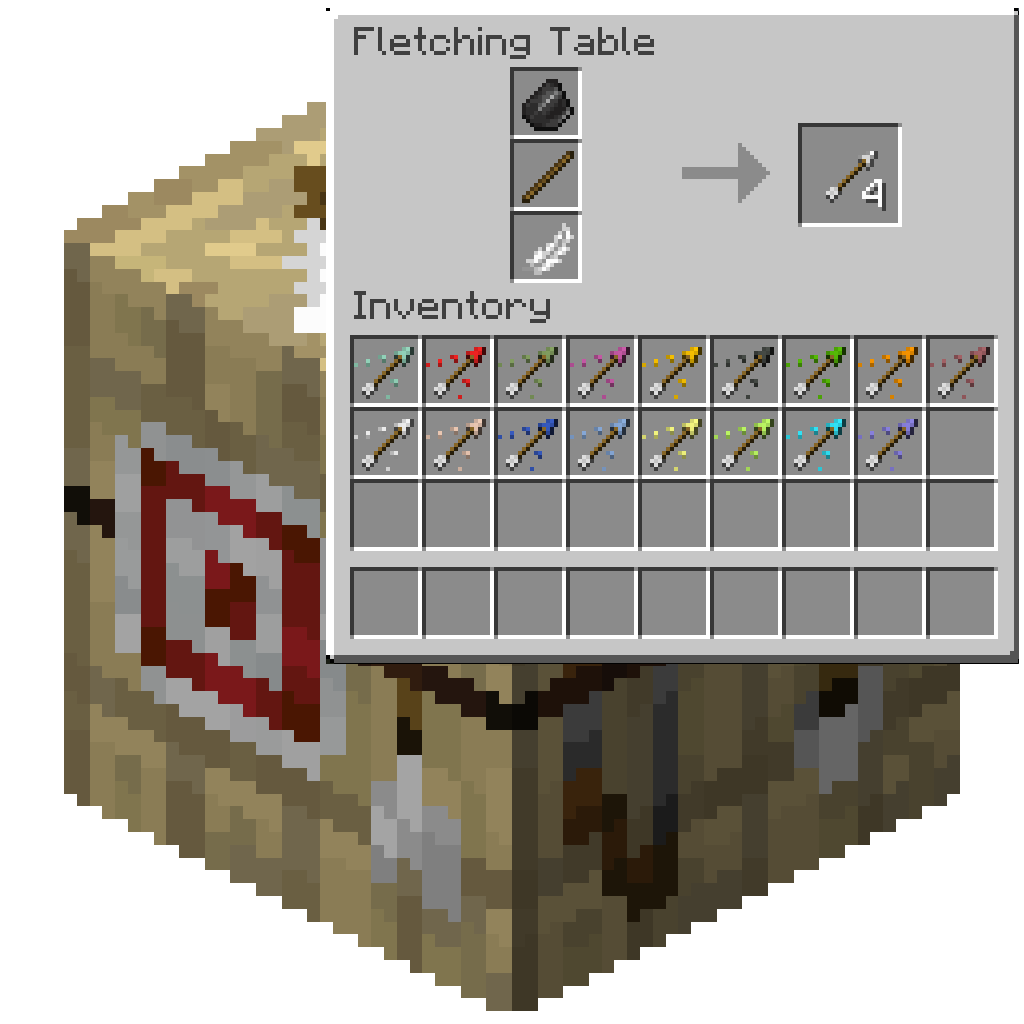
Fletching Recipe
Craft more arrows with same amount of ingredient with Fletching Recipe. Craft Explosive arrows with Fletching Table and blow your enemy up!
 mod
mod CurseForge · Minecraft
Colonists Recruited
Makes Recruits and Colonists recognise each other and work together, additionally the WnT war system is further developed
 mod
mod CurseForge · Minecraft
More Attributes
Added many new attributes to the game, further expanding the customization capabilities of the attributes.