Minecraft version
Back to mods 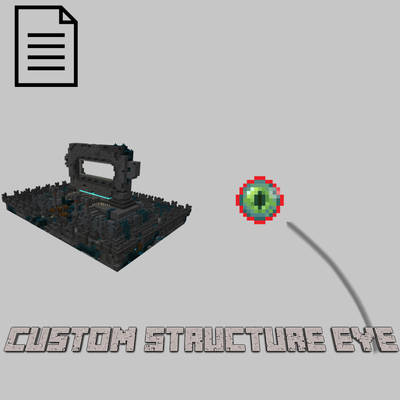
CurseForge · Minecraft mod
Custom Structure Eye
Create custom structure-tracking Eyes and crafting recipes using datapacks.
Choose a version Pick your version below, then grab the matching file.
Quick answer
Which Custom Structure Eye release should I use?
Latest stable file custom_structure_eye-1.0.0.jar
Game version 1.20.1
Loader Forge
Custom Structure Eye custom_structure_eye-1.0.0.jar targets 1.20.1 with Forge. The project page does not say whether this file belongs on the client, dedicated server, or both. No extra mods listed for this file.
Where it goes
Is Custom Structure Eye required on the client, server, or both?
The project page does not say whether this file belongs on the client, dedicated server, or both.
Client Source doesn’t say
Dedicated server Source doesn’t say
Loader for this release Forge
Required install it here Optional supported, not mandatory Not supported do not install here Source doesn’t say do not assume
The source does not explicitly classify this release as client-only or server-only.
What else does Custom Structure Eye custom_structure_eye-1.0.0.jar need?
custom_structure_eye-1.0.0.jar. Change the file and its required mods may change too.
This file does not list any required mods. Do not add a library just because a different file uses it.
This file does not list any required or optional mods.
Before you install it
Add Custom Structure Eye without breaking your instance.
Built for Custom Structure Eye custom_structure_eye-1.0.0.jar. Pick another file and the loader, install side or required mods may change.
- 01
Stick to this file
Use custom_structure_eye-1.0.0.jar. It targets 1.20.1 with Forge; another release may have different loader, side or dependency requirements.
- 02
Bring the mods it needs
This file does not list any required mods. Do not add a library just because a different file uses it.
- 03
Put it on the correct side
The project page does not say whether this file belongs on the client, dedicated server, or both.
- 04
Pick the file you checked
Use the “Get this file” button beside custom_structure_eye-1.0.0.jar. It opens that exact file at the source.
About this project
What does Custom Structure Eye add?
Custom Structure Eye
Custom Structure Eye is a Minecraft mod that allows you to create custom structure-tracking Eyes using datapacks. Define your own Eyes that guide players toward specific structures, including vanilla structures and structures added by other mods.
Unlike ordinary structure-finding items, Custom Structure Eye lets you configure multiple types of Eyes with different targets, search ranges, flight behavior, cooldowns, and other properties. You can also create custom crafting recipes, allowing you to integrate your Eyes into your modpack's progression and balance.
The mod is designed to be extended through datapacks, so you can add new Eyes and customize their behavior without modifying the mod's source code.
Features
Custom Structure-Tracking Eyes: Create multiple Eyes, each designed to locate specific structures.
Datapack-Based Configuration: Define Eyes using JSON files without modifying Java code.
Custom Target Structures: Specify one or more target structures for each Eye, including structures from vanilla Minecraft and compatible mods.
Configurable Search Range: Set the maximum distance an Eye searches for its target structure.
Custom Flight Behavior: Configure how long an Eye flies when searching.
Configurable Cooldown: Set the cooldown between uses for each Eye.
Flexible Item Consumption: Choose whether an Eye is consumed when used.
Custom Drop Chance: Configure the drop chance associated with each Eye.
Custom Item Models: Configure item model data to display different appearances for different Eyes.
Custom Crafting Recipes: Define crafting recipes through datapack JSON files, using the ingredients of your choice.
Modpack Integration: Create specialized Eyes for exploration, progression, custom dimensions, and modded structures.
How It Works
Each Eye is defined by a JSON file in the datapack. The definition specifies which structures the Eye searches for and how it behaves when used.
When a player uses an Eye, it searches for its configured target structures and guides the player toward a suitable location. Different Eyes can be configured for different structures, allowing modpack creators to provide dedicated exploration tools for specific destinations.
For example, you could create:
An Eye that locates Ancient Cities.
An Eye that locates a structure added by another mod.
An Eye that searches for structures in a custom dimension, provided the target structure and dimension are supported by the underlying structure-search system.
Multiple Eyes with different search ranges, cooldowns, and consumption settings.
Creating Custom Eyes with Datapacks
You can add custom Eyes by creating JSON files in the following directory:
data/custom_structure_eye/eyes/
Each JSON file defines one Eye. The file name can be chosen to identify the Eye, and the definition's id determines its registered identifier.
Example Eye Definition
The following is an illustrative example of an Eye definition:
{
  "id": "custom_structure_eye:ancient_city_eye",
  "display_name": "Ancient City Eye",
  "translation_key": "item.custom_structure_eye.ancient_city_eye",
  "icon": "custom_structure_eye:eyes/ancient_city_eye",
  "target_structures": [
    "minecraft:ancient_city"
  ],
  "search_range": 1000,
  "eye_drop_chance": 0.1,
  "cooldown": 20,
  "flight_time": 20,
  "model_data": 1001,
  "consume_on_use": true
}
This example illustrates the available configuration fields. Use values appropriate for your mod version and intended gameplay.
Eye Definition Fields
| Field | Description |
|---|---|
id |
The unique identifier of the Eye. |
display_name |
The display name associated with the Eye. |
translation_key |
The localization key used for the Eye's name. |
icon |
The resource location used to identify its icon or model resource. |
target_structures |
A list of structure IDs the Eye can search for. |
search_range |
The configured maximum search range. |
eye_drop_chance |
The configured drop chance for the Eye. |
cooldown |
The cooldown between uses. |
flight_time |
The configured flight duration. |
model_data |
The custom model data value used to distinguish the Eye's appearance. |
consume_on_use |
Determines whether the Eye is consumed when used. |
Important: Structure IDs must be valid resource locations. For example, vanilla Ancient Cities use minecraft:ancient_city. For structures added by other mods, use the structure ID registered by that mod.
Creating Custom Crafting Recipes
You can make your custom Eyes craftable by adding recipe JSON files to:
data/custom_structure_eye/recipes/
Each recipe specifies the Eye to create and the ingredients required to craft it.
Example Crafting Recipe
{
  "type": "custom_structure_eye:eye_crafting",
  "group": "custom_structure_eye:eyes",
  "eye_id": "custom_structure_eye:ancient_city_eye",
  "ingredients": [
    {
      "item": "minecraft:ender_eye"
    },
    {
      "item": "minecraft:echo_shard"
    },
    {
      "item": "minecraft:sculk_catalyst"
    }
  ]
}
This example creates an Ancient City Eye using an Ender Eye, an Echo Shard, and a Sculk Catalyst. The recipe uses shapeless crafting, so the ingredients can be placed in any arrangement in the crafting grid.
Recipe Fields
| Field | Description |
|---|---|
type |
The recipe type. Use custom_structure_eye:eye_crafting for Custom Structure Eye recipes. |
group |
The recipe book group for organizing related recipes. |
eye_id |
The identifier of the Eye to create. It must match an existing Eye definition. |
ingredients |
The list of required ingredients. |
You can replace the example ingredients with other items or tags supported by Minecraft's recipe system.
Important: The eye_id must refer to a valid Eye definition in data/custom_structure_eye/eyes/. Defining a crafting recipe alone does not create the Eye's structure-search behavior.
Customizing Item Appearance
Different Eyes can use different model data values so that each type can have its own appearance.
To customize an Eye's visual appearance, provide the appropriate item model and texture resources in your resource pack or mod resources. Make sure the model data value and resource paths match the conventions used by your Minecraft version and the mod.
Using Custom Structure Eye in Modpacks
Custom Structure Eye is suitable for modpacks that add many structures or use custom exploration progression.
You can use datapacks to:
Add dedicated Eyes for structures from other mods.
Control how far players can search for structures.
Adjust cooldowns and item consumption to balance exploration.
Create crafting recipes that use materials obtained from specific dimensions or progression milestones.
Provide different Eyes for different stages of a modpack.
Custom Textures and Models
Custom Structure Eye supports custom item appearances, allowing you to give each Eye its own texture and model.
You can customize the appearance of your Eyes by adding resource files to your resource pack or mod resources.
Texture Location
Place your Eye textures in the following directory:
assets/custom_structure_eye/textures/item/eyes/
For example, the texture for an Ancient City Eye could be placed at:
assets/custom_structure_eye/textures/item/eyes/ancient_city_eye.png
Item Model Location
Item model JSON files should be placed in:
assets/custom_structure_eye/models/item/eyes/
For example:
assets/custom_structure_eye/models/item/eyes/ancient_city_eye.json
The model file defines how the item's texture is displayed in-game.
Connecting Textures to Eye Definitions
In your Eye definition JSON, use the icon field to specify the resource location associated with the Eye's appearance. You can also use model_data to distinguish different Eye models when using the appropriate item model configuration.
Make sure that your texture paths, model resource locations, and model data values match your resource files and item model setup.
Creating Different Eye Designs
You can create unique appearances for different Eyes, such as:
Ancient City Eyes with a sculk-inspired design.
Nether Eyes with fiery colors.
End Eyes with purple or cosmic effects.
Eyes designed specifically for structures added by other mods.
Custom textures and models allow you to visually distinguish each Eye, making it easier for players to identify their purpose in-game.
Project description from CurseForge.
Pick your setup
Custom Structure Eye by Minecraft version and loader
Choose the version and loader you play, then open the matching release.
Check the dependencies, then try the file in a copied instance before changing a world you care about.
Recent files
Custom Structure Eye versions and loaders
custom_structure_eye-1.0.0.jar
12 Oct 2026
Client Source doesn’t say Server Source doesn’t say Dependencies No extras listed Listed on Release listing
Check the 1.20.1 · Forge setup 1.20.1Forge release
Looking for an older file? The official CurseForge project page is in Resources.
 mod
mod CurseForge + Modrinth · Minecraft
Tools On My Back (TOMB)
Displays the last used tool on the player's back. Adds immersive style to your adventures! 🪄 Now with an in-game editor and profile sharing! 🪄
 mod
mod CurseForge + Modrinth · Minecraft
Elytra Bonk
Mod that plays a bonk sound when you fly into a wall with an elytra
 mod
mod CurseForge · Minecraft
Create : Tick Control
Create Tick Control optimisation smart block entities ticks optimise create server and client