Better Advanced Tooltips Needed by kubegroovy-neoforge-1.0.3+26.1.2-neoforge.jar
requiredMatching file found Matched file: better-advanced-tooltips-2601.1.0-build.11.jar

CurseForge · Minecraft mod
KubeGroovy is a fork of KubeJS running on Groovy instead of Javascript
Quick answer
kubegroovy-neoforge-1.0.3+26.1.2-neoforge.jar targets 26.1.2 with NeoForge. The project page does not say whether this file belongs on the client, dedicated server, or both. All 1 required mods have matching files.
Where it goes
The project page does not say whether this file belongs on the client, dedicated server, or both.
The source does not explicitly classify this release as client-only or server-only.
kubegroovy-neoforge-1.0.3+26.1.2-neoforge.jar on 26.1.2. Every mod below is checked against that same setup.
Install Better Advanced Tooltips first. We found matching files for this game-version and loader setup.
We only count dependency files that match this setup. A file for another loader does not fill the gap.
Before you install it
Built for kubegroovy-neoforge-1.0.3+26.1.2-neoforge.jar on 26.1.2. Pick another file and the loader, install side or required mods may change.
Use kubegroovy-neoforge-1.0.3+26.1.2-neoforge.jar. It targets 26.1.2 with NeoForge; another release may have different loader, side or dependency requirements.
Install Better Advanced Tooltips first. We found matching files for this game-version and loader setup.
The project page does not say whether this file belongs on the client, dedicated server, or both.
Use the “Get this file” button beside kubegroovy-neoforge-1.0.3+26.1.2-neoforge.jar. It opens that exact file at the source.
About this project
KubeGroovy (WIP wiki) is a fork of KubeJS that runs Groovy scripts (Groovy 6.x) instead of JavaScript.
Note: If you are a script developer (i.e. pack dev, server admin, etc.), check the kubegroovy/ folder in your game directory and the example main.groovy files to get started.
KubeGroovy is a Minecraft mod which lets you create scripts in the Groovy programming language to manage your server using events, change recipes, add loot tables, customise your world generation, add new blocks and items, or use custom integration with other mods for even more advanced features!
Scripts live in the kubegroovy/ game directory:
startup_scripts/ - loaded once during game startup (.groovy files, support // priority: N, // requires: <modid> headers)server_scripts/ - reloaded with /reloadclient_scripts/ - reloaded with F3+TEvents are posted to Groovy closures, e.g.:
KubeGroovy script bindings use a $ prefix, so imported classes keep their unprefixed names.
$ServerEvents.recipes { event ->
    event.shaped('minecraft:diamond', ['AAA', 'AAA', 'AAA'], [A: 'minecraft:dirt'])
}
If you think you've found a bug with the mod or want to ask for a new feature, feel free to open an issue here on GitHub!
KubeGroovy is distributed under the GNU Lesser General Public License v3.0, or LGPLv3. See our LICENSE file for more information. Upstream KubeJS is also LGPLv3, see the original repository for details.
If you want to contribute to KubeGroovy, clone the repository using Git and import the gradle project using an IDE of your choice!
Building KubeGroovy from source should be rather straightforward, just run gradlew build in the root project, and the jar files should be in build/libs directory.
Project description from CurseForge.
Pick your setup
Choose the version and loader you play, then open the matching release.
Check the dependencies, then try the file in a copied instance before changing a world you care about.
Recent files
kubegroovy-neoforge-1.0.3-26.1.2-neoforge.jar
21 Nov 2026
kubegroovy-neoforge-1.0.2-26.1.2-neoforge.jar
15 Nov 2026
27 Oct 2026
15 Oct 2026
Looking for an older file? The official CurseForge project page is in Resources.
 mod
World map and minimap using vanilla maps
 mod
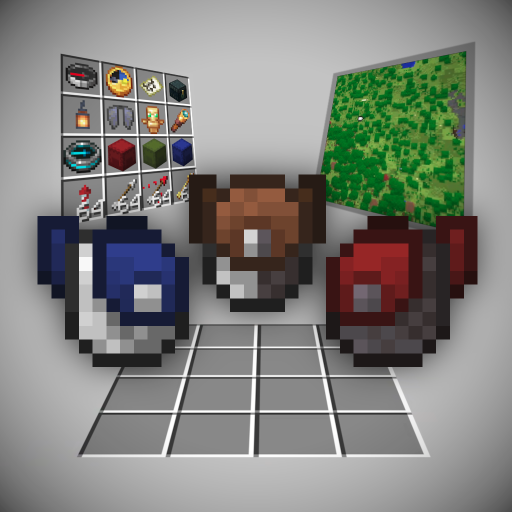
Store tools and equipment in the Tool Pouch to make them more useful
 mod
Introduces insightful content featuring fruits and beekeeping