Minecraft version
Back to mods 
CurseForge · Minecraft mod
Player Alert
This mod displays players who are within your render distance via local chat. It can also show the number of players currently within your render distance and apply a glowing effect to them.
Choose a version Pick your version below, then grab the matching file.
Quick answer
Which Player Alert release should I use?
Latest stable file player-alert-1.3.jar
Game version 1.21.11
Loader Fabric
Player Alert player-alert-1.3.jar targets 1.21.11 with Fabric. The project page does not say whether this file belongs on the client, dedicated server, or both. No extra mods listed for this file.
Where it goes
Is Player Alert required on the client, server, or both?
The project page does not say whether this file belongs on the client, dedicated server, or both.
Client Source doesn’t say
Dedicated server Source doesn’t say
Loader for this release Fabric
Required install it here Optional supported, not mandatory Not supported do not install here Source doesn’t say do not assume
The source does not explicitly classify this release as client-only or server-only.
What else does Player Alert player-alert-1.3.jar need?
player-alert-1.3.jar. Change the file and its required mods may change too.
This file does not list any required mods. Do not add a library just because a different file uses it.
This file does not list any required or optional mods.
Before you install it
Add Player Alert without breaking your instance.
Built for Player Alert player-alert-1.3.jar. Pick another file and the loader, install side or required mods may change.
- 01
Stick to this file
Use player-alert-1.3.jar. It targets 1.21.11 with Fabric; another release may have different loader, side or dependency requirements.
- 02
Bring the mods it needs
This file does not list any required mods. Do not add a library just because a different file uses it.
- 03
Put it on the correct side
The project page does not say whether this file belongs on the client, dedicated server, or both.
- 04
Pick the file you checked
Use the “Get this file” button beside player-alert-1.3.jar. It opens that exact file at the source.
About this project
What does Player Alert add?
This mod displays players within your render distance via local chat. It can also show the number of players currently within your render distance and apply a glowing effect to them. Furthermore, it is compatible with the Mod Menu mod, allowing you to configure various settings—including the option to make players glow.
Project description from CurseForge.
Pick your setup
Player Alert by Minecraft version and loader
Choose the version and loader you play, then open the matching release.
Check the dependencies, then try the file in a copied instance before changing a world you care about.
Recent files
Player Alert versions and loaders
player-alert-1.3.jar
player-alert-1.0 (12).jar
19 Oct 2026
Client Source doesn’t say Server Source doesn’t say Dependencies No extras listed Listed on Release listing
Check the 1.21.11 · Fabric setup Fabric1.21.11 release
player-alert-1.2.jar
player-alert-1.0 (11).jar
18 Oct 2026
Client Source doesn’t say Server Source doesn’t say Dependencies No extras listed Listed on Release listing
Check the 1.21.11 · Fabric setup Fabric1.21.11 release
player-alert-1.0 (3).jar
17 Oct 2026
Client Source doesn’t say Server Source doesn’t say Dependencies No extras listed Listed on Release listing
Check the 1.21.11 · Fabric setup Fabric1.21.11 release
Looking for an older file? The official CurseForge project page is in Resources.
 mod
mod CurseForge · Minecraft
Idle Chatter
Villagers and pillagers now talk in small pixel-art speech bubbles above their heads, with every line editable through data packs and resource packs.
 mod
mod CurseForge · Minecraft
GlobalShop
All-in-One Economy, Player Market & Server Shop. Zero dependencies, supports all mods!
 mod
mod CurseForge · Minecraft
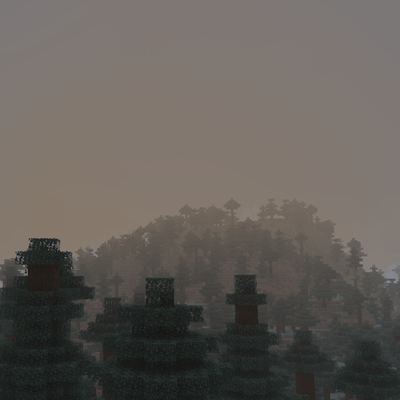
Haze - Realistic fog
Realistic fog: on some calm mornings fog settles into the valleys and glows in the sunrise, rain leaves a grey mist and swamps stay misty. Client-side.