Quick answer
Which Pocket Door release matches 26.2?
Best match for your filters pocketdoor-1.12.0 for mc26.2
Game version 26.2
Loader NeoForge
Pocket Door pocketdoor-1.12.0 for mc26.2 targets 26.2 with NeoForge. The project page does not say whether this file belongs on the client, dedicated server, or both. No extra mods listed for this file.
Where it goes
Is Pocket Door required on the client, server, or both?
The project page does not say whether this file belongs on the client, dedicated server, or both.
Client Source doesn’t say
Dedicated server Source doesn’t say
Loader for this release NeoForge
Required install it here Optional supported, not mandatory Not supported do not install here Source doesn’t say do not assume
The source does not explicitly classify this release as client-only or server-only.
What else does Pocket Door pocketdoor-1.12.0 for mc26.2 need?
pocketdoor-1.12.0 for mc26.2 on 26.2. Every mod below is checked against that same setup.
This file does not list any required mods. Do not add a library just because a different file uses it.
4 listed on this file 1 pulled in by one of those mods
Pocket Links! Optional for Pocket Door pocketdoor-1.12.0 for mc26.2 optionalMatching file found Matched file: pocketlinks-1.1.2 for mc26.2
Matching file found Matched file: pocketthemes-1.1.4 for mc26.2
Matching file found Matched file: pocketbackpack-1.1.2 for mc26.2
Matching file found Matched file: pocketmarket-1.0.3 for mc26.2
Matching file found Matched file: pocketdoor-1.12.0 for mc26.2
1
extra mod was pulled in by another dependency.
Indented rows show who needs each one. We only count dependency files that match this setup. A file for another loader does not fill the gap.
Before you install it
Add Pocket Door without breaking your instance.
Built for Pocket Door pocketdoor-1.12.0 for mc26.2 on 26.2. Pick another file and the loader, install side or required mods may change.
- 01
Stick to this file
Use pocketdoor-1.12.0 for mc26.2. It targets 26.2 with NeoForge; another release may have different loader, side or dependency requirements.
- 02
Bring the mods it needs
This file does not list any required mods. Do not add a library just because a different file uses it.
- 03
Put it on the correct side
The project page does not say whether this file belongs on the client, dedicated server, or both.
- 04
Pick the file you checked
Use the “Get this file” button beside pocketdoor-1.12.0 for mc26.2. It opens that exact file at the source.
About this project
What does Pocket Door add?
Pocket Door
Your own private room outside the world, behind a door you can put anywhere.
Craft a Pocket Door, place it, open it and walk through. You arrive in your own sealed 64×64×64 pocket: a glowing room that belongs to you alone, kept forever, reachable from every Pocket Door you place in any dimension. Walk back through the door inside and you come out exactly where you went in. Build a base, stash your loot, run your machines, or just have somewhere quiet to go.
Inspired by the personal pockets of the classic Dimensional Doors mod, built as one standalone mod with a family of add-ons.
Your pocket
- One pocket per player, the same room no matter which of your doors you use. Doors you place lead to your pocket; walk through a friend's door and you visit theirs.
- Reskin everything. Sneak-right-click a wall, floor or ceiling with any full block to change that one block; double sneak-click to redo the whole face (
/pocket fill off if you'd rather not). In survival it uses your blocks and hands back the ones it replaces. The white shell is the light source, so a stone room is a dark room: keep some glowing blocks or use glass.
- Real sky. Glass walls and ceilings show the overworld's sun, moon, stars and clouds. A Pocket Clock (clock, ender pearl, 7 glass) holds your pocket at any time of day:
/pocket time sunset.
- Grow it. A Pocket Expander (4 obsidian, 4 ender pearls, eye of ender) grows your room in place, 16 blocks wider and longer and 8 taller a time, up to 128×96×128. Your builds stay put and the walls move out. Pack makers set the default size and the caps in the config.
- Safe. Unbreakable, blast-proof shell. No mobs, no weather. Beds work. The exit door is put back if anything ever removes it, and the way out always leads back to the world.
- Pets come along. Tamed animals, leashed mobs and your mount follow you through the door.
- Chunk loading for your pocket while you're away, with a per-pocket toggle (sneak-click the exit door or
/pocket load on) and a server-wide limit. Plays nicely with FTB Chunks.
/pocket home takes you to your pocket from anywhere and back out again, if you ever lose your doors.
Visitors, locks and trust
- Lock your pocket by sneak-clicking your door (or
/pocket lock). Locked means only you and the players you trust get in.
- Visitor levels:
look (walk around, touch nothing), use (doors, chests, buttons), build. Set the default for strangers with /pocket visitors, and give friends their own level with /pocket trust <name> [level]. /pocket trust <name> none bans them.
- Live together.
/pocket use <friend> makes your doors and /pocket home lead to a friend's pocket once they trust you. With FTB Teams installed, /pocket use team gives your whole party one shared pocket that everyone can build in, lock and upgrade.
- Visitors can't break your blocks, open your pocket to others, or get stuck:
/pocket home always works for them.
The Hub
Every server gets the Hub, a shared 15×15×15 pocket built automatically with the first player's pocket. It is the directory of everyone's pocket:
- Every pocket gets a door in the Hub's wall with a nameplate showing the owner. The Hub widens by itself when the wall fills up.
- Every pocket has a Hub Pocket Door beside its exit, so the Hub is always one step away, and the Hub Pocket Door block (Pocket Door + 4 lapis blocks) leads to the Hub from anywhere, whoever placed it. Put one at spawn.
- Hub doors respect every lock, ban and trust setting. Nobody gets into a locked pocket through the Hub.
- Only ops may decorate the Hub, plus anyone they name with
/pocket admin hub builder <player>.
The Public Pocket Door (Pocket Door + 4 gold ingots) takes whoever walks through it to their own pocket, whoever placed it. Ideal for spawn lobbies and quest reward rooms.
For pack makers and servers
- Full config: pocket size, expansion steps and caps, visitor defaults, new pockets locked by default, chunk-loading limit, door cooldown, dimensions where doors won't work,
/pocket home rules, team pockets, admin permission level.
- Admin commands: teleport into any pocket, lock, load, reset, transfer, return a player, list every pocket, Hub teleport and builders.
- Advancements for everything, JEI/HEI pages for every recipe, an API with cancellable events (
Enter, Leave, Created, Reset, AccessChanged) for other mods.
- Works with Create Aeronautics and Valkyrien Skies (a door on a moving ship returns you to the ship), GLASS Remastered (a projector on Powerable Glass walls shows the outside), and skybox mods such as Topography and Simple Skybox (
sky.custom config or /pocketsky off).
- Safe to add to an existing world; saves from every earlier version load unchanged.
Add-ons
Pocket Door is the base. Install the add-ons you want:
- Pocket Links: Item, Fluid and Energy Link blocks join your pocket to the world outside. Two ends on the same channel share one buffer, so the machines inside your pocket feed from and into your base, with upgrade cards for speed, capacity, filters and redstone control.
- Pocket Themes: theme kits give your pocket the Nether, the End, the deep sea, a starry void, rain, a thunderstorm or snowfall: the walls turn invisible and a landscape rises around your room under that theme's sky, sounds and weather.
- Pocket Backpack: a wearable backpack that opens your pocket from anywhere. Press P, step in, press P to come back. Shows on your back with Curios or Accessories. Cooldowns and costs configurable for packs.
- Pocket Market: a server add-on that lets owners rent their pockets out to other players for in-game money (items, Lightman's Currency or any economy command).
Crafting
- Pocket Door: Iron Door in the middle, Eye of Ender above it, Ender Pearls left, right and below.
- Hub Pocket Door: Pocket Door in the middle, Lapis Blocks above, below, left and right.
- Public Pocket Door: Pocket Door in the middle, Gold Ingots above, below, left and right.
- Pocket Expander: Eye of Ender in the middle, Obsidian in the corners, Ender Pearls on the sides.
- Pocket Clock: Clock in the middle, Ender Pearl below it, Glass everywhere else.
Versions
| Minecraft |
Loader |
Java |
| 26.2 |
NeoForge |
25 |
| 1.21.1 |
NeoForge 21.1.x |
21 |
| 1.20.1 |
Forge 47.x |
17 |
| 1.12.2 |
Forge 14.23.5.2860 |
8 |
Same features on every version (1.12.2 uses dimension id 7353 by default, changeable in config/pocketdims.cfg, and FTB Library instead of FTB Teams for team pockets). Install on both client and server. Ports to other versions on request.
Project description from CurseForge.
Pick your setup
Pocket Door by Minecraft version and loader
Choose the version and loader you play, then open the matching release.
Minecraft version
26.2
1
loader build Minecraft version
1.21.1
1
loader build Minecraft version
1.20.1
1
loader build Minecraft version
1.12.2
1
loader build Check the dependencies, then try the file in a copied instance before changing a world you care about.
Recent files
Pocket Door versions and loaders
pocketdoor-1.12.0-mc26.2.jar
10 Nov 2026
Client Source doesn’t say Server Source doesn’t say Dependencies No extras listed Listed on Release listing
Check the 26.2 · NeoForge setup → pocketdoor-1.11.1-mc26.2.jar
6 Nov 2026
Client Source doesn’t say Server Source doesn’t say Dependencies No extras listed Listed on Release listing
Check the 26.2 · NeoForge setup → pocketdoor-1.9.0-mc26.2.jar
3 Nov 2026
Client Source doesn’t say Server Source doesn’t say Dependencies No extras listed Listed on Release listing
Check the 26.2 · NeoForge setup → pocketdoor-1.8.0-mc26.2.jar
27 Oct 2026
Client Source doesn’t say Server Source doesn’t say Dependencies No extras listed Listed on Release listing
Check the 26.2 · NeoForge setup → pocketdoor-1.7.4-mc26.2.jar
27 Oct 2026
Client Source doesn’t say Server Source doesn’t say Dependencies No extras listed Listed on Release listing
Check the 26.2 · NeoForge setup → pocketdoor-1.7.2-mc26.2.jar
22 Oct 2026
Client Source doesn’t say Server Source doesn’t say Dependencies No extras listed Listed on Release listing
Check the 26.2 · NeoForge setup → 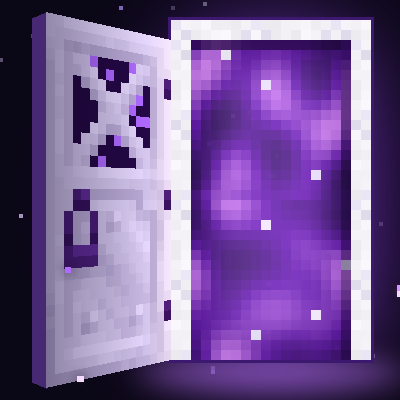
 mod
 mod
 mod