Minecraft version
Back to mods 
CurseForge · Minecraft mod
Style Optimization
Targeted performance, startup and memory optimizations, rendering repairs and compatibility fixes for Minecraft 1.21.1 NeoForge.
Choose a version Pick your version below, then grab the matching file.
Quick answer
Which Style Optimization release should I use?
Latest stable file Style Optimization 1.0.27
Game version 1.21.1
Loader NeoForge
Style Optimization 1.0.27 targets 1.21.1 with NeoForge. The project page does not say whether this file belongs on the client, dedicated server, or both. No extra mods listed for this file.
Where it goes
Is Style Optimization required on the client, server, or both?
The project page does not say whether this file belongs on the client, dedicated server, or both.
Client Source doesn’t say
Dedicated server Source doesn’t say
Loader for this release NeoForge
Required install it here Optional supported, not mandatory Not supported do not install here Source doesn’t say do not assume
The source does not explicitly classify this release as client-only or server-only.
What else does Style Optimization 1.0.27 need?
Style Optimization 1.0.27. Change the file and its required mods may change too.
This file does not list any required mods. Do not add a library just because a different file uses it.
This file does not list any required or optional mods.
Before you install it
Add Style Optimization without breaking your instance.
Built for Style Optimization 1.0.27. Pick another file and the loader, install side or required mods may change.
- 01
Stick to this file
Use Style Optimization 1.0.27. It targets 1.21.1 with NeoForge; another release may have different loader, side or dependency requirements.
- 02
Bring the mods it needs
This file does not list any required mods. Do not add a library just because a different file uses it.
- 03
Put it on the correct side
The project page does not say whether this file belongs on the client, dedicated server, or both.
- 04
Pick the file you checked
Use the “Get this file” button beside Style Optimization 1.0.27. It opens that exact file at the source.
About this project
What does Style Optimization add?
Style Optimization
Performance and compatibility crash fixes made for Kaan's Minecraft 1.21.1 NeoForge roleplay pack.
Includes targeted loading, model and texture fixes, plus animation and rendering compatibility improvements. Results depend on your world, hardware and installed mods; this is not a universal FPS booster.
Version 1.0.29 — bundled open-source components
-All upstream runtime JARs, source code, licenses and Unix build files are retained. Both original and distributed source hashes and the omitted-file list are recorded in the bundle.
One JAR now includes the original, unmodified AllTheLeaks 1.1.16, BadOptimizations 2.4.1, Clumps 19.0.0.1, FastSuite 6.0.7, FerriteCore 7.0.3, ImmediatelyFast 1.6.15, Ksyxis 1.4.6, Lithium 0.15.4, ModernFix 5.27.27, Noisium 2.3.0, ScalableLux 0.1.0.1, ServerCore 1.5.19 and Placebo 9.9.4. Each keeps its own mod ID, authors and configuration. Noisium is the official 1.21–1.21.1 release, not an independently versioned backport.
Original authors: Uncandango, Thosea, Jaredlll08, Shadows_of_Fire/Brennan Ward, malte0811, RK_01/RaphiMC, VidTu, 2No2Name, JellySquid, embeddedt, Steveplays28, Spottedleaf, ishland, Wesley1808 and their contributors. Their MIT, LGPL and file-specific GPL licenses remain in force. Source archives, licenses, original nested-library credits and exact binary hashes are supplied inside META-INF/style-optimization/. These are independently loaded components, not code claimed as original Style work.
NeoForge JarJar skips an embedded mod when the same mod ID is already separately installed. Compatible external copies take precedence, including older copies; their dependency ranges must still be satisfied. Sodium, EntityCulling and ARR-only mods are not bundled. This is not a replacement for every performance mod. No launch-time downloader, forced GC or automatic removal of installed mods is used.
Offline build/regression checks and the actual JarJar selector passed for standalone and mixed-component selection. This does not verify in-game mixin application, FPS or leak-free operation; test your own profiles.
Version 1.0.27 — retained core fixes
Adds smooth directional normal-player flight, small-player PAL/MPM item-grip repairs, bounded weak shape reuse, large vanilla ingredient lookups, immutable identifier hash caching, owner-aware NPC cache cleanup and a one-time JVM-to-menu startup display. Overlapping standalone caches yield to supported external optimizers.
The internal mod ID and existing compatibility repairs remain unchanged. Version 1.0.29 adds the independent components listed above while retaining these core fixes.
Before installing
This mod also removes selected items and blocks used by the pack's cleanup settings. Removed content may disappear from existing worlds. Back up your world first. Use matching versions and content-removal settings on the server and clients.
Only Minecraft 1.21.1 and NeoForge are required. Other supported mods are optional; you do not need to install them all.
Supported mods and credits
These projects are referenced by the compatibility fixes and resource repairs. Their code and assets belong to their original authors.
- Seamless
- G3 Doors
- Immersive Vehicles (MTS)
- Decocraft
- Every Compat (Wood Good)
- Moonlight Lib
- Another Furniture
- Beyond Outdoors
- Cluttered
- Cozy Home [Forge/NeoForge Port]
- Create Train Utilities (Create Train Doors)
- Cuffed Ported
- Custom Player Animations
- Decorative covers
- Decorative Fences
- Decorative Lattices
- Decorative Railings
- Double Doors
- furniture mods - create/sable(aeronautics) compatibility
- Furnitury - Vanilla Styled Furniture
- Hospitals - Medical Blocks & Items
- IdeaMineCreator's Gaming Furniture
- IdeaMineCreator's Modern Furniture
- Immersive Football (Soccer)
- Immersive Furniture
- Immersive Vehicles - Official Automobile Pack - [OAmP] - Best Cars Race and new cars Ultimate Drive
- Immersive Vehicles (MTS/IV) - Official Content Pack - [OCP] - Planes, Cars, Helicopters & More!
- Laser Bridges & Doors [Fabric/Forge/NeoForge]
- Macaw's Doors
- Macaw's Trapdoors
- MalisisDoors Reborn
- ManyIdeas Doors
- MDM (formerly Modern Decorations Mod)
- More Road
- MrCrayFish's Furniture Mod (Legacy Continued) + Nosiphus Furniture Mod
- MrCrayfish's Furniture Mod: Refurbished
- NhatJS's Furniture Mod
- Sliding Doors
- Super Secret Doors
- Tick Smoothing
- Valhelsia Furniture
Other targets include More Culling. Third-party resources keep their original licenses.
Project description from CurseForge.
Pick your setup
Style Optimization by Minecraft version and loader
Choose the version and loader you play, then open the matching release.
Check the dependencies, then try the file in a copied instance before changing a world you care about.
Recent files
Style Optimization versions and loaders
Style Optimization 1.0.27
Style-Optimization-1.0.27.jar
12 Nov 2026
Client Source doesn’t say Server Source doesn’t say Dependencies No extras listed Listed on Release listing
Check the 1.21.1 · NeoForge setup 1.21.1NeoForge release
Style Pack Optimization 1.0.26
Style-Pack-Optimization-1.0.26.jar
12 Nov 2026
Client Source doesn’t say Server Source doesn’t say Dependencies No extras listed Listed on Release listing
Check the 1.21.1 · NeoForge setup 1.21.1NeoForge release
Style Pack Optimization 1.0.25
Style-Pack-Optimization-1.0.25.jar
9 Nov 2026
Client Source doesn’t say Server Source doesn’t say Dependencies No extras listed Listed on Release listing
Check the 1.21.1 · NeoForge setup 1.21.1NeoForge release
Style-Pack-Optimization-1.0.24.jar
7 Nov 2026
Client Source doesn’t say Server Source doesn’t say Dependencies No extras listed Listed on Release listing
Check the 1.21.1 · NeoForge setup 1.21.1NeoForge release
Style-Pack-Optimization-1.0.23.jar
7 Nov 2026
Client Source doesn’t say Server Source doesn’t say Dependencies No extras listed Listed on Release listing
Check the 1.21.1 · NeoForge setup 1.21.1NeoForge release
Style-Pack-Optimization-1.0.22.jar
7 Nov 2026
Client Source doesn’t say Server Source doesn’t say Dependencies No extras listed Listed on Release listing
Check the 1.21.1 · NeoForge setup 1.21.1NeoForge release
Style-Pack-Optimization-1.0.21.jar
6 Nov 2026
Client Source doesn’t say Server Source doesn’t say Dependencies No extras listed Listed on Release listing
Check the 1.21.1 · NeoForge setup 1.21.1NeoForge release
Style-Pack-Optimization-1.0.18.jar
5 Nov 2026
Client Source doesn’t say Server Source doesn’t say Dependencies No extras listed Listed on Release listing
Check the 1.21.1 · NeoForge setup 1.21.1NeoForge release
Style-Pack-Optimization-1.0.16.jar
4 Nov 2026
Client Source doesn’t say Server Source doesn’t say Dependencies No extras listed Listed on Release listing
Check the 1.21.1 · NeoForge setup 1.21.1NeoForge release
Style-Pack-Optimization-1.0.14.jar
4 Nov 2026
Client Source doesn’t say Server Source doesn’t say Dependencies No extras listed Listed on Release listing
Check the 1.21.1 · NeoForge setup 1.21.1NeoForge release
Style-Pack-Optimization-1.0.12.jar
4 Nov 2026
Client Source doesn’t say Server Source doesn’t say Dependencies No extras listed Listed on Release listing
Check the 1.21.1 · NeoForge setup 1.21.1NeoForge release
Style-Pack-Optimization-1.0.11.jar
4 Nov 2026
Client Source doesn’t say Server Source doesn’t say Dependencies No extras listed Listed on Release listing
Check the 1.21.1 · NeoForge setup 1.21.1NeoForge release
Looking for an older file? The official CurseForge project page is in Resources.
 mod
CurseForge + Modrinth · Minecraft
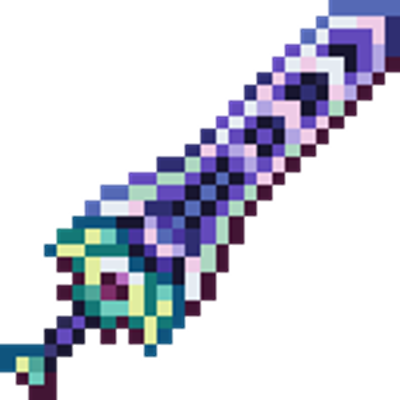
TheZenithSword
Adding the Zenith Sword to Minecraft, use it to attack groups of enemies from a distance.
 mod
CurseForge + Modrinth · Minecraft
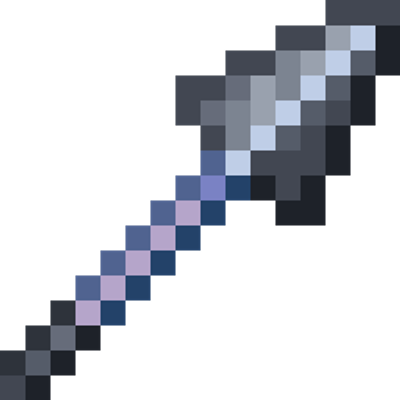
HeavySpear
Add heavy spear for minecraft 1.21.1Neoforge.
 mod
CurseForge · Minecraft
Three Dash Structure Optimizer
Up to 8x faster chunk generation in structure-heavy packs when used alongside C2ME & Lithium, and ~70% shorter autosave lag spikes for smoother server TPS. Also adds extra TPS optimizations beyond structures. Works with other optimizers or standalone.