Minecraft version
Back to mods 
CurseForge · Minecraft mod
Lore-friendly Vehicles
Adds highly detailed, modular vehicles with custom brand lores, fitting perfectly into the Minecraft universe.
Choose a version Pick your version below, then grab the matching file.
Quick answer
Which Lore-friendly Vehicles release should I use?
Latest stable file lore-friendly-vehicles-1.0.4.jar
Game version 1.21.1
Loader Fabric
Lore-friendly Vehicles lore-friendly-vehicles-1.0.4.jar targets 1.21.1 with Fabric. The project page does not say whether this file belongs on the client, dedicated server, or both. No extra mods listed for this file.
Where it goes
Is Lore-friendly Vehicles required on the client, server, or both?
The project page does not say whether this file belongs on the client, dedicated server, or both.
Client Source doesn’t say
Dedicated server Source doesn’t say
Loader for this release Fabric
Required install it here Optional supported, not mandatory Not supported do not install here Source doesn’t say do not assume
The source does not explicitly classify this release as client-only or server-only.
What else does Lore-friendly Vehicles lore-friendly-vehicles-1.0.4.jar need?
lore-friendly-vehicles-1.0.4.jar. Change the file and its required mods may change too.
This file does not list any required mods. Do not add a library just because a different file uses it.
This file does not list any required or optional mods.
Before you install it
Add Lore-friendly Vehicles without breaking your instance.
Built for Lore-friendly Vehicles lore-friendly-vehicles-1.0.4.jar. Pick another file and the loader, install side or required mods may change.
- 01
Stick to this file
Use lore-friendly-vehicles-1.0.4.jar. It targets 1.21.1 with Fabric; another release may have different loader, side or dependency requirements.
- 02
Bring the mods it needs
This file does not list any required mods. Do not add a library just because a different file uses it.
- 03
Put it on the correct side
The project page does not say whether this file belongs on the client, dedicated server, or both.
- 04
Pick the file you checked
Use the “Get this file” button beside lore-friendly-vehicles-1.0.4.jar. It opens that exact file at the source.
About this project
What does Lore-friendly Vehicles add?

Lore-friendly Vehicles
Lore-friendly Vehicles introduces immersive, blocky, and drivable vehicles to Minecraft perfectly designed to fit the vanilla aesthetic without looking out of place.
Developer Notes
Before we get into the features, a quick heads-up: this mod will receive tons of future updates! Make sure to join my Discord server for feedback, and if you have any vehicle suggestions you'd like to see, drop them in the channel!
Features
- Unique Vehicles: Real cars have been completely remodeled and renamed to fit into the Minecraft universe.
- Smooth Driving: You can easily control the vehicle and check your speed and gear using the on-screen vehicle HUD.
- Headlights: You can control the vehicle's headlights and turn them on whenever you need to see ahead at night.
- Multi-Seat Support: Dedicated passenger seats so you can cruise together with your friends.
- Vehicle Terminal: An interactive in-game block with brand categories, vehicle specs, and a live 3D preview to spawn your rides.
Vehicle Terminal
Right-click the Vehicle Terminal to open the menu, pick a vehicle by make and model, and choose your color. Click 'Get Vehicle' to get a crate with your vehicle inside. Place the box in your world to spawn it with your chosen color!

Vehicles
Here are some vehicle screenshots I made completely by hand. They're pretty close to their real-life counterparts, just renamed


Stuff I used while taking the screenshots in below.
- Map I used: Los Perrito
- Shader I used: Complementary Reimagined
Project description from CurseForge.
Pick your setup
Lore-friendly Vehicles by Minecraft version and loader
Choose the version and loader you play, then open the matching release.
Check the dependencies, then try the file in a copied instance before changing a world you care about.
Recent files
Lore-friendly Vehicles versions and loaders
lore-friendly-vehicles-1.0.4.jar
27 Oct 2026
Client Source doesn’t say Server Source doesn’t say Dependencies No extras listed Listed on Release listing
Check the 1.21.1 · Fabric setup Fabric1.21.1 release
lore-friendly-vehicles-1.0.3.jar
26 Oct 2026
Client Source doesn’t say Server Source doesn’t say Dependencies No extras listed Listed on Release listing
Check the 1.21.1 · Fabric setup Fabric1.21.1 release
lore-friendly-vehicles-1.0.2.jar
25 Oct 2026
Client Source doesn’t say Server Source doesn’t say Dependencies No extras listed Listed on Release listing
Check the 1.21.1 · Fabric setup Fabric1.21.1 release
lore-friendly-vehicles-1.0.1.jar
24 Oct 2026
Client Source doesn’t say Server Source doesn’t say Dependencies No extras listed Listed on Release listing
Check the 1.21.1 · Fabric setup Fabric1.21.1 release
lore-friendly-vehicles-1.0.0.jar
24 Oct 2026
Client Source doesn’t say Server Source doesn’t say Dependencies No extras listed Listed on Release listing
Check the 1.21.1 · Fabric setup Fabric1.21.1 release
Looking for an older file? The official CurseForge project page is in Resources.
 mod
mod CurseForge · Minecraft
Elemenics
This mod categorizes items in Minecraft into six types of Elemenix. Using a variety of mysterious instruments, players can deconstruct items into Elemenix and then reconstruct them into other items.
 mod
mod CurseForge · Minecraft
Create: Advanced Electricity / Technology Addon
Powered lamps, fuse boxes, subsea cables and a modern diving suit for Create: Crafts & Additions.
 mod
mod CurseForge · Minecraft
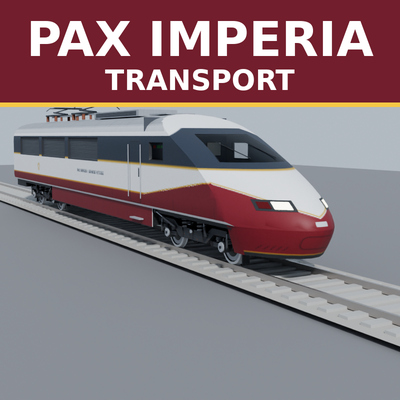
PaxImperia Transport System
Made for the Pax Imperia geopolitical roleplay server, usable on any server or in singleplayer.