Fabric API Needed by Loot Finder lootfinder-1.21.11-neoforge-1.1.3.jar
requiredNo matching file
CurseForge · Minecraft mod
Loot Finder highlights nearby loot chests and Vaults through walls, using color-coded rarity indicators to help you find valuable loot.
Quick answer
Loot Finder lootfinder-1.21.11-neoforge-1.1.3.jar targets 1.21.11 with NeoForge. The project page does not say whether this file belongs on the client, dedicated server, or both. 1 required mod needs a matching file.
Where it goes
The project page does not say whether this file belongs on the client, dedicated server, or both.
The source does not explicitly classify this release as client-only or server-only.
lootfinder-1.21.11-neoforge-1.1.3.jar. Change the file and its required mods may change too.
Install Fabric API first, but 1 required mod has no matching file for this setup. Do not mix loader builds to force a match.
We only count dependency files that match this setup. A file for another loader does not fill the gap.
Before you install it
Built for Loot Finder lootfinder-1.21.11-neoforge-1.1.3.jar. Pick another file and the loader, install side or required mods may change.
Use lootfinder-1.21.11-neoforge-1.1.3.jar. It targets 1.21.11 with NeoForge; another release may have different loader, side or dependency requirements.
Install Fabric API first, but 1 required mod has no matching file for this setup. Do not mix loader builds to force a match.
The project page does not say whether this file belongs on the client, dedicated server, or both.
Use the “Get this file” button beside lootfinder-1.21.11-neoforge-1.1.3.jar. It opens that exact file at the source.
About this project

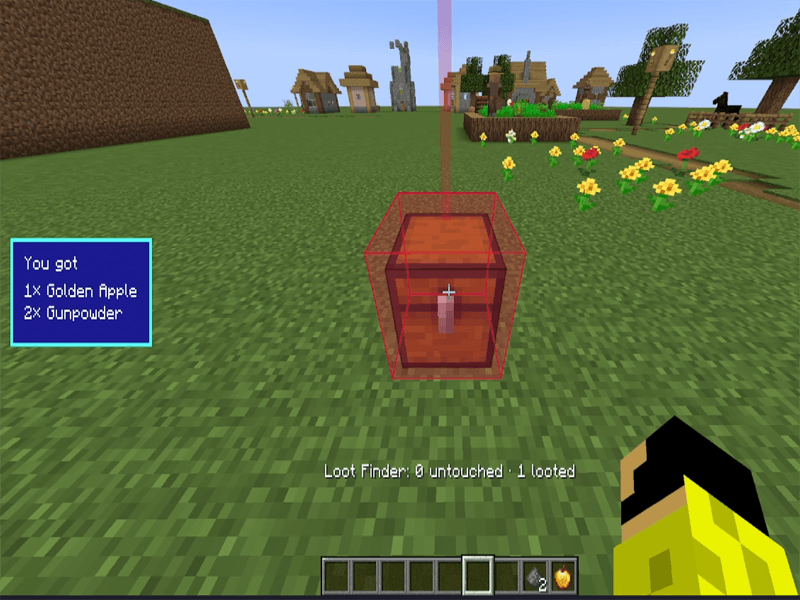
Press the mod's activation key (H by default) to highlight nearby loot chests, including Vaults found in Trial Chambers.
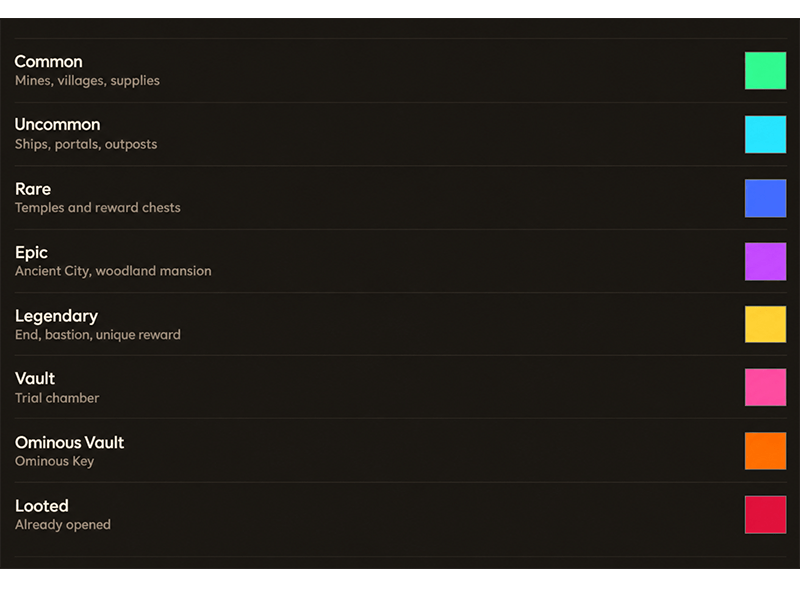
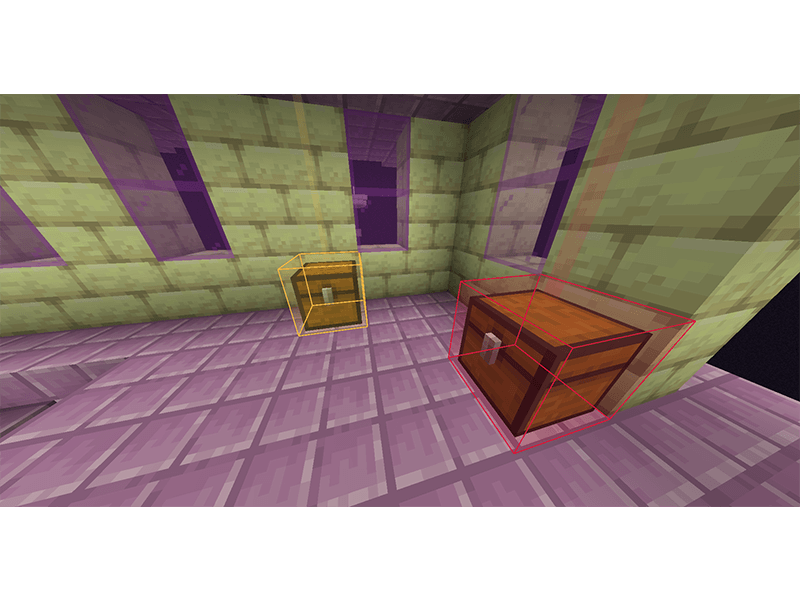
Each chest or Vault will glow or be highlighted in a specific color depending on its rarity.
Chests can be seen through walls as long as they are within the detection range.
If a chest or Vault has already been looted, its highlight color will change to red.
Compatibility with loot-related mods has not yet been tested. Currently, the mod does not have full compatibility with Lootr. When Lootr chests are looted, their highlight color does not change to red, and they retain the original color associated with their rarity.
The possibility of adding full compatibility with Lootr will be investigated in a future update.
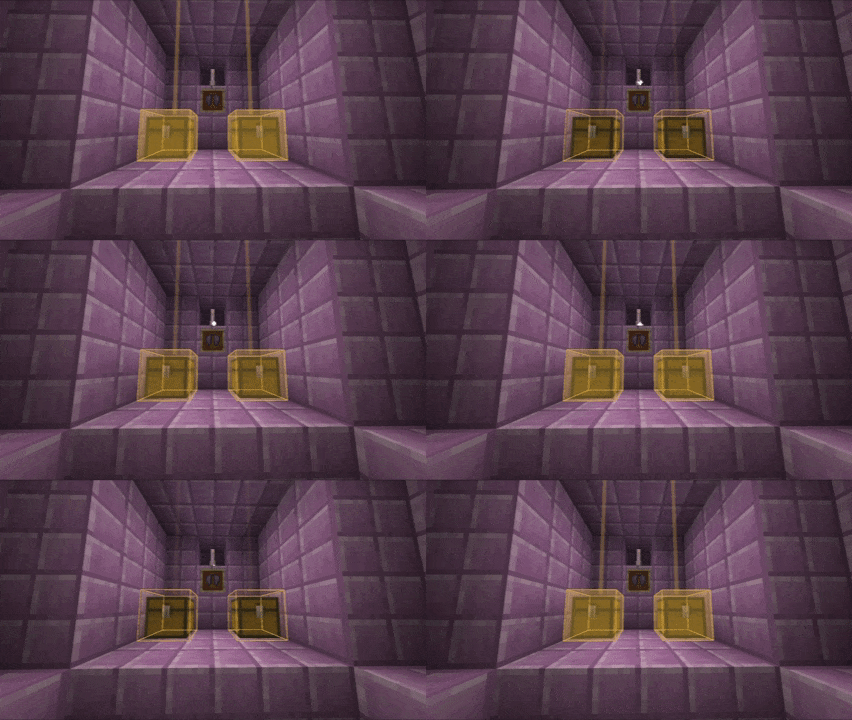
loot history (new mechanic)
Other mods:
Project description from CurseForge.
Pick your setup
Choose the version and loader you play, then open the matching release.
Check the dependencies, then try the file in a copied instance before changing a world you care about.
Recent files
8 Nov 2026
8 Nov 2026
8 Nov 2026
7 Nov 2026
7 Nov 2026
29 Oct 2026
26 Oct 2026
24 Oct 2026
Looking for an older file? The official CurseForge project page is in Resources.
 mod
Achieve fast inventory clearing with custom auto-deposit. The game finally knows exactly what you want, where you want it — and keeps it sorted for you.
 mod
Adds a customizable hitmarker with smooth animations, adjustable colors, and optional hit sounds
 mod
An anvil you carry in your pocket: repair, combine and rename gear anywhere. It wears out after 50 uses, and an iron block fixes it up.