Minecraft version
Back to mods 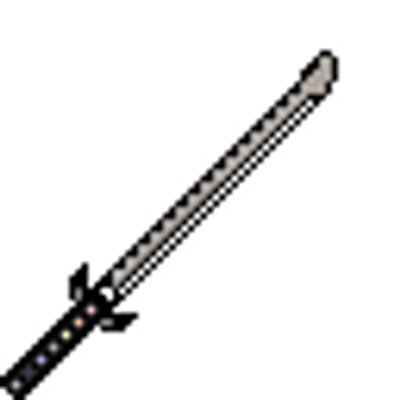
CurseForge · Minecraft mod
Kitaegatana
A Japanese sword item featuring a somewhat unusual system
Choose a version Pick your version below, then grab the matching file.
Quick answer
Which Kitaegatana release should I use?
Latest stable file kitae-1.1.5.jar
Game version 1.20.1
Loader Forge
Kitaegatana kitae-1.1.5.jar targets 1.20.1 with Forge. The project page does not say whether this file belongs on the client, dedicated server, or both. No extra mods listed for this file.
Where it goes
Is Kitaegatana required on the client, server, or both?
The project page does not say whether this file belongs on the client, dedicated server, or both.
Client Source doesn’t say
Dedicated server Source doesn’t say
Loader for this release Forge
Required install it here Optional supported, not mandatory Not supported do not install here Source doesn’t say do not assume
The source does not explicitly classify this release as client-only or server-only.
What else does Kitaegatana kitae-1.1.5.jar need?
kitae-1.1.5.jar. Change the file and its required mods may change too.
This file does not list any required mods. Do not add a library just because a different file uses it.
This file does not list any required or optional mods.
Before you install it
Add Kitaegatana without breaking your instance.
Built for Kitaegatana kitae-1.1.5.jar. Pick another file and the loader, install side or required mods may change.
- 01
Stick to this file
Use kitae-1.1.5.jar. It targets 1.20.1 with Forge; another release may have different loader, side or dependency requirements.
- 02
Bring the mods it needs
This file does not list any required mods. Do not add a library just because a different file uses it.
- 03
Put it on the correct side
The project page does not say whether this file belongs on the client, dedicated server, or both.
- 04
Pick the file you checked
Use the “Get this file” button beside kitae-1.1.5.jar. It opens that exact file at the source.
About this project
What does Kitaegatana add?
Kitaegatana
A katana that learns from the damage it guards against.
Kitaegatana adds a unique katana that learns from incoming damage and converts that knowledge into additional damage against enemies.
・Learn from combat: Guard against enemy attacks to record their damage types and values.
・Unleash bonus damage: Deal additional damage based on what your katana has learned.
・Perfect your timing: Guard for a brief moment to block incoming damage, rewarding precise timing.
・Adapt to your enemies: Designed to respond flexibly to different enemy strengths, making the katana useful in a wide range of environments, from vanilla Minecraft to heavily modded modpacks.
・Customizable damage scaling: Adjust the bonus damage multiplier through the mod's configuration.
Master the art of parrying, learn from your enemies, and turn their own power against them.
Name Origin
Kitaegatana derives from the Japanese word 鍛える (kitaeru, "to forge" or "to temper") and 刀 (katana, "sword"), expressing the concept of Sword Forging.
Compatibility Note
When using Apotheosis and L2 Artifacts, certain player builds may cause damage values to scale dramatically. This is a potential balance consideration when combining these mods, especially in heavily customized modpacks.
Test Item Generation
The following commands can be used to obtain a test Kitae with predefined damage values for various damage types.
These values are intended to help test the damage learning and damage bonus mechanics.
Instructions
1. Place a temporary chest
Place a chest at the world origin (0 0 0) to use as an intermediate storage container.
/setblock 0 0 0 minecraft:chest
2. Obtain the test Kitae
/give @p kitae:kitae{LearnedDamage:{"minecraft:mob_attack":30.0f,"minecraft:mob_attack_no_aggro":2.0f,"minecraft:arrow":5.0f,"minecraft:mob_projectile":4.0f,"minecraft:trident":8.0f}} 1
Hold the obtained Kitae in your main hand.
3. Add damage data (Part 1)
Copy the Kitae into the chest:
/item replace block 0 0 0 container.0 from entity @p weapon.mainhand
Merge the following damage data:
/data modify block 0 0 0 Items[0].tag.LearnedDamage merge value {"minecraft:fireball":9.0f,"minecraft:explosion":85.0f,"minecraft:sonic_boom":10.0f,"minecraft:wither_skull":8.0f}
Return the modified Kitae to your main hand:
/item replace entity @p weapon.mainhand from block 0 0 0 container.0
4. Add damage data (Part 2)
Copy the Kitae into the chest again:
/item replace block 0 0 0 container.0 from entity @p weapon.mainhand
Merge the remaining damage data:
/data modify block 0 0 0 Items[0].tag.LearnedDamage merge value {"minecraft:sting":2.0f,"minecraft:magic":6.0f,"minecraft:indirect_magic":6.0f,"minecraft:dragon_breath":6.0f}
Return the Kitae to your main hand:
/item replace entity @p weapon.mainhand from block 0 0 0 container.0
The test Kitae is now ready.
Notes
・Execute the commands in the order shown above.
・The chest's first inventory slot (container.0) is used as temporary storage.
・Keep the Kitae in your main hand while performing the steps.
・If a block already exists at 0 0 0, it will be replaced when placing the chest.
Note: The listed damage values are approximate maximum values based on vanilla Minecraft gameplay. Actual damage may vary depending on difficulty, armor, entity properties, and other in-game conditions.
Pressing the Left Alt key in this state triggers a transformation. This function can be adjusted via the control settings.
Project description from CurseForge.
Pick your setup
Kitaegatana by Minecraft version and loader
Choose the version and loader you play, then open the matching release.
Check the dependencies, then try the file in a copied instance before changing a world you care about.
Recent files
Kitaegatana versions and loaders
kitae-1.1.5.jar
5 Nov 2026
Client Source doesn’t say Server Source doesn’t say Dependencies No extras listed Listed on Release listing
Check the 1.20.1 · Forge setup 1.20.1Forge release
kitae-1.1.4.jar
1 Nov 2026
Client Source doesn’t say Server Source doesn’t say Dependencies No extras listed Listed on Release listing
Check the 1.20.1 · Forge setup 1.20.1Forge release
kitae-1.1.3.jar
1 Nov 2026
Client Source doesn’t say Server Source doesn’t say Dependencies No extras listed Listed on Release listing
Check the 1.20.1 · Forge setup 1.20.1Forge release
kitae-1.1.2.jar
31 Oct 2026
Client Source doesn’t say Server Source doesn’t say Dependencies No extras listed Listed on Release listing
Check the 1.20.1 · Forge setup 1.20.1Forge release
kitae-1.1.1.jar
31 Oct 2026
Client Source doesn’t say Server Source doesn’t say Dependencies No extras listed Listed on Release listing
Check the 1.20.1 · Forge setup 1.20.1Forge release
kitae-1.1.0.jar
30 Oct 2026
Client Source doesn’t say Server Source doesn’t say Dependencies No extras listed Listed on Release listing
Check the 1.20.1 · Forge setup 1.20.1Forge release
kitae-1.0.1.jar
30 Oct 2026
Client Source doesn’t say Server Source doesn’t say Dependencies No extras listed Listed on Release listing
Check the 1.20.1 · Forge setup 1.20.1Forge release
kitae-1.0.0.jar
29 Oct 2026
Client Source doesn’t say Server Source doesn’t say Dependencies No extras listed Listed on Release listing
Check the 1.20.1 · Forge setup 1.20.1Forge release
Looking for an older file? The official CurseForge project page is in Resources.
 mod
CurseForge · Minecraft
Scrapy Arsenal
Adds rusty armor, scrap weapons, tools, reinforced doors, and a workbench for dismantling scrap into crafting materials.
 mod
CurseForge · Minecraft
Botania GTO Edition
Unofficial fork of Vazkii's Botania maintained for the GregTech Odyssey modpack
 mod
CurseForge · Minecraft
MultiClicker
Auto clicker (autoclicker) and AFK helper for Fabric, NeoForge and Forge: auto attack, auto eat, auto fish, auto farm, auto tool, hotbar refill, anti-AFK and hotkeys for mob farms, mining, farming and fishing