
Minecraft version
Back to mods 
CurseForge · Minecraft mod
Death Outcomes
Change the nature of Minecraft death....
Choose a version Pick your version below, then grab the matching file.
Quick answer
Which Death Outcomes release should I use?
Latest stable file death_outcomes-1.0.1.jar
Game version 1.21.1
Loader NeoForge
Death Outcomes death_outcomes-1.0.1.jar targets 1.21.1 with NeoForge. The project page does not say whether this file belongs on the client, dedicated server, or both. No extra mods listed for this file.
Where it goes
Is Death Outcomes required on the client, server, or both?
The project page does not say whether this file belongs on the client, dedicated server, or both.
Client Source doesn’t say
Dedicated server Source doesn’t say
Loader for this release NeoForge
Required install it here Optional supported, not mandatory Not supported do not install here Source doesn’t say do not assume
The source does not explicitly classify this release as client-only or server-only.
What else does Death Outcomes death_outcomes-1.0.1.jar need?
death_outcomes-1.0.1.jar. Change the file and its required mods may change too.
This file does not list any required mods. Do not add a library just because a different file uses it.
This file does not list any required or optional mods.
Before you install it
Add Death Outcomes without breaking your instance.
Built for Death Outcomes death_outcomes-1.0.1.jar. Pick another file and the loader, install side or required mods may change.
- 01
Stick to this file
Use death_outcomes-1.0.1.jar. It targets 1.21.1 with NeoForge; another release may have different loader, side or dependency requirements.
- 02
Bring the mods it needs
This file does not list any required mods. Do not add a library just because a different file uses it.
- 03
Put it on the correct side
The project page does not say whether this file belongs on the client, dedicated server, or both.
- 04
Pick the file you checked
Use the “Get this file” button beside death_outcomes-1.0.1.jar. It opens that exact file at the source.
About this project
What does Death Outcomes add?





Trophies, tracking compasses, and meaningful consequences for player deaths in Minecraft.
Overview
Death Outcomes is a lightweight, server-friendly Minecraft mod that introduces meaningful rewards, trophies, and tracking mechanics when players die:
- Player Head Drops - Slain players drop authentic player heads preserving their exact skins, usernames, and 3D hat layers.
- Smart PvP Validation - Detects both direct melee combat and indirect projectile/potion kills while filtering out accidental environmental deaths and self-damage.
- Player's Compass - Craft an enchanted compass bound to any player head that tracks the target player live across the world, even retaining their coordinates when offline.
- 100% Server-Side - Only required on the server. Players can join using standard vanilla Minecraft clients without installing any client-side mod or resource pack.
Features
1. Player Head Trophies
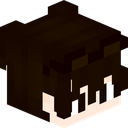 **Player Head**
- Authentic Profile Resolution: Heads store the player's profile data via Minecraft's Data Component system, ensuring the head renders identically to the fallen player's actual skin.
- Combat Validation:
- Direct Kills: Swords, axes, fists, and direct melee weapon strikes.
- Indirect Kills: Bows, crossbows, tridents, lingering potions, splash potions, thrown projectiles, fireworks, or indirect magical damage originating from another player.
- Suicide and Environment Protection: Self-inflicted deaths (such as falling, drowning, or harming yourself with an arrow or firework) will not drop heads when PvP restriction is active.
- One-Time Head Drop Option: Can be configured so each player's head can only drop once ever in the world's lifetime, turning heads into ultra-rare bounty trophies.
2. Player's Compass (Tracking Compass)
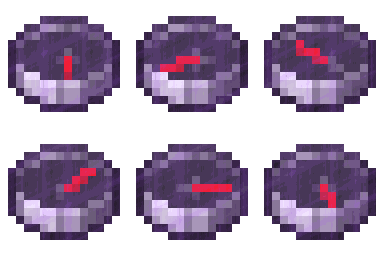 ***Player's Compass***
<small>*Epic Rarity - Enchanted Glint - Real-time Target Tracking*</small>
Combine a standard Compass with any Player Head in any 2x2 or 3x3 crafting grid to craft a Player's Compass:
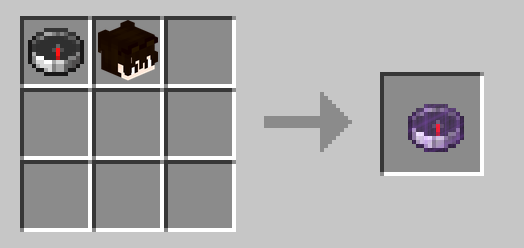
Crafting Recipe: Compass + Player Head = Player's Compass
- Live Position Tracking: Points continuously toward the target player's current location in real-time.
- Offline Location Persistence: If the tracked player disconnects from the server, the compass seamlessly retains their last-known position and dimension.
- Cross-Dimension Handling: If the tracked player is in a different dimension, the needle spins randomly until they return or you enter the same dimension.
- Head Recovery / Dismantling (Optional): When enabled in server settings, placing a Player's Compass alone into any crafting grid dismantles it and returns the original player head:
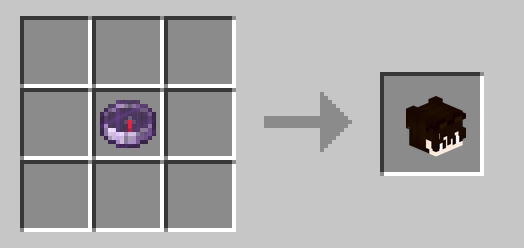
Dismantle Recipe: Player's Compass = Player Head
Configuration
Settings are saved per world at:
<world_directory>/serverconfig/death_outcomes-server.toml
[player_head_drops]
    # Whether players should drop their head upon death.
    # Default: true
    dropPlayerHeadOnDeath = true

    # Whether player heads should only drop if the death was caused directly or indirectly by another player.
    # If false (and dropPlayerHeadOnDeath is true), heads will drop on any death.
    # Default: true
    dropPlayerHeadOnlyWhenKilledByPlayer = true

    # Whether a player's head should only ever drop once. Once dropped, subsequent deaths will not drop their head.
    # Default: false
    dropPlayerHeadOnlyOnceEver = false

[tracking_compass]
    # Whether crafting a tracking compass by combining a compass and player head is enabled.
    # Default: true
    enablePlayerTrackingCompassRecipe = true

    # Whether placing a Player's Compass in a crafting grid dismantles/recovers the player's head back.
    # Default: false
    enablePlayerCompassDismantleRecipe = false
Links and Community
- Documentation & Wiki: https://github.com/yigit-guven/Death-Outcomes/wiki
- Discord Community: https://discord.gg/aPk7Qs5d4H
- Issue Tracker: https://github.com/yigit-guven/Death-Outcomes/issues
License
This project is licensed under the GNU Lesser General Public License v3.0 (LGPL-3.0-only).
Project description from CurseForge.
Pick your setup
Death Outcomes by Minecraft version and loader
Choose the version and loader you play, then open the matching release.
Check the dependencies, then try the file in a copied instance before changing a world you care about.
Recent files
Death Outcomes versions and loaders
death_outcomes-1.0.1.jar
6 Nov 2026
Client Source doesn’t say Server Source doesn’t say Dependencies No extras listed Listed on Release listing
Check the 1.21.1 · NeoForge setup 1.21.1NeoForge release
death_outcomes-1.0.0.jar
30 Oct 2026
Client Source doesn’t say Server Source doesn’t say Dependencies No extras listed Listed on Release listing
Check the 1.21.1 · NeoForge setup 1.21.1NeoForge release
Looking for an older file? The official CurseForge project page is in Resources.
 mod
CurseForge · Minecraft
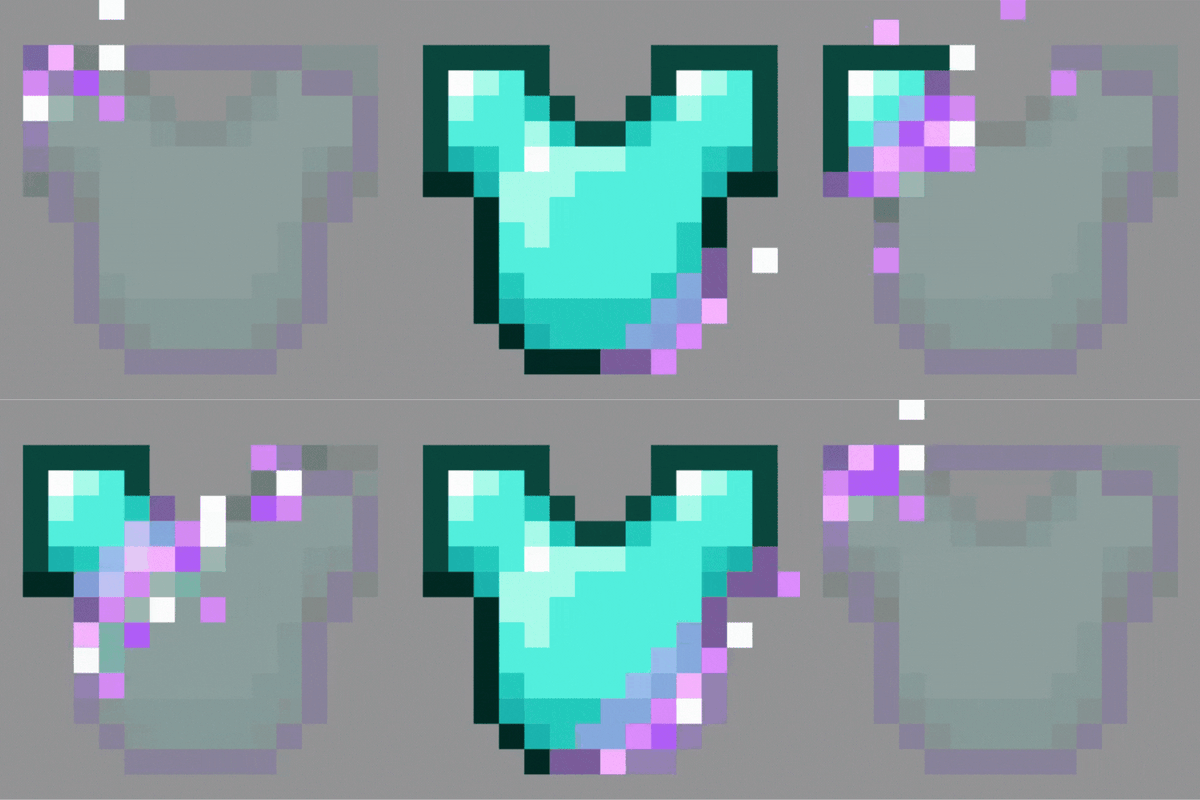
Invisible Armors
You can make your armor set invisible with this mod!
 mod
CurseForge · Minecraft
One Block Engine
Data-driven One Block engine for Fabric and NeoForge 1.21.1: phases, blocks, mobs and rewards in JSON, an in-game editor, a One Block world type and one island per player.
 mod
CurseForge · Minecraft
Orbs of Radiara
THE rpg mod! Hunt 11 ancient orbs and fly a rocket to another planet. Fight fully animated bosses with their own music, become a vampire, giant, a god, and many more. Explore different worlds. Forge 1.20.1 and NeoForge 1.21.1. Requires Pehkui.