Minecraft version
Back to mods 
CurseForge · Minecraft mod
MccInfo
✨ Client-side Fabric Qol mod for MCC Island
Choose a version Pick your version below, then grab the matching file.
Quick answer
Which MccInfo release should I use?
Latest stable file mccinfo-26.3+1.1.8.jar
Game version 26.3
Loader Fabric
mccinfo-26.3+1.1.8.jar targets 26.3 with Fabric. The project page does not say whether this file belongs on the client, dedicated server, or both. No extra mods listed for this file.
Where it goes
Is MccInfo required on the client, server, or both?
The project page does not say whether this file belongs on the client, dedicated server, or both.
Client Source doesn’t say
Dedicated server Source doesn’t say
Loader for this release Fabric
Required install it here Optional supported, not mandatory Not supported do not install here Source doesn’t say do not assume
The source does not explicitly classify this release as client-only or server-only.
What else does mccinfo-26.3+1.1.8.jar need?
mccinfo-26.3+1.1.8.jar. Change the file and its required mods may change too.
This file does not list any required mods. Do not add a library just because a different file uses it.
This file does not list any required or optional mods.
Before you install it
Add MccInfo without breaking your instance.
Built for mccinfo-26.3+1.1.8.jar. Pick another file and the loader, install side or required mods may change.
- 01
Stick to this file
Use mccinfo-26.3+1.1.8.jar. It targets 26.3 with Fabric; another release may have different loader, side or dependency requirements.
- 02
Bring the mods it needs
This file does not list any required mods. Do not add a library just because a different file uses it.
- 03
Put it on the correct side
The project page does not say whether this file belongs on the client, dedicated server, or both.
- 04
Pick the file you checked
Use the “Get this file” button beside mccinfo-26.3+1.1.8.jar. It opens that exact file at the source.
About this project
What does MccInfo add?
Client-side Qol mod for MCC Island, Minecraft 26.2 and 26.3.
Requirements
- Minecraft 26.2 / 26.3 (one file for each, download the one of your version)
- Fabric Loader 0.19.3 / 0.20.1 or newer
- Fabric API 0.157.0 / 0.166.2 or newer
- Noxesium 3.2.3 / 3.3.0 or newer
- Simple Voice Chat is optional.
Features
Open the MccInfo menu to turn each feature on or off.

Fishing
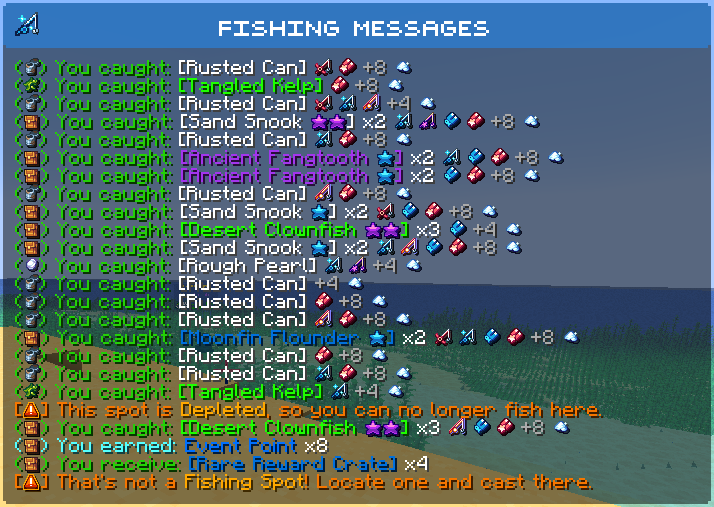
- Fishing Messages: moves fishing messages out of the chat into their own movable box, optionally only in fishing instances
- Compact Fishing Messages: merges each catch into one line with the item icon, triggered perks and earned XP
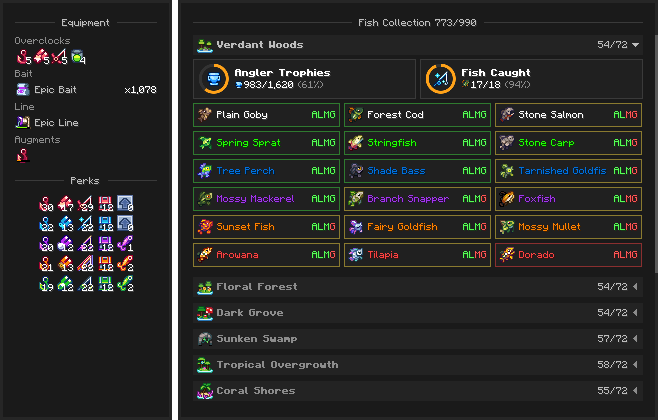
- Fish Collection: every fish you caught, your equipment and your perks
- Best Island: marks the island with the best chance of a new fish
- Perk Levels: the level of each perk on its item in the Fishing Perks and Fishing Supplies menus, alone or as a small level/max
Events
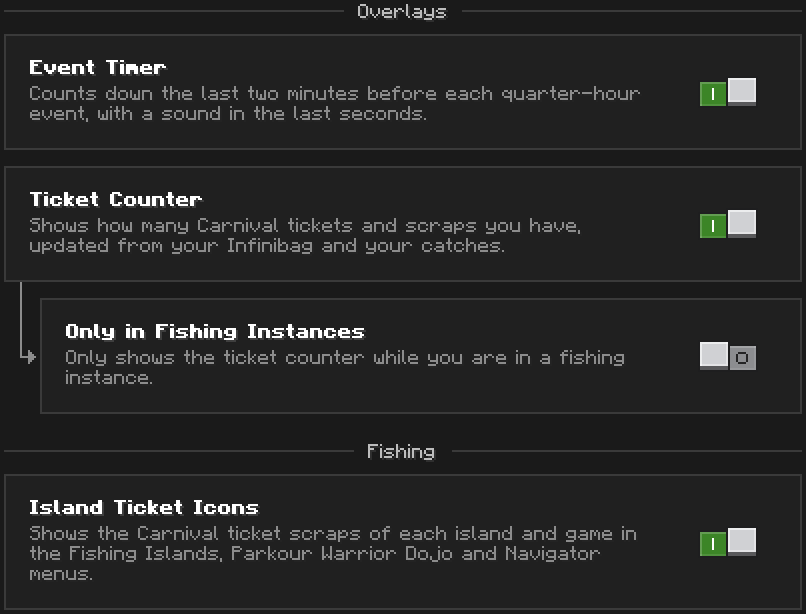
Each MCC Island event gets its own page of settings and features in the MccInfo menu.

Items
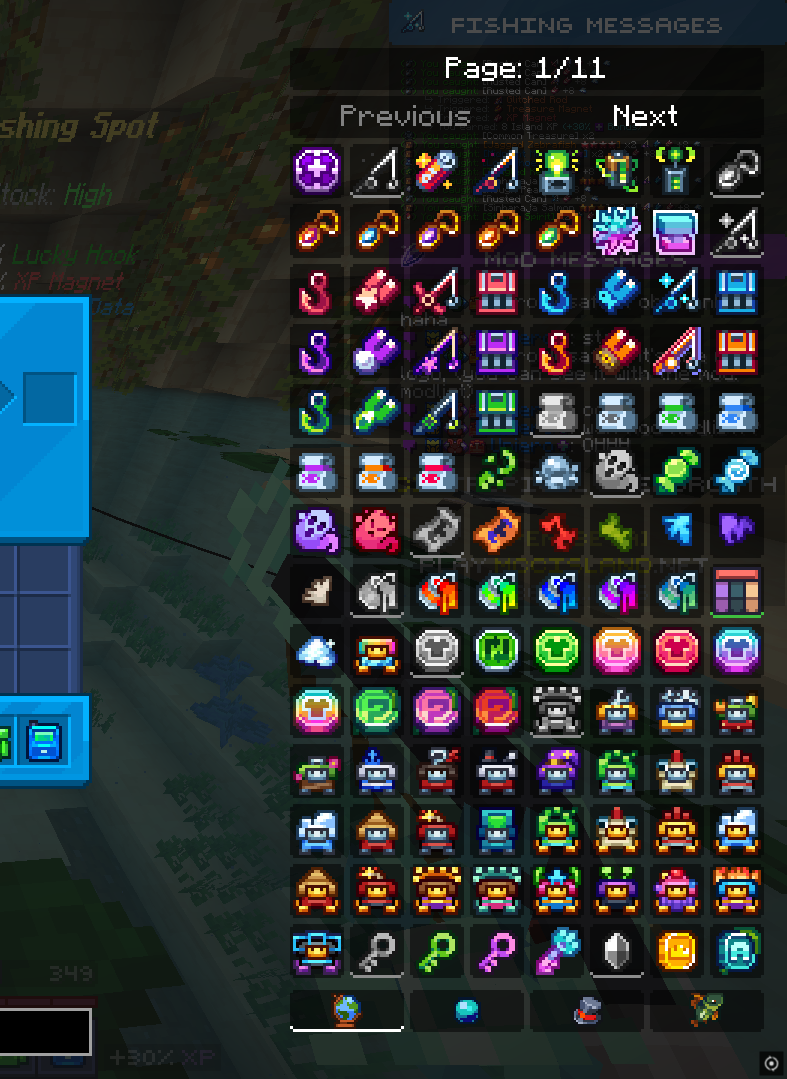
- Item list: searchable list of MCC Island items next to your inventory, with a calculator in the search bar
- Recipes: click an item to see its recipes and where it is used, from the list or any inventory (Hold Recipe Mode)
- NPC path: shows the way to the vendor of an item
- Inventory Buttons: command buttons next to your inventory
- Cosmetic Preview: see your player wearing the cosmetic you hover, Middle Click to lock several and try a full outfit, with tints and Chroma Sets
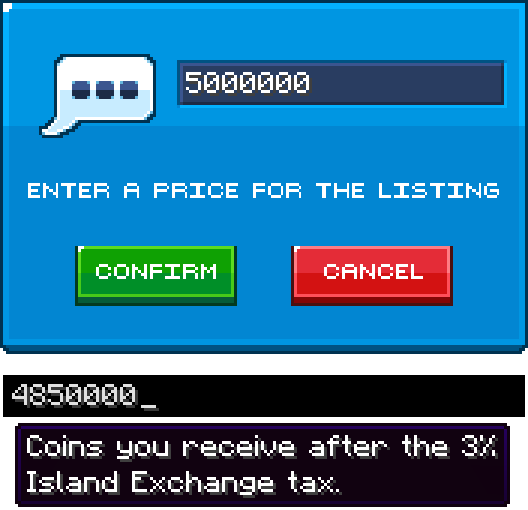
- Tax Calculator: when you list an item in the Island Exchange, see the coins you really receive after the 3% tax, or type the amount you want and the price is filled in
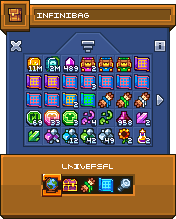
- Better Item Amounts: in MCC Island menus (Infinivault, Island Exchange, Fishing Supplies…), items show how many you really have instead of the vanilla stack count, shortened to 3 characters (1.5k, 12k, 0.1M…), with the bait you have left
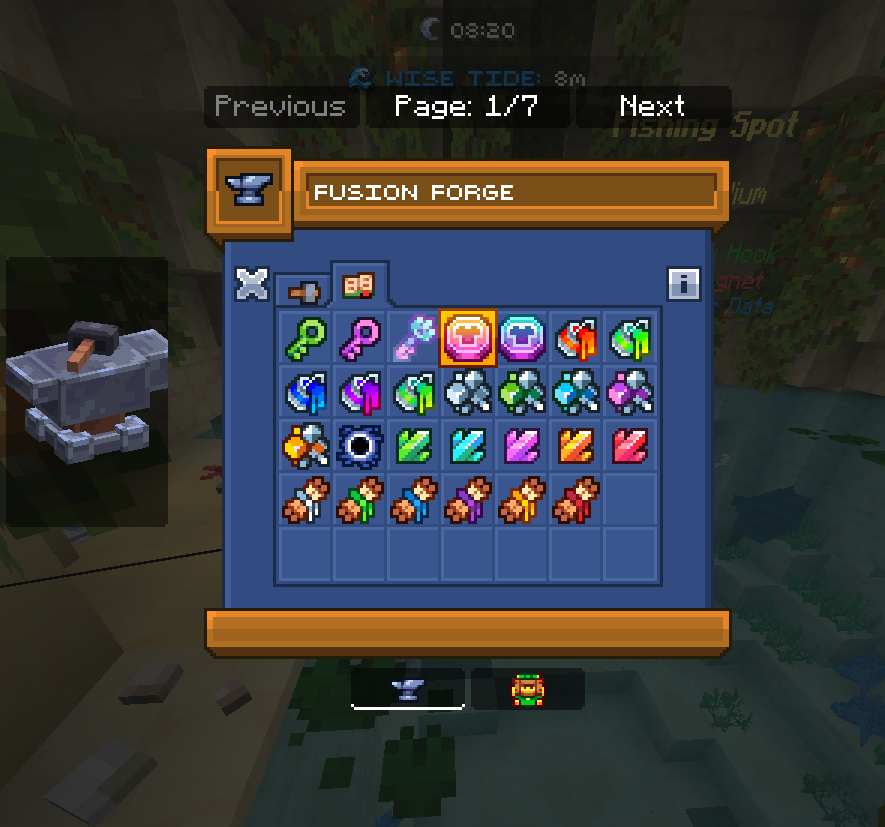
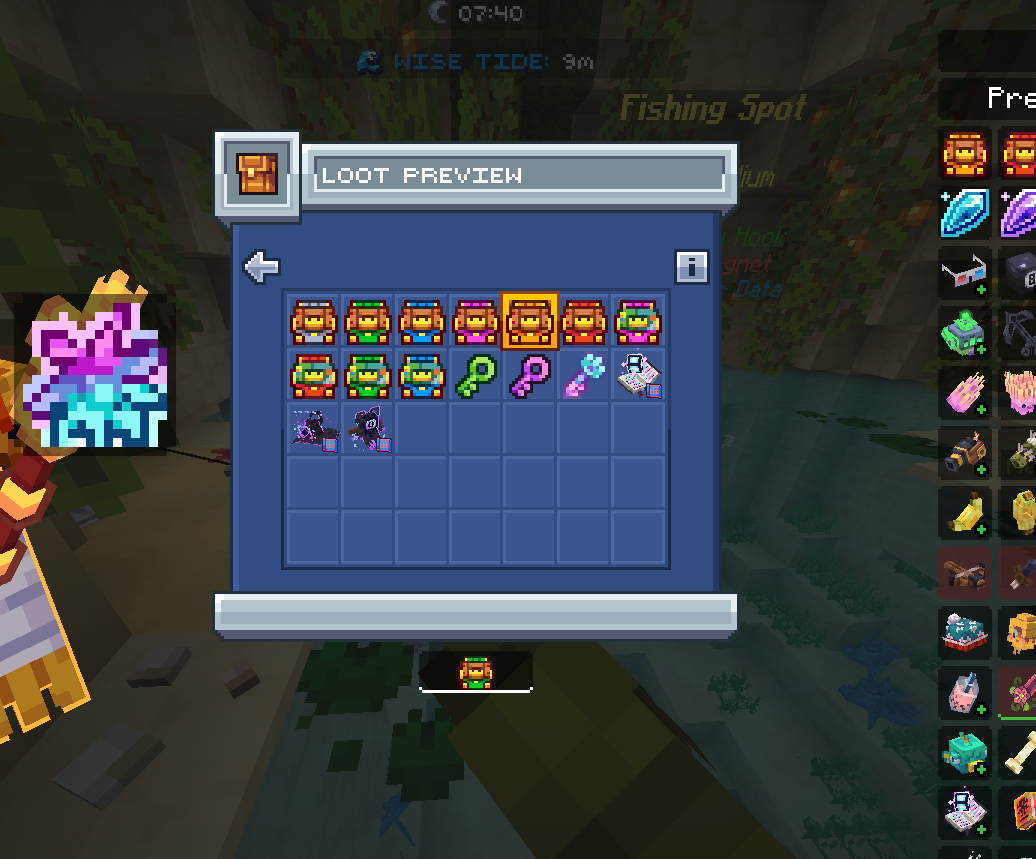
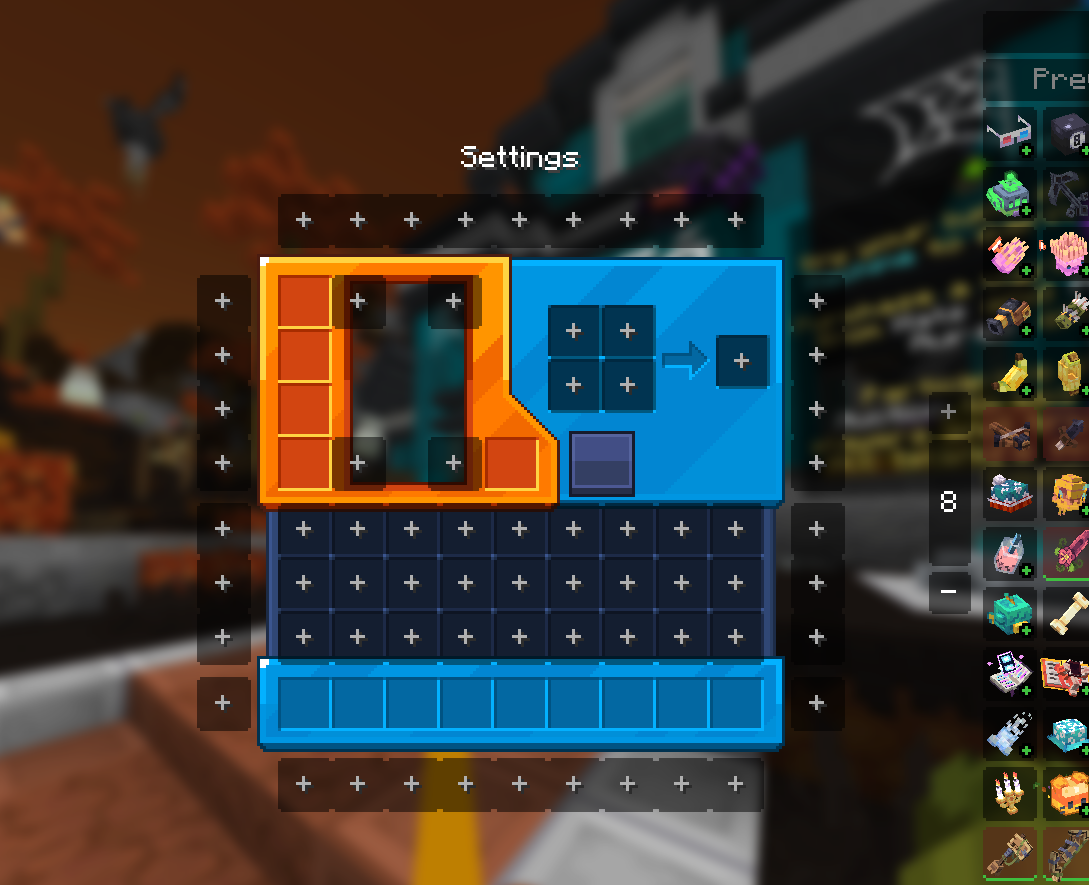
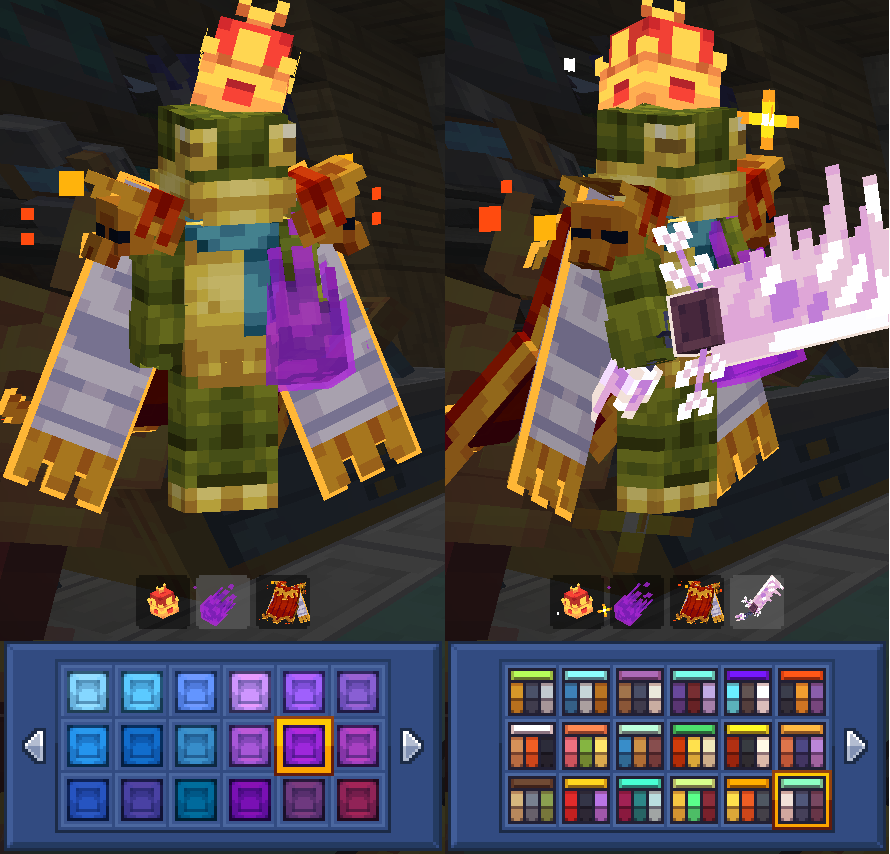
Badges (with your MCC Island Api Key)
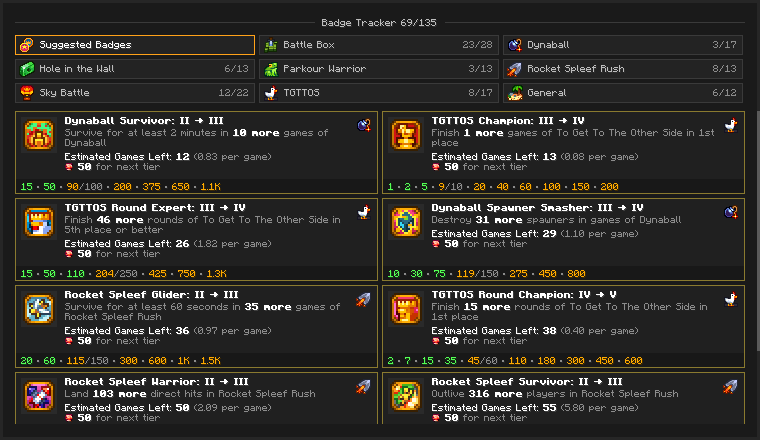
- Badge Tracker: every badge in one menu, with your progress on each tier and the estimated games left
- Suggested Badges: the badges you are closest to finishing
- Badge Notifications: a notification when a game you need for your badges gets busy
Chat
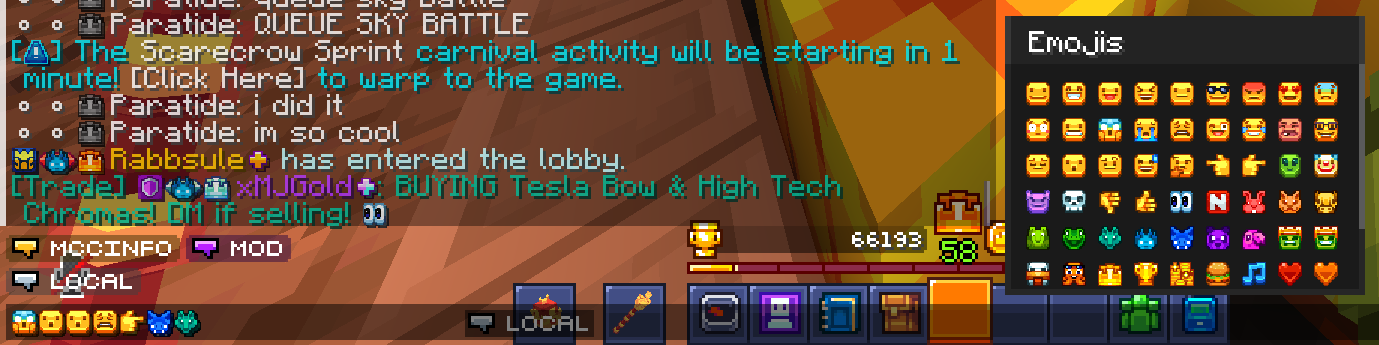
- MccInfo Chat: talk with every MccInfo player, in the chat or in its own movable box, with an optional message sound
- Chat Ping: your name becomes
@YourNameand the message is highlighted, with an optional sound and taskbar flash - Copy Chat Messages: Ctrl + Right Click a message to copy it
- Emojis Box and Auto Emojis (MCC+): pick your MCC Island emojis in a box, or type their names like
:smile: - Share items: press Copy Item on an item, then write
<item>in the MccInfo Chat to share it with its full tooltip
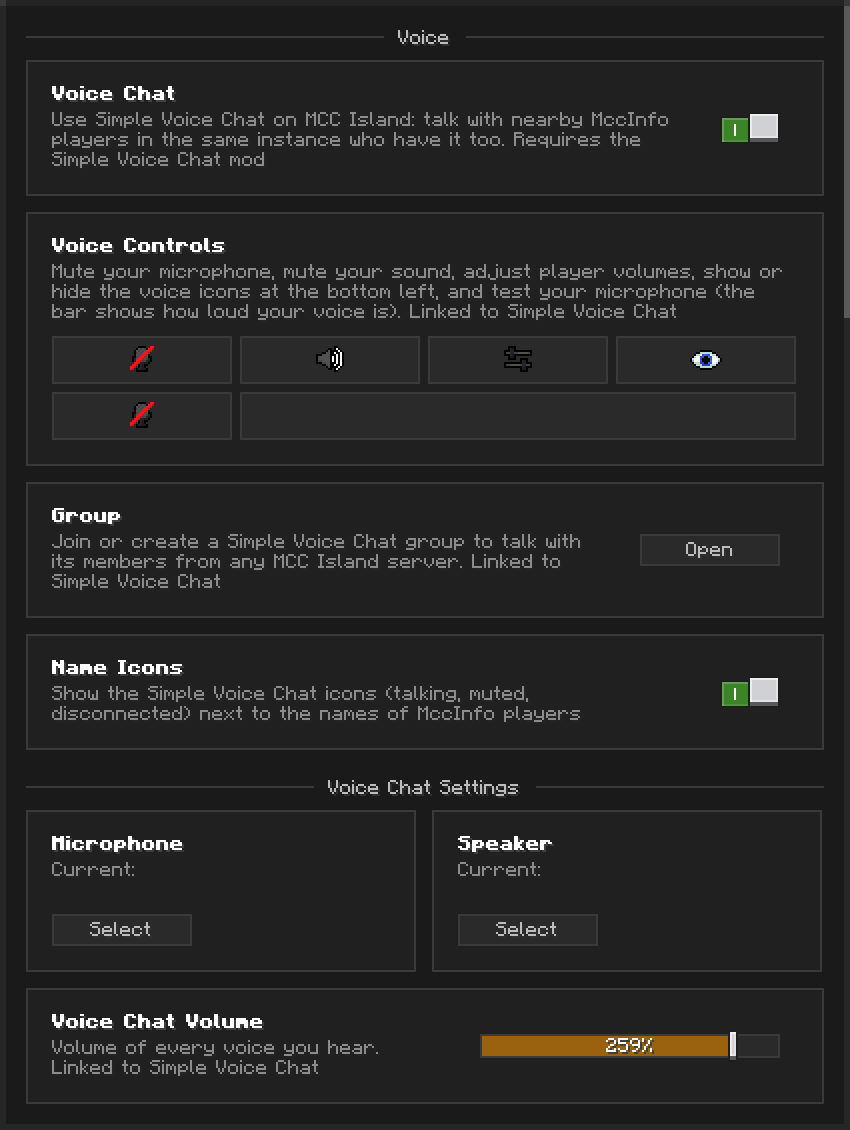
Voice Chat (with Simple Voice Chat, and only on MCC Island)
⚠ Warning: the voice chat is not endorsed, managed or moderated by The Noxcrew, and The Noxcrew is not responsible for anything said or done in it.
- Talk with nearby MccInfo players in the same instance
- Voice controls, volumes per player, groups you can join from any MCC Island server
- Microphone settings: gain, auto gain, noise suppression, push to talk or voice activation, microphone test
- Voice icons next to the names of MccInfo players
Parkour
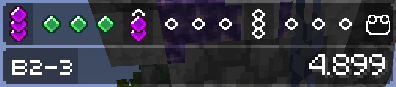
- Parkour Splits: in the Parkour Warrior Dojo, times each module of your run and saves your times for each course
- Timer: the module you are in and your time in it, at the top of the screen
- Improvements: how much faster or slower you are than your best or average time, in the chat, the medal title or the Fishing Messages box
Utils
- Wipe to Black: replaces the server's fade transition with a wipe
- Keybinds Layout: see your keybinds on a keyboard and assign them more easily
- /travel: go to a fishing island or a hub destination in one command
- Patch notes shown in game after each update
Updates
When the MccInfo relay asks for a newer version, a toast tells you which version you need and opens the download link (https only, after a confirmation). You replace the jar in your mods folder yourself. You can open the toast again with /mccupdate.
The mod published here has no automatic update: it never downloads, replaces or deletes anything on its own.
Automatic updates are a separate private part, only given to my closed beta testers. It is not in the version published here, nor in the source code. Even a beta tester only gets updates from the relay if they have the autoupdate permission: the mod without the private part never installs anything, with or without the permission.
For beta testers, every automatic update goes through these checks before it replaces the mod:
- Pinned connection: the jar is downloaded only from the MccInfo relay, over TLS pinned to the relay's public key, with no redirects.
- Size: the file must have exactly the size announced by the relay (64 MB at most).
- SHA-256: the hash of the downloaded file must match the one announced by the relay.
- Ed25519 signature: the version and the hash must be signed by the MccInfo update key. The private key never leaves the developer's computer and is not in the source code. A jar that fails any check is deleted.
- No downgrade: an older version is never installed.
- Only its own jar: the update replaces the running MccInfo jar and nothing else in your mods folder.
Credits
- Essential and Island Utils, whose menu and interface style MccInfo follows to keep a consistent UI with the mods players already use.
- Island Utils (MIT License): the Parkour Warrior Dojo splits (module timer, best and average times) are adapted from its splits module, and the Cosmetic Preview is based on its idea.
Note: MccInfo is not affiliated with, endorsed by or associated with The Noxcrew or Mojang.
License
Copyright (c) 2026 Leroidesafk. All Rights Reserved. See LICENSE.
MCC Island is a trademark of The Noxcrew. Minecraft is a trademark of Mojang.
Feel free to use the mod in your modpack!
You can also take a look to my other mods




Project description from CurseForge.
Pick your setup
MccInfo by Minecraft version and loader
Choose the version and loader you play, then open the matching release.
Minecraft version
26.2
1 loader buildCheck the dependencies, then try the file in a copied instance before changing a world you care about.
Recent files
MccInfo versions and loaders
mccinfo-26.3+1.1.8.jar
mccinfo-26.3-1.1.8.jar
22 Nov 2026
Client Source doesn’t say Server Source doesn’t say Dependencies No extras listed Listed on Release listing
Check the 26.3 · Fabric setup Fabric26.3 release
mccinfo-26.2+1.1.8.jar
mccinfo-26.2-1.1.8.jar
22 Nov 2026
Client Source doesn’t say Server Source doesn’t say Dependencies No extras listed Listed on Release listing
Check the 26.2 · Fabric setup Fabric26.2 release
Looking for an older file? The official CurseForge project page is in Resources.
 mod
CurseForge · Minecraft
Three Dash Structure Optimizer
Up to 8x faster chunk generation in structure-heavy packs when used alongside C2ME & Lithium, and ~70% shorter autosave lag spikes for smoother server TPS. Also adds extra TPS optimizations beyond structures. Works with other optimizers or standalone.
 mod
CurseForge · Minecraft
Breed faster Happy Ghasts
Breed faster Happy Ghasts, boost flight speed with Speed Potions or Snowballs, and inspect mount stats with a Book and Quill.
 mod
CurseForge · Minecraft
Java Delight
Grow, roast, grind, and brew Arabica and Robusta coffee into delicious drinks with unique effects and placeable cups.