Minecraft version
Back to mods 
CurseForge · Minecraft mod
RetroChat
Retro 2010s-style private messaging windows, ASCII emoji picker & dockable tabs for Minecraft. 100% client-side!
Choose a version Pick your version below, then grab the matching file.
Quick answer
Which RetroChat release should I use?
Latest stable file RetroChat 1.0.1 for NeoForge 26.3
Game version 26.3
Loader NeoForge
RetroChat 1.0.1 for NeoForge 26.3 targets 26.3 with NeoForge. The project page does not say whether this file belongs on the client, dedicated server, or both. No extra mods listed for this file.
Where it goes
Is RetroChat required on the client, server, or both?
The project page does not say whether this file belongs on the client, dedicated server, or both.
Client Source doesn’t say
Dedicated server Source doesn’t say
Loader for this release NeoForge
Required install it here Optional supported, not mandatory Not supported do not install here Source doesn’t say do not assume
The source does not explicitly classify this release as client-only or server-only.
What else does RetroChat 1.0.1 for NeoForge 26.3 need?
RetroChat 1.0.1 for NeoForge 26.3. Change the file and its required mods may change too.
This file does not list any required mods. Do not add a library just because a different file uses it.
This file does not list any required or optional mods.
Before you install it
Add RetroChat without breaking your instance.
Built for RetroChat 1.0.1 for NeoForge 26.3. Pick another file and the loader, install side or required mods may change.
- 01
Stick to this file
Use RetroChat 1.0.1 for NeoForge 26.3. It targets 26.3 with NeoForge; another release may have different loader, side or dependency requirements.
- 02
Bring the mods it needs
This file does not list any required mods. Do not add a library just because a different file uses it.
- 03
Put it on the correct side
The project page does not say whether this file belongs on the client, dedicated server, or both.
- 04
Pick the file you checked
Use the “Get this file” button beside RetroChat 1.0.1 for NeoForge 26.3. It opens that exact file at the source.
About this project
What does RetroChat add?
RetroChat
RetroChat brings retro, 2010s Facebook-style instant direct messaging windows and a collapsible player sidebar to Minecraft with an authentic vanilla look and feel!
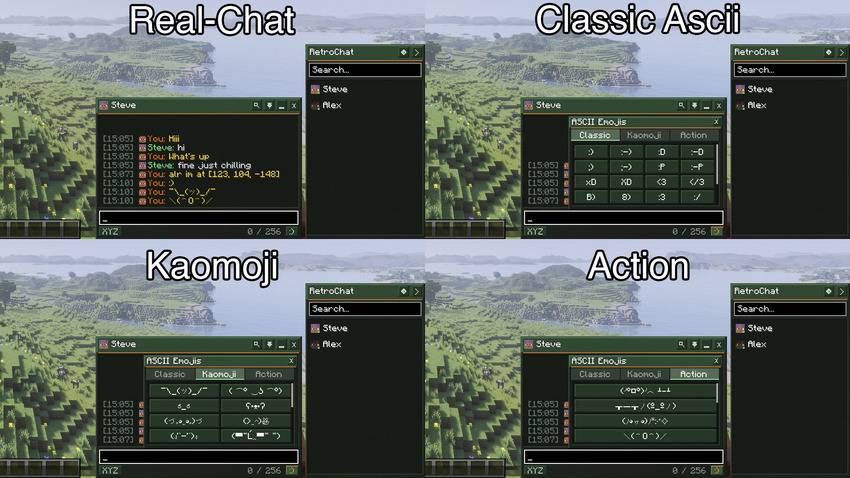
It intercepts vanilla private messages (/msg, /tell, /w) at the client packet level, giving you dedicated conversation windows, unread badges, sound notifications, and a rich retro ASCII emoji picker without requiring any server-side plugins or mods.
SUPPORTED VERSIONS & BRANCHES
Minecraft 26.3
Fabric: Supported
Forge: Supported
NeoForge: Supported
Branches: fabric-26.3 / forge-26.3 / neoforge-26.3
Minecraft 26.2
Fabric: Supported
Forge: Supported
NeoForge: Supported
Branches: fabric-26.2 / forge-26.2 / neoforge-26.2
Minecraft 26.1
Fabric: Supported
Forge: Supported
NeoForge: Supported
Branches: fabric-26.1 / forge-26.1 / neoforge-26.1
Minecraft 1.21.4
Fabric: Supported
Forge: Supported
NeoForge: Supported
Branches: fabric-1.21.4 / forge-1.21.4 / neoforge-1.21.4
Minecraft 1.21.3
Fabric: Supported
Forge: Supported
NeoForge: Supported
Branches: fabric-1.21.3 / forge-1.21.3 / neoforge-1.21.3
Minecraft 1.21.1
Fabric: Supported
Forge: Supported
NeoForge: Supported
Branches: fabric-1.21.1 / forge-1.21.1 / neoforge-1.21.1
Minecraft 1.20.1
Fabric: Supported
Forge: Supported
NeoForge: Not supported
Branches: fabric-1.20.1 / forge-1.20.1
FEATURES
Mod Master Switch:
- Full master toggle in settings (RetroChat Mod: ON / OFF).
- When disabled, direct messages (/msg, /tell, /w) completely bypass the mod and function exactly like vanilla Minecraft chat.
Fast Coordinates Sharing ([XYZ]):
- Located on the bottom bar next to the character counter.
- Automatically formats and inserts your current block coordinates [X, Y, Z] into the message input field.
In-Chat Message Search (Ctrl+F):
- Header search icon button or Ctrl+F shortcut opens an inline message search bar.
- Filters matching chat messages in real time with an empty results indicator.
Retro ASCII Emoji Picker ([:)]):
- Integrated directly to the right of the character counter at the bottom of every chat window.
- 56 Handcrafted Emoticons across 3 categories.
Classic:
:) :-) :D :-D ;-) :P xD XD <3 </3 B) 8) :3 :/ :( :'( :O *_* -_- >_< \o/
Kaomoji:
¯\_(ツ)_/¯
( ͡° ͜ʖ ͡°)
ಠ_ಠ
ʕ•ᴥ•ʔ
(づ。◕‿◕。)づ
(>‿◠)✌
(ง'̀-'́)ง
(▀̿Ĺ̯▀̿ ̿)
(•‿•)
(•_•)
(¬_¬)
(。◕‿◕。)
(⊙_⊙)
(•ω•)
(T_T)
ಥ_ಥ
(°ロ°)
(=^・^=)
Action / Fun:
(╯°□°)╯︵ ┻━┻
┬─┬ノ(º_ºノ)
(ノ◕ヮ◕)ノ*:・゚✧
\(^O^)/
(づ ̄ ³ ̄)づ
(ノಠ益ಠ)ノ
¯(°_o)/¯
(*^▽^*)
ლ(ಠ益ಠლ)
ᕙ(⇀‸↼‶)ᕗ
- Beveled retro popup box with scroll support, click sound feedback, and instant insertion into text.
Dockable & Minimized Chat Windows:
- Distinct conversation window for each active player chat.
- Pin windows to keep them visible while playing.
- Minimize windows into compact tabs docked along the bottom bar.
- Live unread notification counter badges with subtle flashing on new messages.
- Middle-click on minimized tabs to quickly close them.
- Optional Compact Tabs mode in settings for minimal screen footprint.
Player Sidebar:
- Fast-access sidebar on the right side of the screen.
- Real-time search filter and online/offline status indicators.
- Collapses into a subtle side chevron tab when not in use.
Per-Server UI State Persistence:
- Automatically remembers your sidebar state (open vs collapsed) and window states (open vs minimized) per server and in singleplayer.
- Everything stays right where you left it across sessions.
Config Screen & Mod Menu Integration:
- Accessible in-game via ModMenu (Fabric) and the Mods Screen (Forge / NeoForge).
- Master mod toggle button and hide DMs in vanilla chat toggle.
- Customize GUI scaling (50% to 150%) and window dimensions with live preview.
- Player blocklist (case-insensitive blocking with instant suppression).
- Toggle sound alerts, player head avatars, message timestamps, and compact tabs.
Multi-Language Support:
- Built-in support for 6 languages: English, Turkish, German, Russian, Spanish, and French.
- Custom translations can easily be added or modified via JSON files in the config folder.
100% Client-Side:
- Works on any vanilla, Paper, Purpur, or Spigot multiplayer server.
CONTROLS
T (Vanilla Chat): Open chat and interact with RetroChat windows, emoji picker, and sidebar.
Ctrl + F: Toggle in-chat message search filter.
Middle Click: Close minimized chat tab.
Escape: Close emoji picker, search bar, unfocus chat, or close active overlay.
Enter: Send message in focused conversation window.
Custom Key: Dedicated overlay toggle key can be configured in Options -> Controls -> Key Binds.
MULTI-LANGUAGE SUPPORT
English: English
Turkish: Türkçe
German: Deutsch
Russian: Русский
Spanish: Español
French: Français
Custom translations can also be added or modified through JSON language files.
BUILDING FROM SOURCE
To compile the mod from source using the Gradle wrapper:
./gradlew build
Compiled JARs will be output to:
Playable Mods: build/libs/mods/
Sources: build/libs/sources/
AUTHOR & CONTACT
Developer: tikhi
Discord: .tikhi
GitHub: https://github.com/tikh1
Repository: https://github.com/tikh1/RetroChat
LICENSE
This project is licensed under the MIT License.
Project description from CurseForge.
Pick your setup
RetroChat by Minecraft version and loader
Choose the version and loader you play, then open the matching release.
Minecraft version
26.2
3 loader buildsMinecraft version
26.1
3 loader buildsMinecraft version
1.21.4
3 loader buildsMinecraft version
1.21.3
3 loader buildsMinecraft version
1.21.2
3 loader buildsMinecraft version
1.21.1
3 loader buildsMinecraft version
1.20.1
2 loader buildsCheck the dependencies, then try the file in a copied instance before changing a world you care about.
Recent files
RetroChat versions and loaders
RetroChat 1.0.1 for NeoForge 26.3
retrochat-1.0.1-neoforge-26.3.jar
4 Nov 2026
Client Source doesn’t say Server Source doesn’t say Dependencies No extras listed Listed on Release listing
Check the 26.3 · NeoForge setup NeoForge26.3 release
RetroChat 1.0.1 for NeoForge 26.2
retrochat-1.0.1-neoforge-26.2.jar
4 Nov 2026
Client Source doesn’t say Server Source doesn’t say Dependencies No extras listed Listed on Release listing
Check the 26.2 · NeoForge setup NeoForge26.2 release
RetroChat 1.0.1 for NeoForge 26.1
retrochat-1.0.1-neoforge-26.1.jar
4 Nov 2026
Client Source doesn’t say Server Source doesn’t say Dependencies No extras listed Listed on Release listing
Check the 26.1 · NeoForge setup NeoForge26.1 release
RetroChat 1.0.1 for NeoForge 1.21.4
retrochat-1.0.1-neoforge-1.21.4.jar
4 Nov 2026
Client Source doesn’t say Server Source doesn’t say Dependencies No extras listed Listed on Release listing
Check the 1.21.4 · NeoForge setup 1.21.4NeoForge release
RetroChat 1.0.1 for NeoForge 1.21.2/1.21.3
retrochat-1.0.1-neoforge-1.21.2.jar
4 Nov 2026
Client Source doesn’t say Server Source doesn’t say Dependencies No extras listed Listed on Release listing
Check the 1.21.3 · NeoForge setup 1.21.3NeoForge1.21.2 release
RetroChat 1.0.1 for NeoForge 1.21.1
retrochat-1.0.1-neoforge-1.21.1.jar
4 Nov 2026
Client Source doesn’t say Server Source doesn’t say Dependencies No extras listed Listed on Release listing
Check the 1.21.1 · NeoForge setup 1.21.1NeoForge release
RetroChat 1.0.1 for Forge 26.3
retrochat-1.0.1-forge-26.3.jar
4 Nov 2026
Client Source doesn’t say Server Source doesn’t say Dependencies No extras listed Listed on Release listing
Check the 26.3 · Forge setup Forge26.3 release
RetroChat 1.0.1 for Forge 26.2
retrochat-1.0.1-forge-26.2.jar
4 Nov 2026
Client Source doesn’t say Server Source doesn’t say Dependencies No extras listed Listed on Release listing
Check the 26.2 · Forge setup Forge26.2 release
RetroChat 1.0.1 for Forge 26.1
retrochat-1.0.1-forge-26.1.jar
4 Nov 2026
Client Source doesn’t say Server Source doesn’t say Dependencies No extras listed Listed on Release listing
Check the 26.1 · Forge setup Forge26.1 release
RetroChat 1.0.1 for Forge 1.21.4
retrochat-1.0.1-forge-1.21.4.jar
4 Nov 2026
Client Source doesn’t say Server Source doesn’t say Dependencies No extras listed Listed on Release listing
Check the 1.21.4 · Forge setup 1.21.4Forge release
RetroChat 1.0.1 for Forge 1.21.2/1.21.3
retrochat-1.0.1-forge-1.21.3.jar
4 Nov 2026
Client Source doesn’t say Server Source doesn’t say Dependencies No extras listed Listed on Release listing
Check the 1.21.3 · Forge setup Forge1.21.31.21.2 release
RetroChat 1.0.1 for Forge 1.21.1
retrochat-1.0.1-forge-1.21.1.jar
4 Nov 2026
Client Source doesn’t say Server Source doesn’t say Dependencies No extras listed Listed on Release listing
Check the 1.21.1 · Forge setup Forge1.21.1 release
Looking for an older file? The official CurseForge project page is in Resources.
 mod
CurseForge · Minecraft
Custom Player Name
Modern version of Fakename maintained and improved, for NeoForge and Fabric
 mod
CurseForge · Minecraft
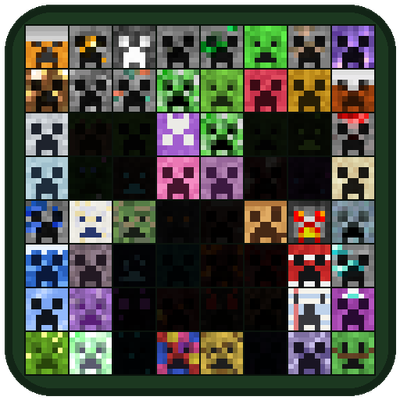
Blackwolf's More Creepers
Over 60 new creepers, each with its own home and explosion, and a Creepapedia to fill: bait, compass, defusal kit, glass jars, heads and a friendly creeper of your own to find, catch and collect them all.
 mod
CurseForge + Modrinth · Minecraft
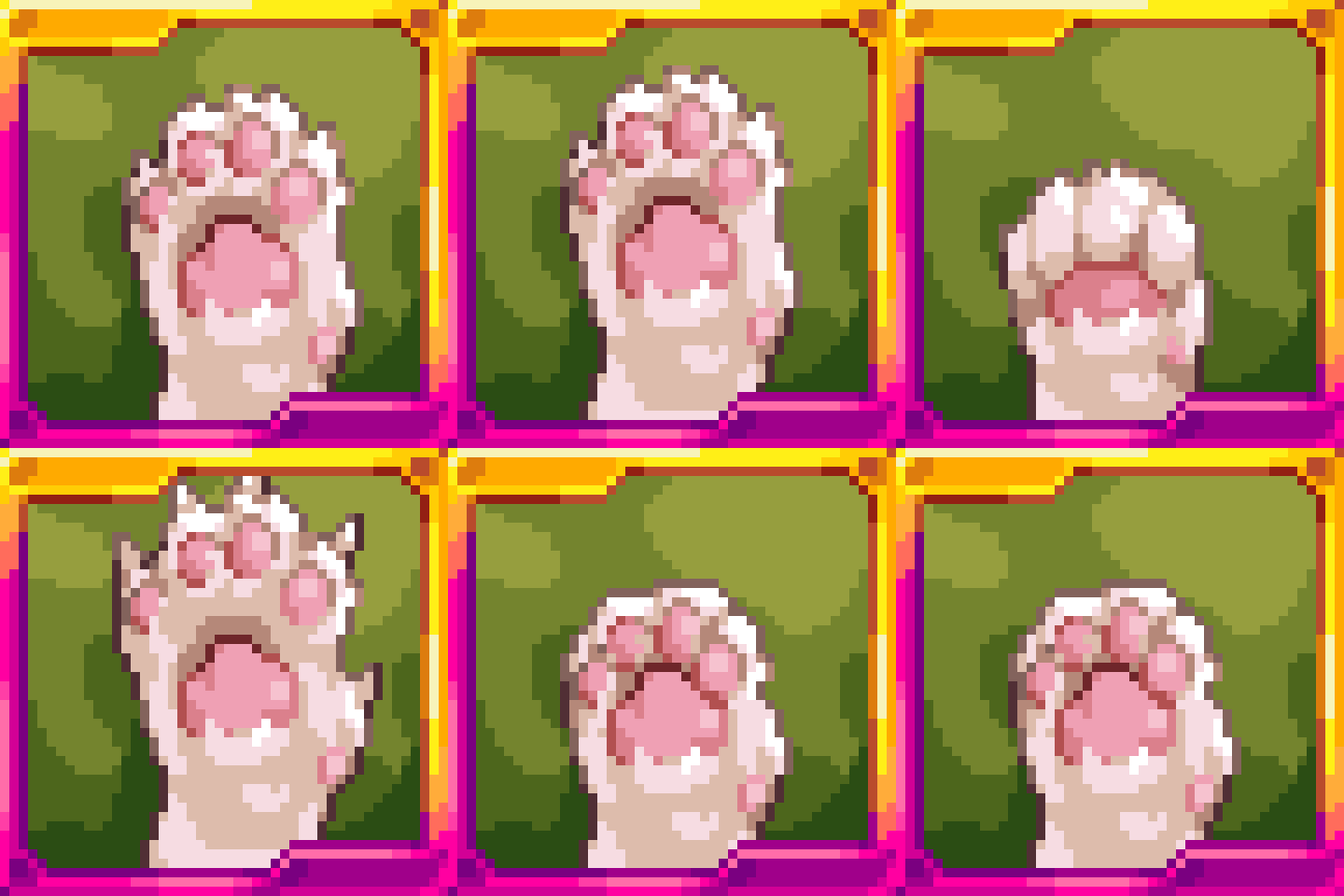
Re:Animal
Intelligent new animals that make the world livelier