Minecraft version
Back to mods 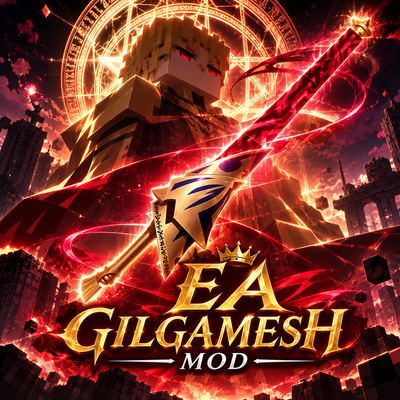
CurseForge · Minecraft mod
Ea Gilgamesh
EA Gilgamesh Mod adds the legendary Sword of Rupture, Ea, from the Fate to Minecraft, featuring powerful abilities, stunning anime-style effects, and the devastating ultimate skill, Enuma Elish
Choose a version Pick your version below, then grab the matching file.
Quick answer
Which Ea Gilgamesh release should I use?
Latest stable file ea_gilgamesh-1.1.jar
Game version 1.20.1
Loader Forge
Ea Gilgamesh ea_gilgamesh-1.1.jar targets 1.20.1 with Forge. The project page does not say whether this file belongs on the client, dedicated server, or both. No extra mods listed for this file.
Where it goes
Is Ea Gilgamesh required on the client, server, or both?
The project page does not say whether this file belongs on the client, dedicated server, or both.
Client Source doesn’t say
Dedicated server Source doesn’t say
Loader for this release Forge
Required install it here Optional supported, not mandatory Not supported do not install here Source doesn’t say do not assume
The source does not explicitly classify this release as client-only or server-only.
What else does Ea Gilgamesh ea_gilgamesh-1.1.jar need?
ea_gilgamesh-1.1.jar. Change the file and its required mods may change too.
This file does not list any required mods. Do not add a library just because a different file uses it.
This file does not list any required or optional mods.
Before you install it
Add Ea Gilgamesh without breaking your instance.
Built for Ea Gilgamesh ea_gilgamesh-1.1.jar. Pick another file and the loader, install side or required mods may change.
- 01
Stick to this file
Use ea_gilgamesh-1.1.jar. It targets 1.20.1 with Forge; another release may have different loader, side or dependency requirements.
- 02
Bring the mods it needs
This file does not list any required mods. Do not add a library just because a different file uses it.
- 03
Put it on the correct side
The project page does not say whether this file belongs on the client, dedicated server, or both.
- 04
Pick the file you checked
Use the “Get this file” button beside ea_gilgamesh-1.1.jar. It opens that exact file at the source.
About this project
What does Ea Gilgamesh add?
Overview
Ea Gilgamesh Mod brings the ultimate weapon of the King of Heroes into Minecraft! Wield the legendary Sword of Rupture and conquer the world with divine authority.
Key Features
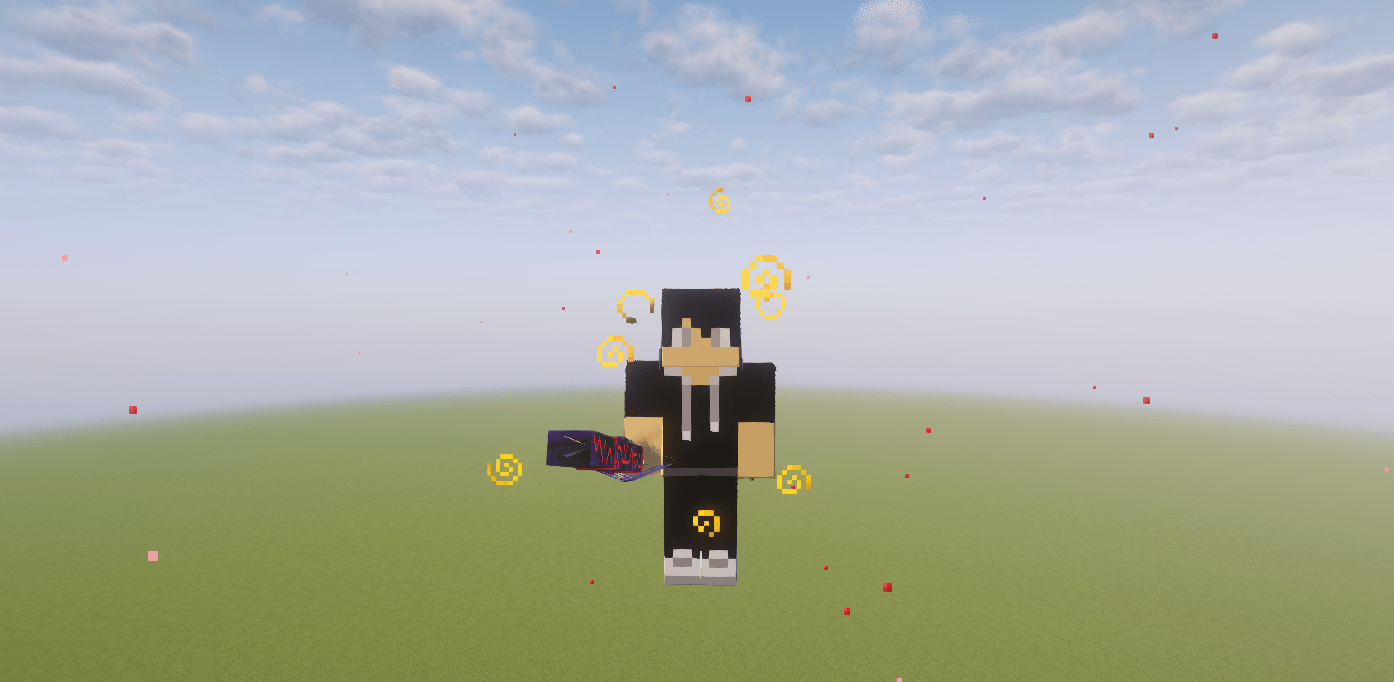
Gate of Babylon: Summon portals to rain down an endless barrage of noble phantasms and ancient weapons upon your enemies.
Enkidu (Heaven's Chains): Cast divine chains capable of binding and subduing any type of mob in the game with absolute control.
Ultimate Skills: Unleash the apocalyptic power of Enuma Elish, ripping apart space and dealing catastrophic devastation across the battlefield.
Crafting Recipe
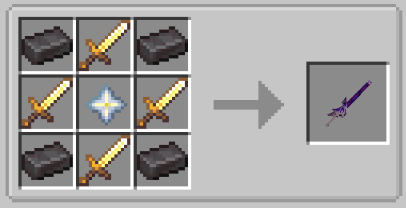
To craft Ea, arrange the materials in a crafting table as follows
Netherite Ingot 4x (Placed in the four corners)
Golden Sword: 4x (Placed around the center)
Nether Star: 1x (Placed in the dead center)
Project description from CurseForge.
Pick your setup
Ea Gilgamesh by Minecraft version and loader
Choose the version and loader you play, then open the matching release.
Check the dependencies, then try the file in a copied instance before changing a world you care about.
Recent files
Ea Gilgamesh versions and loaders
ea_gilgamesh-1.1.jar
8 Nov 2026
Client Source doesn’t say Server Source doesn’t say Dependencies No extras listed Listed on Release listing
Check the 1.20.1 · Forge setup 1.20.1Forge release
ea_gilgamesh-1.0.jar
7 Nov 2026
Client Source doesn’t say Server Source doesn’t say Dependencies No extras listed Listed on Release listing
Check the 1.20.1 · Forge setup 1.20.1Forge release
Looking for an older file? The official CurseForge project page is in Resources.
 mod
CurseForge · Minecraft
PeterWolf's Planes
dds a fully‑steerable biplane to Minecraft, bringing a lightweight, vintage‑style aviation experience to the game.
 mod
CurseForge · Minecraft
Albion Mastery
A weapon mastery system for any 1.20.1 Forge modpack: every gun, blade, spell and bow you already have levels up as you fight, with trade-off specializations, mastery ranks and leaderboards.
 mod
CurseForge + Modrinth · Minecraft
HoloGui
HoloGui is an immersive way to add holographic gui's to Minecraft