CyberFarm Needed by CyberFarm-hats cyberhats-1.0.3+mc26.2
requiredMatching file found Matched file: cyberfarm-1.2.0+mc26.2
CurseForge · Minecraft mod
40 hats for you and your CyberFarm drones
Quick answer
CyberFarm-hats cyberhats-1.0.3+mc26.2 targets 26.2 with NeoForge. The project page does not say whether this file belongs on the client, dedicated server, or both. All 1 required mods have matching files.
Where it goes
The project page does not say whether this file belongs on the client, dedicated server, or both.
The source does not explicitly classify this release as client-only or server-only.
cyberhats-1.0.3+mc26.2. Change the file and its required mods may change too.
Install CyberFarm first. We found matching files for this game-version and loader setup. 5 come through another mod in the chain.
5 extra mods were pulled in by other dependencies. Indented rows show who needs each one. We only count dependency files that match this setup. A file for another loader does not fill the gap.
Before you install it
Built for CyberFarm-hats cyberhats-1.0.3+mc26.2. Pick another file and the loader, install side or required mods may change.
Use cyberhats-1.0.3+mc26.2. It targets 26.2 with NeoForge; another release may have different loader, side or dependency requirements.
Install CyberFarm first. We found matching files for this game-version and loader setup. 5 come through another mod in the chain.
The project page does not say whether this file belongs on the client, dedicated server, or both.
Use the “Get this file” button beside cyberhats-1.0.3+mc26.2. It opens that exact file at the source.
About this project
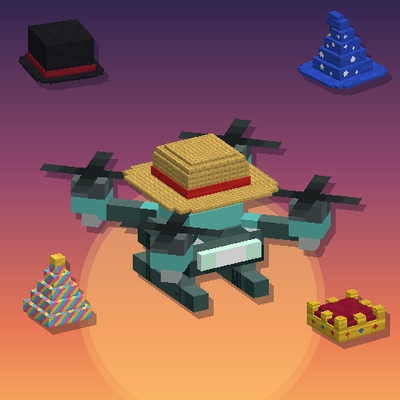
Forty hats for you, your armor stands and your CyberFarm drones. Purely cosmetic: no stats, no armor, just style.
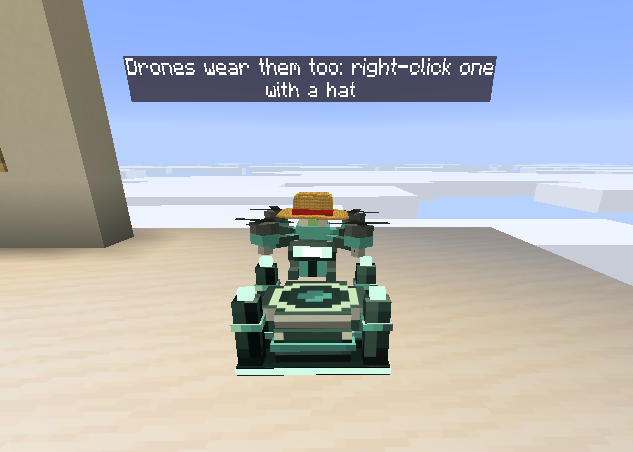
Right-click a CyberFarm drone with a hat and it folds its antenna away and wears the hat on its tank, clear of every module, in flight and parked. Shears take the hat off, and a drone you pick up drops its hat on the ground.
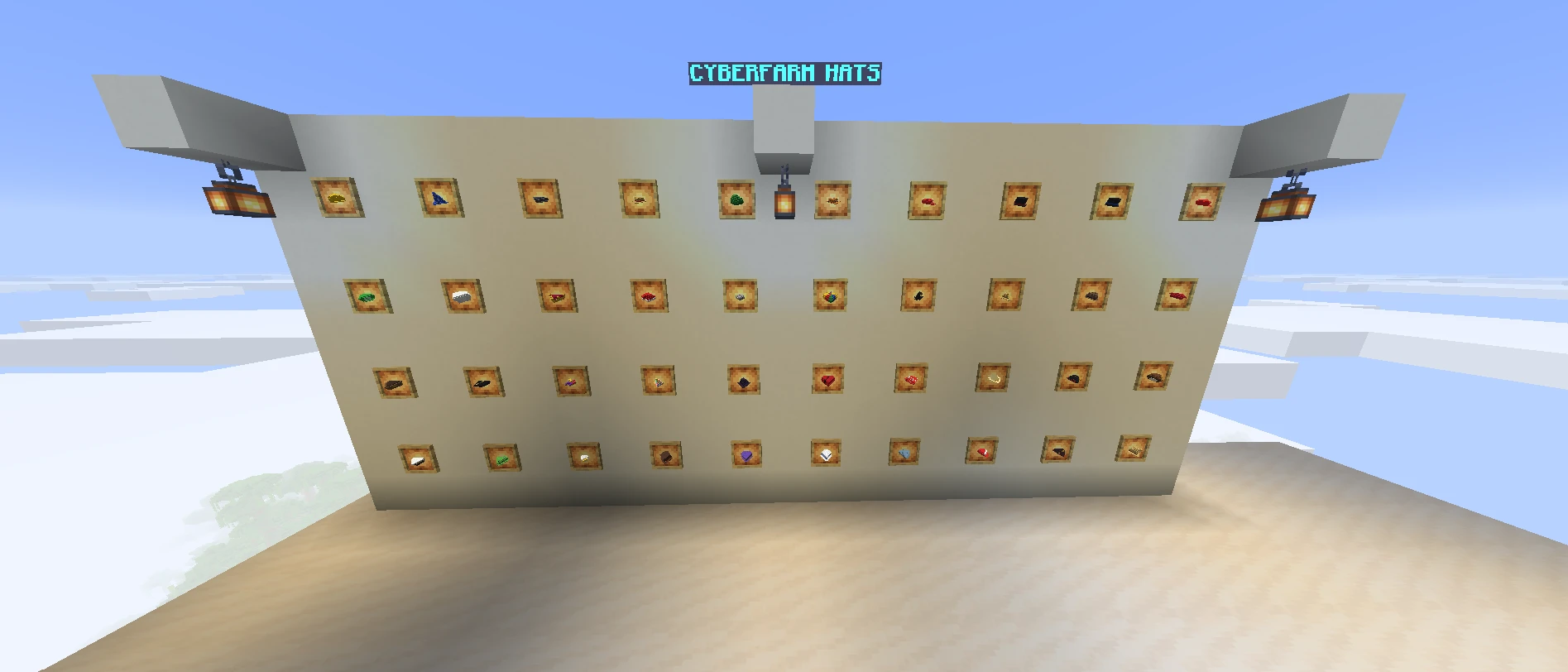
Hard Hat · Straw Hat · Top Hat · Goggle Top Hat · Professor's Top Hat · Time Traveler's Top Hat · Phantom Thief Hat · Wizard Hat · Witch Hat · Black Mage Hat · Elf Cap · Flat Cap · Baseball Cap · Trainer Cap · Apprentice Cap · Red Plumber Cap · Green Plumber Cap · Cowboy Hat · Fedora · Sombrero · Pirate Hat · Captain Hat · Chef Hat · Crown · Halo · Santa Hat · Party Hat · Jester Hat · Propeller Beanie · Beret · Fez · Ushanka · Graduation Cap · Aviator Cap · Viking Helmet · Samurai Helmet · Wanderer's Hat · Mushroom Cap · Frog Hat · Chicken Hat
| Minecraft | Loader | CyberFarm |
|---|---|---|
| 26.2 | NeoForge 26.2.0.93+ | 1.0.0 or newer |
| 26.1.2 | NeoForge 26.1.2.97+ | 1.0.0 or newer |
| 1.20.1 | Forge 47.1.3+ | 1.0.0 or newer |
Install it on both the client and the server. JEI is optional.
Project description from CurseForge.
Pick your setup
Choose the version and loader you play, then open the matching release.
Check the dependencies, then try the file in a copied instance before changing a world you care about.
Recent files
cyberhats-1.0.3-mc26.2.jar
15 Nov 2026
cyberhats-1.0.3-mc26.1.2.jar
15 Nov 2026
cyberhats-1.0.3-mc1.20.1.jar
15 Nov 2026
cyberhats-1.0.2-mc26.2.jar
14 Nov 2026
cyberhats-1.0.2-mc26.1.2.jar
14 Nov 2026
cyberhats-1.0.2-mc1.20.1.jar
14 Nov 2026
cyberhats-1.0.1-mc1.20.1.jar
10 Nov 2026
cyberhats-1.0.1-mc26.1.2.jar
10 Nov 2026
cyberhats-1.0.1-mc26.2.jar
10 Nov 2026
Looking for an older file? The official CurseForge project page is in Resources.
 mod
A Jujutsu Kaisen addon for Tehen's Jujutsu Verse, focused on expanding the gameplay and making the mod more fun to play.
 mod
Complete Mastery Reset for Cursed Fate
 mod
Addon for Recruits that introduces autonomous villages with their own center, faction, roles, and internal logic. Settlements organize themselves, manage recruits, and function as self‑sustaining communities without player intervention.