Fabric API Needed by 🌟 Hardcore Creative Toggle 🌟 🌟 hardcore-creative-toggle-1.0.1+26.1 🌟
requiredMatching file found Matched file: [1.21.11] Fabric API 0.141.6+1.21.11

CurseForge · Minecraft mod
Press B to switch between Creative and Survival in your singleplayer Hardcore world, without commands or menus. Keeps Hardcore status intact. For Fabric 1.21.11, with a configurable keybind and server-side switching.
Quick answer
🌟 Hardcore Creative Toggle 🌟 🌟 hardcore-creative-toggle-1.0.1+26.1 🌟 targets 1.21.11 with Fabric. The project page does not say whether this file belongs on the client, dedicated server, or both. All 1 required mods have matching files.
Where it goes
The project page does not say whether this file belongs on the client, dedicated server, or both.
The source does not explicitly classify this release as client-only or server-only.
🌟 hardcore-creative-toggle-1.0.1+26.1 🌟 . Change the file and its required mods may change too.
Install Fabric API first. We found matching files for this game-version and loader setup.
We only count dependency files that match this setup. A file for another loader does not fill the gap.
Before you install it
Built for 🌟 Hardcore Creative Toggle 🌟 🌟 hardcore-creative-toggle-1.0.1+26.1 🌟. Pick another file and the loader, install side or required mods may change.
Use 🌟 hardcore-creative-toggle-1.0.1+26.1 🌟 . It targets 1.21.11 with Fabric; another release may have different loader, side or dependency requirements.
Install Fabric API first. We found matching files for this game-version and loader setup.
The project page does not say whether this file belongs on the client, dedicated server, or both.
Use the “Get this file” button beside 🌟 hardcore-creative-toggle-1.0.1+26.1 🌟 . It opens that exact file at the source.
About this project
Hardcore Creative Toggle
Bring back one of the simplest conveniences from the early days of Hardcore: switching between Creative and Survival without leaving your world to run commands or change its settings.
Hardcore Creative Toggle is a small, focused Fabric mod for Minecraft Java Edition 1.21.11. In your own singleplayer Hardcore world, press B to switch directly between Creative and Survival. Press B again to switch back. That's the entire point: one key, one immediate change, and no unnecessary menus.
What it does
While you are playing in a singleplayer Hardcore world, the mod adds a dedicated keybind that requests a gamemode switch from the integrated server. If you are in Survival, the key switches you into Creative. If you are in Creative, it switches you back into Survival. The change is handled by the server rather than merely changing the client display, so the selected gamemode actually takes effect.
The key is B by default. The keybind is registered in Minecraft's controls, where it can be reassigned if B conflicts with another mod or your preferred controls. Switching is available during normal gameplay rather than through an additional configuration screen.
What stays the same
Your world remains a Hardcore world. This mod changes the player's current gamemode; it does not convert the save to a standard Survival world, remove the Hardcore designation, or disable Hardcore's permanent-death behavior. It also does not alter the world difficulty or turn your singleplayer world into a public Creative server.
The feature is intentionally limited to the owner of an integrated (singleplayer) Hardcore server. It is not a general-purpose multiplayer permission bypass: joining another player's server does not give you the ability to press B and grant yourself Creative mode.
Why make a mod for such a small feature?
Because a familiar, practical shortcut should be a shortcut. If you want to inspect a build, experiment with something, or move between normal Hardcore survival and temporary Creative access in your own world, there is no reason to bury that specific action inside a long sequence of steps. Hardcore Creative Toggle restores that convenience without trying to redesign Hardcore or add unrelated mechanics.
Controls
B — Toggle between Survival and Creative in your own singleplayer Hardcore world.
Compatibility
Minecraft Java Edition: 1.21.11
Mod loader: Fabric
Java: 21 or newer
Dependency: Fabric API
This is the initial public release. It is a focused utility mod rather than a broad gamemode-management system. The toggle has been reported working in the target singleplayer setup; compatibility with every other keybinding or mod combination has not been independently verified.
🌟 🌟 A nostalgic little throwback to Java Edition snapshot 11w49a, when a bizarre bug let you press B to switch into Creative mode—even in a Hardcore world, without enabling cheats. 🌟 ✅ 👑
Project description from CurseForge.
Pick your setup
Choose the version and loader you play, then open the matching release.
Check the dependencies, then try the file in a copied instance before changing a world you care about.
Recent files
hardcore-creative-toggle-1.0.1-26.1.jar
26 Nov 2026
hardcore-creative-toggle-1.0.1-26.2.jar
26 Nov 2026
hardcore-creative-toggle-1.0.1-26.3.jar
26 Nov 2026
hardcore-creative-toggle-1.21.11-1.0.0.jar
11 Nov 2026
Looking for an older file? The official CurseForge project page is in Resources.
 mod
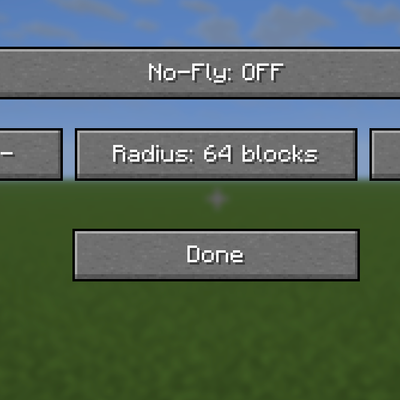
Control a no-flight area with an F9 panel and adjustable radius.
 mod
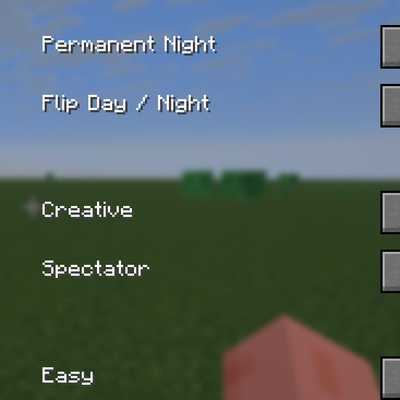
A command-free Fabric 1.21.11 world-control panel for instantly managing time, game mode, difficulty, weather, and special testing utilities from an in-game GUI.
 mod
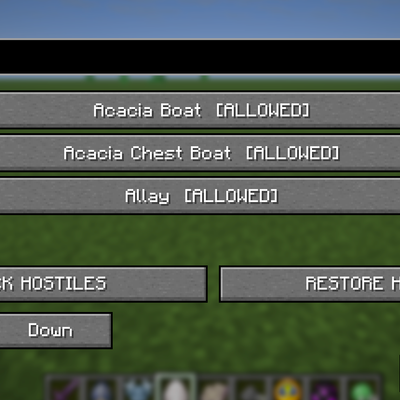
Search and block registered entity types with reversible hostile restrictions and an F7 control panel.