Just Enough Items (JEI) Optional for Powah! Upgrade Cards powah_upgrade_cards-1.3.0.jar
optionalMatching file found Matched file: 19.70.0.469 for NeoForge 1.21.1

CurseForge · Minecraft mod
Upgrade your Powah! machines in place with Upgrade Cards and swap Energy Cables with a right-click. Energy, items, fluids and settings all carry over.
Quick answer
Powah! Upgrade Cards powah_upgrade_cards-1.3.0.jar targets 1.21.1 with NeoForge. The project page does not say whether this file belongs on the client, dedicated server, or both. All 3 required mods have matching files.
Where it goes
The project page does not say whether this file belongs on the client, dedicated server, or both.
The source does not explicitly classify this release as client-only or server-only.
powah_upgrade_cards-1.3.0.jar. Change the file and its required mods may change too.
Install Powah! (Rearchitected), Cloth Config API (Fabric/Forge/NeoForge), GuideME first. We found matching files for this game-version and loader setup. 16 come through another mod in the chain.
16 extra mods were pulled in by other dependencies. Indented rows show who needs each one. We only count dependency files that match this setup. A file for another loader does not fill the gap.
Before you install it
Built for Powah! Upgrade Cards powah_upgrade_cards-1.3.0.jar. Pick another file and the loader, install side or required mods may change.
Use powah_upgrade_cards-1.3.0.jar. It targets 1.21.1 with NeoForge; another release may have different loader, side or dependency requirements.
Install Powah! (Rearchitected), Cloth Config API (Fabric/Forge/NeoForge), GuideME first. We found matching files for this game-version and loader setup. 16 come through another mod in the chain.
The project page does not say whether this file belongs on the client, dedicated server, or both.
Use the “Get this file” button beside powah_upgrade_cards-1.3.0.jar. It opens that exact file at the source.
About this project
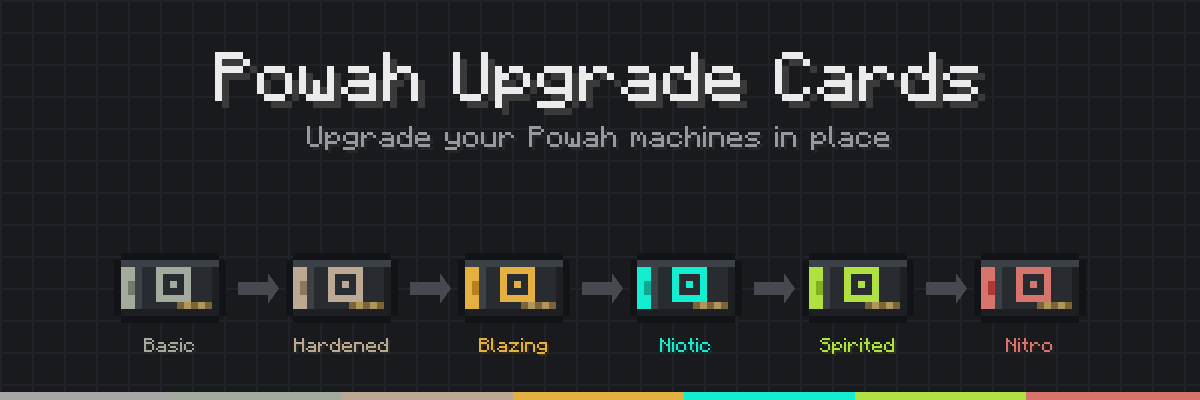
Stop breaking your Powah machines just to tier them up.
Right-click a placed Powah machine with an Upgrade Card, and it becomes the next tier right where it stands. Its stored energy, items, fluids, side config, and redstone mode all stay exactly how you left them. You don't break it, re-craft it, or set it back up.
You can also swap Energy Cables in place. Hold a different tier of cable, right-click a placed one, and the new cable goes in while the old one goes back to your inventory.
Requires Powah! (Rearchitected) 6.2.0+ on NeoForge 1.21.1.
Ender Cells, Ender Gates, Energy Dischargers, and Reactors aren't supported. Creative blocks are never touched.
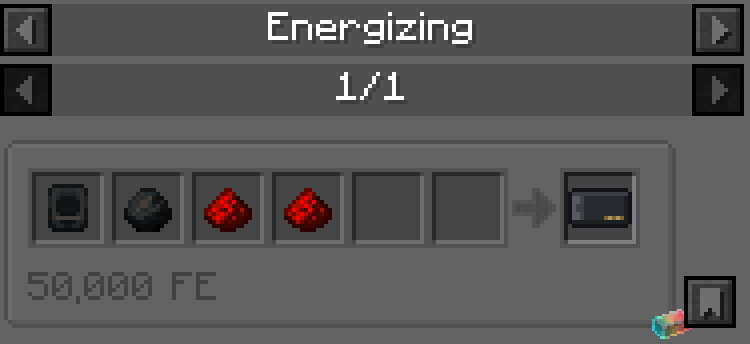
Every card starts as a Blank Upgrade Card, charged up in the Energizing Orb.
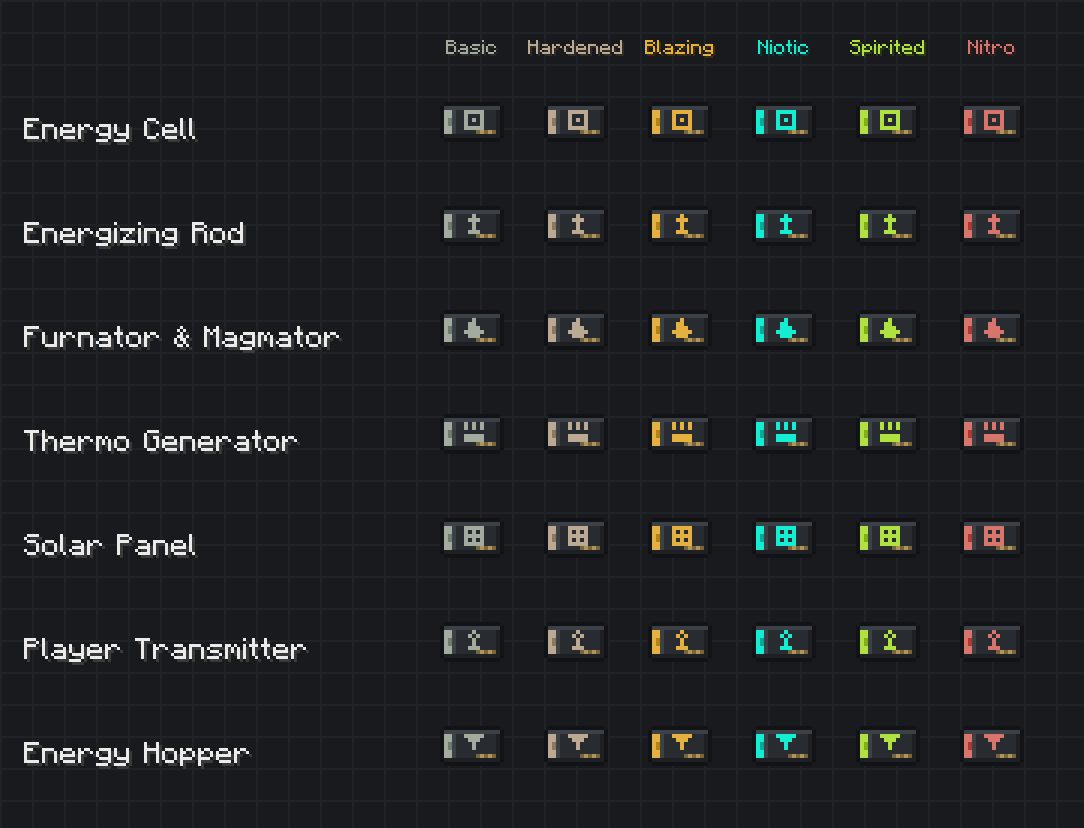
Each machine has its own line of cards, from Basic to Nitro. Furnators and Magmators share one line since their recipes are the same.
Card recipes are Powah's own machine recipes with the previous machine swapped out for the previous card. Whatever Powah charges for a tier, the card costs the same.
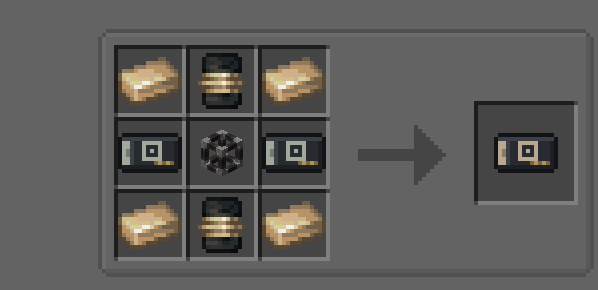
Hardened Upgrade Card (Energy Cell): two Basic cell cards take the place of Powah's two Basic Energy Cells.
Just like in Powah, Energy Cell cards take two of the previous card, and Solar Panel cards take three.
Use a card on a placed machine one tier below it. The card gets used up, and the machine is upgraded. If it's the wrong tier or the wrong machine, nothing happens, and you get a little message telling you why.
All recipes are plain JSON in data/powah_upgrade_cards/recipe/, named like hardened_upgrade_card_energy_cell. The Blank Upgrade Card is a powah:energizing recipe. Remove or replace any of them with KubeJS or a datapack.
Config file: config/powah_upgrade_cards-common.toml
Project description from CurseForge.
Pick your setup
Choose the version and loader you play, then open the matching release.
Check the dependencies, then try the file in a copied instance before changing a world you care about.
Recent files
13 Nov 2026
12 Nov 2026
Looking for an older file? The official CurseForge project page is in Resources.
 mod
An unofficial Diosesmon addon with a Trainer Tablet for chat history, private messages, payment notes, customizable notifications and teletransports.
 mod
This is the core mod made for the Meka Technology modpack
 mod
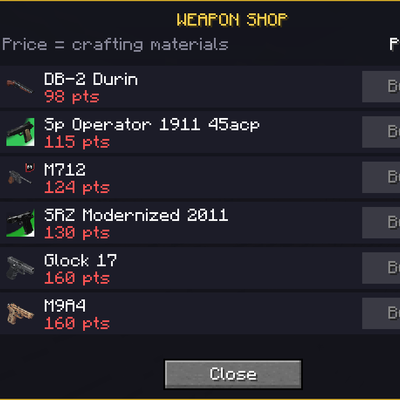
An addon for Timeless and Classics Zero (TaCZ) that introduces an in-game currency, allowing players to earn points by defeating zombies,skeleton,creeperts and spiders and spend them at dedicated shop interfaces for guns and ammo.