Fabric API Needed by NPC-Werkstatt npcwerkstatt-1.2.0.jar
requiredMatching file found Matched file: [26.3] Fabric API 0.166.2+26.3
CurseForge · Minecraft mod
Data-driven NPCs with branching dialogues, quests and spawn rules – in-game editor, JSON, server-side.
Quick answer
NPC-Werkstatt npcwerkstatt-1.2.0.jar targets 26.3 with Fabric. The project page does not say whether this file belongs on the client, dedicated server, or both. All 1 required mods have matching files.
Where it goes
The project page does not say whether this file belongs on the client, dedicated server, or both.
The source does not explicitly classify this release as client-only or server-only.
npcwerkstatt-1.2.0.jar. Change the file and its required mods may change too.
Install Fabric API first. We found matching files for this game-version and loader setup.
We only count dependency files that match this setup. A file for another loader does not fill the gap.
Before you install it
Built for NPC-Werkstatt npcwerkstatt-1.2.0.jar. Pick another file and the loader, install side or required mods may change.
Use npcwerkstatt-1.2.0.jar. It targets 26.3 with Fabric; another release may have different loader, side or dependency requirements.
Install Fabric API first. We found matching files for this game-version and loader setup.
The project page does not say whether this file belongs on the client, dedicated server, or both.
Use the “Get this file” button beside npcwerkstatt-1.2.0.jar. It opens that exact file at the source.
About this project
NPC-Werkstatt ("NPC workshop") lets you build NPCs with branching dialogues, quests, rewards and spawn rules without writing a single line of Java. Everything lives in simple JSON files that you can edit right inside Minecraft with the in-game editor, in a node-based browser editor, by hand – or let an AI assistant write them for you using the included format guide.
The mod runs on the server. Players can join with a completely vanilla client – they get Minecraft's built-in dialog screen. Players who also install the mod get a dedicated story-style dialog window (NPC portrait, conversation history, typewriter text, keyboard shortcuts).
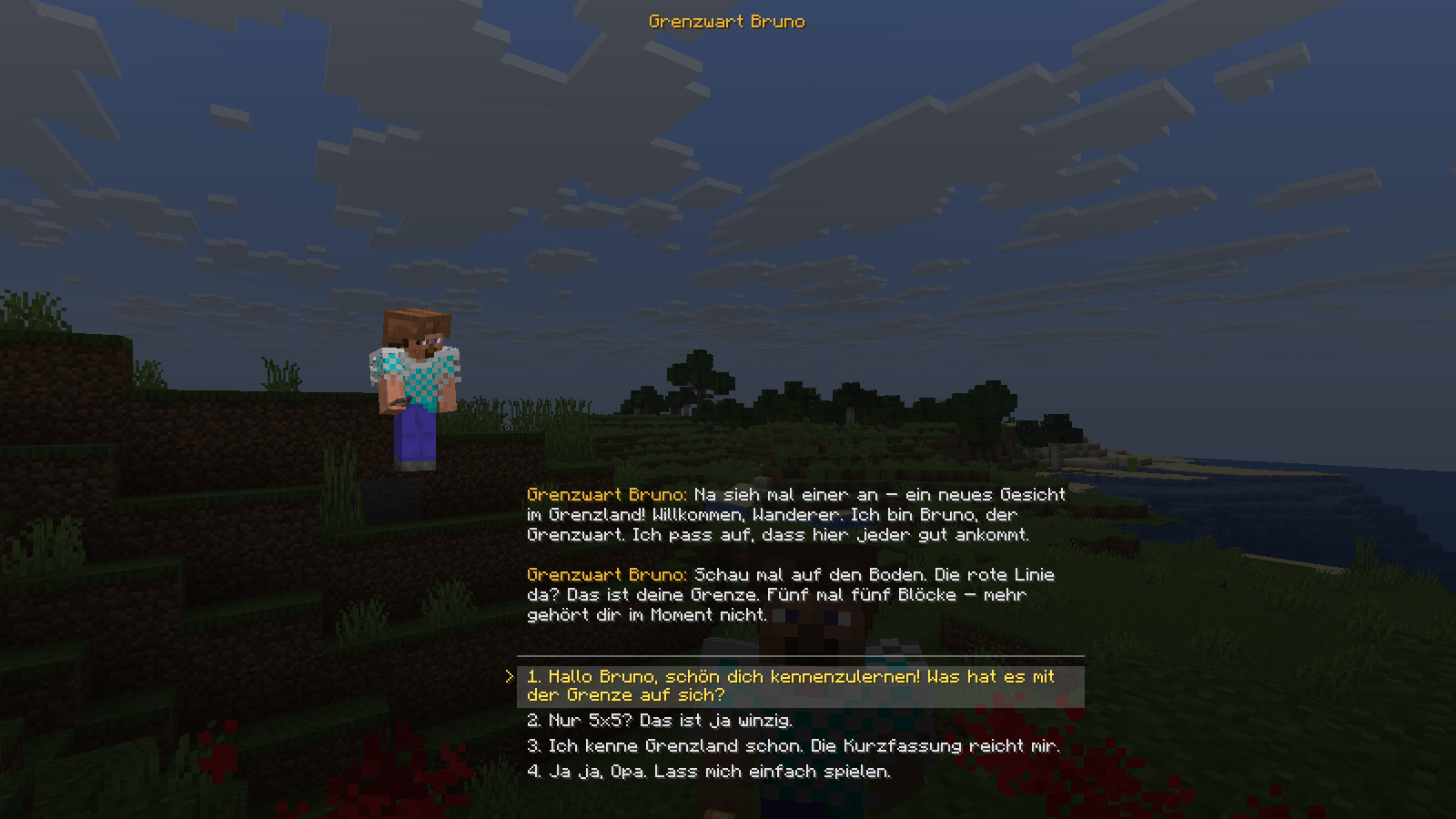
ruf >= 2, laune == genervt, item:minecraft:diamond >= 3, time of day, group size …).{spieler}, {namen}, quest goals and time limits.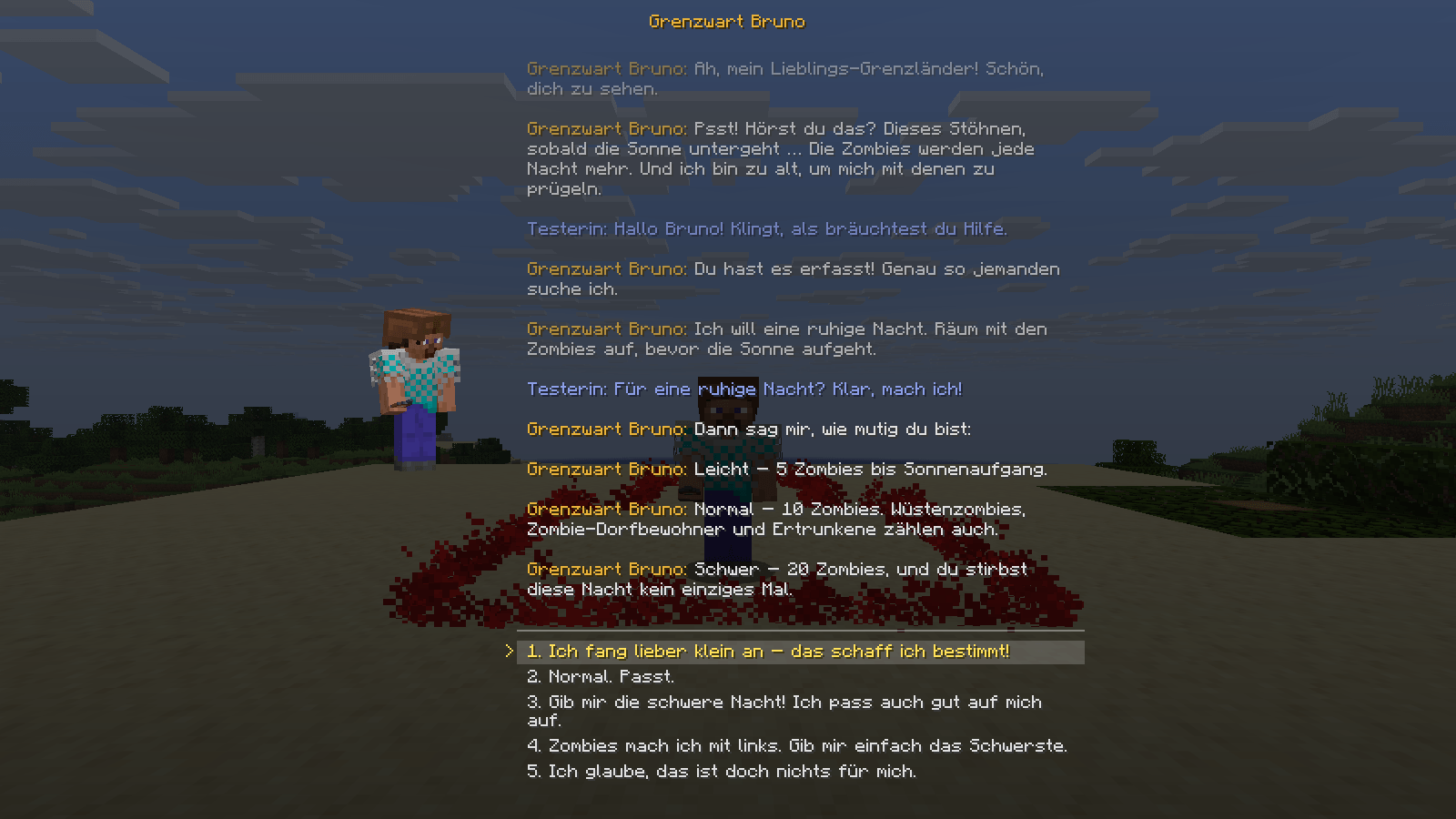
/npcw editor, for OPs with the mod on their client). Create and edit NPCs without leaving the game:/npcw reload checks every file against the real game registries (missing items, mobs or nodes) and lists each problem with file, dialogue and node.AI-GUIDE.md / KI-ANLEITUNG.md): the complete data format, written so that ChatGPT, Claude & co. can create new NPCs for you.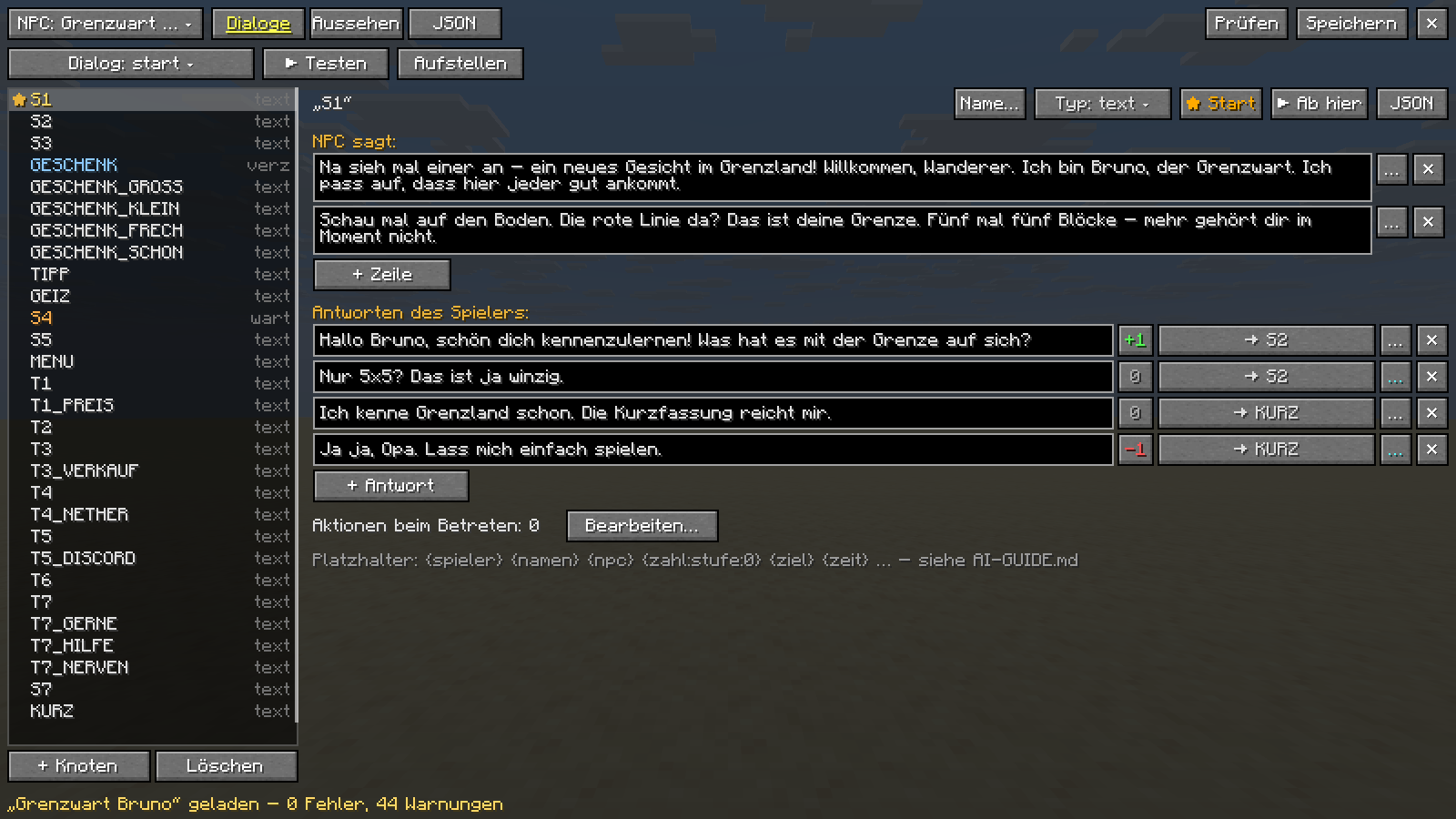
With the Grenzland mod installed, the bundled example NPC "Grenzwart Bruno" becomes active. He greets new players, explains the server, gives them a border stone, and visits players and groups with 10 quests. Group quests then require a shared Grenzland area. Without Grenzland, Bruno is only copied as a template.
npcwerkstatt-<version>.jar and Fabric API into the server's mods folder (optional: also into the clients' mods folder for the nicer dialog window).config/npcwerkstatt/:npcs/ – your NPC files (one JSON file per NPC)editor/npc-editor.html – the sandbox editorAI-GUIDE.md – the data formatvorlagen/ – templates/npcw editor → NPC ▾ → + Neuer NPC (new NPC). Write the greeting, press ▶ Testen (test), then Aufstellen (place).vorlagen/beispiel-haendler.json to npcs/my_npc.json, change the id, edit it in the browser editor, then /npcw reload → /npcw platzieren my_npc gruss → right-click the NPC.| Command | What it does |
|---|---|
/npcw editor [npc] |
Open the in-game editor |
/npcw reload |
Reload and validate all NPC files |
/npcw dialog <npc> <dialog> [players] |
Start a dialogue right now |
/npcw aufgabe <npc> <quest> [players] |
Let the NPC appear with a specific quest |
/npcw zufall <npc> [players] |
Let the NPC appear with a random quest |
/npcw platzieren <npc> <dialog> / /npcw entfernen |
Place / remove a permanent NPC |
/npcw liste · /npcw gruppen · /npcw status [player] |
Overview, detected groups, quest progress |
/npcw abbrechen <player> · /npcw vergessen <player> |
Cancel a quest / reset a player's NPC data |
/npcw fenster vanilla|mod |
Switch your own dialog window (for testing) |
Every player can use /npcw status to see their own quest progress.
knoten, antworten, weiter …). AI-GUIDE.md explains every field in English.Made by AwenHD for the Grenzland community server · noralix.eu
Project description from CurseForge.
Pick your setup
Choose the version and loader you play, then open the matching release.
Check the dependencies, then try the file in a copied instance before changing a world you care about.
Recent files
20 Nov 2026
npcwerkstatt-1.2.0.jar
20 Nov 2026
npcwerkstatt-1.0.0.jar
15 Nov 2026
Looking for an older file? The official CurseForge project page is in Resources.
 mod
Discover Plants, Animals and Monsters with a Spyglass. Collect them all and take notes in your personal Field Guide!
 mod
Slam your pickaxe into a wall mid-fall to slow your descent or lock yourself in place before you hit the ground.
 mod
This mod is a remake of Old Mod TofuCraft made by tsuteto. add soybean As a new all-purpose food!