Minecraft version
Back to mods 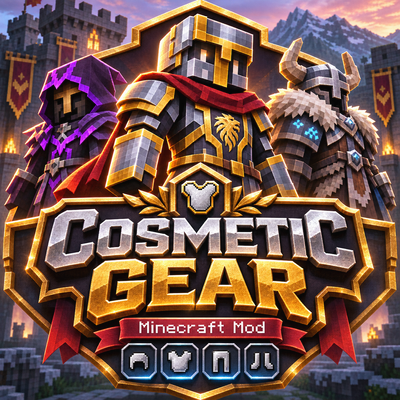
CurseForge · Minecraft mod
Cosmetic Gear
Cosmetic Gear lets you customize your Minecraft character's appearance with separate cosmetic armor slots, support for custom 3D armor models, and independent armor visibility controls without affecting protection.
Choose a version Pick your version below, then grab the matching file.
Quick answer
Which Cosmetic Gear release should I use?
beta file cosmeticgear-1.0.1-neoforge-1.20.1
Game version 1.20.1
Loader NeoForge
Cosmetic Gear cosmeticgear-1.0.1-neoforge-1.20.1 targets 1.20.1 with NeoForge. The project page does not say whether this file belongs on the client, dedicated server, or both. No extra mods listed for this file.
Where it goes
Is Cosmetic Gear required on the client, server, or both?
The project page does not say whether this file belongs on the client, dedicated server, or both.
Client Source doesn’t say
Dedicated server Source doesn’t say
Loader for this release NeoForge
Required install it here Optional supported, not mandatory Not supported do not install here Source doesn’t say do not assume
The source does not explicitly classify this release as client-only or server-only.
What else does Cosmetic Gear cosmeticgear-1.0.1-neoforge-1.20.1 need?
cosmeticgear-1.0.1-neoforge-1.20.1. Change the file and its required mods may change too.
This file does not list any required mods. Do not add a library just because a different file uses it.
This file does not list any required or optional mods.
Before you install it
Add Cosmetic Gear without breaking your instance.
Built for Cosmetic Gear cosmeticgear-1.0.1-neoforge-1.20.1. Pick another file and the loader, install side or required mods may change.
- 01
Stick to this file
Use cosmeticgear-1.0.1-neoforge-1.20.1. It targets 1.20.1 with NeoForge; another release may have different loader, side or dependency requirements.
- 02
Bring the mods it needs
This file does not list any required mods. Do not add a library just because a different file uses it.
- 03
Put it on the correct side
The project page does not say whether this file belongs on the client, dedicated server, or both.
- 04
Pick the file you checked
Use the “Get this file” button beside cosmeticgear-1.0.1-neoforge-1.20.1. It opens that exact file at the source.
About this project
What does Cosmetic Gear add?
Cosmetic Gear
Your Armor. Your Style. Your Choice.
Cosmetic Gear is a Minecraft armor customization mod that allows you to wear one armor set for protection while displaying a completely different armor set on your character.
Want the protection of Netherite armor with the appearance of an epic knight, a medieval warrior, or a custom 3D armor set? Cosmetic Gear makes it possible.
Customize your appearance without sacrificing protection, enchantments, durability, or gameplay functionality.
With separate cosmetic armor slots, independent visibility controls, custom 3D armor support, and multiplayer synchronization, Cosmetic Gear gives you full control over your character's appearance.
Features
Separate Cosmetic Armor Slots
Cosmetic Gear adds four additional equipment slots:
Head — Helmets and compatible head equipment
Chest — Chestplates and compatible chest equipment
Legs — Leggings
Feet — Boots
Each cosmetic slot works independently from your actual equipment.
For example, you can wear Netherite armor for protection while displaying a completely different armor set.
Your real armor continues to provide its normal benefits, including armor protection, toughness, enchantments, durability, and other equipment attributes.
Cosmetic equipment changes appearance only.
Elytra can also be displayed through the cosmetic chest slot without replacing the functionality of your actual equipment.
Custom 3D Armor Support
Cosmetic Gear supports custom armor models provided through compatible Forge rendering systems.
Supported rendering features include:
Custom 3D helmets
Custom chestplates and shoulder armor
Custom leggings and boots
Complete custom armor sets
Custom textures and armor materials
Armor trims and enchantment glint where supported
Player movement and armor model animations
Compatible armor mods can preserve their original model geometry and textures when used as cosmetic equipment.
This allows players to combine armor from different mods and create their own appearance.
Compatibility note: Some armor mods use independent rendering systems or custom equipment inventories. These may require additional integration to display correctly.
Independent Armor Visibility Controls
Control the appearance of your cosmetic armor and real armor separately.
Each equipment slot has independent visibility settings.
You can:
Show or hide individual cosmetic armor pieces.
Show or hide individual real armor pieces.
Hide all cosmetic armor at once.
Hide all real armor at once.
Display your character's original skin while keeping armor protection.
Combine visible cosmetic and real armor pieces.
A visible cosmetic item takes priority over the real armor in the same slot.
When the cosmetic item is hidden, the real armor appears if its own visibility setting is enabled.
Visibility controls only affect rendering. Your actual armor remains equipped and functional.
Simple and Compact Inventory Interface
Cosmetic Gear integrates directly into Minecraft's inventory.
Open the cosmetic equipment panel using the hanger button in your inventory or the default G key.
The key can be changed through Minecraft's Controls settings.
The interface includes:
Four cosmetic equipment slots
Individual visibility controls
Two global visibility controls
A hanger icon for cosmetic armor visibility
A helmet icon for real armor visibility
Green indicators for visible equipment
Red indicators for hidden equipment
Helpful tooltips
Adjustable inventory button position
The cosmetic interface works in both Survival and Creative mode.
Safe Equipment Management
Cosmetic Gear includes safeguards to help prevent accidental item loss during equipment changes.
Swap cosmetic equipment directly from your inventory.
Existing items are returned when replaced.
Full-inventory conditions are handled safely.
Invalid equipment is rejected.
Creative-mode transactions are validated by the server.
Rapid repeated clicks are controlled while transactions are pending.
Cosmetic items and visibility preferences are saved with player data.
These protections help preserve equipment during normal inventory operations.
Multiplayer Support
Cosmetic Gear supports multiplayer gameplay.
Your cosmetic equipment and visibility settings are synchronized so other players can see your selected appearance.
Features include:
Player-specific cosmetic equipment
Multiplayer appearance synchronization
Persistent visibility settings
Equipment restoration after reconnecting
Server-controlled cosmetic equipment behavior
For multiplayer use, Cosmetic Gear must be installed on both the server and participating clients, using compatible versions.
Death and Item Retention
Server administrators can control what happens to cosmetic equipment when a player dies.
Three modes are available:
Follow: Follow Minecraft's
keepInventorygame rule.Keep: Preserve cosmetic equipment after death.
Drop: Drop cosmetic equipment when the player dies.
Items with the Curse of Vanishing are removed when the applicable death behavior causes them to be lost.
Optional Curios Compatibility
Cosmetic Gear includes optional compatibility with Curios.
Compatible Curios head accessories can be used in the cosmetic head slot.
Curios is not required for normal Cosmetic Gear functionality.
Not every Curios accessory type is supported. Compatibility depends on the item's equipment requirements and rendering implementation.
Language Support
Cosmetic Gear includes 10 languages:
English
Turkish
German
French
Spanish
Japanese
Korean
Russian
Simplified Chinese
Brazilian Portuguese
The interface automatically uses Minecraft's selected language when a translation is available.
Commands
Cosmetic Gear provides commands for managing cosmetic equipment and visibility.
| Command | Description |
|---|---|
/cosmeticgear clear |
Returns cosmetic equipment to the player's inventory. Items that cannot fit are dropped. |
/cosmeticgear hide |
Hides all cosmetic equipment. |
/cosmeticgear show |
Shows cosmetic equipment. |
/cosmeticgear realarmor <slot> <true|false> |
Changes real armor visibility for the selected slot. |
/cosmeticgear admin clear <player> |
Clears a player's cosmetic equipment and returns the items. |
/cosmeticgear admin cosmetics <player> <true|false> |
Changes a player's global cosmetic visibility. |
/cosmeticgear admin realarmor <player> <slot> <true|false> |
Changes a player's real armor visibility. |
/cosmeticgear admin death <follow|keep|drop> |
Configures the server's cosmetic equipment death behavior. |
Valid armor slot values are head, chest, legs, feet, and all.
Administrative commands require operator permissions.
Installation
Install a compatible Minecraft Forge version.
Download the correct Cosmetic Gear file for your Minecraft version.
Place the downloaded JAR file inside your Minecraft
modsfolder.Launch Minecraft using your Forge profile.
Open your inventory and select the hanger icon, or press G.
For supported Minecraft versions, check the Files tab.
Curios is optional and does not need to be installed unless you want to use supported Curios accessories.
Configuration
Cosmetic Gear includes client-side and server-side settings.
Client options:
Show or hide your own cosmetic equipment locally.
Show or hide other players' cosmetic equipment locally.
Hide the inventory hanger button.
Adjust the inventory button position.
Server options:
Configure cosmetic equipment behavior on death.
Manage player cosmetic equipment through commands.
Control equipment visibility using administrative commands.
Developer API
Cosmetic Gear provides a public API for developers who want to integrate their mods.
The API allows server-side integrations to:
Read cosmetic equipment slots.
Add or remove compatible cosmetic items.
Read and modify appearance settings.
Control real armor visibility.
Listen for cosmetic equipment and visibility changes through Forge events.
The API uses server-authoritative equipment mutations and returns defensive copies when reading stored items.
Package: com.cosmeticgear.api
Developers should validate their own gameplay permissions before modifying another player's equipment.
Full API Documentation
For detailed API methods, code examples, Forge events, and client-side rendering integration, see the complete documentation:
Cosmetic Gear — Full API Documentation
Important Notes
Cosmetic Gear does not increase armor protection or provide additional equipment attributes.
Cosmetic equipment only changes appearance.
Some third-party armor models may require additional compatibility support.
Multiplayer servers and clients must use compatible Cosmetic Gear versions.
Curios integration is optional and limited to compatible accessories.
Always back up important worlds before changing mod versions.
Feedback and Bug Reports
If you encounter a bug, rendering issue, inventory problem, or incompatibility with another armor mod, please report it in the comments.
When reporting a problem, include your Minecraft version, Forge version, Cosmetic Gear version, and the names of any other mods involved.
Enjoy customizing your armor without compromising your protection!
❤️ Support My Mods
If you enjoy my mods and would like to support future development, you can make a voluntary donation.
☕ Buy Me a Coffee – Support mexkalin
All my mods remain free. Thank you for your support!
Project description from CurseForge.
Pick your setup
Cosmetic Gear by Minecraft version and loader
Choose the version and loader you play, then open the matching release.
Check the dependencies, then try the file in a copied instance before changing a world you care about.
Recent files
Cosmetic Gear versions and loaders
cosmeticgear-1.0.1-neoforge-1.20.1
cosmeticgear-1.0.1-neoforge-1.20.1.jar
22 Nov 2026
Client Source doesn’t say Server Source doesn’t say Dependencies No extras listed Listed on Release listing
Check the 1.20.1 · NeoForge setup 1.20.1NeoForge beta
cosmeticgear-1.0.1-fabric-1.20.1
cosmeticgear-1.0.1-fabric-1.20.1.jar
22 Nov 2026
Client Source doesn’t say Server Source doesn’t say Dependencies No extras listed Listed on Release listing
Check the 1.20.1 · Fabric setup Fabric1.20.1 beta
cosmeticgear-1.0.1-forge-1.20.1
cosmeticgear-1.0.1.jar
16 Nov 2026
Client Source doesn’t say Server Source doesn’t say Dependencies No extras listed Listed on Release listing
Check the 1.20.1 · Forge setup 1.20.1Forge beta
Looking for an older file? The official CurseForge project page is in Resources.
 mod
CurseForge + Modrinth · Minecraft
Casual Tinkering
A mod that adds some new tools for Tinkers' Construct.
 mod
CurseForge + Modrinth · Minecraft
Horseman
Improved horses: faster hitching, smooth riding, QOL features and more...
 mod
CurseForge · Minecraft
NewChat | Modern Chat Overhaul - No Restrictions, Voice Notes, Private Groups & Screenshot Sharing
Universal Minecraft chat overhaul with unrestricted chat, a resizable HUD, themes, private groups, DMs, voice notes, screenshots, GIFs, emoji reactions, @mentions, item links, clickable coordinates, and reporting to server admins.