Minecraft version
Back to mods 
CurseForge · Minecraft mod
Anomalies & Anchors
Find anomalies throughout your world and anchor them for your own use
Choose a version Pick your version below, then grab the matching file.
Quick answer
Which Anomalies & Anchors release should I use?
Latest stable file anomalyanchors-neoforge-1.21.1-1.1.0.jar
Game version 1.21
Loader NeoForge
Anomalies & Anchors anomalyanchors-neoforge-1.21.1-1.1.0.jar targets 1.21 with NeoForge. The project page does not say whether this file belongs on the client, dedicated server, or both. No extra mods listed for this file.
Where it goes
Is Anomalies & Anchors required on the client, server, or both?
The project page does not say whether this file belongs on the client, dedicated server, or both.
Client Source doesn’t say
Dedicated server Source doesn’t say
Loader for this release NeoForge
Required install it here Optional supported, not mandatory Not supported do not install here Source doesn’t say do not assume
The source does not explicitly classify this release as client-only or server-only.
What else does Anomalies & Anchors anomalyanchors-neoforge-1.21.1-1.1.0.jar need?
anomalyanchors-neoforge-1.21.1-1.1.0.jar. Change the file and its required mods may change too.
This file does not list any required mods. Do not add a library just because a different file uses it.
This file does not list any required or optional mods.
Before you install it
Add Anomalies & Anchors without breaking your instance.
Built for Anomalies & Anchors anomalyanchors-neoforge-1.21.1-1.1.0.jar. Pick another file and the loader, install side or required mods may change.
- 01
Stick to this file
Use anomalyanchors-neoforge-1.21.1-1.1.0.jar. It targets 1.21 with NeoForge; another release may have different loader, side or dependency requirements.
- 02
Bring the mods it needs
This file does not list any required mods. Do not add a library just because a different file uses it.
- 03
Put it on the correct side
The project page does not say whether this file belongs on the client, dedicated server, or both.
- 04
Pick the file you checked
Use the “Get this file” button beside anomalyanchors-neoforge-1.21.1-1.1.0.jar. It opens that exact file at the source.
About this project
What does Anomalies & Anchors add?

Some places in the world do not follow the rules. Gravity goes weak, time drags, a storm never moves on, or everything grows too fast. This mod scatters those places across the Overworld and gives you a reason to go looking for them.
What you do with them
- Find one. Each anomaly stands under a thin column of light in its own colour, so you can spot it from a long way off. A veil on the ground shows exactly how far it reaches.
- Study it. Walk in and it goes into your advancements. Your first visit, or your first photograph of its core if you play with the Exposure camera mod, gives you Research Notes on that kind.
- Anchor it. Notes, shards and copper make an Anchor. Use it on the core and the anomaly settles down and starts being useful.
- Take it home. A Containment Jar picks up an anchored anomaly so you can release it wherever you like.
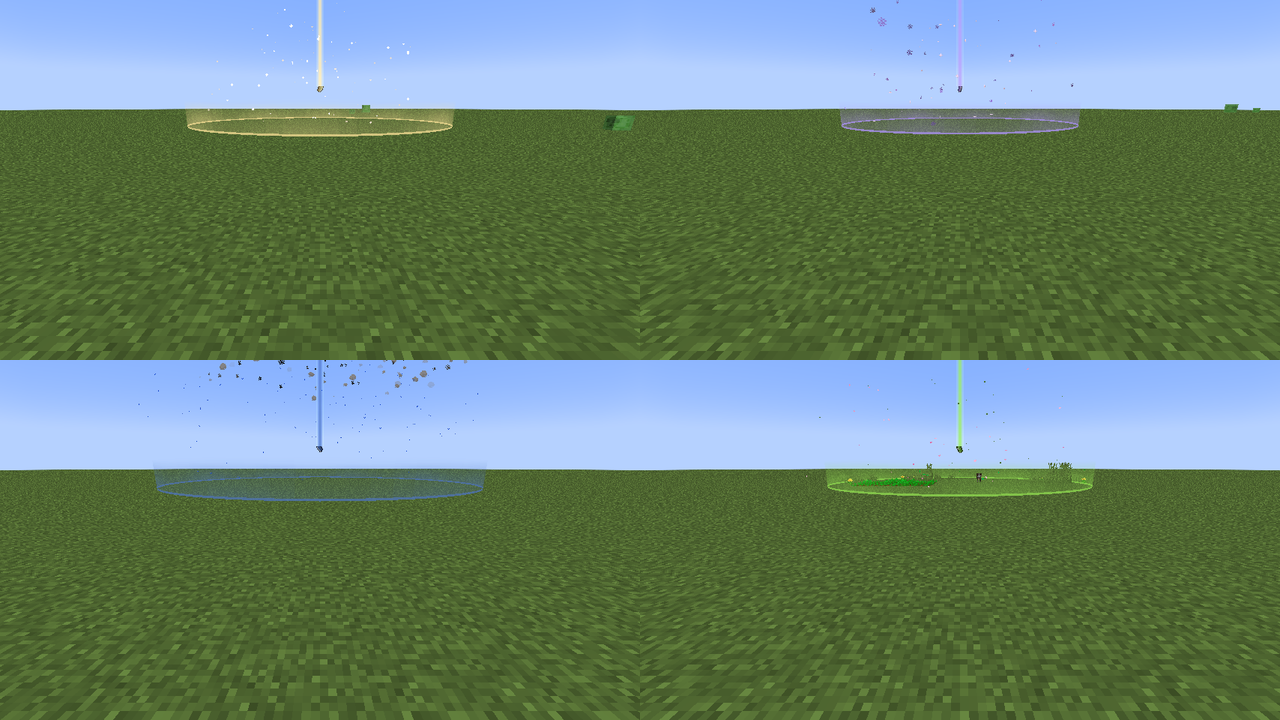
The four kinds
| Kind | In the wild | Once anchored |
|---|---|---|
| Lightfall | Weak gravity. Dropped items float. | A safe lift: no fall damage, nothing drifts off. |
| Stillness | Everything slows, arrows hang in the air. | Slows only monsters and their arrows. |
| Squall | Wind drags you round the core under harmless lightning. | No wind. Lightning feeds lightning rods and farmland stays wet. |
| Bloom | Crops and young animals grow fast. | They grow faster still. |
Every anomaly slowly leaves shards of its own kind near the core, and an anchored one leaves them twice as often.
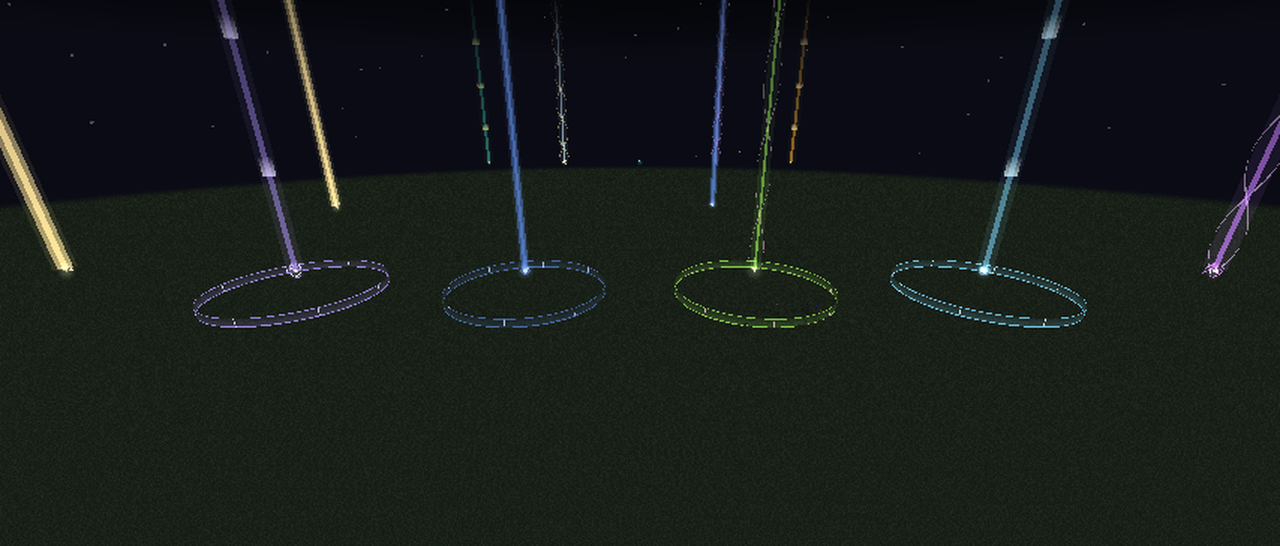
Good to know
- Anomalies cannot be hurt, pushed or moved, except by the jar.
- The Containment Jar needs a rare trophy to craft: a Nether Star or a Heavy Core by default.
- The Creative tab has a seed for each kind. Use it on the ground to place an anomaly, or sneak-use it on a core to remove one.
- Needed on both the server and every client.
For pack makers
- How common they are is set by the placed feature
anomalyanchors:anomaly(one chunk in 360 by default). Override it with a datapack. - What the jar accepts is the item tag
anomalyanchors:jar_trophy. Add boss drops from other mods to it. - Quests can hook into the advancements under
anomalyanchors:journal/: found, studied or photographed for each kind, plus anchored and moved. - Exposure is optional. With it, notes come from photographing a core. Without it, they come from walking in.
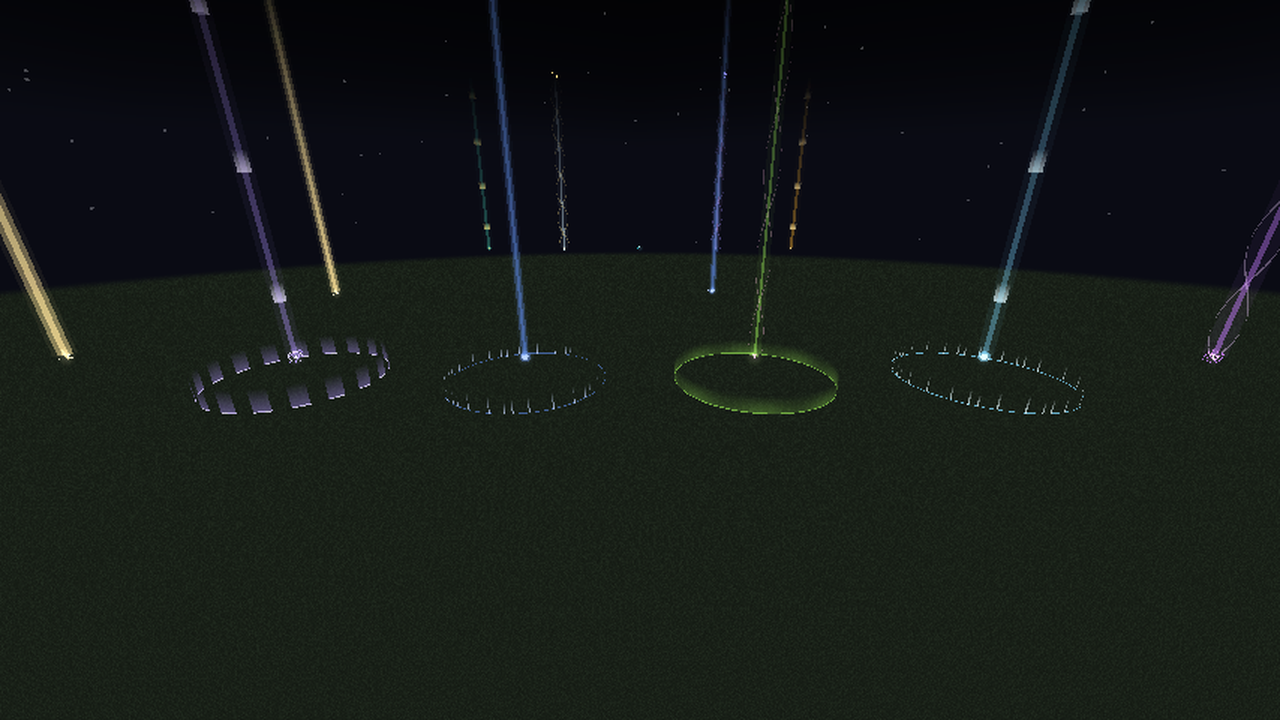
Project description from CurseForge.
Pick your setup
Anomalies & Anchors by Minecraft version and loader
Choose the version and loader you play, then open the matching release.
Check the dependencies, then try the file in a copied instance before changing a world you care about.
Recent files
Anomalies & Anchors versions and loaders
anomalyanchors-neoforge-1.21.1-1.1.0.jar
anomalyanchors-neoforge-1.21.1-1.3.0.jar
22 Nov 2026
Client Source doesn’t say Server Source doesn’t say Dependencies No extras listed Listed on Release listing
Check the 1.21 · NeoForge setup 1.21NeoForge release
anomalyanchors-neoforge-1.21.1-1.0.0.jar
21 Nov 2026
Client Source doesn’t say Server Source doesn’t say Dependencies No extras listed Listed on Release listing
Check the 1.21 · NeoForge setup 1.21NeoForge release
Looking for an older file? The official CurseForge project page is in Resources.
 mod
CurseForge + Modrinth · Minecraft
Horseman
Improved horses: faster hitching, smooth riding, QOL features and more...
 mod
CurseForge · Minecraft
Adaptive Mobs: Living Threats
Transform Minecraft hostile mobs with RPG levels, intelligent AI, unique personalities, emotions, persistent memories, adaptive combat behavior, and coordinated pack tactics.**
 mod
CurseForge · Minecraft
Mayview Music
BigChadGuys Plus, Vol. 2 (OST) and Mayview (OST) as music discs!