Minecraft version
Back to mods 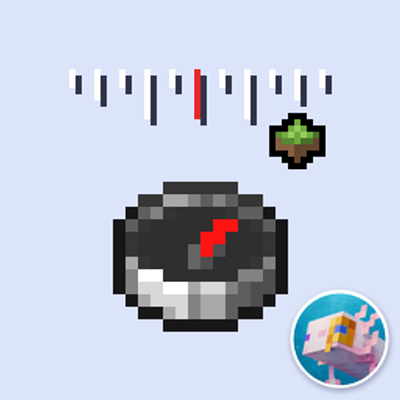
CurseForge · Minecraft mod
Azimuth
A minimal HUD compass bar that marks spawn, lodestones, your last death and map targets, all taken from the vanilla compasses and maps you carry.
Choose a version Pick your version below, then grab the matching file.
Quick answer
Which Azimuth release matches 1.21.2?
Best match for your filters azimuth-fabric-1.21.1-1.0.0.jar
Game version 1.21.8, 1.21.5, 1.21.4
Loader Fabric
azimuth-fabric-1.21.1-1.0.0.jar targets 1.21.8, 1.21.5, 1.21.4 with Fabric. The project page does not say whether this file belongs on the client, dedicated server, or both. No extra mods listed for this file.
Where it goes
Is Azimuth required on the client, server, or both?
The project page does not say whether this file belongs on the client, dedicated server, or both.
Client Source doesn’t say
Dedicated server Source doesn’t say
Loader for this release Fabric
Required install it here Optional supported, not mandatory Not supported do not install here Source doesn’t say do not assume
The source does not explicitly classify this release as client-only or server-only.
What else does azimuth-fabric-1.21.1-1.0.0.jar need?
azimuth-fabric-1.21.1-1.0.0.jar on 1.21.2. Every mod below is checked against that same setup.
This file does not list any required mods. Do not add a library just because a different file uses it.
This file does not list any required or optional mods.
Before you install it
Add Azimuth without breaking your instance.
Built for azimuth-fabric-1.21.1-1.0.0.jar on 1.21.2. Pick another file and the loader, install side or required mods may change.
- 01
Stick to this file
Use azimuth-fabric-1.21.1-1.0.0.jar. It targets 1.21.8, 1.21.5, 1.21.4 with Fabric; another release may have different loader, side or dependency requirements.
- 02
Bring the mods it needs
This file does not list any required mods. Do not add a library just because a different file uses it.
- 03
Put it on the correct side
The project page does not say whether this file belongs on the client, dedicated server, or both.
- 04
Pick the file you checked
Use the “Get this file” button beside azimuth-fabric-1.21.1-1.0.0.jar. It opens that exact file at the source.
About this project
What does Azimuth add?


A compass only shows one direction, and you have to hold it. Azimuth puts a compass bar at the top of the screen with every place you're heading to, as long as a compass is in your inventory.

✨ What it does
- Compass bar. Directions and ticks slide as you turn, with letters for N, E, S and W.
- Your places on it. World spawn, lodestones, your last death with a recovery compass, and the targets and banners of a held map.
- Distance and height. Distance to the marker in the middle, and ▲ or ▼ when it's above or below you.
- Knows the dimension. The bar takes on the colour of the Nether or the End, and markers from other dimensions stay hidden.
- Rose on maps. A small compass rose in the corner of every map.

🗺️ Map mods
Waypoints and markers of these mods show up on the bar like any other marker, and their own markers in the world are hidden.
| Mod | What shows on the bar | |
|---|---|---|
 |
Antique Atlas 4 | Atlas markers with their own icons, atlas anywhere in the inventory |
 |
AA4 Atlas | The same, with its atlas item |
 |
Xaero's Minimap | Waypoints in their colour |
 |
JourneyMap | Waypoints with their own icons |
 |
FTB Chunks | Waypoints in their colour |
 |
VoxelMap-Updated | Waypoints in their colour |
 |
Map Atlases | Map markers and pins, atlas anywhere in the inventory |
 |
Diorama | Waypoints in their colour |
All of it can be turned off in the settings, in game with Mod Menu on Fabric.
⚙️ Config
| Option | Default | What it does |
|---|---|---|
general.activation |
INVENTORY |
Where the compass has to be: inventory, hotbar, hand, or always on. |
strip.windowDegrees |
120 |
How much of the horizon the bar shows. |
colors.dimensionTint |
true |
Tints the bar in the Nether and the End. |
compat.hideWorldWaypoints |
true |
Hides map mods' markers in the world. |

Project description from CurseForge.
Pick your setup
Azimuth by Minecraft version and loader
Choose the version and loader you play, then open the matching release.
Minecraft version
26.2
2 loader buildsMinecraft version
26.1.2
2 loader buildsMinecraft version
1.21.11
2 loader buildsMinecraft version
1.21.10
1 loader buildMinecraft version
1.21.9
1 loader buildMinecraft version
1.21.8
1 loader buildMinecraft version
1.21.7
1 loader buildMinecraft version
1.21.6
1 loader buildMinecraft version
1.21.5
1 loader buildMinecraft version
1.21.4
1 loader buildMinecraft version
1.21.3
1 loader buildShowing the newest 12 of 20 game versions. Older files are in the list below.
Check the dependencies, then try the file in a copied instance before changing a world you care about.
Recent files
Azimuth versions and loaders
azimuth-fabric-1.21.1-1.0.0.jar
21 Nov 2026
Client Source doesn’t say Server Source doesn’t say Dependencies No extras listed Listed on Release listing
Check the 1.21.2 · Fabric setup Fabric1.21.81.21.51.21.4 release
Looking for an older file? The official CurseForge project page is in Resources.
 mod
CurseForge + Modrinth · Minecraft
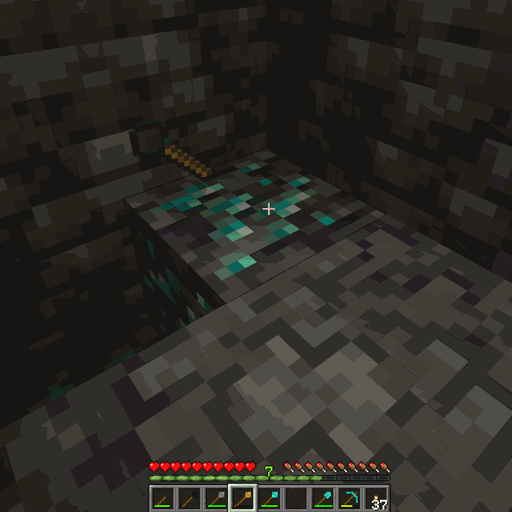
Balanced Ore Detector
Fully configurable Ore Detectors that do not break the balance of the game, and still make prospecting a challenge, without forcing you to hollow out the entire world.
 mod
CurseForge + Modrinth · Minecraft
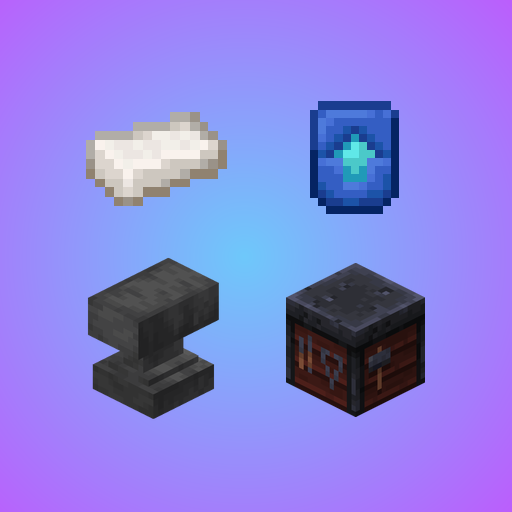
Simple Smithing Overhaul
Improved and rebalanced smithing, item repair and enchantment sources. Fully-featured and vanilla friendly.
 mod
CurseForge · Minecraft
Dot Coin Mod (Fabric)
Adds coin loot to Minecraft