Minecraft version
Back to mods 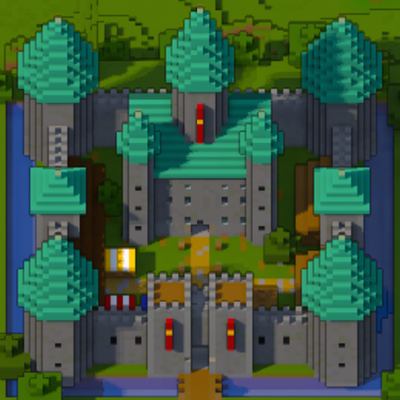
CurseForge · Minecraft mod
Diorama
A minimap and world map drawn at an angle, like a model of your world on a table. Towers stand up, cliffs have faces and trees cast shadows.
Choose a version Pick your version below, then grab the matching file.
Quick answer
Which Diorama release should I use?
Latest stable file Diorama 0.6.1 for Forge 1.20.1
Game version 1.20.1
Loader Forge
Diorama 0.6.1 for Forge 1.20.1 targets 1.20.1 with Forge. The project page does not say whether this file belongs on the client, dedicated server, or both. No extra mods listed for this file.
Where it goes
Is Diorama required on the client, server, or both?
The project page does not say whether this file belongs on the client, dedicated server, or both.
Client Source doesn’t say
Dedicated server Source doesn’t say
Loader for this release Forge
Required install it here Optional supported, not mandatory Not supported do not install here Source doesn’t say do not assume
The source does not explicitly classify this release as client-only or server-only.
What else does Diorama 0.6.1 for Forge 1.20.1 need?
Diorama 0.6.1 for Forge 1.20.1. Change the file and its required mods may change too.
This file does not list any required mods. Do not add a library just because a different file uses it.
This file does not list any required or optional mods.
Before you install it
Add Diorama without breaking your instance.
Built for Diorama 0.6.1 for Forge 1.20.1. Pick another file and the loader, install side or required mods may change.
- 01
Stick to this file
Use Diorama 0.6.1 for Forge 1.20.1. It targets 1.20.1 with Forge; another release may have different loader, side or dependency requirements.
- 02
Bring the mods it needs
This file does not list any required mods. Do not add a library just because a different file uses it.
- 03
Put it on the correct side
The project page does not say whether this file belongs on the client, dedicated server, or both.
- 04
Pick the file you checked
Use the “Get this file” button beside Diorama 0.6.1 for Forge 1.20.1. It opens that exact file at the source.
About this project
What does Diorama add?
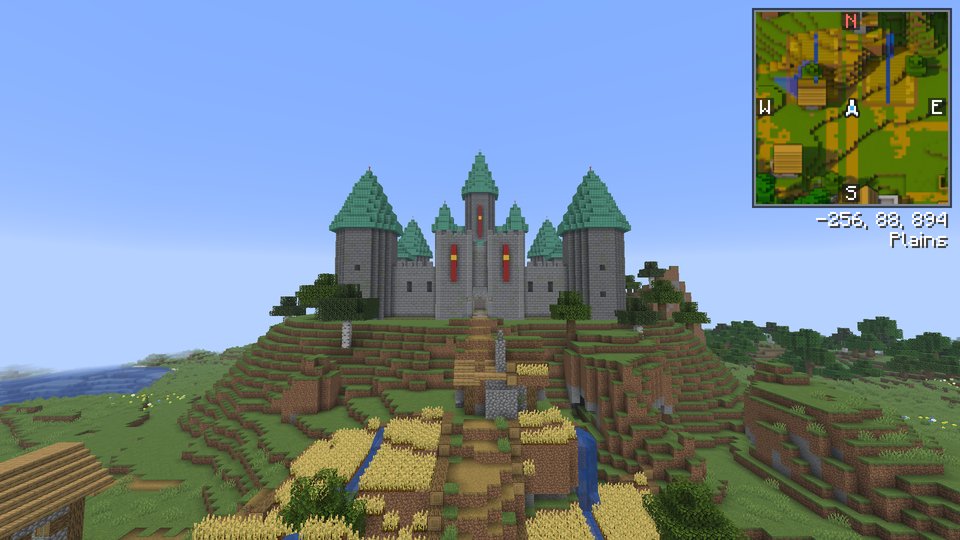
Diorama is a minimap and world map that draws your world at an angle, like a little model of it on a table. Towers stand up, cliffs have faces and trees cast shadows.

What you get
- A minimap in the corner of your choice, square or round, with a compass, your coordinates and the biome.
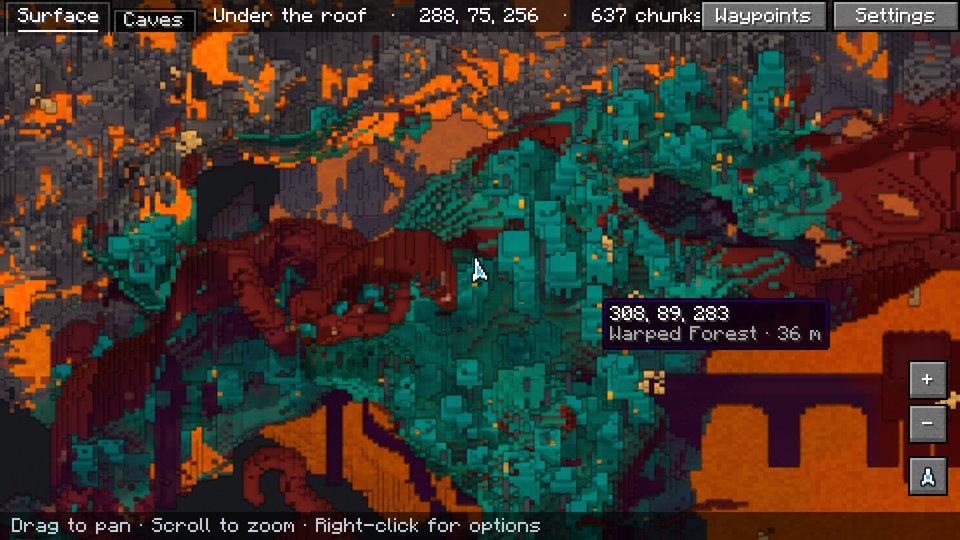
- A fullscreen map you can drag and zoom, from single blocks out to about 10,000 blocks across.
- A map that remembers. Everywhere you've been is saved, so it's still there next time. Places you haven't seen yet sit under drifting fog. Keep several maps of one world and switch between them from the map.
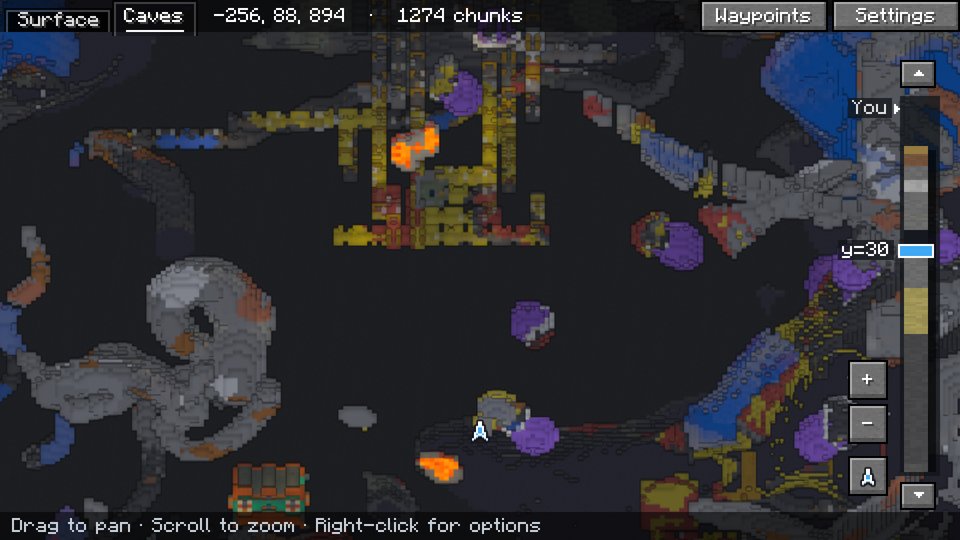
- Caves and the Nether. Underground, the map shows the cave you're in. In the Nether it looks in under the bedrock roof.
- A radar that shows players and mobs as their own faces, outlined red, yellow or green for hostile, neutral or passive.
- Waypoints on the map and floating in the world, with an icon or up to four letters on each pin, a marker where you died, a pin on your bed, folders to sort them, a distance limit for when there are too many, and an [Add] link when someone shares one in chat.
- A right-click menu on the map to add a waypoint, drop a temporary one, share the spot in chat, or teleport there if you're allowed to use
/tp. - Drawing on the map. Draw freehand, click out lines, mark areas, leave notes and measure distances. Drawings show on the minimap too.
- Save the map as an image, an area you pick or the whole map, drawings included.
Keys
| Key | What it does |
|---|---|
M |
Open the fullscreen map |
B |
Add a waypoint where you're standing |
U |
List your waypoints |
= / - |
Zoom the minimap in and out |
On the fullscreen map, drag to move around, scroll to zoom, click a waypoint to edit it and right-click for the menu. C switches to the cave view. The map can also show the chunk grid, slime chunks and where monsters can spawn. Every setting is behind the Settings button on the fullscreen map. On a slower computer, set Quality to Fast.
On servers
Diorama only runs in your game, and servers don't need it. Each world on a server gets its own map and waypoints, even several worlds behind one address, as long as their seeds differ. Servers can limit it with the same rules as Xaero's Minimap.
Works with
- Xaero's Minimap. Import your waypoints, add waypoints people share in chat, and see far-away players on servers with Xaero's player tracking.
- Radar icon packs made for Xaero's Minimap work too. You can also make your own.
- Waystones. Waystones you've found show on the map.
- Create copycats show as the block they copy.
- FTB Chunks. Claimed chunks show on the map and minimap.
Requirements
- Fabric. Minecraft 1.20.1, 1.21 to 1.21.11 or 26.1 to 26.3, with Fabric API.
- NeoForge. Minecraft 1.21, 1.21.1, 1.21.3, 1.21.4, 1.21.5, 1.21.8, 1.21.10, 1.21.11, 26.1.2, 26.2 or 26.3.
- Forge. Minecraft 1.20.1, with Forge 47.1 or later.
Download the file for your Minecraft version and loader. Bug reports and source code are on GitHub.
Project description from CurseForge.
Pick your setup
Diorama by Minecraft version and loader
Choose the version and loader you play, then open the matching release.
Minecraft version
26.2
2 loader buildsMinecraft version
26.1.2
2 loader buildsMinecraft version
26.1.1
1 loader buildMinecraft version
26.1
1 loader buildMinecraft version
1.21.11
2 loader buildsMinecraft version
1.21.10
2 loader buildsMinecraft version
1.21.9
1 loader buildMinecraft version
1.21.8
2 loader buildsMinecraft version
1.21.7
1 loader buildMinecraft version
1.21.6
1 loader buildMinecraft version
1.21.5
2 loader buildsShowing the newest 12 of 18 game versions. Older files are in the list below.
Check the dependencies, then try the file in a copied instance before changing a world you care about.
Recent files
Diorama versions and loaders
Diorama 0.6.1 for Forge 1.20.1
diorama-0.6.1-forge-1.20.1.jar
30 Oct 2026
Client Source doesn’t say Server Source doesn’t say Dependencies No extras listed Listed on Release listing
Check the 1.20.1 · Forge setup 1.20.1Forge release
Diorama 0.6.1 for 1.20.1
diorama-0.6.1-1.20.1.jar
30 Oct 2026
Client Source doesn’t say Server Source doesn’t say Dependencies 1 required · 1 unchecked Listed on Release listing
Check the 1.20.1 · Fabric setup Fabric1.20.1 release
Diorama 0.6.1 for 26.3
diorama-0.6.1-26.3.jar
30 Oct 2026
Client Source doesn’t say Server Source doesn’t say Dependencies 1 required · 1 unchecked Listed on Release listing
Check the 26.3 · Fabric setup Fabric26.3 release
Diorama 0.6.1 for 26.2
diorama-0.6.1-26.2.jar
30 Oct 2026
Client Source doesn’t say Server Source doesn’t say Dependencies 1 required · 1 unchecked Listed on Release listing
Check the 26.2 · Fabric setup Fabric26.2 release
Diorama 0.6.1 for 26.1-26.1.2
diorama-0.6.1-26.1.jar
30 Oct 2026
Client Source doesn’t say Server Source doesn’t say Dependencies 1 required · 1 unchecked Listed on Release listing
Check the 26.1.2 · Fabric setup Fabric26.126.1.126.1.2 release
Diorama 0.6.1 for 1.21.11
diorama-0.6.1-1.21.11.jar
30 Oct 2026
Client Source doesn’t say Server Source doesn’t say Dependencies 1 required · 1 unchecked Listed on Release listing
Check the 1.21.11 · Fabric setup Fabric1.21.11 release
Diorama 0.6.1 for 1.21.9-1.21.10
diorama-0.6.1-1.21.9-1.21.10.jar
30 Oct 2026
Client Source doesn’t say Server Source doesn’t say Dependencies 1 required · 1 unchecked Listed on Release listing
Check the 1.21.10 · Fabric setup Fabric1.21.91.21.10 release
Diorama 0.6.1 for 1.21.6-1.21.8
diorama-0.6.1-1.21.6-1.21.8.jar
30 Oct 2026
Client Source doesn’t say Server Source doesn’t say Dependencies 1 required · 1 unchecked Listed on Release listing
Check the 1.21.8 · Fabric setup Fabric1.21.81.21.61.21.7 release
Diorama 0.6.1 for 1.21.5
diorama-0.6.1-1.21.5.jar
30 Oct 2026
Client Source doesn’t say Server Source doesn’t say Dependencies 1 required · 1 unchecked Listed on Release listing
Check the 1.21.5 · Fabric setup Fabric1.21.5 release
Diorama 0.6.1 for 1.21.4
diorama-0.6.1-1.21.4.jar
30 Oct 2026
Client Source doesn’t say Server Source doesn’t say Dependencies 1 required · 1 unchecked Listed on Release listing
Check the 1.21.4 · Fabric setup Fabric1.21.4 release
Diorama 0.6.1 for 1.21.2-1.21.3
diorama-0.6.1-1.21.2-1.21.3.jar
30 Oct 2026
Client Source doesn’t say Server Source doesn’t say Dependencies 1 required · 1 unchecked Listed on Release listing
Check the 1.21.3 · Fabric setup Fabric1.21.31.21.2 release
Diorama 0.6.1 for 1.21-1.21.1
diorama-0.6.1-1.21-1.21.1.jar
30 Oct 2026
Client Source doesn’t say Server Source doesn’t say Dependencies 1 required · 1 unchecked Listed on Release listing
Check the 1.21.1 · Fabric setup 1.21Fabric1.21.1 release
Looking for an older file? The official CurseForge project page is in Resources.
 mod
mod CurseForge + Modrinth · Minecraft
Super Factory Manager Retro
Build Super Factory Manager programs on a visual node canvas instead of writing SFML by hand. Drag nodes, wire them together, search items and fluids by name, and import/export programs you have already written.
 mod
mod CurseForge · Minecraft
CustomSkyboxes
Custom Skyboxes is a mod that allows you to change the sky,clouds, sun, moon, rain, snow, and stars and custom rifts or Geckolib Models in the sky in real time with a texture or GIF with Commands!
 mod
mod CurseForge · Minecraft
Mettle - Each player picks their own difficulty
Each player picks their own difficulty, and damage, hunger and monsters around them follow it.