Simple Config Lib Optional for Enhanced World Creation 1.3.1-neoforge+26.2
optionalMatching file found Matched file: 1.0-neoforge+26.2

Modrinth · Minecraft mod
Adds more settings when creating a world and allows to apply saved settings
Quick answer
Enhanced World Creation 1.3.1-neoforge+26.2 targets 26.2 with NeoForge. It must be installed on the client. Do not install it on the dedicated server. No extra mods listed for this file.
Where it goes
It must be installed on the client. Do not install it on the dedicated server.
This file is marked client-only.
1.3.1-neoforge+26.2. Change the file and its required mods may change too.
This file does not list any required mods. Do not add a library just because a different file uses it.
We only count dependency files that match this setup. A file for another loader does not fill the gap.
Before you install it
Built for Enhanced World Creation 1.3.1-neoforge+26.2. Pick another file and the loader, install side or required mods may change.
Use 1.3.1-neoforge+26.2. It targets 26.2 with NeoForge; another release may have different loader, side or dependency requirements.
This file does not list any required mods. Do not add a library just because a different file uses it.
It must be installed on the client. Do not install it on the dedicated server.
Use the “Get this file” button beside 1.3.1-neoforge+26.2. It opens that exact file at the source.
About this project

This mod expands the world creation screen and adds settings for changing its default
parameters.
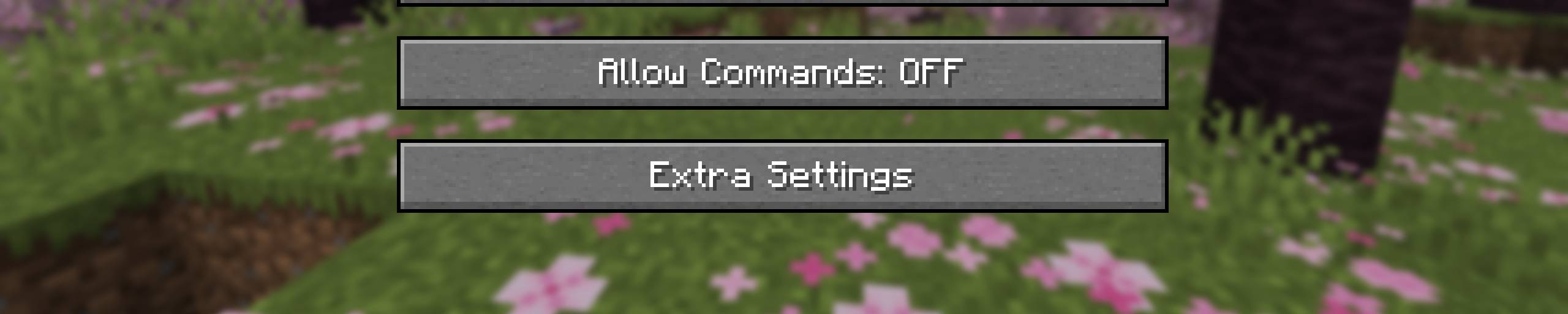
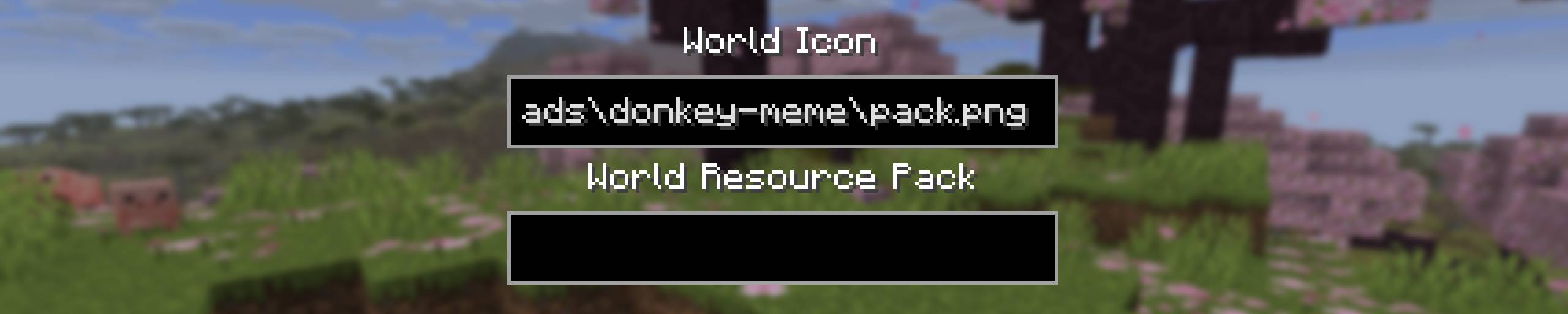
A new button will appear during world creation. Clicking it will open a screen where you can add an icon for the world and install a built-in resource pack. This resource pack will be automatically applied to the player upon entering the world.
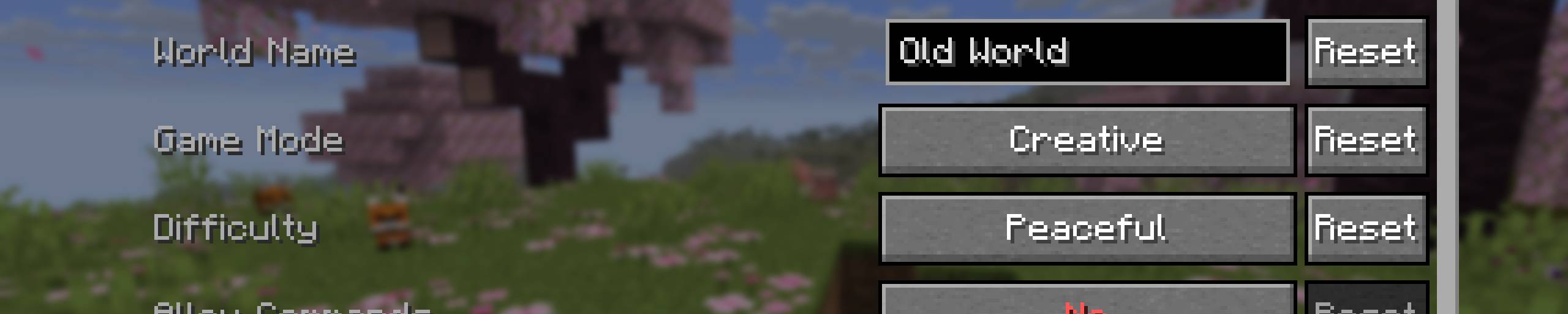
The mod has a configuration option. In its settings, you can set the default parameters for world creation. This will significantly speed up the process if you frequently generate new worlds.
I don't plan to add default game rules or data packs. Mods already exist for that.
Project description from Modrinth.
Pick your setup
Choose the version and loader you play, then open the matching release.
Showing the newest 12 of 140 game versions. Older files are in the list below.
Check the dependencies, then try the file in a copied instance before changing a world you care about.
Recent files
enhanced-world-creation-1.3.1-neoforge+26.2.jar
25 Aug 2026
enhanced-world-creation-1.3.1-fabric+26.2.jar
25 Aug 2026
enhanced-world-creation-1.3.1-forge+26.2.jar
25 Aug 2026
enhanced-world-creation-1.3.1-neoforge+26.1.jar
25 Aug 2026
enhanced-world-creation-1.3.1-forge+26.1.jar
25 Aug 2026
enhanced-world-creation-1.3.1-fabric+26.1.jar
25 Aug 2026
enhanced-world-creation-1.3.1-neoforge+1.21.2.jar
25 Aug 2026
enhanced-world-creation-1.3.1-forge+1.21.2.jar
25 Aug 2026
enhanced-world-creation-1.3.1-fabric+1.21.2.jar
25 Aug 2026
enhanced-world-creation-1.3.1-neoforge+1.21.11.jar
25 Aug 2026
enhanced-world-creation-1.3.1-forge+1.21.11.jar
25 Aug 2026
enhanced-world-creation-1.3.1-fabric+1.21.11.jar
25 Aug 2026
Looking for an older file? The official Modrinth project page is in Resources.
 mod
modA mod that improves Minecraft's spiders!
 mod
modMinimap and Worldmap. Have an overview of your surroundings, or view the entire world. Create waypoints.
 mod
modLavro's Item Renewability Carpet Addition